
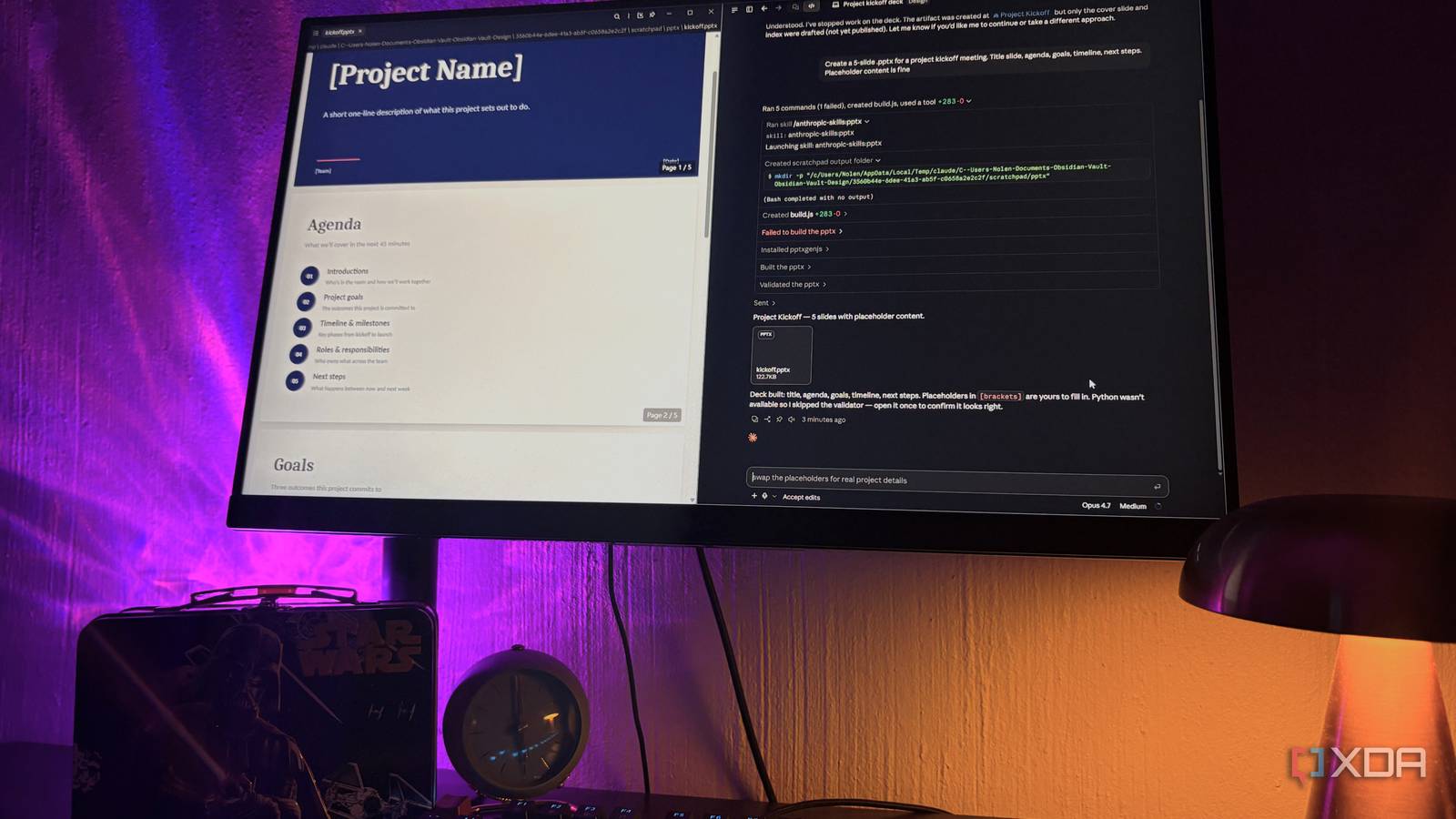
Published Sep 20, 2026, 7:31 AM EDT Nolen began their writing career in 2019, with three years dedicated to editing the Creative section at MakeUseOf. Their expertise lies at the crossroads of technology and creativity, covering areas like photography, video editing, and graphic design. Outside of work, you'll often find Nolen diving into a good book, writing their own stories, or playing video games. Halfway through a project in Claude Code, I often realize that the thing I'm building isn't really what I wanted. At first I chalked this up to iteration, and that experimentation is part of the process. But I'd end up scraping my sessions too often or arguing my way back into what I wanted, which is a big waste of tokens. Longer and more detailed system prompts, or better prompting, don't really solve it either. Skills do, though. Two of them in particular changed the issue for me: one that runs at the start of a session and forces some thinking, and one that runs at the end and produces something usable that I don't want to throw away… Want to stay in the loop with the latest in AI? The XDA AI Insider newsletter drops weekly with deep dives, tool recommendations, and hands-on coverage you won't find anywhere else on the site. Subscribe by modifying your newsletter preferences! A skill that changes how Claude approaches the task Call it brainstorming, planning, or processing; the foundation is the same Skills in Claude Code are basically markdown files in ~/.claude/skills/ for personal use, or .claude/skills/ for a specific project. Claude reads the description, decides if the skill applies to what you're doing, and if it does, it usually follows the instructions inside. I don't think we appreciate skills enough given it's just a plain markdown file with instructions rather than a compilation or trip to the plugin store (though there is a proper plugin store if you want it). The skill I'm talking about here is a process skill, not an output one that produces a file or artifact, and its purpose is to steer how Claude approaches the task. Specifically, it makes Claude stop, ask one focused question at a time, and actually wait for the answer before moving on. My pick for this slot is the brainstorming skill from Superpowers by Jesse Vincent. It's currently the most-starred Claude Code skills repo on GitHub. You can install the whole thing as a plugin (/plugin install superpowers@claude-plugins-official), or do what I actually still do, which is just copy the folders I want into my global skills directory. Both work fine. Superpowers ships with more than a dozen skills covering the development loop, so test-driven-development, systematic-debugging, git-worktrees, writing-plans, and others. But brainstorming is the one I'd install first if I could only pick one. It classifies my request as a spike, a bounded thing, or an architectural thing, and then works through the design in sections before moving onto anything else. So I give Claude the full picture first, then approve the design, then the writing-plans skill downstream turns it into a plan file with verification steps. This is just the one I prefer, but you'll probably find hundreds if not thousands of skills in a similar vein. The point is that they all handle the first parts of a project, where you don't really know how to get started, or where one missing piece can cause things to spiral later down the line. Ultimately, one clarifying question upfront saves an hour of "no, that's not what I meant" later. An output skill For the other end of the session The other place my sessions would get wonky was at the finish line. Claude would eventually land on something decent enough to keep, but it sometimes missed nuances, or in the cases I would ask for corrections, it would overcorrect and change properties I never wanted changed. You probably know exactly what I'm talking about. An output skill can fix that. It gives Claude a repeatable, disciplined process for producing and editing the thing it's producing, rather than freestyling it every time. The set I use for this the most lives in Anthropic's own skills repo at github.com/anthropics/skills. The four production ones (docx, pdf, pptx, xlsx) are the same skills that power document creation inside the Claude.ai web app, published as source-available reference, and the rest of the repo is Apache 2.0. The docx one is a good example of what these actually change. With it installed, edits to an existing Word file stay surgical, so if you ask for a redo of just one talking point, that's exactly what you get back, not a fully generated document with three other things "improved". pptx does something similar for decks: it generates thumbnail grids of the slides before finalising so it can catch layout issues on its own, rather than you having to go look for them after opening the file. The document-skills plugin currently pulls all 17 skills from the repo, not just the four declared ones. It doesn't break anything, but just be mindful that it can eat context. So if you want to stay lean, drop the four folders straight into ~/.claude/skills/ and skip the plugin path. Making them yours Custom skills are where you reap the most benefit Once a skill is installed, it's just a folder on your disk. The instructions Claude follows are in the SKILL.md file, and you can open it in any text editor and change whatever you want. Claude picks up the edits immediately and so the next session will run your version of the skill. You can also build them from scratch - either simply ask Claude what you want, or have a look at how Anthropic officially creates their skill stack. I actually recommend making them yourself or editing existing ones if you want to combat the context drain issue. Tighten the description field, remove reference docs that aren't applicable to your project, and so on. Also add "disable-model-invocation: true" to anything you only want to get triggered when you explicitly ask for it. Actually, edit the instructions themselves too, because there's no reason a skill from someone else's workflow will behave the exact same in yours. Zooming out a bit, skills are one of three ways to customize Claude Code. CLAUDE.md is for standing project rules, skills are for repeatable tasks, and hooks are for things that need to happen automatically. Most people never touch the middle one. Once you do, though, you start to see that having a process skill at the start of a session for a smooth and clarifying start, and then an output skill to bring the project to the finish line without surprises or disappointment, is worth the setup.
I gave my Claude Code sessions two crucial skills, and now they actually finish what I start
Full Article
Original Source
Read the full article at Xda-developers →KhanList aggregates and links to publicly available news content. We do not host full articles from third-party sources. Always verify important information with original sources.