
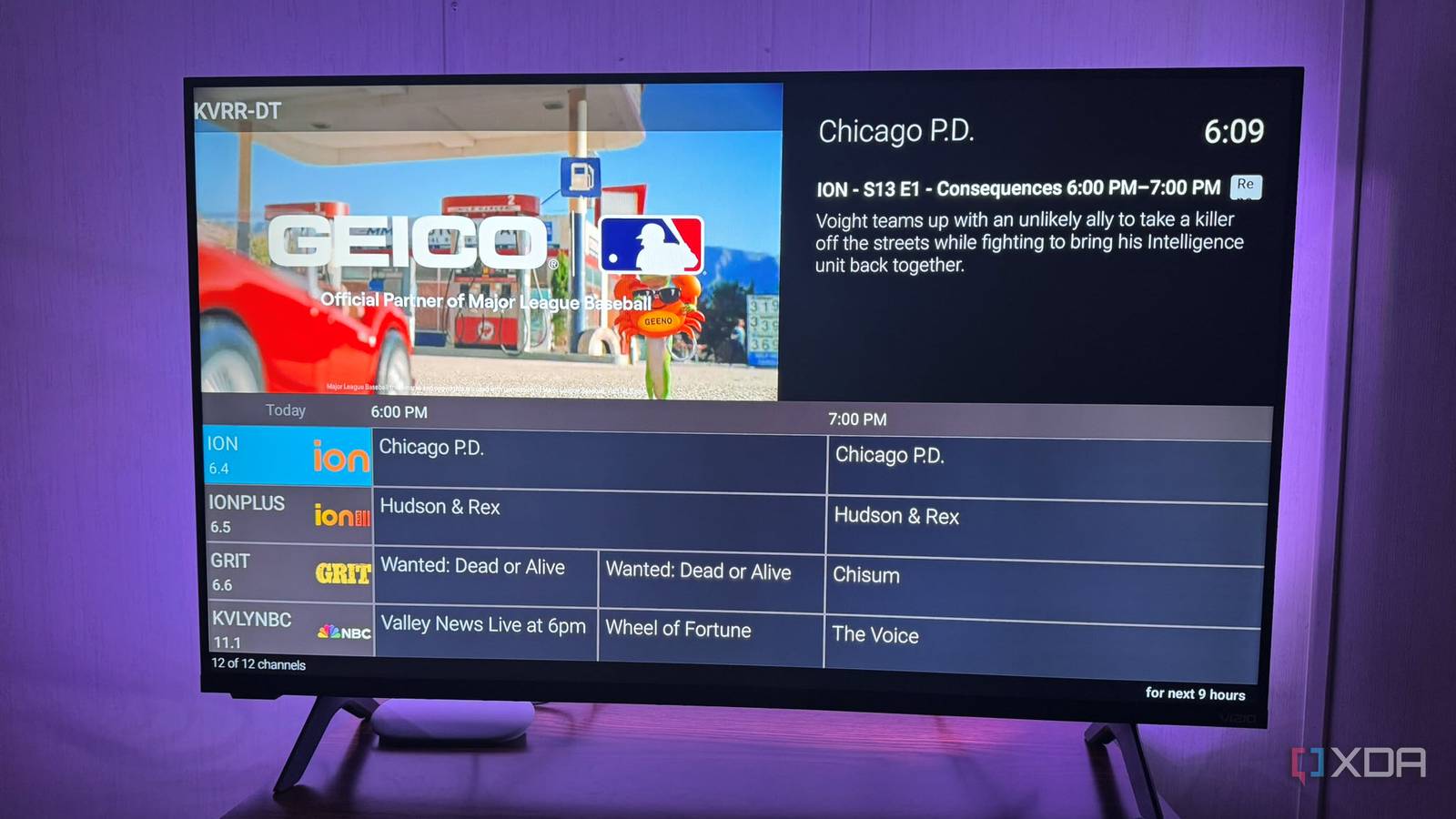
Published Oct 28, 2026, 11:30 AM EDT Based in rural Minnesota, Brian Burgess worked in IT for 10 years before finding his passion for writing about consumer technology. Brian earned his degree in computer and network technology in 2000. He held various IT positions, including help desk support, router installations for IBM, database administration, and other associate network administration roles. He's been a personal technology journalist for 18 years and has written thousands of articles about Microsoft products and services, Android, iOS, streaming, and more. He has written for notable tech sites including XDA, InformationWeek, How-To Geek, Byte, groovyPost, and others. When he is away from the keyboard, you will hear him playing guitar, working outdoors, and watching Star Trek. When I added live TV to my Plex server via a network tuner, the server platform automatically created an up-to-date channel guide. When I added it to Jellyfin, I could switch between stations, but it didn't create a traditional guide. Getting a channel guide that stays updated with shows in Jellyfin takes extra configuration, but SiliconDust wanted to charge me $35/year for one. Luckily, my tuner offers a free channel guide that I can pull and update manually with a PowerShell script, or automate to run every few days and keep it up to date. I also set a server trigger to update the listings so viewing and recording over-the-air content is easier from screens connected to Jellyfin. Adding a network tuner Getting live TV stations on Jellyfin was the easy part First, I attached my HD antenna to the tuner and connected the tuner to my network. I placed my antenna and tuner combination in the best location for reception and plugged it into my network via a Wi-Fi extender with an open Ethernet port. Plugging it directly into my router would be ideal, but that's not feasible for me. Everything works fine, and I get the most channels from where I placed it. I dialed into the cheap tuner box, installed new firmware, and updated the channels. I went into the Live TV section of the Jellyfin dashboard, and it immediately recognized the network tuner. After that, Jellyfin could see the channels, but it still didn't have a guide yet. SiliconDust offers a free two-day XMLTV channel guide for the HDHomeRun network tuner. I used a PowerShell script to retrieve the listing and save it locally as a guide.xml file. Setting up the channel guide Some configuration is needed When it came time to get a proper channel guide, I used SiliconDust's XMLTV API as the guide source. I saved a PowerShell script to the server's local drive and ran it to download listings into the guide.xml file. I then added the file to Jellyfin under Live TV > TV Guide Data Providers. Once that was complete, I set Jellyfin to read the guide by selecting the Refresh Guide Data button so it could update and display across my devices. After setting up the XMLTV guide, I ran the script manually every couple of days and updated the channels from the server's dashboard. The PowerShell script contacts my tuner to get its authentication token, then uses it to download TV listings. It verifies the XMLTV document and saves it to my guide, replacing the previous version. In Jellyfin's Scheduled Tasks section, I set a Live TV trigger to run the script every 24 hours at midnight, check the XML guide file, and apply any changes it finds. Still, I was updating it manually by running the PowerShell script every couple of days for fresh listings. However, I didn't always remember to do it, and I needed a simple way to automate the script. Automating updates Now my XMLTV guide updates itself Jellyfin updated the guide every 24 hours, but it was only as good as the data it contained. I didn't always remember to run the update-guide script and often found listings missing. Then I ran it manually to get correct listings and also ran the update in Jellyfin, so the live TV guide displayed correctly on my devices. The script pulls only two days of shows from my network tuner's service, and managing it manually got confusing, especially when I wanted to record a show. My Jellyfin server runs on Windows, so I used Task Scheduler to automate the script to update my channel listings. I created a task to run the script daily at 10:00 PM, since I set Jellyfin to update the XMLTV guide at midnight. The task I created tells PowerShell to launch and run my saved script. Since my server is always on, the automation has worked successfully. It's much easier having a guide that updates automatically. Now I have a real channel guide that stays updated on its own — through two technical steps. But I don't notice it when I'm in front of my screen and checking out what's on. SiliconDust's free offering gives me two days' worth of listings, which is enough since I don't watch or record much live television. So, paying for 14 days of listings isn't worth it for me. Automating OTA channel guide updates for free on Jellyfin A real over-the-air guide that updates itself makes watching live TV on Jellyfin-connected devices a better experience. If I were more likely to record TV shows, I might consider SiliconDust's subscription. But this two-step automation is straightforward and works for my free channel viewing. It keeps the channel guide updated without me having to do it manually. If the scheduled task fails or Jellyfin goes down, I will need to run it myself, but that's to be expected with server maintenance that's picky about live TV. SiliconDust HDHomeRun Flex 4K
I gave my cheap TV tuner a real channel guide in Jellyfin, and now it updates itself
Full Article
Original Source
Read the full article at Xda-developers →KhanList aggregates and links to publicly available news content. We do not host full articles from third-party sources. Always verify important information with original sources.