
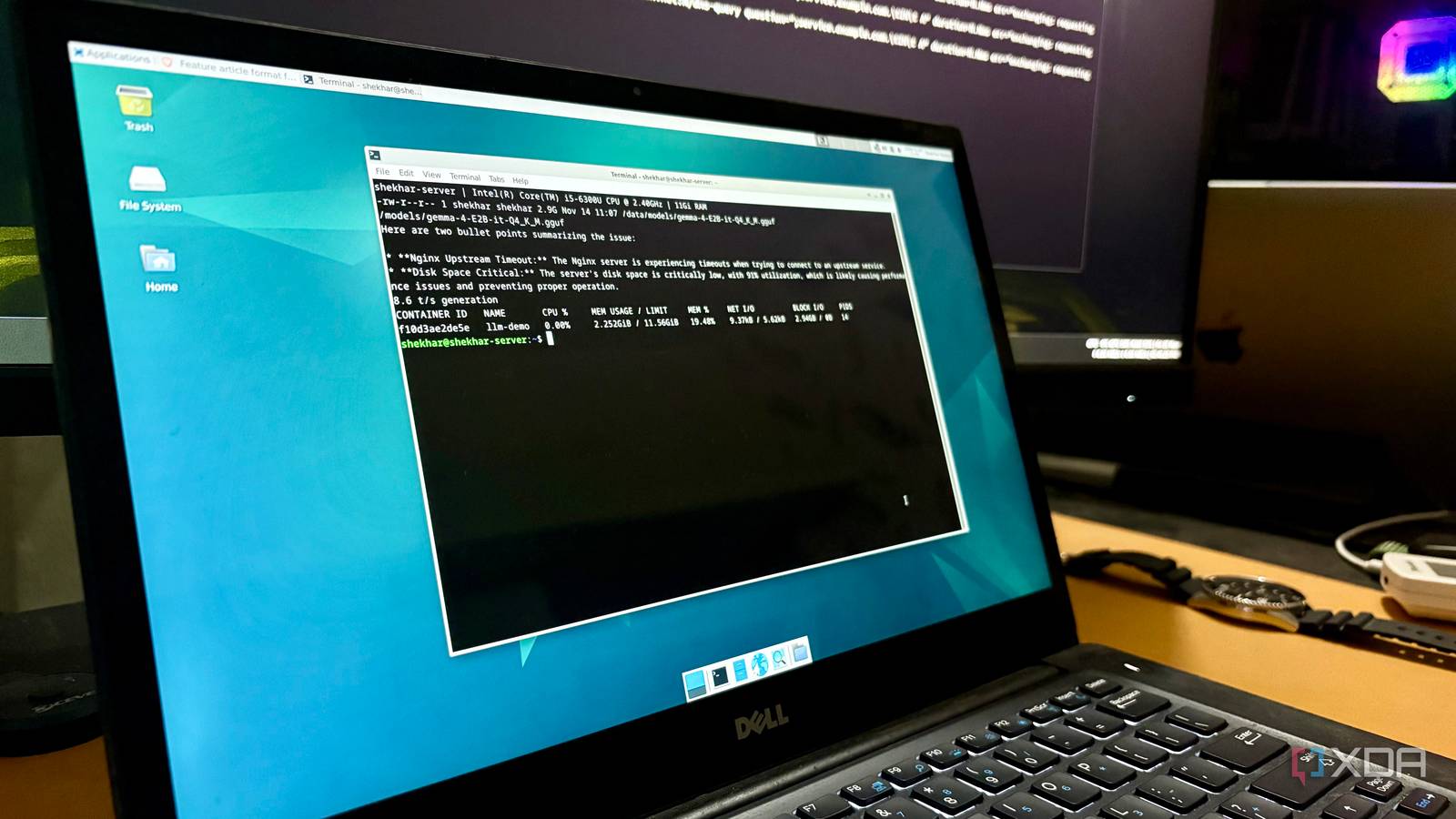
Published Nov 20, 2026, 4:30 PM EST Shekhar Vaidya is a veteran technology journalist and computer science engineer. He is the founder of TechLatest, where he has spent years providing technical analysis on hardware and Windows ecosystems. Now a Computing Writer at XDA, Shekhar leverages his deep background in NAS, storage solutions, and PC internals to help readers master their tech. The most tedious task for an early homelabber is the logs. We have piles of logs for each service we host. We almost never open and read them since we rely on the monitoring services. Services like Beszel and Uptime Kuma do important work, but they are limited to specific jobs, and none of them read the actual logs. With LLMs these days, I usually hand over busy work to locally hosted models on my powerful workstation. But in the case of service logs from my server, it is not straightforward, because I can’t keep my workstation on all the time. So I pivoted and hosted a local LLM on my 9-year-old laptop server. It now runs every day at six in the morning and reports the findings to me. A 2016 laptop handled it without a GPU The first attempt wouldn’t stop thinking out loud Why am I mentioning a 2016 laptop multiple times? Most people use repurposed or refurbished hardware as their first home server. And for me it was (it still is) a 9-year-old Dell Latitude laptop. The laptop was headed for recycling when my relative got a new laptop. So, instead of recycling it, I took the opportunity to repurpose it as my first home server, currently running more than 30 containers. For context, the Latitude has an i5-6300U processor and 8 GB of memory. I added another 4 GB to it. So, an almost decade-old laptop with a mediocre CPU and no dedicated GPU. Even when thinking about it, I was unsure about my decision to host a local LLM on it. Nevertheless, I deployed Gemma 4 E2B Q4_K_M on llama.cpp. I am not discussing why llama.cpp or why Gemma 4; I already covered that in my previous articles. Based on my previous experience, I simply configured the LLM the way I liked, and that suited this hardware. Context 8192, 2 threads and 2 CPUs, temperature 0.2, 1,200 max tokens, and reasoning off. Gemma 4 E2B Q4_K_M is around 3GB; that means it could take up to 3GB of memory on load and more while running, so keeping it running all the time wasn’t practical. So, instead, I made it start the container, run, and remove it after the report. This way, the container won’t take unnecessary memory the whole day. The first run was a bummer, though. Initially, I decided to go with the :light image running llama-cli. But when I ran the model, it started with the interactive prompt, which spent my token budget and generated a different output than I expected. Even though the stats were decent, around 42 tokens per second for prompt processing and 10 for generation under two minutes, I still decided to switch to llama-server. It caught what I’d have missed It also called every error an upstream failure The script was set to run every morning at 6 AM. Before even running it for the first time, I was casually scrolling through Portainer and noticed that my AdGuard Home (AGH) container was unhealthy. I knew exactly why it was unhealthy. I won’t go into details, but it was because of unassigned ports after a reboot and NetBird DNS taking over it. I thought it was the best way to test the script and the LLM, so I kept the unhealthy status as is. In the first run (with llama-cli), it did tell me that my AdGuard container logged multiple failed upstream queries in 24 hours. Then I fixed the issue and ran the script again. This time the error was gone, and a new error appeared. After that, I kept the script running for the next few days and checked the reports each day. It correctly flagged errors like a leftover wikijs_wikinet network, which then disappeared in the next digest, but it also flagged a few recurring errors that weren't important. For example, after the AGH container status issue, it gave me a new harmless AGH error every day. Some were correct, and some were imprecise. In one report, 18 of the 20 AdGuard error lines were TLS errors, and only two were failed upstream queries, but still the model described all of them as “when querying external DNS servers.” The recurring errors weren't the model’s fault, but it was configured in such a way that the model didn’t know what happened yesterday. So every day, the report was new for the model; hence; it acted that way. The model wasn’t the clever part It only sees what my script lets through You might be wondering how a small model like E2B was handling the logs from more than 30 containers. Processing that many logs in just two minutes looks very difficult. Yes, you are thinking in the right direction. I thought the same, which is why I decided to add a lot of filters to the script. So the reports were already filtered even before reaching the model. The first was that it reads only the last 24 hours of logs from every running container, and only the lines matching error keywords like error, fail, denied, or timeout. After that, I added another filter to skip the ignore list so it wouldn't catch the one I was experimenting on. Then, it kept only the ranked and counted error list the script sorted because a day of logs may contain repeated lines. Even after the ranking, the logs were capped at 12,000 characters overall. I also masked the numbers to differ lines only by a port or ID. These were the only ways to make an under-two-minute local LLM run on an old laptop with no dedicated GPU. It cost me some detail in various scenarios, like Quad9 becoming QuadN, and truncating long error lines, but it was worth the peace of mind. In the end, the result was a list of up to eight bullets delivered to my ntfy instance each morning. One glance at it and I am good for the day. A small job for an old laptop The takeaway? I am keeping the model and script running on my home server for now. Not as is, but after tweaking the script based on what I find once it has run for a few more days. The five days of running already pointed me to a few issues, and another few days will gather more. But keeping it running also means I will have to keep in mind that even though it can get the container right, it can sometimes get details wrong too.
I gave my 9-year-old laptop server a local LLM job every night, and it reads my homelab logs so I don’t have to
Full Article
Original Source
Read the full article at Xda-developers →KhanList aggregates and links to publicly available news content. We do not host full articles from third-party sources. Always verify important information with original sources.