
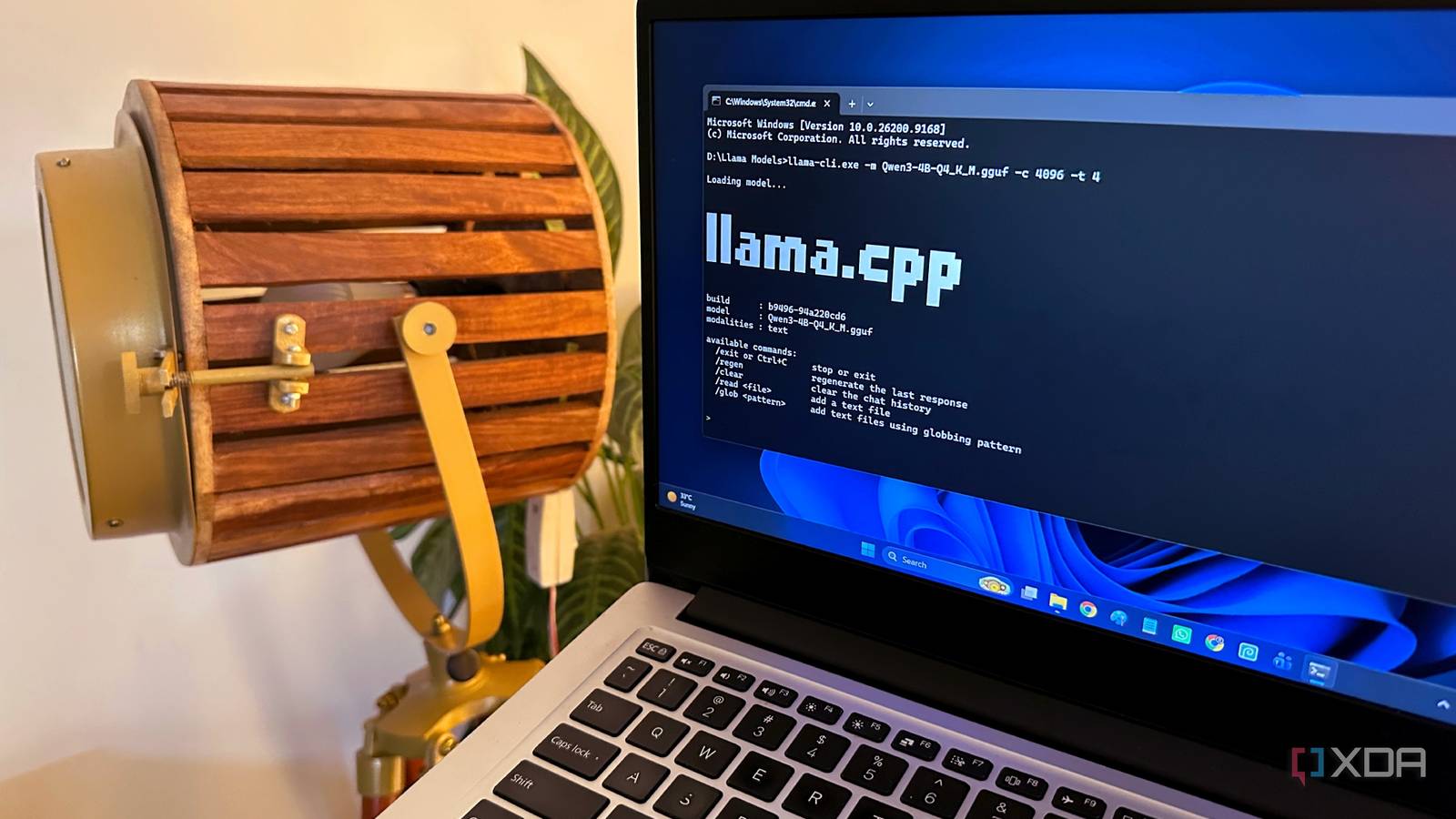
Published Sep 25, 2026, 10:30 AM EDT Gaming has been Samarveer’s greatest passion, and the Literature graduate in him takes immense joy in dissecting games for their themes, messages, and impact. Samarveer holds a deep appreciation of gaming, and considers the platform to be the most immersive and impactful across all media. He can be found engaging with gaming communities online, always ready to debate the finer points of ray tracing or itching to write an 8-page collegiate thesis on any game that impacts him emotionally. A seven-year-old laptop doesn't exactly sound like the kind of machine you'd pick for an AI experiment, especially since I've been enjoying using an RTX 4070 Ti-powered PC for a while now. Mine has long since been relegated to the occasional task, quietly sitting around while newer hardware does the heavy lifting. But I've always had a soft spot for old hardware, especially when there's still some life left in it. Lately, I've been finding ways to make that life considerably more interesting. A handful of free local AI projects have turned this otherwise forgotten laptop into something I actually enjoy using again. Full disclosure — they haven't somehow "transformed" the laptop into a modern workstation, but they've certainly given me a reason to fire it up regularly again, which is more than I expected. I turned my old laptop into a private PDF assistant It can finally make sense of the documents I keep ignoring It wasn't until I properly tried repurposing my old laptop into a PDF assistant that I realized exactly why it was such a tried and tested method. It also made sense for me, since the laptop, over years of collecting dust, had also accumulated a ridiculous collection of manuals, reference documents, articles, and assorted paperwork sitting on its multiple drives. I only open most of these when I desperately need one specific piece of information from a document I faintly recall. A small local model gives that forgotten machine an actual job. I use Qwen3 4B at Q4_K_M for this process, which roughly takes up around 3GB on my laptop. With just 8GB total system RAM to spare and no useful dedicated VRAM, this model helps me stick to a relatively modest window of around 4–8K tokens. The laptop I'm using is a 2019 Mi Notebook 14 with an Intel i5-10210U running at 1.60GHz, 8GB RAM, and 128 MB integrated VRAM. Instead of uploading a PDF to a cloud chatbot, I can just point Qwen3 at it (it does require a vibe-coded Python script to turn all my PDFs into TXT files), and have it summarize or extract the info I actually need. Plus, when it comes to the longer, more technical documents, this feels considerably more useful than scrolling through 80 pages hoping the right keyword eventually reveals itself. It's not the fastest process in the world, sure, but the important bit is that the documents stay on the machine. My PDFs contain personal information, work material, invoices, or anything else I'd rather not hand to an external AI service. The laptop isn't particularly fast at inference, but speed becomes a much smaller concern when the alternative is opening another browser tab and uploading everything. I let local AI clean up my digital mess My old laptop became a surprisingly good file clerk The next experiment was less glamorous, but more useful. I have accumulated years of files with names that tell me nothing. Screenshots, photos, PDFs, and random downloads have taken on all sorts of names — think IMG_4821, document-final-2, or Screenshot 2025-03-14. I wanted the laptop to fix that mess without uploading my files. There's no reason Claude Code couldn't help me out with my local AI workflow, so I vibecoded a quick Python script that scans a folder, sends each image to Qwen2.5-VL-3B-Instruct, asks it for a short description, and uses that description to suggest a filename. Of course, I'm still the final authority, meaning nothing gets renamed until I approve the changes myself. I deliberately kept an approval step between the model and my filesystem. Local AI is useful, but I don't trust a 3B model enough to let it rename hundreds of files unsupervised. My personal photos, screenshots, and documents never have to leave the laptop. The machine isn't particularly fast, but it can quietly organize my files in the background while keeping the data itself entirely under my control. llama.cpp makes my old laptop feel surprisingly capable There's no denying that Ollama is a wonderfully convenient way to get local AI working on any piece of hardware, regardless of its age. I myself used Ollama for quite a while on my desktop PC before ditching it for Jan just recently. This old laptop, however, didn't have a lot of RAM for me to waste, and in the interest of squeezing out every last bit of performance from its seven-year-old processor, llama.cpp became the only way forward. With llama.cpp, I work directly with GGUF models straight from Hugging Face. I even get control over things like context size, CPU threads, and GPU offloading. Of course, on an 8GB machine with Intel integrated graphics, CPU inference is pretty much the reality, but having that control when I need to exercise it (if ever) matters. A Qwen3 4B Q4_K_M model is small enough to remain practical without turning Windows into a slideshow. Truth be told, the difference between Ollama and llama.cpp on my old laptop isn't magical, by any stretch of imagination. The latter gives me more control over my laptop, sure, but I still rest easy knowing that I'm making every MB of my total RAM count. llama.cpp Llama.cpp is an open-source framework that runs large language models locally on your computer. Maybe old hardware just needs a better reason to exist Local AI has made the laptop interesting again. A seven-year-old laptop isn't fast by any means, and I'm not going to pretend otherwise, either. There are moments when I can practically hear the Core i5-10210U negotiating with whatever I've asked it to do. But that has stopped mattering as much as I expected. Local AI has made the laptop interesting again simply because this machine is now doing things I actually care about, and that's why it doesn't collect dust under my desk anymore. This second wind that the laptop has received is thanks to a new reason for using it, without any hardware upgrades involved.
I gave my 7-year-old laptop a second life with local AI, and it's surprisingly useful
Full Article
Original Source
Read the full article at Xda-developers →KhanList aggregates and links to publicly available news content. We do not host full articles from third-party sources. Always verify important information with original sources.