
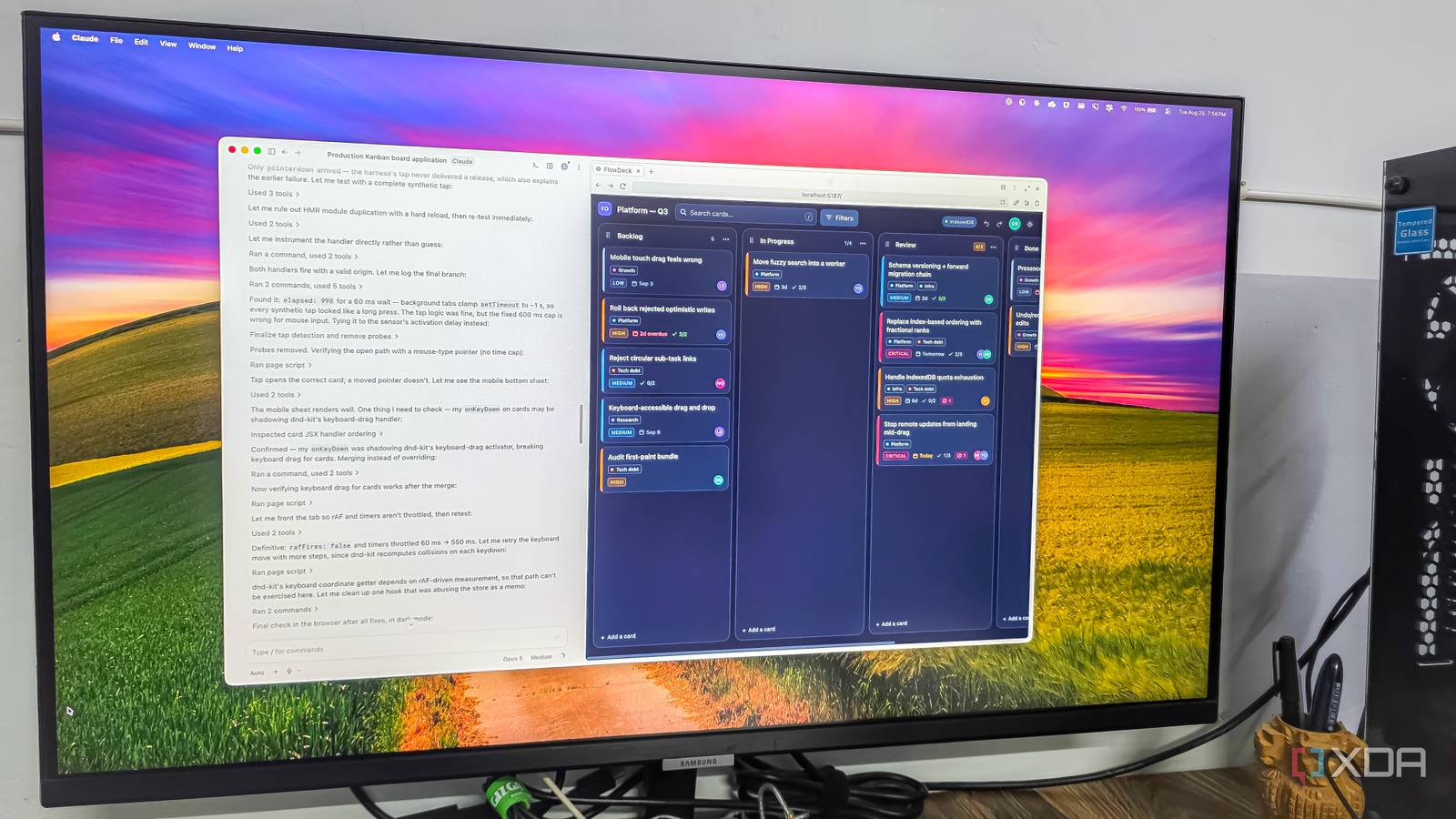
Published Aug 25, 2026, 7:00 PM EDT Parth, a seasoned tech writer, wields the keyboard (or pen) with finesse to unravel the intricacies of both Windows and Mac operating systems. He has covered evergreen content on mobile devices and computers for multiple publications over the last six years. You can find his work on AndroidPolice, GuidingTech and TechWiser. Whether it’s demystifying system updates, deciphering error codes, or exploring hidden features, Parth’s prose guides readers through the binary maze. When not immersed in tech jargon, you’ll find him sipping chai, pondering the next software review, and occasionally indulging in a friendly debate about mechanical keyboards. It’s 2026, and any modern AI can generate code in seconds, but creating a production-ready complex application requires a different skill set. Instead of relying on benchmark numbers, I gave Claude Opus 5, GPT-5.6, and Grok 4.6 the exact same complex web development project from scratch. While two tools wrote code that looked impressive until I looked at minute details, one immediately stepped back, mapped out the system design, and built the project like an engineer with years of production experience under their belt. A word about the prompt And the coding models To test these models fairly, I needed a task that went far beyond a basic to-do list. Any modern AI can spit out simple starter code, so I gave them a complex challenge: building a collaborative, production-ready Kanban board using React, TypeScript, and Tailwind CSS. The prompt required normalized state management, smooth drag-and-drop, optimistic UI updates with rollbacks, and more. Moreover, I asked each model to act like a senior engineer and plan the system architecture before writing code. To keep the test realistic, I ran each model in its natural environment. I used the official Claude app for Opus 5, tested GPT-5.6 directly inside ChatGPT, and ran Grok 4.6 inside Cursor to see how it handled a real-world coding setup. Each model received the exact same prompt with zero follow-up nudges or hints to see how they would perform on their own. Grok 4.6 Great aesthetics let down by cluttered UI I started with Grok 4.6 inside Cursor, and it was easily the fastest out of the gate. Within seconds, it created the layout and began streaming code straight into the workspace without any hesitation. Visually, it got the basics right. The interface defaulted to a sleek, dark aesthetic with well-proportioned columns and crisp cards. The individual task cards were thoughtfully laid out, neatly displaying key details like priority tags, due dates, and checklist items without feeling cramped. However, the execution fell short once I looked more closely at the controls. For the top filtering section, instead of building a streamlined search bar or modular dropdowns like Claude and ChatGPT, Grok just dumped a messy cluster of raw buttons across the header. It looked cluttered, felt busy to navigate, and broke the flow of the UI. Both Claude and ChatGPT handled this space far more intelligently and proved that raw generation speed doesn’t always equal good frontend design. GPT-5.6 Sol Solid foundation, frustrating friction On the surface, GPT-5.6 did an impressive job with the core structure. It even addressed one of my biggest complaints with the other two tools by including a handy collapsible sidebar right out of the gate. The top filter menu was also neatly organized. However, once I actually tried using the board, several irritating UX decisions popped up. For example, the typography was off — the font sizes across the cards and metadata were far too small. Worse, opening a card triggered a massive model that popped up right in the dead center of the screen. It blocks the entire board instead of opening smoothly as a side drawer or sliding panel. The biggest letdown, though, was the drag-and-drop implementation. Instead of letting me naturally grab and slide a card anywhere across columns, GPT-5.6 restricted dragging to a tiny six-dot handle tucked into each card's corner. If you miss that handle by a millimeter, nothing moves. Claude Opus 5 Thoughtful architecture and polished UX Claude Opus 5 took by far the longest time to finish the prompt, but the wait was well worth it. Right out of the box, it delivered the cleanest, best-looking Kanban board experience of the bunch. The attention to detail was immediately obvious. It built a smooth, single-click toggle to switch between dark and light themes, and the card design was polished. Instead of burying important data, it used small, intuitive visual indicators so I could spot critical-priority cards at a glance. The filter section at the top was also well thought out — unlike Grok’s cluttered button row, Claude organized filters cleanly by assignee, priority level, and tags (just check the screenshot above). Where Claude truly felt like a senior engineer was in the little UX workflow that most models overlook. When I clicked to add a new task, it didn’t interrupt my flow by popping up a heavy model or a separate screen (like GPT-5.6). Instead, it created an inline placeholder right at the bottom of the column where I could quickly type a title, hit enter, and open the full card later to flesh out descriptions and checklists. My only real gripe is navigation: I would have preferred a dedicated collapsible sidebar to switch between multiple projects or boards. Still, despite the slower generation time, Claude easily won this round on engineering thoughtfulness. The difference between coding and engineering Building real-world software isn’t about generating valid syntax; it’s about user experience and thoughtful design. Grok 4.6 brought blazing speed inside Cursor but delivered a cluttered interface. GPT-5.6 smartly added a dedicated sidebar, yet stumbled on essential details. Claude Opus 5 took the longest to finish, but it was easily the most refined. It was the only model that truly behaved like a seasoned senior engineer.
I gave Claude Opus 5, GPT-5.6, and Grok 4.6 the same complex web project and only one behaved like a senior developer
Full Article
Original Source
Read the full article at Xda-developers →KhanList aggregates and links to publicly available news content. We do not host full articles from third-party sources. Always verify important information with original sources.