
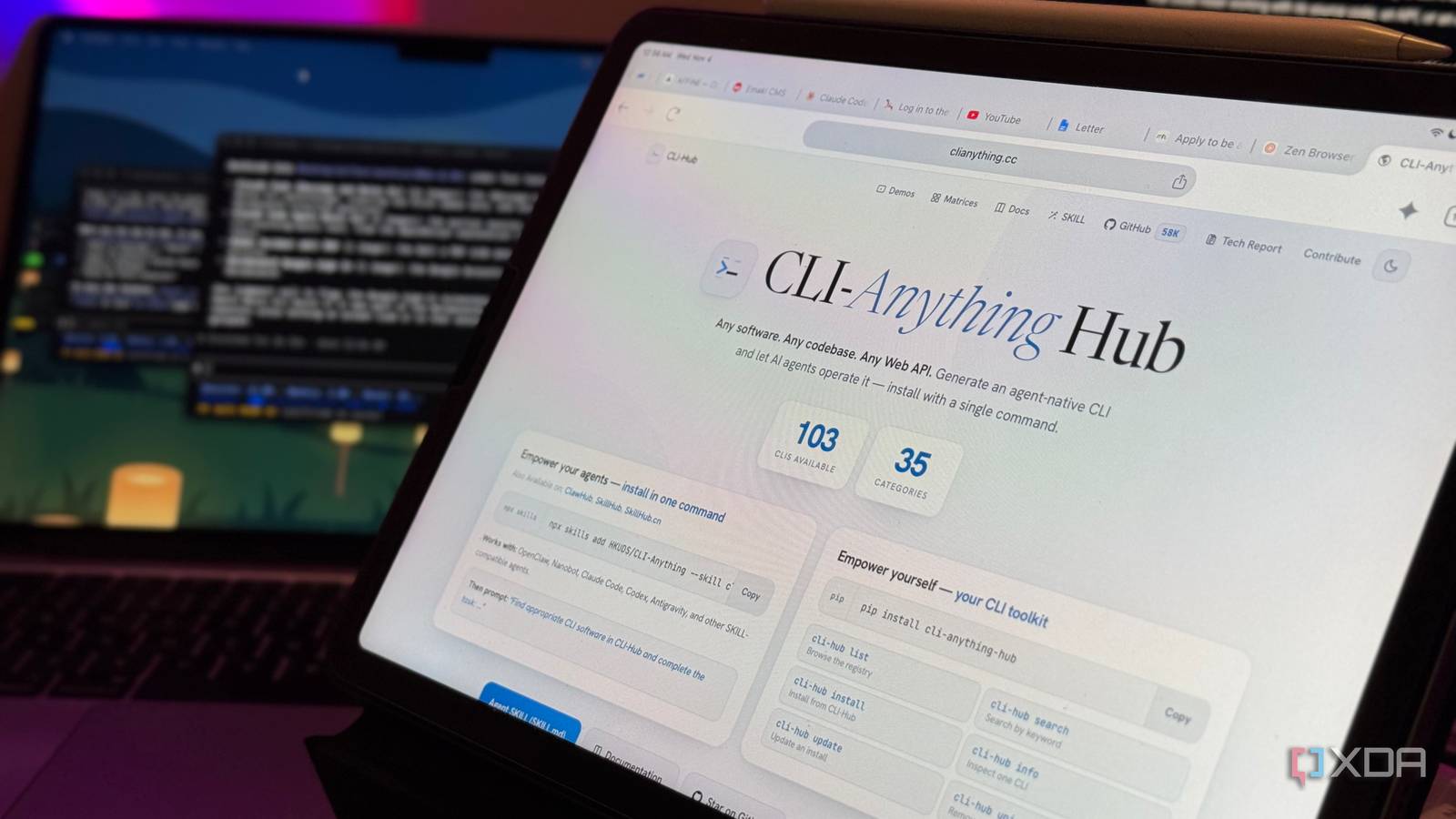
Published Nov 25, 2026, 6:00 AM EST Mahnoor Faisal is a tech journalist covering AI and productivity tools with bylines at XDA, SlashGear, MakeUseOf, Laptop Mag, and Android Police. She's been writing professionally since she was sixteen, and has since penned hundreds of articles. This includes in-depth coverage of AI tools like NotebookLM to breaking news across the AI space. Her passion for technology started when she received her first iPod Touch (4th generation) on her 8th birthday, and she's been deep in the tech world ever since. Currently pursuing a degree in computer science, Mahnoor brings both a journalist's eye and a technical foundation to her coverage of how AI is reshaping the way we work and learn. A realization I've had after covering the AI industry for quite some time now is that one of the biggest reasons a lot of people don't gel well with AI tools is that their exposure to AI largely begins and ends with its ability to generate content. To an extent, I understand where they're coming from. As someone who writes for a living, I'm not particularly excited about the prospect of AI encroaching on human creativity, especially when much of what these models are capable of stems from years' worth of work by the very people whose livelihoods they now threaten. What does excite me about AI, however, is its potential to automate the mundane, repetitive tasks that take up far too much of our time. There's a big difference between using AI to do the work I love doing and using AI to give me more time to do that work. That's why I've found myself increasingly drawn to AI coding agents like Claude Code, Codex, and Antigravity, though not always for their ability to write code. I recently came across a way to use these tools to directly control my laptop's desktop apps, and it made me realize just how much potential AI coding agents have outside of coding. Who needs a GUI anyway? AI labs have been pushing the concept of using their AI tools both within and alongside the other software you rely on for quite some time now. We have plugins that enable this, MCP servers, and even direct integrations between the two. For instance, say you use Google Docs and Gemini a lot. Instead of jumping back and forth between the two, you can now use Gemini directly within Google Docs. Similarly, MCP servers let AI tools interact with external applications and services, access information stored within them, and, in many cases, perform actions on your behalf. The problem, however, is that not every piece of software you use on a day-to-day basis has an AI integration or an MCP server that exposes the functionality you need. Plus, given just how much software was built long before AI agents became a thing, there's a whole lot of functionality those agents can't readily tap into. That's the problem an open-source project called CLI-Anything aims to solve. Rather than waiting for developers to build AI integrations into their software, CLI-Anything lets you equip AI agents with command-line interfaces through which they can interact with existing software. You're not limited to the software CLI-Anything already supports The sky's the CLI-mit The project, which has 65K stars on its GitHub repository, gives you a couple of different ways to make existing software accessible to your AI agent of choice. The easiest way to get started is by installing one of the many pre-built CLIs available through CLI-Anything's own package manager, CLI-Hub. These cover everything from creative tools like Blender, GIMP, and Audacity to productivity tools like LibreOffice, Joplin, and Zotero. What I was considerably more excited about, however, was the fact that I wasn't limited to the software that CLI-Anything's developers and community had already built CLIs for. I could also use CLI-Anything to generate a CLI for a piece of software of my choosing, including the tools I'd built for my own personal use. Once I'd set that up, I'd be able to interact with and control those tools through AI coding agents like Claude Code, Codex, and Antigravity, simply by describing what I wanted them to do in natural language. I can't really share screenshots of this particular example since it's a tool I built for my personal use and it contains a lot of confidential information, but a few months ago, I used Claude Code to build a tool to streamline my pitching process. Whenever I'd come up with an article idea, I'd simply drop it into the tool so I could keep track of all my ideas in one place. Given how extensively I use Claude Code for my other projects, I almost always have a Claude Code session open on my laptop. So, I used CLI-Anything to generate a command-line interface for the tool I'd vibe-coded. Now, whenever I come up with an article idea while I'm in the middle of doing something in Claude Code, I can simply ask it to add the idea to my pitching tool without having to open the tool itself. Similarly, if I want to revisit the ideas I've previously jotted down, I can do that from within Claude Code too. I basically took a tool I'd initially used Claude Code to build and turned it into a tool Claude Code itself could use! My coding agents have become a central hub for my everyday apps My Command + Tab keys can finally rest Of course, you don't necessarily need to have built your own software to benefit from this. I've also previously used CLI-Anything to build CLIs for some of the desktop apps I already use on my Mac, including Spotify and Apple Notes. Neither of these apps is open-source, but both expose scripting interfaces on macOS that Claude Code could build commands around using CLI-Anything's methodology. I also installed one of CLI-Anything's existing community-built CLIs for NotebookLM, which lets me access my notebooks, query my sources, and retrieve responses directly from within my coding agent. Now, whenever I'm in the middle of a coding session, be it with Claude Code, Codex, or Antigravity, I rarely find myself manually switching over to Spotify to change what's playing, opening Apple Notes to jot something down, or even heading to my browser to query one of my notebooks in NotebookLM. Instead, I handle all of that directly from within whichever coding agent I'm using at the time. What's neat is that I'm not limited to using these tools in isolation, either. I even have Claude Code pull information from one app and feed it into another, effectively automating workflows that would otherwise involve me manually switching between multiple apps! This is the kind of AI I can get behind I think this is how AI should be used in our workflows. I'm not at all a supporter of using AI to automate every aspect of what we do simply because we can. However, I'm all for using it to eliminate the unnecessary friction in our existing workflows, especially when doing so doesn't require us to abandon the tools we've grown to love. That's precisely what makes projects like CLI-Anything so exciting to me!
I gave Claude Code, Codex, and Antigravity control of my desktop apps, and now I use them for much more than coding
Full Article
Original Source
Read the full article at Xda-developers →KhanList aggregates and links to publicly available news content. We do not host full articles from third-party sources. Always verify important information with original sources.