
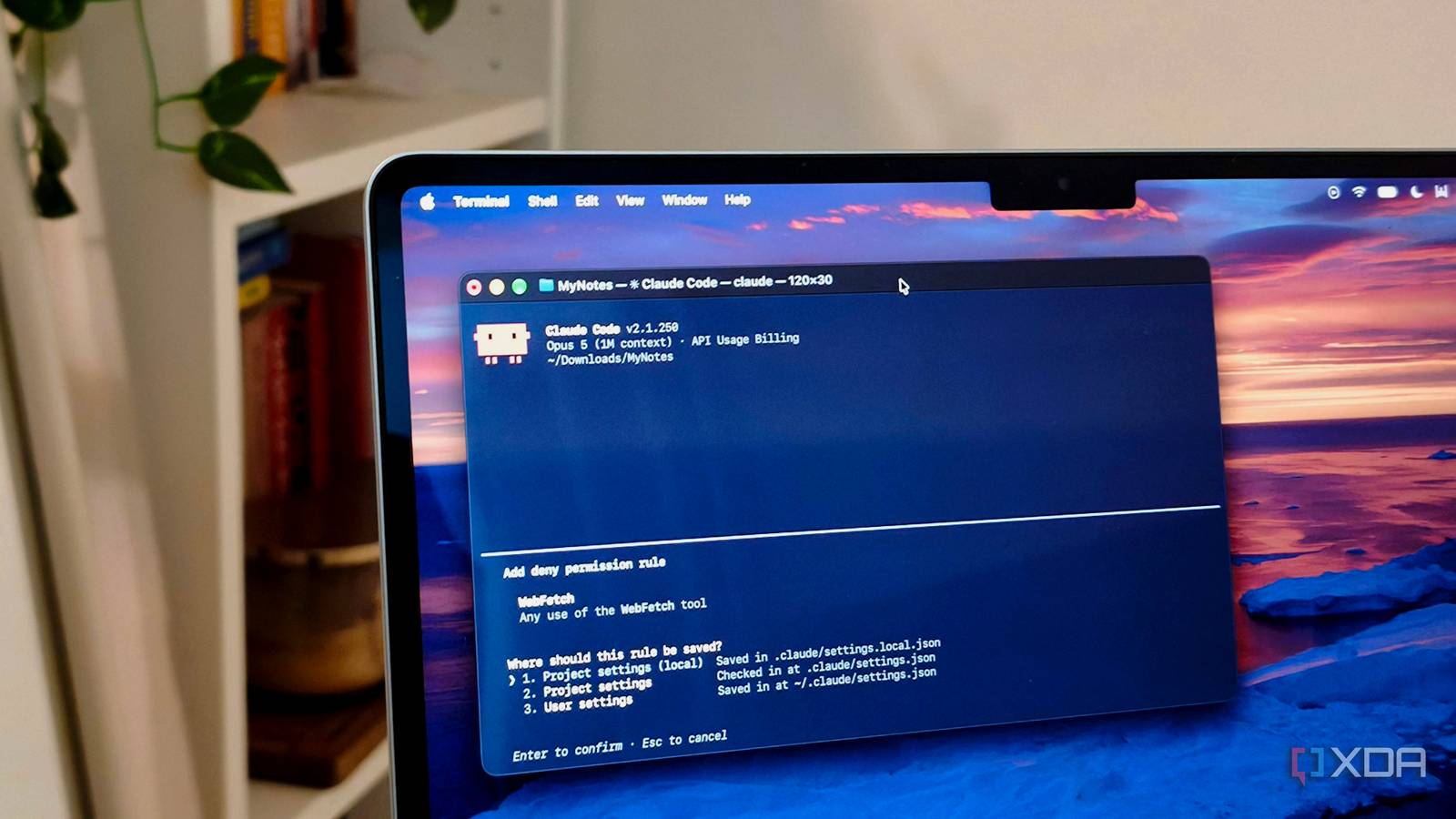
Published Sep 1, 2026, 2:00 PM EDT Anurag is an experienced journalist and author who’s been covering tech for the past 5 years, with a focus on Windows, Android, and Apple. He’s written for sites like Android Police, Neowin, Dexerto, and MakeTechEasier. Anurag’s always pumped about tech and loves getting his hands on the latest gadgets. When he's not procrastinating, you’ll probably find him catching the newest movies in theaters or scrolling through Twitter from his bed. If there’s one thing I find more restrictive than Claude Code’s terrible usage limits, it’s having to approve commands. There have been countless times when I gave Claude Code a task and moved on to something else, only to come back and find that nothing had moved forward because I forgot to approve an action. I know this exists for a good reason, and I don’t want Claude to wipe my project folder clean, but it’s still a pain. You can always enable auto mode, but that comes with risks as well. However, the solution that finally freed me from having to see which commands Claude runs was a combination of auto mode, deny rules, and a few ask rules. Claude Code supports a deny list And it works surprisingly well Claude Code supports enforced deny rules, but a denial list alone will not stop permission prompts in Manual mode. If you want this to work, you’ll have to use Auto mode. The setup that has worked for me involves Auto mode, deny rules, and a few ask rules. Here, Auto mode reviews routine commands in the background and deny rules block commands completely. You can live without ask rules, but if you want to review certain actions almost always, you can use it. The deny list will depend on which commands show up often in your workflow. You can add something like this to the settings.json file. { "permissions": { "defaultMode": "auto", "deny": [ "Bash(git push --force *)", "Bash(git reset --hard *)", "Bash(git clean *)", "Bash(rm -rf *)", "Bash(npm publish *)", "Bash(docker system prune *)", "Read(./.env)", "Read(./.env.*)" ], "ask": [ "Bash(git push *)", "Bash(gh pr create *)", "Bash(docker compose down *)" ] } } Claude Code checks permission rules in a fixed order – deny, ask, and then allow. If a command matches a deny rule, Claude Code blocks it immediately, even if you have added a narrower allow rule for the same command. Also, ask rules take priority over allow rules, so Claude will still request your approval if a command matches both. It’s also worth noting that deny rules continue to work even in bypassPermissions mode, which makes them a reliable safety net when you want Claude to work without constant interruptions. This is much stronger than writing “never force-push” in CLAUDE.md. That is an instruction for the model, while a deny rule is enforced by Claude Code itself, so the command cannot run. Your deny list will never cover everything You still need to be careful with some commands A deny list will never cover every destructive command Claude could run. You can block rm -rf, but that won’t stop Claude from using Python or another tool to delete the same files. There are simply too many ways to perform the same action, and you’re bound to miss some of them. I would also turn on the Bash sandbox through /sandbox and select auto-allow. Claude can then run commands inside the project without asking you every time, while the sandbox limits what those commands can access outside it. I wouldn’t combine a denial list with bypassPermissions on my regular machine, either. That setup allows Claude to run everything you forgot to block, which defeats the point of having a safety list in the first place. Ideally, you'll want to keep bypassPermissions for a disposable container or VM, where a bad command cannot damage anything important. For regular use, auto mode with sandboxing gives you the hands-off workflow you want without expecting your denial list to catch every possible disaster. There is no better solution than a sandbox You can use Claude code built-in sandbox A proper sandbox removes most of this permission management altogether. Instead of trying to predict every dangerous command Claude might run, you put Claude Code inside an environment where those commands cannot damage your actual machine. You can give it broad permissions, let it install packages, rewrite configuration files, and run whatever tests it needs. If it completely wrecks the environment, you can delete it and start again from a clean image. Claude Code’s built-in sandbox offers a lighter version of this setup, but it isn’t completely disposable. It limits which files and network locations Bash commands can access, though Claude can still modify files inside the working directory. If you want protection from the project itself being wiped, use a separate clone inside a container, VM, or cloud environment. You can clone the repository into that environment, let Claude work uninterrupted, and bring back only the changes you want. This setup doesn’t work particularly well for me because many of my projects depend on local databases, Docker access, and private package registries. I don’t want to recreate that entire development environment inside a sandbox because the process itself becomes tedious. You’ll also need a sensible way to provide credentials without exposing everything stored on your machine. For regular web development or experimentation, though, a disposable sandbox is much easier to trust than any deny list you could write. Make the most out of Claude Code While a deny list makes it easier for you to work with Claude Code, there are other ways to utilize the tool to the fullest. You can use hooks to force Claude Code to review its response before giving you the final result. You can also add a MISTAKES.md file, which makes sure Claude reviews its previous mistakes before repeating them.
I gave Claude Code a deny list, and stopped watching every command it tried to run
Full Article
Original Source
Read the full article at Xda-developers →KhanList aggregates and links to publicly available news content. We do not host full articles from third-party sources. Always verify important information with original sources.