
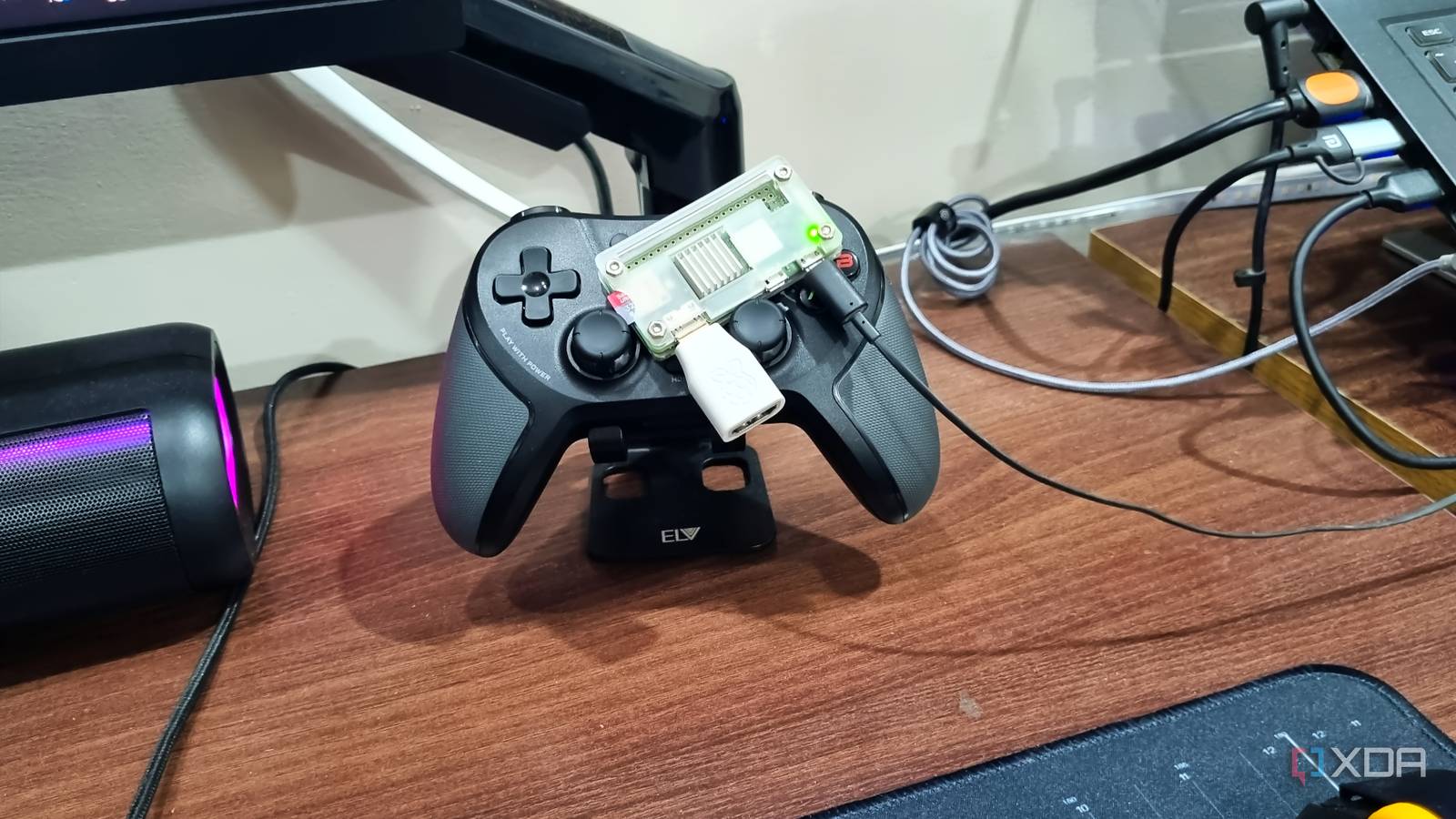
Published Oct 9, 2026, 3:31 PM EDT Abhishek is an author at XDA who covers computing. He has loved computers since he got the Lenovo G570 in 2012. Abhishek holds a master's degree in computer applications and began his writing career in 2018. He loves writing how-to articles, listicles, and informational posts on popular operating systems and web services. He closely follows the Windows Insider program and tests new Insider builds to discover upcoming experimental features and upgrades. His past work includes long-term collaborations with reputed publications like Tom's Hardware, and Windows Latest. When not writing anything, he is busy watching new episodes of One Piece or searching for something binge-worthy. We tend to shelve old laptops, phones, and gadgets in a rarely visited desk drawer. The devices stay there collecting dust, never to be used again. New hardware replaces them, and it's sometimes sad to see the plight of what used to be absolutely great a while ago. But old devices have a redemption arc going on these days. Almost every computing device, small or big, can be repurposed into something useful. The Raspberry Pi Zero 2 W is quite old now and mostly unfit for demanding self-hosted tools. However, I was very impressed when I first bought it a couple of years back. It wasn’t a great fit for NextCloud or a media streaming server. So I turned it into a password manager server, and it's been quietly running without any major management. A Raspberry Pi Zero 2 W has many uses Acting as a local password manager Not all self-hosted tools need a ton of resources, and you can find some useful ones. Lately, I've switched to an Adobe Acrobat alternative called BentoPDF that works with very little memory. You might think it's less useful. But that's not the case with what self-hosted developers have been building recently. Similarly, OmniTools is a suite packed with nearly 100 tools for file, image, and video-related tasks. Similarly, there are a few self-hosted password manager options like Bitwarden and a few more. However, most of them will immediately rule out a low-powered device like the Raspberry Pi Zero 2 W. So I went with Vaultwarden, a Bitwarden-based password manager that runs locally and doesn't need much power. I was skeptical of its features, but it turned out to be exactly like a premium-tier tool. Vaultwarden made me jump ship from LastPass and save money on annual subscriptions. Additional perks of using it are keeping my data locally available, which gives me peace. The original setup was minimalistic DietPi made it possible An SBC like the Raspberry Pi Zero 2 W has 512MB of memory, and only 412MB is left after it takes some for the GPU. So, picking the right Raspberry Pi operating system is crucial. I couldn't go with a GUI OS because I needed to host it as a server with minimal interaction. Even heavy CLI options like Armbian were a no-go due to a lack of features. DietPi remains my no-nonsense pick after three years because it respects puny hardware. On my Raspberry Pi Zero 2 W, the OS needs about 70MB to run, leaving plenty of room for other options. I installed it, and after a quick initial setup, I installed Vaultwarden via the DietPi-software utility. It's one of the numerous tools available with the OS, which makes it a compelling choice. Vaultwarden is a painless install and works without HTTPS due to the internal configuration of the OS. For setup, I imported passwords from Chrome and a few other browsers. It creates a few vaults, and that's about it. After that, I peeked into the features, and it's the usual set you get with other similar tools. It includes a password generator, checker, and other related tools. You can use the Bitwarden browser extension, which enables autofill and a few other features. I also added Tailscale so I could access the server outside my home from a phone or laptop. This setup worked for nearly ten months before I decided to make some changes to it. These two tools and the OS used about 150MB, and I saw potential in it. A containerized approach would improve it and use idle memory for other tools. I also ignored one roadblock that occurred because the tools weren't served over HTTPS. Adding Docker and HTTPS support Enabling app access When I first created the Vaultwarden server, it worked over HTTP. But when I moved it to Docker, it stopped working without HTTPS. I also overlooked mobile app access, which forced me to use the web interface every time. The problem with that was the lack of an autofill feature while signing in to apps. It was an overdue upgrade, and I decided to do something about it. The Docker container setup was fairly simple, but the portal didn't launch and threw a lot of errors. I could have used Caddy or Nginx to fix it, but neither was as convenient as Tailscale Serve. My Raspberry Pi Zero 2 W was already a part of the Tailnet. I also had to enable MagicDNS and HTTPS support. Lastly, I configured the port over which Tailscale would serve the Vaultwarden server with the following command: After that, the server became accessible via the Tailnet IP on all connected devices. I could even use the app on my phone, which didn't work before. So, it solved two problems at once. For 24/7 uptime, as long as there’s no internet outage, I’ve connected the Raspberry Pi setup and router to outlets with an inverter connection. It needs a few Watts to function, and the server remains accessible even during long power outages. If you don’t have a home-wide inverter connection, you can use a power bank. Connect the power bank to the Raspberry Pi (and to the router as well), then calculate how long it takes to drain the battery. Then you can use timers to recharge the power bank before a blackout happens, or you can use a smart plug to control the setup wirelessly. A reliable password manager If you’re frustrated with rising prices or the security risks of cloud password managers, you can switch to a self-hosted option. It’s not easy, since you have to figure out several things, like uptime, power supply, and backups. A Raspberry Pi Zero 2 W is one of the cheapest things to run a password manager server with minimal maintenance. I use an automated backup feature in the OS to save the whole setup on a USB drive. I also occasionally export vaults and save them to multiple external hard drives. Raspberry Pi Zero 2 W The Raspberry Pi Zero 2 W is a small SBC with Wi-Fi and Bluetooth connectivity.
I gave an old Raspberry Pi one job, and it's been running untouched for a year
Full Article
Original Source
Read the full article at Xda-developers →KhanList aggregates and links to publicly available news content. We do not host full articles from third-party sources. Always verify important information with original sources.