
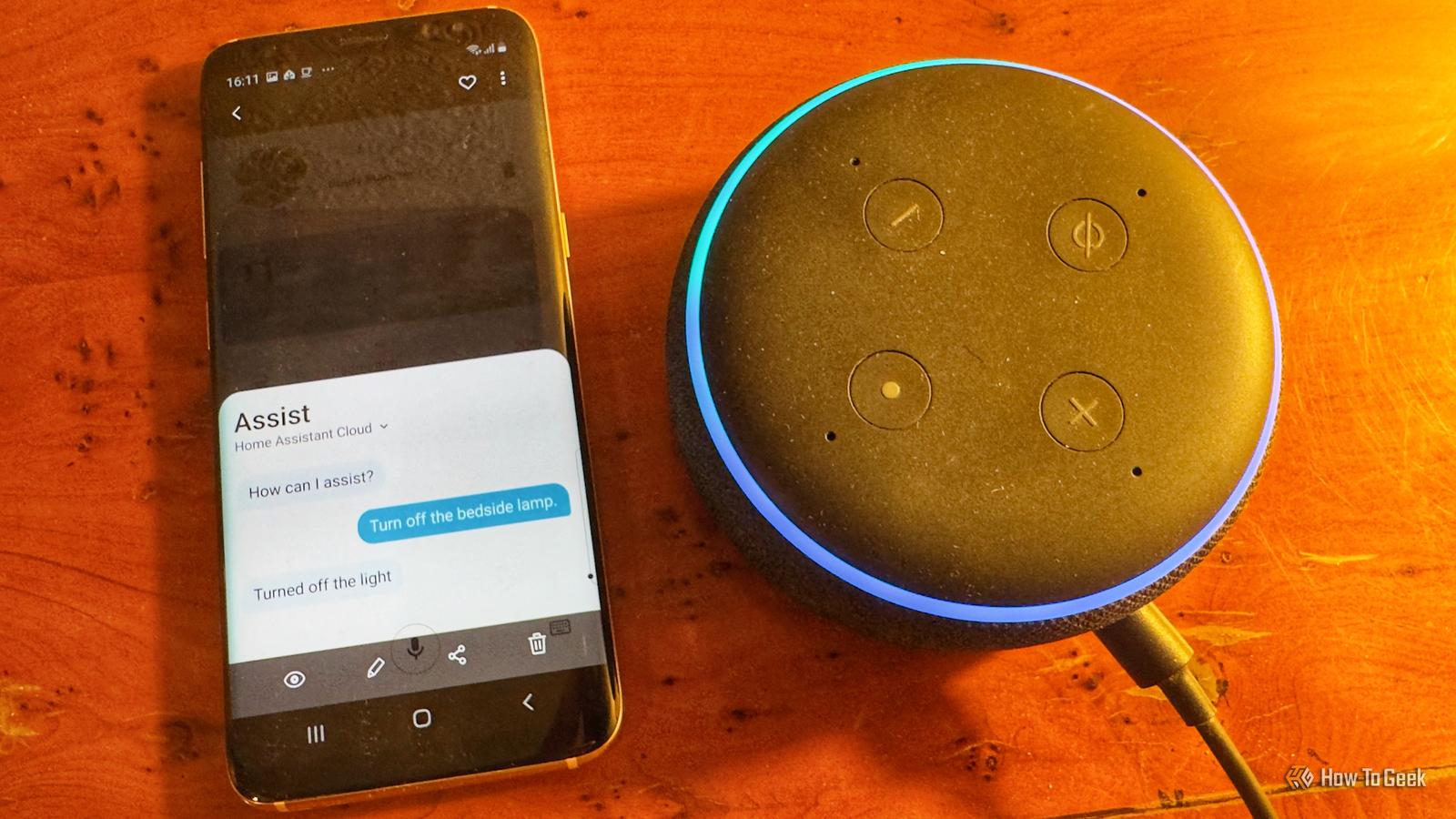
Published Nov 17, 2026, 12:01 PM EST Adam has a degree in Engineering and has a life-long interest in technology. He has been writing for over a decade for various print and online publications, with a focus on consumer tech. He joined How-To Geek in 2024 while working at Pocket-lint. As well as being a long-term fan of Apple products, he also has a strong interest in smart home tech, running a Home Assistant server at home to automate all his smart home devices. He believes that the ideal smart home should work with minimal interaction from the user, with automations running as if by magic rather than requiring you to push buttons on a control panel. You can find more of his work on Muck Rack. Alexa has been around for a long time, having first burst onto the scene in 2014. Initially, Alexa was impressive, but for a long time, nothing really changed. Alexa didn’t improve that much and was stuck doing many of the same things she could do a decade earlier. In 2025, Amazon announced the new Alexa+, an AI-powered version of Alexa that promised to be far more capable than the original. It took a long time to arrive, but now that I have access, I decided to test Alexa+ against Home Assistant’s native voice assistant to see which would win. I gave both voice assistants the same jobs One lamp controlled by two assistants The test was simple. Both Home Assistant and Alexa+ were connected to the same Philips Hue smart bulb. Each was able to control the light through their own Philips Hue integrations. I then gave the same voice commands to each voice assistant in turn and recorded the results. Assist is Home Assistant’s native voice assistant, which by default uses a predefined set of commands and intents rather than true natural language processing. In my setup, Assist uses Home Assistant Cloud for speech-to-text (STT) and text-to-speech (TTS), although you can run these services locally on your own hardware if you prefer. I decided to test out the most common uses for a voice assistant when controlling a smart bulb: turning the light on and off, setting the brightness, and changing the color. I also decided to test another common voice assistant feature: setting timers. The final tests would see how each voice assistant could handle follow-up requests and requests that contained multiple instructions. The basics were too close to call Both assistants reacted at similar speeds Since upgrading my Echo devices from Alexa to Alexa+, I’ve found that they seem to be a little slower to respond. Assist has never been the fastest voice assistant in the world, so I was keen to see which would win. It turns out that the race was actually pretty close. I asked both voice assistants to turn the light on and off, change its brightness, and change its color. I recorded the commands and the response of the smart bulb on video so I could measure the time from command to reaction. Sometimes Alexa+ was a little faster, and sometimes Assist was the winner, but over the course of testing, Alexa+ had a median response time of 1.5 seconds. Assist’s median response time was slightly faster, at 1.4 seconds. It’s not a huge difference, but I was impressed that Home Assistant’s native voice assistant was a little faster than Amazon’s new-and-improved Alexa. When it came to timers, both assistants were able to start timers, tell me how long was left on a current timer, and cancel a timer. Both responded in similar amounts of time, and there was really nothing to choose between them. Connecting an LLM gave Home Assistant better understanding of context Assist alone struggles with follow-up commands Where Assist struggled was with context. The use of predefined phrases and intents with Assist means that it is less capable of handling natural language requests that don’t easily match one of those intents. Alexa+ uses a large language model (LLM), so it’s better equipped to handle natural language commands. For most of the tests, this wasn’t an issue, since most typical smart home commands are covered by Assist. However, a follow-up command did stump Assist. I asked both voice assistants to set the smart bulb to 60% brightness, and then gave a second command saying, “Actually, make it 25%.” Alexa+ was able to understand that I was referring to the same bulb and lowered the brightness accordingly. Assist failed, repeatedly asking me which device I was talking about. That’s not to say Assist doesn’t have any contextual awareness; following up a request to turn off a light with, “Turn it on again,” does work with Assist. It’s possible to hook Assist up to a cloud-based or local LLM to give it better natural language understanding. I tried this using a cloud-based LLM, and Assist was then able to understand the follow-up command and set the light to 25% brightness. Assist was able to handle two commands while Alexa+ couldn’t Amazon’s smarter Alexa still isn’t that smart The final test was to see how each assistant could deal with a command that contained more than one instruction. I kept the command simple: “Turn on the bedside lamp and set a two-minute timer.” This was the result that really surprised me. When Alexa+ was first announced, there was a demonstration of how you could use the voice assistant to create routines with multiple actions, so I assumed that Alexa+ wouldn’t have any issues handling two commands at once. However, when I gave Alexa+ the commands, it turned on the light but did not start the timer. I repeated the test several times with the same result. Assist had no such trouble. It turned on the light and started the timer, and I was then able to ask how long was left on the timer or cancel it as necessary. I was genuinely surprised that the relatively basic Assist was able to handle this when the mighty Alexa+ couldn’t. Assist can compete with Alexa+ These tests were of the capabilities of the software, but a voice assistant is only as good as the hardware it runs on. Echo devices are very good at picking up wake words in noisy environments and can often outperform DIY smart speakers or voice satellites that you set up yourself. Local speech pipelines may also increase response times, although they can reduce them too, depending on your hardware. However, it’s impressive that in my testing, Assist can not only keep up with Alexa+ but even beat it at some things. This is especially impressive when you consider that Alexa+ is a paid service, even if it is included for free as part of an Amazon Prime subscription.
I gave Alexa+ and Home Assistant the same voice commands and there was a clear winner
Full Article
Original Source
Read the full article at Howtogeek →KhanList aggregates and links to publicly available news content. We do not host full articles from third-party sources. Always verify important information with original sources.