
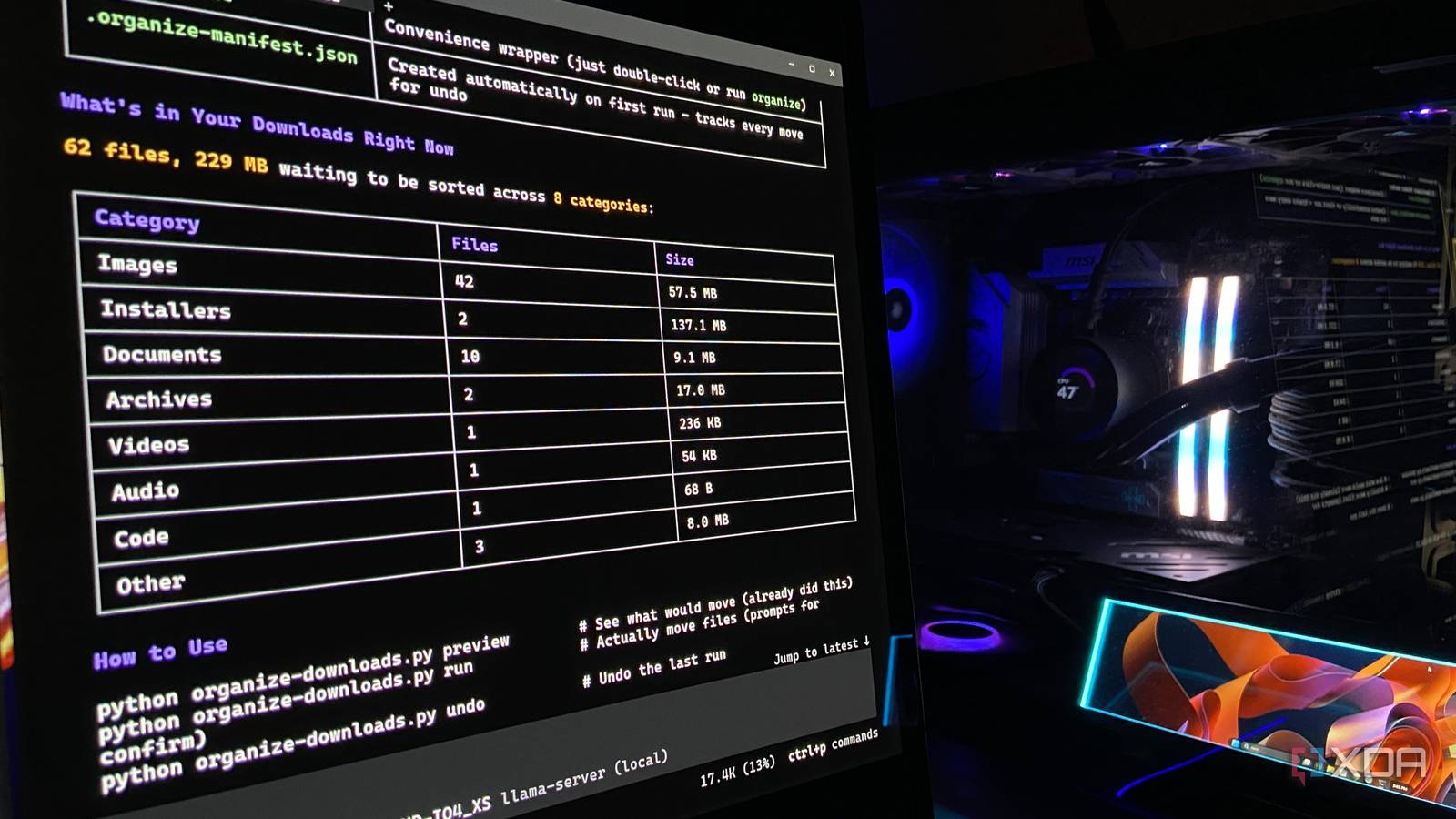
Published Nov 24, 2026, 2:00 PM EST Abhinav pivoted from a career in banking to pursue his first love in writing. Even while working full-time, he continued contributing as an editor-at-large, a role he has held for more than 7 years. A lifelong tech enthusiast who has built three gaming and productivity powerhouse PCs since 2018, his passion for technology keeps him closely following the semiconductor industry, from NVIDIA and AMD to ARM. His MSc dissertation explored how artificial intelligence will reshape the future of work, reflecting his curiosity about the wider social impact of emerging technologies. It is my belief that, without continued organization, every Downloads folder ends up in the same disheveled state. Of course, I've had years of experience putting mine out of shape. Mine has installers that I needed once, screenshots I needed for five minutes, PDFs I meant to read but never did, and zip files I already extracted piled up in one flat list until finding anything meant sorting by date and scrolling. Now, I've always known that a permanent fix to this problem is a small script that sorts everything by type and keeps it that way, and to be fair, I've already vibe-coded plenty of my own Windows utilities. This one, however, kept slipping down the list, partly because the last cleanup script I wrote broke Chrome for me. This time, I handed the job to a coding agent, with one instruction and no follow-ups, and a step that I took to avoid any unpleasant disasters. Here's what it built, what needed fixing, and how the folder looks like now. The agent ran on my own GPU to save my Downloads folder OpenCode, llama.cpp, and Qwen3.6 to the rescue For this utility, I wanted the whole job to stay on my desktop, so the agent had to run locally. My PC has an RTX 4070 Ti Super with 16GB of GDDR6X, a Ryzen 5 7600X, and 32GB of DDR5, so my options for running local models weren't exactly too limited. I went with my favorite local model for the job, which is Qwen3.6-35B-A3B, an open-weight model released under Apache 2.0, running Unsloth's UD-IQ4_XS quant. It's got 35 billion params in total but only about 3 billion active per token, so it stays snappy and never looks stuck even when I use llama.cpp to park some of its expert layers in system memory. With Llama.cpp's server I ran the model with 128K context window and sampler settings that Qwen recommends for coding workflows. The harness was OpenCode, which is a free and open-source coding agent that runs in the Windows terminal. I sent the following prompt, which was verbose enough to get the instruction across: My D:\Downloads folder is a mess, and I've been meaning to fix it for years. Build me something that sorts it and keeps it sorted. Never delete anything, show me what it's going to move before it moves it and give me a way to undo. It has to work offline. Don't do the real run yourself, I'll do that. Make your own calls, no questions. Qwen3.6 didn't take long to build the organizer It built it from start to end in under three minutes, in plain Python On my PC, the session took two minutes and 36 seconds, which is a little faster than I expected out of Qwen. Qwen checked the project folder, confirmed Python 3.12 was installed, and wrote a single script using nothing beyond Python's standard library, so it works offline by design. It also gave me a README and a one-line batch file, so typing organize does the same job as the full command. The way the script works is such that it sorts by file extension into a fixed set of folders, which include Documents, Images, Videos, Audio, Archives, Installers, Code, Fonts, Subtitles, DiskImages and Other (presumably for things that don't belong in any categorization). The tool only touches loose files at the top of the folder, so my existing folder with CPU benchmark files and Nemotron folders stayed exactly they were. A name clash never overwrites anything either, since a second photo.jpg is written as photo(1).jpg. All the moves go into a log file, which is what the undo command reads. What was very interesting to see here was how it executed my no-real-run rule. Its reasoning shows that it considered two aspects, which were to verify the script, but at the same time, it wasn't allowed to move anything. So what it did, was to settle on the read-only status and preview modes, which tested the script against D:\Downloads without moving any files. The preview grouped 62 loose files into eight folders, with 42 images making up most of the pile. The summary it provided me with also read like a finished product. My downloads folder still needed some insurance So I had Claude check Qwen's work, and I'm happy I did I then took one step to avoid any unpleasant issues, which was to get Claude to run a QA check on the utility before I used it. It tested the run and undo modes on a throwaway folder and found that the script read each file's size after moving it, which threw an error on every file. The reason why this happened is that the script looked up each file's size at its old location after the file had already moved. The script had also skipped the "keeps it sorted" half of my instruction, so Claude had to fix the undo log and add a watch mode that sorts new downloads when they finish. Unfinished downloads, if moved to the folder, however, stay exactly where they are, since the organizer leaves Chrome's .crdownload files alone. OpenCode OpenCode is an MIT-licensed open-source AI coding agent. Another chore off my desk This isn't my first vibe-coded utility, and I have reasons to believe that it probably won't be my last. What this one reinforced is that a script that looks finished still needs testing before it touches any files that matter, whether that's a QA pass from another, more capable model or a run in a throwaway folder. With that done, the organizer saves me the time I used to spend manually dragging files from one folder to another through Downloads.
I gave a coding agent my messy Downloads folder and one instruction, and it built the file organizer I'd been putting off for years
Full Article
Original Source
Read the full article at Xda-developers →KhanList aggregates and links to publicly available news content. We do not host full articles from third-party sources. Always verify important information with original sources.