
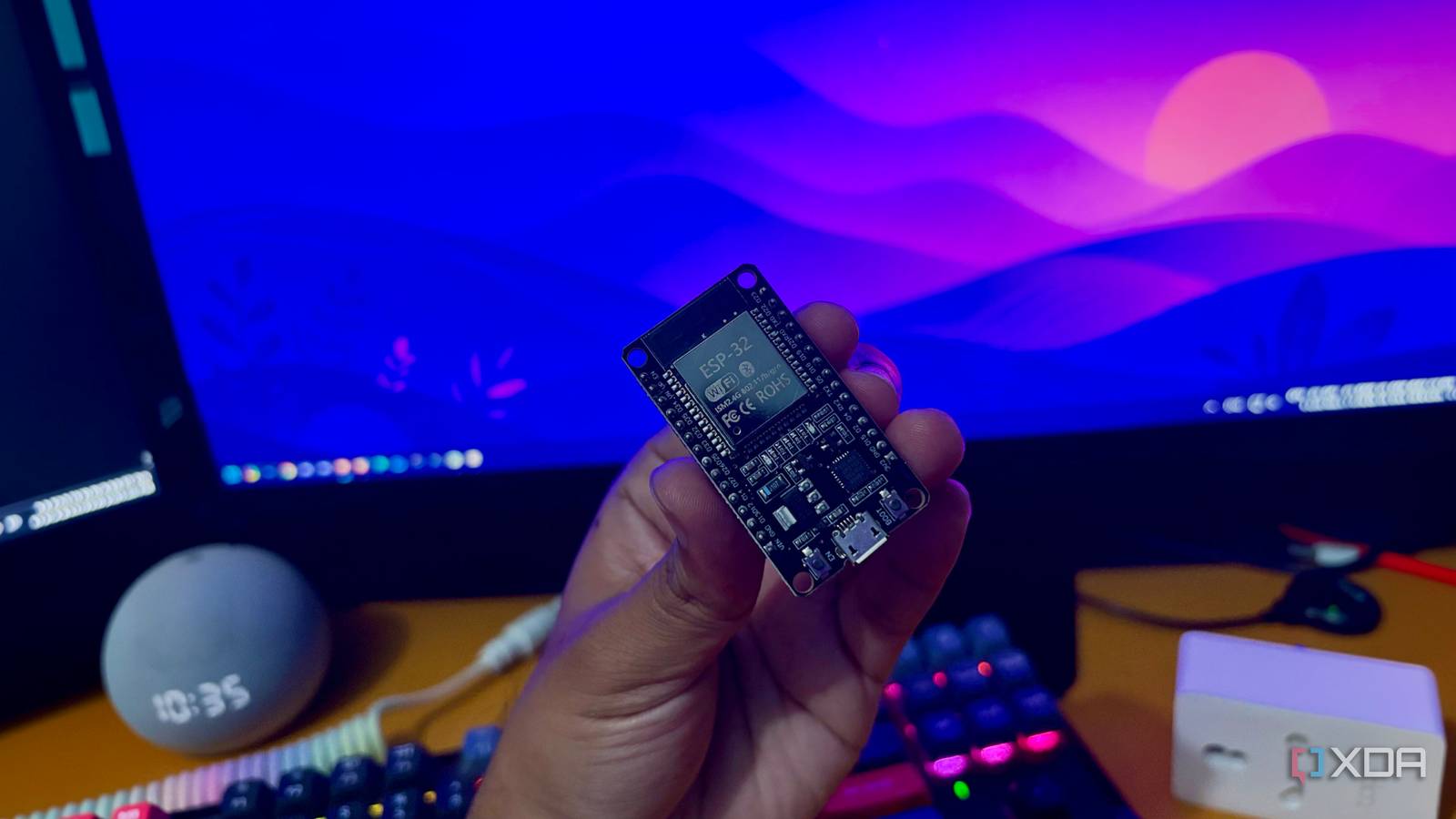
Published Oct 8, 2026, 3:30 PM EDT Shekhar Vaidya is a veteran technology journalist and computer science engineer. He is the founder of TechLatest, where he has spent years providing technical analysis on hardware and Windows ecosystems. Now a Computing Writer at XDA, Shekhar leverages his deep background in NAS, storage solutions, and PC internals to help readers master their tech. My server was powered on, fans were running, yet I couldn’t SSH into it, and none of the services were responding. I never found out what caused it; something inside the server failed and froze it. And without access, I couldn’t troubleshoot and fix the problem; the only way out was a forced reboot using the physical buttons. That was when I decided to give a $5 ESP32 the job of watching my server from outside and triggering a reset when it's actually needed. Setting up the hardware was the easy part; getting a laptop to listen to what the ESP32 said was something else. A server can't vouch for itself Docker said "Up," and the ads said otherwise A couple of days ago, I was experimenting with the server and had a few hard cuts. A couple of hours after the experiment, I noticed that my DNS queries weren’t being filtered; the ads came back. To check, I tried opening the AdGuard Home (AGH) dashboard; it didn’t open. I opened Portainer to check whether it was even up; surprisingly, it was running. But the logs were filled with errors. While troubleshooting, I randomly ran docker ps, and it also showed the container as up, but there was one odd thing: the PORTS column was empty. To dig deeper, I ran docker inspect, and it gave me the exact issue: the container had no networks attached. Eventually, I fixed it by removing and recreating the container, but the lesson here isn’t how I diagnosed it; the real takeaway is that even though Docker said it was up, it was unusable. I have written before that a monitoring service deployed on the same server it is supposed to monitor is a bad idea. But personally, I had never faced it. The monitoring services I was using (Uptime Kuma, Pulse) relied on the same check Docker was showing. Worse, if the server became completely unresponsive or froze, none of them would help. Then I thought about a watchdog. The easiest option was software. It could react to a failed process and restart a service, but again, it wouldn't help if the OS underneath it stopped responding. At that moment, I decided to hand over this job to an external watchdog that can actually check things from the outside and then act on it. The ESP32 doesn't take the server's word for it It checks three things, and one is there to stop it While I was looking for an external watchdog, I noticed something that was sitting in a workstation drawer — an ESP32 board. And it immediately clicked. It could work as an external watcher to check on the server. The ESP32 would have nothing installed on the server; it wouldn’t check Docker containers or run anything on the server. Then I started to figure out the logic. After hours of brainstorming, I decided on three checks. First, it would try a TCP connection to SSH on port 22. Second, it would perform a real DNS lookup to a real domain through my AGH service, since DNS had already failed for me. And third, a third probe as a control to safeguard against an unnecessary reboot. The third check, on my always-on NAS, would be an important part because it decides whether the issue is real on the server. For example, if SSH and DNS fail but the NAS check passes, it becomes a strong sign that the server has a problem. But if all three fail, that means there might be another issue affecting the whole network, so a reboot won’t help. I also decided to put various other safeguards in place to prevent a false trigger. For example, a five-minute delay after the first server dead report, an eight-minute delay before the next reset, and a permanent stop after three failed resets in a row. And even a temporary pause mechanism using the BOOT button to pause the script for when I am doing scheduled maintenance. Finally, a relay or a smart switch on the server’s power and the ESP32 to perform the actual reset. But as soon as I actually started building the watchdog, the server wasn’t ready to hear what the ESP32 was saying. Resetting a laptop took three plans The relay never got built, and then the watchdog failed. The server decided to become an unbreakable wall. For context, I repurposed an 8-year-old Dell Latitude as my home server. And it proved to be a reliable home server without spending a cent on enterprise hardware. Now, coming back to the issues, my plan was to power cycle the server using a relay or a smart switch, and I did have both available on hand. The plan would have worked flawlessly if the server had been a mini PC or tower. But since it was a laptop with a battery, cutting the wall power would have done nothing. Disconnecting the battery was a solution, but it would have removed the built-in power backup of my server, so it wasn’t worth it. With that, the relay and smart switch plan was off the table. I started brainstorming again. While reading about the hardware, I found that laptops with Intel chipsets come with an internal watchdog. The Latitude has an i5-6300U, so there was a good possibility that my server already had a watchdog. This would have been a perfect solution, but after I armed the iTCO_wdt hardware watchdog at /dev/watchdog0 with a 30-second timeout, it failed to reset the power and reboot it, even when I stopped feeding it. I couldn’t figure out whether it was a machine-specific issue or a general one. But I ditched that plan too. I was ready to give up, but before that, I gave it one final try and came across Intel Active Management Technology (AMT). It is a kind of remote management system built into the chipset that works independently of the operating system. I immediately provisioned it through the BIOS-level MEBx menu and did a dry run. It only needed a wired LAN connection, and I could access AMT on port 16992 using HTTP digest-auth. After that, the implementation was straightforward. The ESP32 checks the server status, and if it is found dead, it starts a 300-second timer. Once the timer runs out, the ESP32 sends the AMT a power-cycle request (RequestPowerStateChange (5)); AMT answers with an HTTP 200 OK response, and then the laptop power-cycles. The full sketch is on my GitHub. Since I didn’t have a genuine server dead moment to test it on, I deliberately crashed the kernel with sysrq to trigger it, and it worked the way I expected. The server was rebooted successfully. The Docker containers survived the hard cut. And it genuinely demonstrated that an external watchdog can detect and act on a kernel-level failure. Worth $5, with one asterisk What I took away from this experiment is that a cheap, weak ESP32 bought me independence from the blind spot of monitoring systems. Regardless of the server status, whether it is responsive or not, it can still do its job. For now, there are trade-offs: it needs AMT hardware, it has Wi-Fi dependency, and it is a recovery without diagnosis. But a few of them are worth it, like the five-minute wait, and the others are fixable, like the Wi-Fi dependency. For a battery-less server, a relay would have been a straightforward job. Sometimes a small, deliberately dumb device sitting outside the server can be the best recovery mechanism. Brand AITRIP Connectivity Features UART, USB
I gave a $5 ESP32 one job, and now my home server reboots itself when it freezes
Full Article
Original Source
Read the full article at Xda-developers →KhanList aggregates and links to publicly available news content. We do not host full articles from third-party sources. Always verify important information with original sources.