
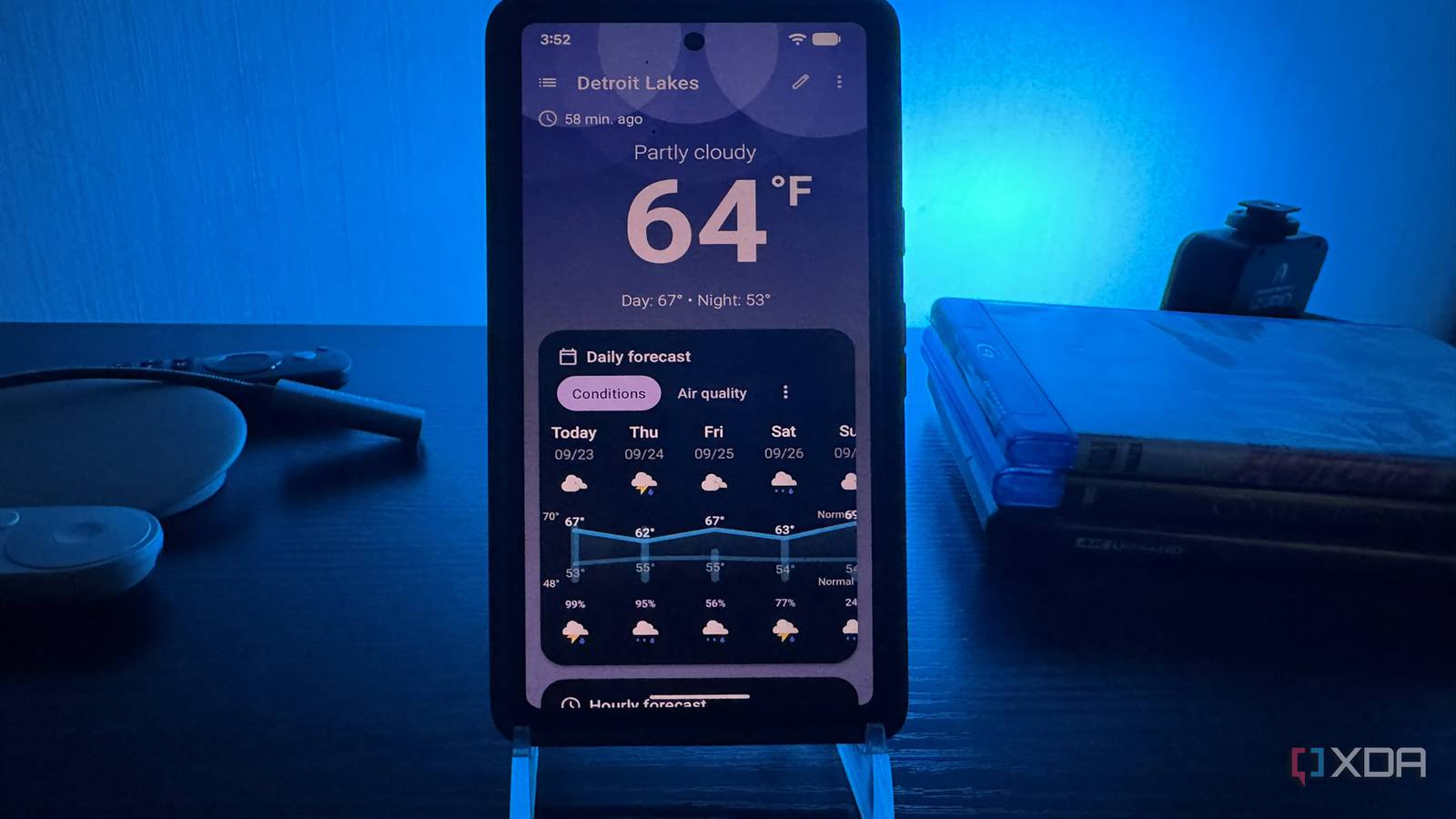
Published Sep 26, 2026, 2:00 PM EDT Based in rural Minnesota, Brian Burgess worked in IT for 10 years before finding his passion for writing about consumer technology. Brian earned his degree in computer and network technology in 2000. He held various IT positions, including help desk support, router installations for IBM, database administration, and other associate network administration roles. He's been a personal technology journalist for 18 years and has written thousands of articles about Microsoft products and services, Android, iOS, streaming, and more. He has written for notable tech sites including XDA, InformationWeek, How-To Geek, Byte, groovyPost, and others. When he is away from the keyboard, you will hear him playing guitar, working outdoors, and watching Star Trek. New apps that help you see the current weather conditions and forecast seem to be a dime a dozen, but I finally found the perfect one for my Google Pixel phone, and it's not even in the Play Store. It is called Breezy Weather and includes a ton of features you'd expect from a weather app, and several you wouldn't. It includes addictive features that keep me coming back for more than the current forecast. Instead of giving you a taste of features and putting the rest behind a paywall, or flooding the app with ads like many weather apps, it is free, open-source, and feature-rich. It provides far more customization and weather sources than the Google Weather app. Install Breezy Weather Grab it from GitHub, F-Droid, or Obtainium Usually, when you think of a weather app, you will turn to the Play Store to install it. However, since it is open-source and not on Google Play, you can install it from the app's GitHub page or download it via F-Droid if you prefer regular updates. Using Obtanium sideload manager will monitor the dev's GitHub site and notify you of new updates. I found it easy enough to install the APK from GitHub on my Pixel to avoid extra work. However, on some phones, you first need to disable security options. Once installed, you pick the location you want to monitor, and the app grabs the data and displays it elegantly on my phone. At first glance, it's straightforward and shows current local conditions and the forecast. It's easy to navigate, so I can plan around what the weather may or may not do. Breezy Weather Breezy Weather is an extremely customizable, open-source weather app that allows you to choose your forecast provider. Digging in Breezy Weather offers a lot of options Sure, it's cool that the app is free and open-source, but once I started digging into the options available, I was impressed. It lets me pull weather data from more than 50 sources, so I can pick what works best. It took me a while, but I finally landed on a couple of services. The NWS isn't the only weather source out there. It also lets me pull in weather data from countries all over the globe. Beyond the number of sources I can pull weather from, the app offers more than 10 fully customizable widget options. It seems like you can tweak and change almost everything in the app, including the home button. I can also choose what information is displayed when I open the app. I can see the weather, UV index, air quality, sunrise times, and a lot more. You might think you need a subscription or payment to get this kind of weather data, but you don't. No ads litter your phone's screen when you check the weather. It also lets me set notifications for severe weather events or drastic changes in conditions. I can also tweak the notifications, so I only get alerts for major events. I can pump a ton of information on the weather screen and widgets, or take a more minimalist approach. For instance, I can set it to show only the moon's cycle, or display only wind speed and air quality. Or I can show both, or everything at once. The app offers true freedom and lets me choose exactly what I want to see when I want to see it. Open-source principles There's a reason devs don't want it in the Play Store Sometimes, when an app isn't in the Play Store, people think it's half-baked, unsafe, or is something you get just to bypass an Android setting. However, this powerful weather app isn't in the store because the developers want it that way. They don't want to pay the registration fee to put the app in the store, and they don't want to be subject to Google Play policies. Resisting the Play Store adheres to the app's open-source principles. The Play Store currently requires Android developers to submit personal information for identity verification to list an app there. A new developer verification system starts on September 30, and apps must be associated with a verified developer in several countries. This is a quality app that doesn't want to comply with Google Play's rules. The Android developers simply want this app to stand on its own. A great free and open-source weather app that is feature-rich for Android The amount of options seems virtually endless. Keeping it up to date requires a bit of TLC. If you sideload it directly from GitHub, you need to watch for updates. Installing it via F-Droid or Obtanium is a better option if you want easier updates. It won't update automatically like apps from the Play Store. But aside from that, between the weather data I can pull and the widgets, this is now my "go-to" weather app on my Google Pixel and other Android phones.
I found the perfect weather app for my Pixel, but you won’t find it in the Play Store
Full Article
Original Source
Read the full article at Xda-developers →KhanList aggregates and links to publicly available news content. We do not host full articles from third-party sources. Always verify important information with original sources.