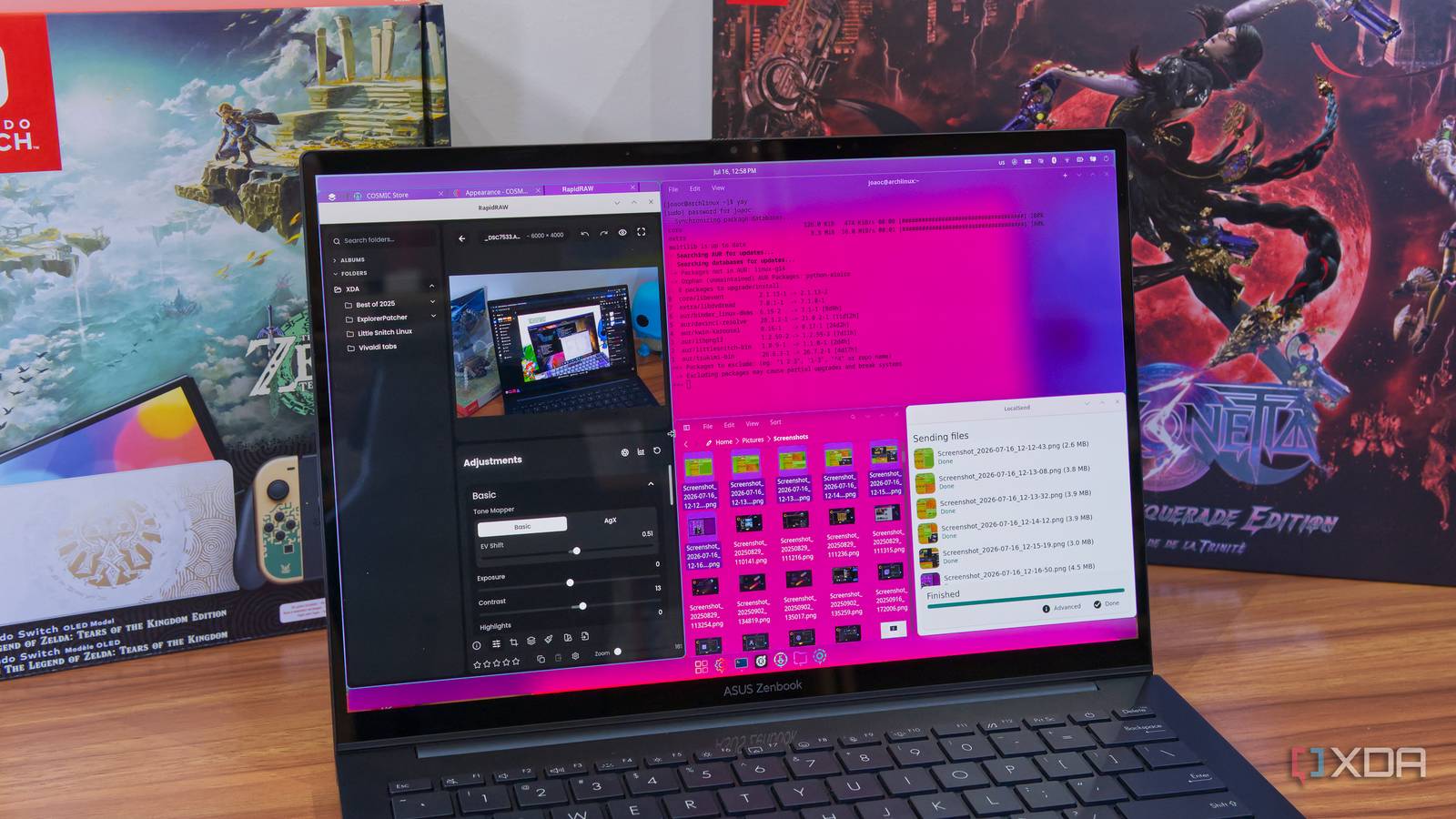
Published Jul 19, 2026, 12:30 PM EDT João has been covering the tech world for over 7 years, with a heavy focus on laptops and the Windows ecosystem. I also love all things tech and videogames, especially Nintendo, which he's always happy to talk about. Prior to joining XDA in 2021, he worked at Neowin: https://www.neowin.net/news/poster/jo%C3%A3o-carrasqueira/ Tiling window managers are preferred by many people over the more traditional floating windows, but they come with a relatively high entry barrier. Learning the shortcuts and configuring everything to be the way you want can take forever and be more daunting than most users would like. With the launch of the COSMIC desktop for Linux, though, things finally changed. This desktop incorporates tiling by default, and it makes it easily accessible to anyone without the (often unnecessary) configuration rabbit holes tiling window managers tend to carry. Tiling made simple And it still gives you control Right off the bat, COSMIC is the easiest approach to tiling I'm ever tried. This is partly because it's available right out of the box in this desktop environment, no extra apps or extensions needed. It's just there all the time, and importantly, you can enable or disable it at any given time. The behavior is set for each workspace, too, so you can have one workspace with tiled windows and another with floating windows instead. And if that's not enough control, you can also set specific windows as exceptions to the tiling rules, so a single window can float while the others remain tiled. Just like other tiling window managers, keyboard-based controls play a big role, but you can also easily do anything with the mouse. Drag windows from one position to another, swap places, or arrange them into new layouts. It's very easy to understand what the keyboard shortcuts do after just a minute of trying to use them, so it feels more intuitive than a lot of other options I tried, too. It's all beautifully animated, so it gives you a real sense of how windows are being manipulated as you do it. All in all, COSMIC offers my favorite implementation of tiling windows, both because it's very easy to use, but also because it's very easy not to use. Being able to switch back and forth between windowing modes, and knowing the desktop itself is completely designed with this in mind, makes all the difference. You can stack them, too Yes, it also works with the keyboard What makes tiling even better in COSMIC is that you can also stack apps in the same area of your tiled workspace. Stacking actually works regardless of whether you use tiling or not, but when you have tiling enabled in a workspace, dragging one window over another with the mouse automatically gives you the option to stack them, so you don't have to do any setup. If you prefer using the keyboard, you'll need press Super+S to enable stacking for a specific window, and then, as you move other windows around, you'll be offered the option to stack them when you select the position of the stacking-enabled window. Just as with tiling as a whole, it feels very intuitive, and it's easier to use compared to other tiling tools of this kind, in my experience. Stacking windows means the same space can be taken up by two or more apps, and you just switch between them as needed, and it can help you have a more flexible and adaptable workspace. It sort of combines the benefits of floating windows with a tiling layout, and it's very handy. You may lose some flexibility, but it's worth it Tiling shouldn't be such a chore Everything about COSMIC's tiling system is easily visible and understandable through the UI, and that also means there aren't quite as many options as you might be used to. But I wouldn't say that's a bad thing; it's important for a feature to balance functionality with ease of use, and COSMIC does it brilliantly. With every other tiling window manager I've tried, there's a config file with a huge list of options to be configured, and it's all done in plain text, which makes it tedious and potentially even overwhelming. I never want to dive into those files any longer than I have to, but a lot of behaviors can feel awkward by default. In COSMIC, everything is easy to use. The tiling system and keyboard shortcuts all make sense very quickly once you start using them, and options like spacing between windows or highlighting the active window are just part of the general desktop settings, so there's nothing extra to worry about if you're already used to customizing your desktop. If, like me, you're relatively new to the idea of tiling, COSMIC is easily the way to go. COSMIC is impressive Even beyond its tiling system, COSMIC is quickly becoming one of the best Linux desktops out there. It offers very flexible and simple customization options, and just recently, the team released version 1.3 with a new frosted glass effect that gives the UI an even more beautiful look. If you haven't yet, I highly recommend checking out COSMIC on your Linux PC. COSMIC Desktop
I found the Linux desktop that finally gives me tiling windows without the config-file rabbit hole
Full Article
📰 Original Source
Read full article at Xda-developers →KhanList aggregates and links to publicly available news content. We do not host full articles from third-party sources. Always verify important information with original sources.