
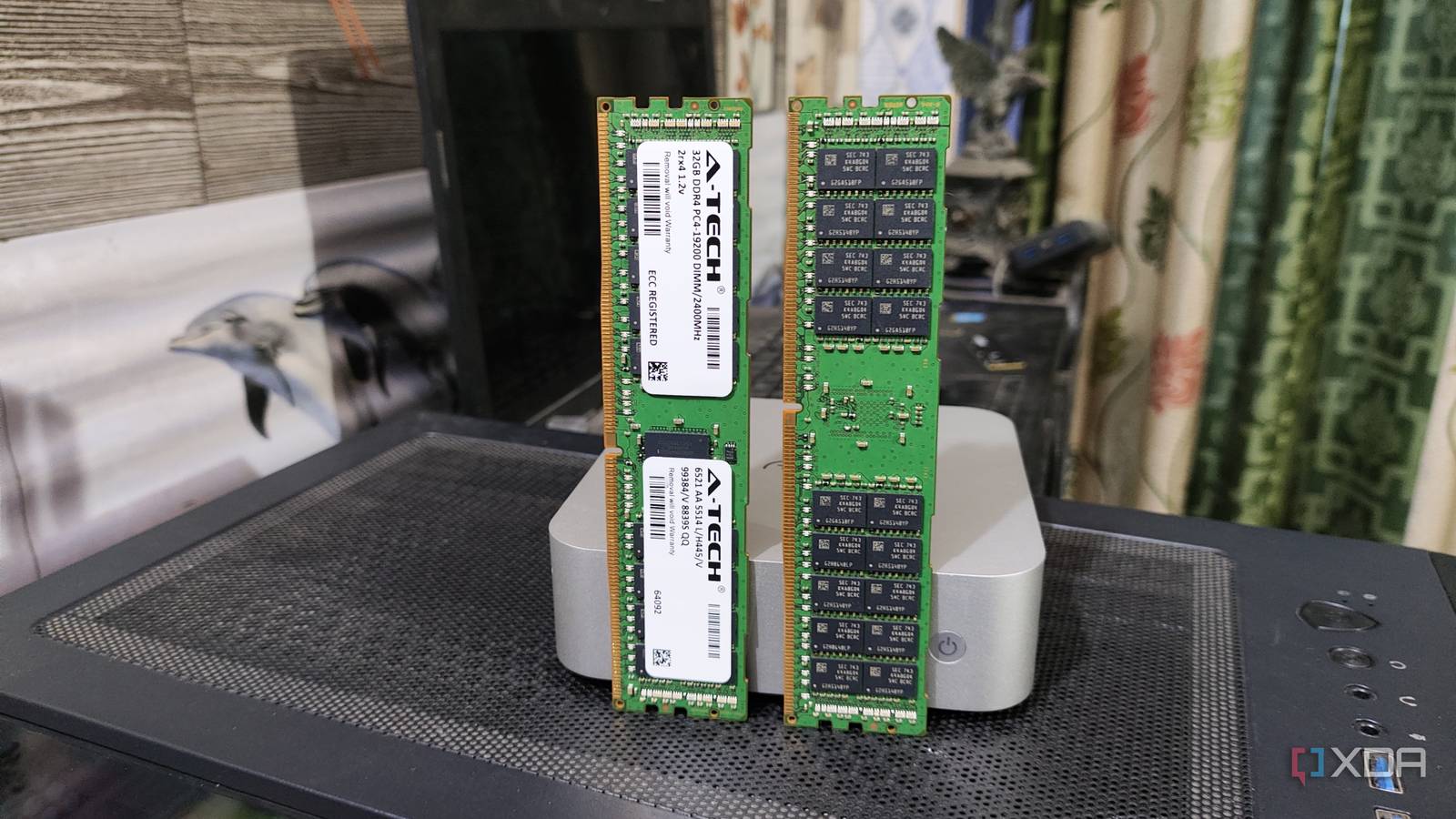
Published Sep 3, 2026, 12:00 PM EDT I’m Adam Conway, an Irish technology fanatic with a BSc in Computer Science and I'm XDA’s Lead Technical Editor. My Bachelor’s thesis was conducted on the viability of benchmarking the non-functional elements of Android apps and smartphones such as performance, and I’ve been working in the tech industry in some way or another since 2017. In my spare time, you’ll probably find me playing Counter-Strike or VALORANT, and you can reach out to me at adam@xda-developers.com, on Twitter as @AdamConwayIE, on Instagram as AdamConwayIE, or u/AdamConwayIE on Reddit. Sign in to your XDA account I don't run ECC memory in a single one of my home servers, and I still think that's a pretty defencible position for most people who aren't running anything considered a "production" setup. However, I recently experienced a rented dedicated server tearing itself apart in a way that nothing on the machine could actually explain... until I found four wrong bits in a file sitting in RAM. I've done a lot of random work in esports (and Counter-Strike specifically) over the last decade, and one of these projects is a global deployment of Counter-Strike 2 servers. On one particular box, there were nine Counter-Strike 2 servers sharing one base copy of the game, and over the span of a week, it logged 1,242 fatal content-corruption errors while every other server in every other region had logged zero in that same time span. Because of that, it wasn't a game-level error, and all deployments run the same software stack. Rebooting the host fixed it, and so did revalidating the game files, but the problem always came back and SMART, the filesystem, and the kernel log all agreed that the hardware was perfectly healthy. By all metrics, it seemed like a normal, healthy server, but it took two commands and five minutes to prove that the file in RAM wasn't the file on the SSD. Every check on the machine said the hardware was fine Rebooting it seemed to help Here's how it went: each server would start normally, then on a map change or restart, one of the containers would degrade and throw an error. As other servers on the same box restarted or changed map, they'd degrade too. There was always an accompanying error referencing a game file, most commonly, "FATAL ERROR: Content file game/csgo/pak01.vpk is corrupt." The orchestrator would remove the affected containers, validate the game files with steamcmd, and everything would come back up normally for anywhere between twenty minutes and two days before failing again. My initial suspicion was storage: after all, the errors were referencing specific files. The node had a KIOXIA NVMe, but SMART reported zero media or data-integrity errors, zero percent of its endurance used, and a temperature of 43°C against a 73°C warning threshold. The PCIe root port above it showed no correctable, non-fatal, or fatal AER errors, ext4 was clean, and dmesg contained no machine-check exception, I/O error, NVMe reset, or other hardware error. I did notice the lack of an EDAC memory controller, but I didn't think much of it at the time. I'd never experienced a memory problem on a system before, and I didn't really know what one looked like. Rebooting the machine or validating the game through steamcmd seemed to clear the problem, which only reinforced my suspicion that the files themselves were corrupt. I later realised, though, that both could effect the thing that actually housed the corruption: the page cache. A reboot discards it completely, while steamcmd reading through the game tree creates cache churn, giving affected pages a chance to be reclaimed and read cleanly from the SSD again. Only once did Steam actually identify a corrupt file and redownload it; most of the time validation exited cleanly, yet the servers still started working afterwards. Even then, none of the other machines had a validation fail, so it's possible that this was still a bad read. Regardless, what looked like storage corruption being repaired turned out to be consistent with bad cached data disappearing instead. Reading the file the normal way and the direct way gave two different answers O_DIRECT skips the page cache entirely There was one check that I ran which gave me a whole new perspective on the problem, and it was a last-ditch effort to figure out what was going on. The de_inferno.vpk file had been flagged in the storm of corruption errors at the time, so I decided to calculate a SHA256 hash of the file and compare it to other deployments on other machines. Sure enough, its hash was mismatched, indicating an error, but then I had another idea: what does a fresh read show? file=/srv/cs2/base/game/csgo/maps/de_inferno.vpk sha256sum "$file" dd if="$file" iflag=direct bs=4M status=none | sha256sum With these two commands, I had finally moved closer to an answer. Regular "sha256sum" calculated a hash starting with 8ab67d7a three times in a row, but the second, using O_DIRECT, returned a hash starting with bfe3d8a9 three times in a row. O_DIRECT tells the kernel to skip the page cache, and even though it was the same 453,401,522-byte file, stored at the same inode, hashed seconds apart, O_DIRECT returned a different answer that also happened to match the hash on the other healthy machines running the exact same software stack. All of this meant one thing: the version on the SSD was correct, but for some reason, the file the game was actually using wasn't. I'd narrowed down the problem to somewhere between the DMA target and the game server. Using /proc/self/pagemap and /proc/kpageflags, I checked the four affected pages to ensure that the file didn't have any writes pending, and it didn't. Every page was reported as up to date and clean, with no kernel error flag or hardware-poison flag. The Linux kernel considered all four pages clean and up to date, with no error or hardware-poison flag. Yet a direct read proved that their contents no longer matched the file on disk. Without ECC, there wasn't a mechanism that could have autonomously proved it otherwise. Four wrong bytes in a 453 MB file pointed at one DRAM chip Same byte lane, same direction, every time At this stage, I conducted a byte-level comparison of what was in the page cache compared to what the file actually contained, and I found four differences between them. What was especially interesting was how conclusively it was able to prove what the problem was, and further, where it was coming from. Offset Offset mod 64 In RAM On disk XOR 29,604,419 3 0x84 0x94 0x10 277,037,699 3 0x84 0x86 0x02 327,777,411 3 0xc9 0xcb 0x02 342,881,795 3 0xe0 0xf0 0x10 Every error was a single bit, and each was at byte 3 of a 64-byte cache line, meaning that all four were on the same byte lane. dmidecode reports the module's data width as 64 bits, so logically that lane is byte 3 of 8 and carries DQ[31:24]. Only two bit positions ever showed up: 0x10 and 0x02, corresponding to logical DQ28 and DQ25. AMD's DDR5 routing rules allow the individual DQ lines to be swapped within an x8 byte to simplify PCB routing, so those aren't necessarily the labels of the physical pins on the DRAM package. Crucially, though, those swaps can't move a bit into another byte lane: on this x8-organized DIMM, all eight bits in that lane are supplied by the same DRAM device. To sum it up, these were four separate errors spanning 313MB across four unrelated 4KB pages, all appearing on just two logical bit positions within the byte lane supplied by one DRAM chip. At one point while tearing my hair out at this, I'd genuinely been considering cosmic-ray bit flips, but this pattern was far too deterministic for four independent random upsets to be a convincing explanation. This is a reconstruction to demonstrate how the problem was identified. There was one piece of evidence that proved the hardware was the issue: all four flips went from 1 to 0, and none flipped the other way around. A bad pin should normally corrupt in transit, going in both directions, and would have caused a lot more damage than just four stray bytes. All four observed flips also went from 1 to 0, and none went in the opposite direction. That made me wonder whether I was looking at a retention-related fault, with weak cells failing to retain their state, but four observed errors aren't enough to identify the exact electrical failure mechanism. What mattered more was that the errors weren't randomly distributed: they repeatedly affected the same byte lane and only two logical bit positions within it. What's interesting about the O_DIRECT read, though, is that the bytes have to be put somewhere, even if we skip the page cache. And that somewhere is DRAM as well. I got lucky to get the clean results I did, though the bs=4M flag I added possibly helped, too. The direct-read pipeline also used a much smaller, short-lived working set than the roughly 110,000 cached pages occupied by the file. Whatever the exact failure mechanism, those transient buffers happened not to hit the fault during any of my three direct reads. It's funny that it was thanks to Valve that the problem was even noticed in the first place. While de_inferno.vpk was the case I analyzed here, the game's primary content pack is pak01.vpk, but that file isn't actually one file. The file mentioned in the earlier error, "game/csgo/pak01.vpk", doesn't exist; instead, there's an index called pak01_dir.vpk alongside numbered archives running from pak01_000.vpk up to pak01_493.vpk. That index stores a CRC-32 for every individual asset and the engine checks it on load. Without that, a flipped bit could have been totally unpredictable. Instead, it threw a fatal error with a filename and a timestamp, which was picked up in my logging infrastructure and made it easier to narrow down the problem. ECC would have corrected all four errors and logged them On-die ECC isn't the same thing These four single-bit errors in four widely separated 64-bit words aren't an exotic edge case, and it's actually the kind of thing that ECC is designed to catch. SECDED corrects any single bit per word and reports it to the system, meaning that the machine could have corrected all four errors and reported the failing memory instead of silently passing the corrupted data upwards. Admittedly, ECC memory isn't totally magic here, as if the chip degraded further and produced two bad bits in the same protected word, ordinary SECDED could detect the error but not correct it. The platform would then handle it as an uncorrectable memory error rather than silently returning bad data. At that point, full single-device correction is Chipkill territory. DDR5 muddies this a bit, given that every DDR5 die does have on-die ECC and an awful lot of people have taken that to mean ECC memory is now unnecessary. Unfortunately, though, that's a different mechanism altogether. On-die ECC protects the DRAM die's internal storage array, but it doesn't provide the end-to-end protection of conventional DIMM ECC across the external data bus, module and memory-controller path. When researching, I found multiple retail listings describing this as "Unbuffered On-die ECC", which doesn't exactly help, either. I had also verified at the time that the kit, two Corsair Vengeance 32GB modules rated for 5200MT/s, were running at the base JEDEC speed of 4800, and no EXPO or XMP was enabled. It's also inside an ASRock Rack EPYC4000D4U, a socket AM5 server board that supports DDR5 ECC, and the CPU is a Ryzen 9 7900 that also supports DDR5 ECC. It could have caught this from the very beginning, but it used a consumer gaming kit instead. To be fair to the provider, I opened a ticket with my logs and my testing, and they replaced the memory without question. When they responded first, they told me they were actually just setting up a new server with identical specifications, and that they could swap the RAM and run MemTest86 on the two DIMMs I'd reported as being problematic. I was curious about the outcome, so I asked if they could let me know how that goes, and they did. I authorized the RAM swap, and a few minutes later my box went offline for approximately 10 minutes before returning. Then, roughly an hour later, I received a screenshot of a MemTest86 result showing that the memory had already failed in their test. Given I received it so soon after the RAM was swapped, the test couldn't have run for long at all, which means that a module that failed a memory test in mere minutes, before it had even completed a single pass, had somehow managed to keep a production stack running reasonably well for over a week. The replacements are a pair of Crucial Pro CP32G56C46U5.M8B1 modules running at 5200, and they're non-ECC as well. To be clear, the provider isn't cutting corners here: it's a very well-priced box for the money, and given the architecture of the deployment used, it's fairly resilient to memory corruption overall, with these boxes ultimately doing very little aside from running games. As well, RAM is now extremely expensive, so I'd rather take the risk on a resilient infrastructure that can handle a server degrading temporarily instead of spending a lot more on ECC-equipped servers. That server has been up for several days since the swap, and the logs have been completely clean. Even after all this, I'm still not planning to run ECC at home anytime soon, and I don't think you absolutely need to either. I'll always keep those two hash commands at hand in case I need them, though, because if a machine can't check its own memory, that's the only thing on it that will. I can find them now, because on a machine that isn’t checking its own memory, that’s the only thing on it that will.
I found out the hard way why ECC RAM earns its keep, and the reason was incredibly weird
Full Article
Original Source
Read the full article at Xda-developers →KhanList aggregates and links to publicly available news content. We do not host full articles from third-party sources. Always verify important information with original sources.