
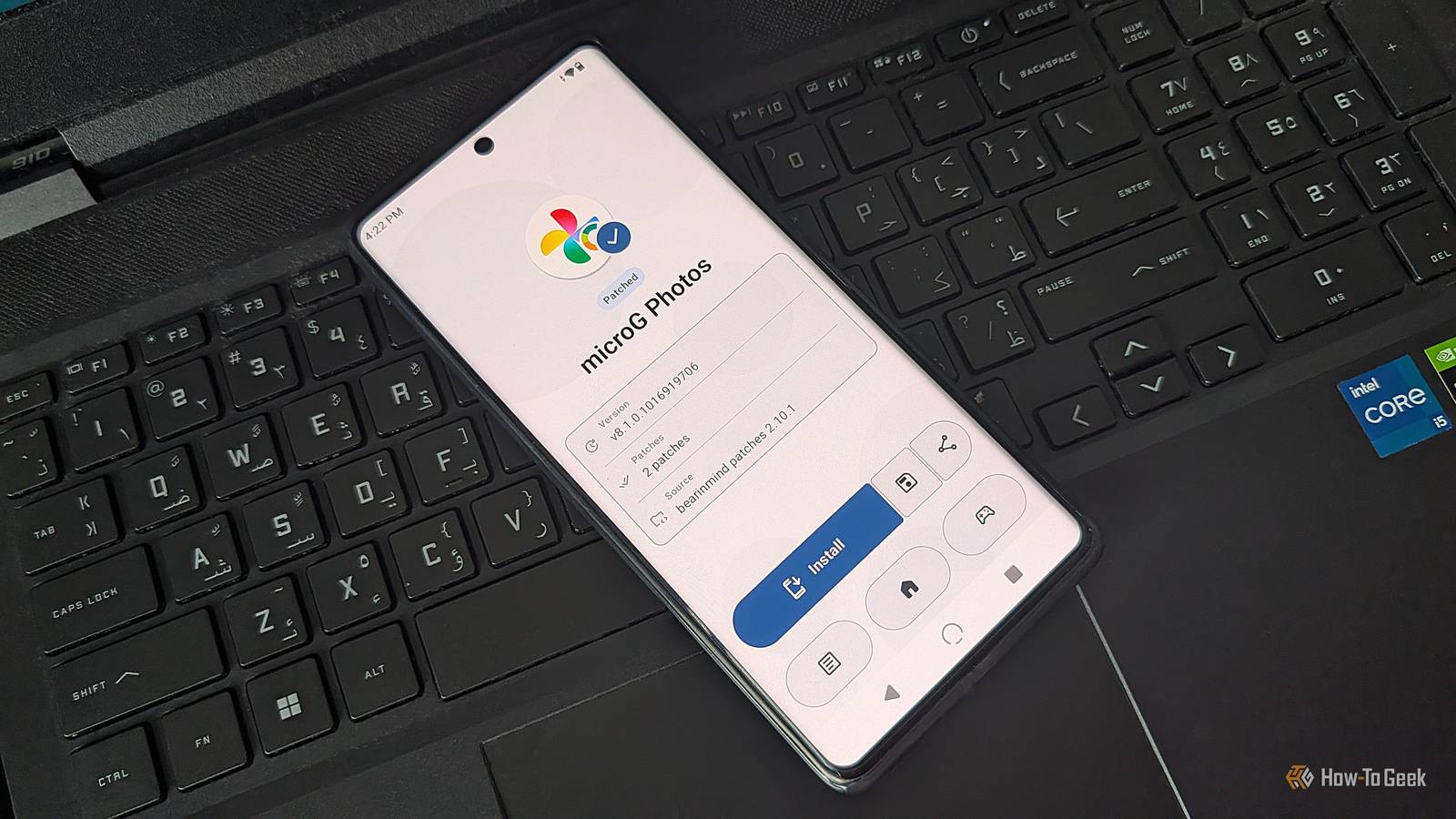
Published Nov 28, 2026, 9:00 AM EST Namerah Saud Fatmi has been writing about smartphones, accessories, e-readers, and apps for nearly a decade. She occasionally branches out into sects like gaming, software, hardware, smart home, and wearables. Before How-To Geek, she was a senior editor at Android Central, and has had bylines at other respectable publications such as Windows Central, iMore, XDA Developers, Neowin, and Good e-Reader. When she isn't writing or testing yet another weird and wonderful new gadget, she spends her free time snuggling with her grumpy feline life partner. Her hobbies include casual gaming, traveling, attempting to pet anything classified as an animal, unnecessarily complicated craft projects, and hunting for the next great bowl of noodles. Are you as sick as I am of AI taking over apps no one asked for? This unsolicited AI takeover annoys me to no end, so I found a way to rid the Google Photos app of AI. And it's not just limited to Google Photos, you can use this method to remove AI from many other apps too, as long as the appropriate patch exists. Finding the right Morphe patch to remove AI from Google Photos Here's how I achieved this If you're familiar with the concept of app modification on Android, you might have heard of Morphe patches. There are hundreds, if not thousands, of incredibly useful patches available on the Morphe Community Patches platform. These patches modify existing Android apps to make certain changes, such as hiding ads, removing geolocation data, and so much more. GitHub user Bearinmindcat created a handy Google Photos patch that hides all AI features from the app. You can also choose to use the same patch to remove in-app promotions and telemetry. It uses MicroG, an open-source alternative to Google Play Services, to create a clone of the Photos app, so you can still use the regular app separately if you wish. Of course, you can always disable the original Google Photos app or use ADB to completely uninstall it from your Android phone. The first step toward an AI-free Photos app is downloading and installing the Morphe app for Android. Head to morphe.software on your phone's web browser to do so. Be sure to grant the necessary permissions to install APKs from your phone's browser. Next, run the Morphe app and grant it permissions to access all your files, run in the background, give notifications, and install APKs. After that, go to the settings menu of Morphe and switch on the toggle for the expert mode. Once Morphe is all set up, the next step requires you to add Bearinmindcat as a patch sources for your Morphe app. Go to Bearinmindcat's GitHub page and look for the link that says "Click here to add bearinmind patches to Morphe Manager." Once you click on that link, it'll automatically open the Morphe app on your phone and a prompt will appear. Select the add button, following which all the patches from Bearinmindcat will appear on the apps tab of your Morphe app. Find and select the Google Photos patch in the apps tab of Morphe. The app will give you several options here, asking whether you already have the right APK file on your device or whether you need to download it. If you don't already have the right APK, follow the link provided by Morphe to download it to your phone. Morphe usually recommends APK Mirror, which is a trustworthy source. Once you've downloaded the correct Google Photos APK, go back to Morphe and select it. After this, we can move on to the final step: installation. Installing the AI-removing Morphe patch on your phone No rooting required At long last, you can now complete the installation process smoothly. If you don't follow the previous steps properly, the app will not install, so be sure to adhere to the steps very strictly. Selecting the Google Photos patch in Morphe will lead you to the patch installer page. Make sure these are Bearinmindcat's patches, and not from any other source. Select the options you want from the ones listed. Apart from hiding AI, you can also check the options to hide promos and remove telemetry. After that, also check the option to add MicroG-RE support, and then hit the patch button at the bottom. A prompt will alert you that this option will create a clone of Google Photos. Click continue to move forward. Depending on what permissions you granted Morphe so far, you may or may not be prompted to give additional permissions. This includes the permission to run in the background without battery restrictions, and the option to be notified when updates are available. Once the installation has finished, you will find your new AI-free version of Google Photos labeled as MicroG Photos on your phone. The result is a neat and clean Google Photos app I was really happy with the MicroG Photos app in the end. You can see your photos and videos, and they can be edited too. However, only the non-AI editing tools are available in the app. This means that features like Ask Photos, Gemini, Magic Eraser, and Magic Editor get removed, so it is a lot more limited in its functionality. If your goal is to replace everything in your phone with AI-free alternatives, you'll be happy. This Morphe source also has other AI-removal patches. To me, the Gmail one looks enticing in particular, because I am sick and tired of Gemini summarizing a two-sentence email with an even longer summary that adds nothing of value. Once you feel confident, you can also hunt for other reliable patch sources to de-AI your other Android apps.
I found a modded Google Photos app with all the AI removed
Full Article
Original Source
Read the full article at Howtogeek →KhanList aggregates and links to publicly available news content. We do not host full articles from third-party sources. Always verify important information with original sources.