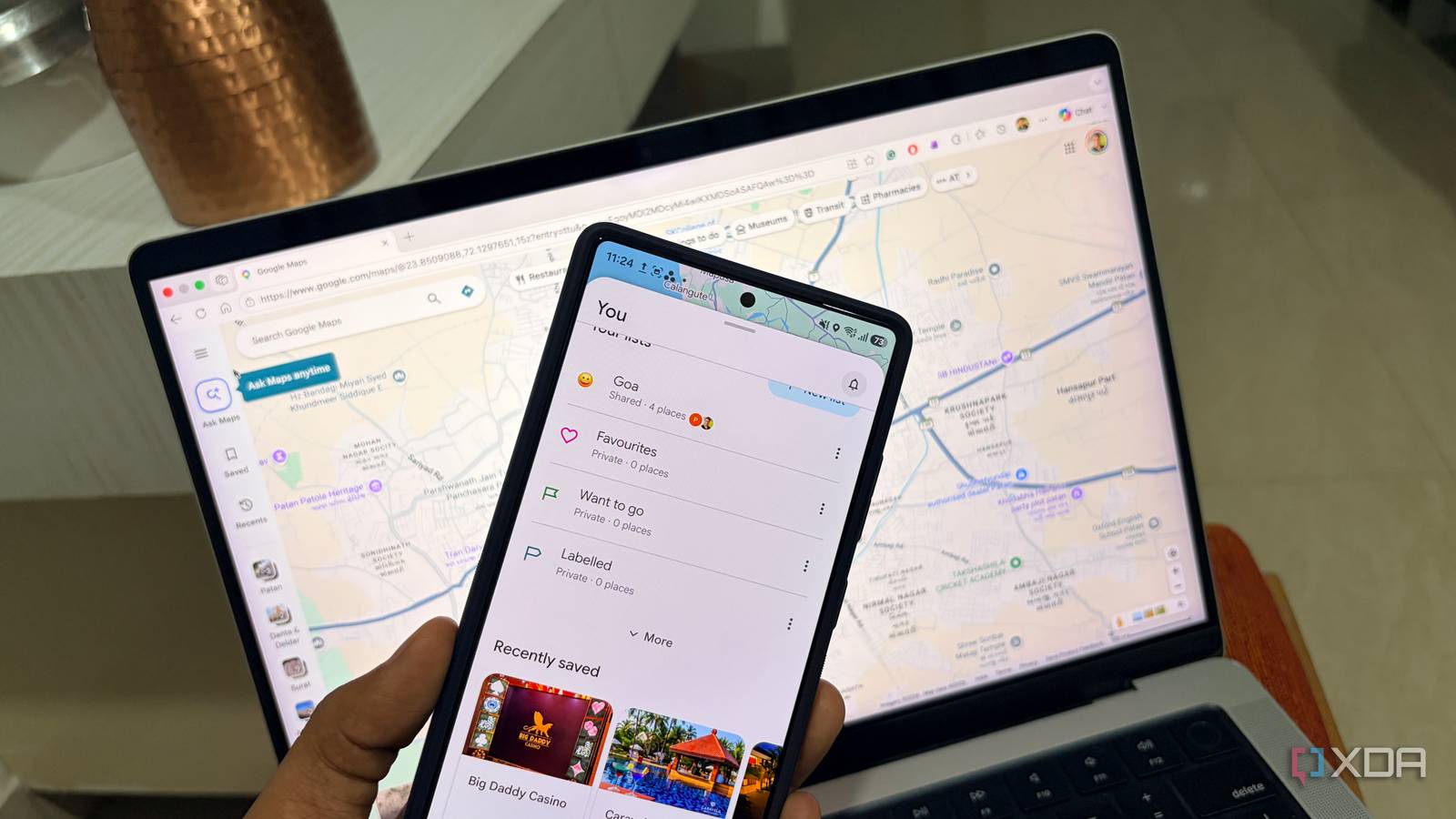
Published Jul 30, 2026, 6:00 AM EDT Parth, a seasoned tech writer, wields the keyboard (or pen) with finesse to unravel the intricacies of both Windows and Mac operating systems. He has covered evergreen content on mobile devices and computers for multiple publications over the last six years. You can find his work on AndroidPolice, GuidingTech and TechWiser. Whether it’s demystifying system updates, deciphering error codes, or exploring hidden features, Parth’s prose guides readers through the binary maze. When not immersed in tech jargon, you’ll find him sipping chai, pondering the next software review, and occasionally indulging in a friendly debate about mechanical keyboards. Planning a group trip always sounds exciting until everyone starts dropping restaurant links, sightseeing suggestions, and hotel locations into the same chaotic group chat. I used to manage all of this through endless group-chat scrolling, but a lesser-known Google Maps feature has made the entire planning process far more organized and collaborative. Group trip planning became chaotic quickly Too many ideas, nowhere to organize them The first few messages in our group chat were exciting. Someone shared a hotel, another person suggested a restaurant, and a few others started dropping links to sightseeing spots they had found on Instagram. Within a few days, the best ideas were buried under unrelated messages, nobody remembered which places the group actually liked, and I ended up scrolling through old conversations just to rebuild the plan. I usually ended up becoming the unofficial trip coordinator. Some people shared screenshots instead of locations, while others simply mentioned a place by name and expected me to find it later. Even after collecting everything, there was no easy way to see whether the recommended spots were close to one another or across the city. The problem was not a lack of ideas. We had too many of them, and they were spread across too many messages. I needed one place where everyone could contribute without turning the group chat into an endless planning spreadsheet. I found the feature hiding inside Google Maps It was more useful than expected I had used Google Maps lists before, but only as private folders for places I wanted to remember. I had separate lists of restaurants, weekend destinations, and cafés I planned to visit someday. I never paid much attention to the sharing controls because I assumed they were only useful for sending a finished list to someone else. While preparing for a group trip, I noticed that Google Maps offered an option to invite other people as collaborators. That small distinction changed how I looked at the feature. I was not simply sharing a static collection of places. I could create a list that everyone in the group could actively contribute to. Once invited, my friends could add their own recommendations instead of sending me every location via WhatsApp. I started by creating a fresh Google Maps list specifically for the trip rather than reusing one of my older collections. I gave it a clear name and icon so nobody would confuse it with my personal saved places, added a brief description, and invited everyone traveling with me to be collaborators. Keeping everything in one list also made it easier to identify duplicates and unrealistic suggestions. If three people added the same restaurant, I could remove the extra entries. If a place was located far away from everything else, the map made that obvious before we built our day around it. The list gradually became cleaner and more practical as the trip approached. Emoji reactions made decisions much easier Notes added useful context to every place Adding places to a shared list was only half the job. We still had to decide which restaurants, attractions, hotels, and cafés actually deserved a spot in the final plan. In the past, that usually meant starting another discussion in group chat. Emoji reactions made that process far more straightforward. Everyone could react directly to a place inside the list, so I did not need to create separate polls or repeatedly ask for opinions. A heart usually meant someone really wanted to visit, while a thumbs-down helped us identify options that were not worth prioritizing. This worked well when we had several similar choices. If the list contained five breakfast cafés or four sunset viewpoints, I could immediately see which ones had attracted the most positive reactions. Quieter members of the group can also participate without writing long replies. After all, not everyone enjoys debating the itinerary, but tapping an emoji takes only a second. A saved location does not always explain why someone added it. I would often open an old Google Maps link and struggle to remember whether the place was known for its food, views, convenient parking, or simply because someone had seen it in a reel. Notes solved that problem by letting us attach a small piece of context to every recommendation. I asked everyone to add a brief note whenever possible. For restaurants, we included details such as the dish worth ordering, whether advance booking was necessary, and whether the place had good vegetarian options. The notes also helped us distinguish between essential stops and backup options. I could label the restaurant as our preferred dinner spot and another as a nearby fallback if the first was crowded. A smarter way to travel together Google Maps may not replace a dedicated trip-planning app, but its collaborative lists have made group travel much easier for me. Instead of digging through old messages and trying to remember which places everyone liked, I now keep every suggestion, note, and reaction in one shared space. It gives everyone a say without turning the planning process into another endless discussion. I still use other apps for bookings, schedules, and expenses, but for deciding where the group actually wants to go, this overlooked Google Maps feature has become my starting point for every trip.
I found a hidden Google Maps feature that makes group trips easier
Full Article
Original Source
Read the full article at Xda-developers →KhanList aggregates and links to publicly available news content. We do not host full articles from third-party sources. Always verify important information with original sources.