
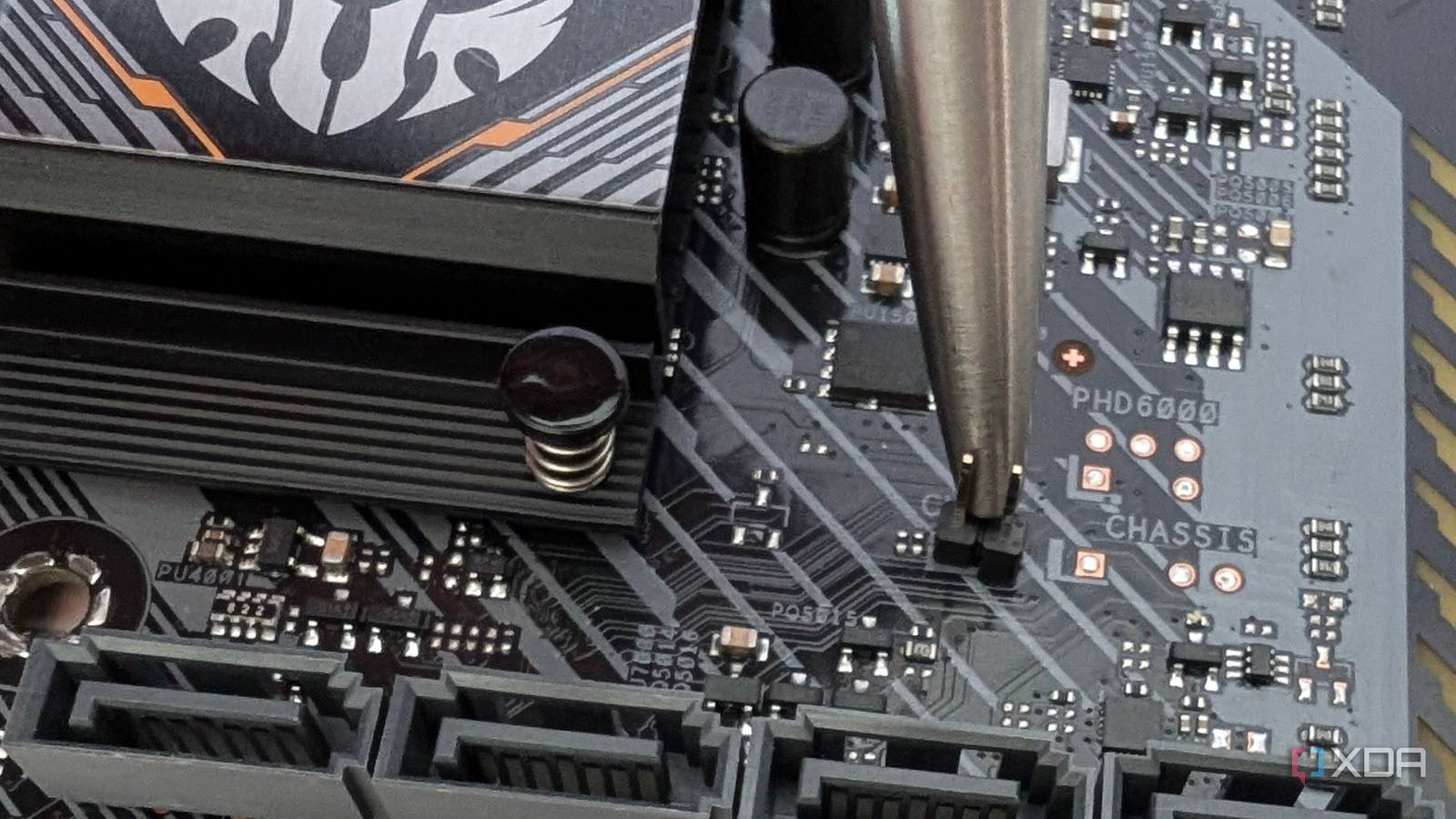
Published Aug 19, 2026, 4:30 PM EDT Abhinav pivoted from a career in banking to pursue his first love in writing. Even while working full-time, he continued contributing as an editor-at-large, a role he has held for more than 7 years. A lifelong tech enthusiast who has built three gaming and productivity powerhouse PCs since 2018, his passion for technology keeps him closely following the semiconductor industry, from NVIDIA and AMD to ARM. His MSc dissertation explored how artificial intelligence will reshape the future of work, reflecting his curiosity about the wider social impact of emerging technologies. Troubleshooting is the part and parcel of owning a PC, and with modern computers, you just don't know when you'll be made to put that hat on. Maybe you were tinkering with the BIOS to squeeze a little extra performance, or maybe you were just trying to boot into your system on a regular Tuesday. The problem is that more often than not, the problem won't explicitly announce itself or detail the root cause, and you will be made to make educated guesses at every turn. One of the most frustrating problems that you can have as a PC owner is pressing the power button and getting a black screen. This can happen for a variety of reasons, and most of them don't come with a warning sign. When this happens, I turn to one simple trick that makes most issues go away, and that's a CMOS reset. What exactly is a CMOS reset? And what does it do to your PC? If you've been jumping from troubleshooting guides on the internet, you've probably come across a dozen magic "fixes" online that promise to make your problems vanish. Like every one of those fixes, it's worth understanding what this one does before you go poking around inside your case. The CMOS is a small memory chip on the motherboard that stores BIOS/UEFI settings such as boot order, memory profiles, fan curves, among other things like specific overclocking profiles for RAM and the processor. It's also responsible for timekeeping, so when your PC is turned off, it's what keeps the clock ticking. Right next to it, you'll find a coin-cell battery that powers this chip, and ergo, helps store these settings. If you remove this battery, these settings will be wiped and everything will be dropped back to the motherboard's factory defaults. This is what we call a CMOS reset. In this process besides the BIOS settings, everything else remains untouched, including the data on your SSD, your files, and your OS. What problems can a CMOS reset fix? Black screens, POST issues, failed overclocks, and memory training errors In my eight years of building PCs and a lifetime of being the designated IT support guy for every friend and relative who has ever owned a computer, perhaps there's no other trick that has bailed me out more often than the CMOS reset. And every single time, the room looks at me as if I'd just performed sorcery. Funnily enough, half the time I haven't even diagnosed why a system won't hit POST before I reach for it. It sounds lazy, sure, but there's a method to it. When a thirty-second reset makes the problem disappear, diagnosis doesn't even matter anymore, as I was probably going to land on a bad setting as the root cause anyway. What makes this fix a legendary addition to a troubleshooter's arsenal is the fact that it fixes a surprisingly wide net of problems. The usual suspects like black screens on boot, general POST failures, unstable overclocks, and memory training errors (especially on DDR5 boards) that hang the system before it ever reaches the BIOS, can all be fixed with this method. Anytime the board gets stuck with a config that it can't work through, the reset drops it back to a baseline that it can. Community forums are also full of cases that recount odd problems that were fixed with this method. One Tom's Hardware user spent weeks chasing a bug where their Ryzen 7 7800X3D and RTX 4070 Ti system would randomly stop detecting the GPU after a reboot. BIOS updates and even a clean Windows reinstall did nothing, and yet, a simple CMOS reset brought the GPU back every time. This one likely stemmed from a PCIe link-training problem coupled with Windows Fast Startup, but the reset saved the user from a needless RMA, or at the very least, a misdiagnosis. What makes this method even better is the fact that there's effectively zero risk involved as long as everything is powered off and the PSU is unplugged. Nothing gets erased or damaged, and the worst outcome is you have to re-configure a few settings. How to perform a CMOS reset Your options may differ depending on your manufacturer How you reset the CMOS depends on your motherboard manufacturer, but it's usually through one of the three methods. On higher-end and some mid-range boards, you can expect a dedicated Clear CMOS button, which can be found on the rear I/O panel, and it does the job with a single press. Most other boards will give you a CLR_CMOS or a CLRTC jumper, which are two pins you'd have to bridge for a few seconds with a screwdriver or a jumper cap. If, however, your motherboard has neither, there's always a universal fallback of popping out the CR2032 coin-cell battery, wait about five minutes for any residual charge to drain, and the settings clear themselves. Once all of that is done, you can safely reboot. Since a CMOS reset reverts all your motherboard's settings to the factory default, you'd have to re-enable your XMP/EXPO memory clocks and reconfigure custom fan curves, if you had defined them, in the system BIOS. It's often the first fix worth trying While certainly far from a miracle cure, the CMOS reset has "revived" a fair share of builds that I've had the pleasure of troubleshooting, which, in essence, brings it remarkably close. Before assuming your GPU is dead, or your motherboard needs an RMA, it's always worth spending thirty seconds resetting the settings that control them. It's one of the safest fixes you can try, and conveniently enough, one of the most effective.
I fixed a dozen "dead" PCs with one motherboard trick that nobody talks about
Full Article
Original Source
Read the full article at Xda-developers →KhanList aggregates and links to publicly available news content. We do not host full articles from third-party sources. Always verify important information with original sources.