
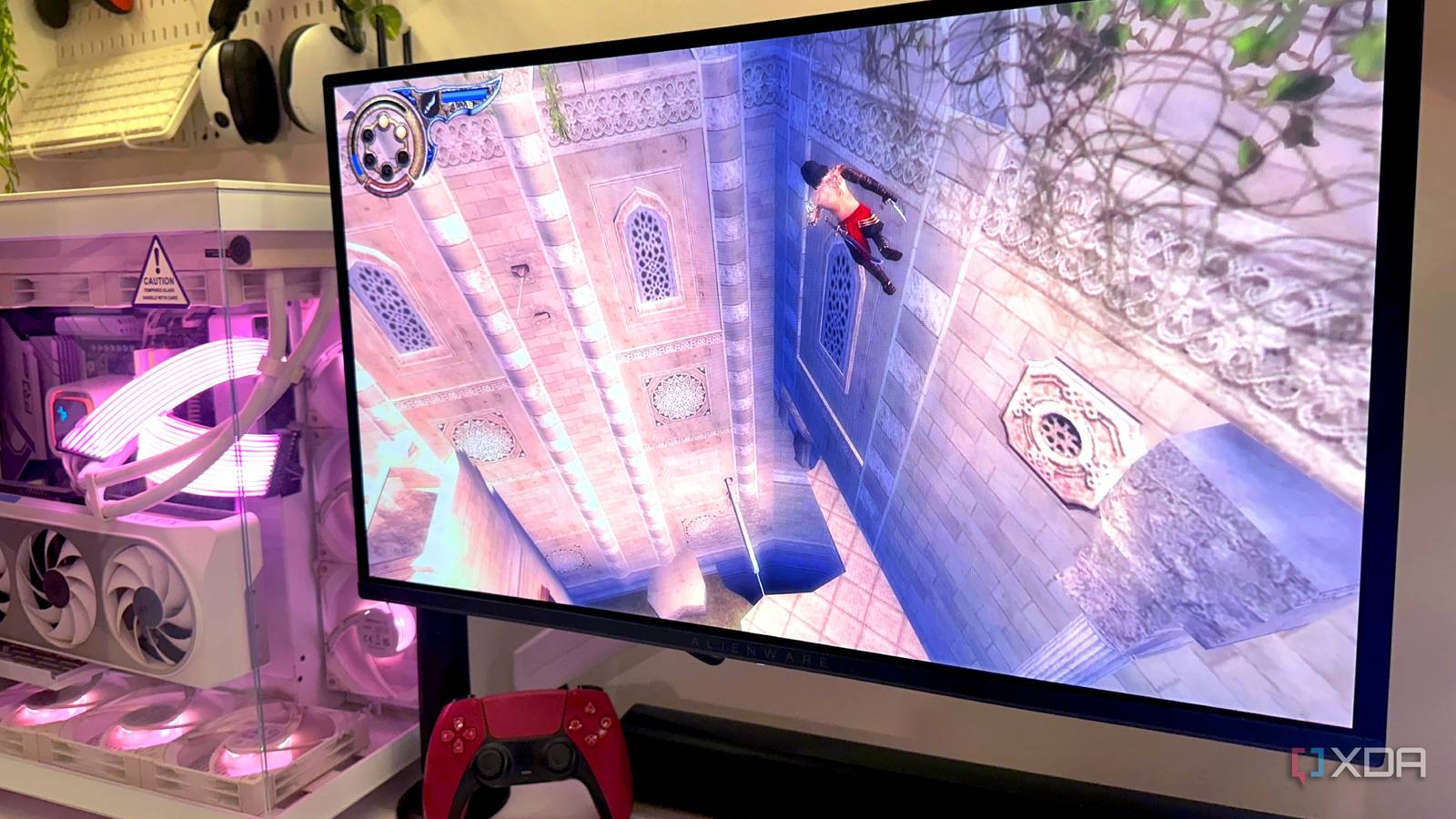
Published Sep 22, 2026, 8:30 AM EDT Gaming has been Samarveer’s greatest passion, and the Literature graduate in him takes immense joy in dissecting games for their themes, messages, and impact. Samarveer holds a deep appreciation of gaming, and considers the platform to be the most immersive and impactful across all media. He can be found engaging with gaming communities online, always ready to debate the finer points of ray tracing or itching to write an 8-page collegiate thesis on any game that impacts him emotionally. The machines and consoles we grew up playing on were nothing but aspirational decades ago. Today, however, they're incredibly easy to emulate on modern hardware. Sadly, emulating old games often comes with the disappointment of booting an old game, only to realize something feels off. Even when our PCs barely break a sweat and the image looks sharper than it ever looked in our memories, the movement doesn't feel right, and you can't quite put your finger on it. I've run into this problem enough times to stop blaming it on nostalgia. There are perfectly good technical reasons an emulated game can feel wrong even when I consistently get 60 frames per second. Once I understood what emulators actually try to reproduce, though, the inconsistencies in the experience became easier to understand — and explain. Why does it feel wrong if it runs at 60 FPS? Your brain notices things the FPS counter doesn't It always feels rather strange when you revisit an old game through an emulator, and your frame counter keeps telling you that you're playing at a consistent 60fps but your eyes and brain are finding problems. These things come in the form of weird and floaty character movements, camera pans being uneven, or even controls feeling less immediate than what you remember as kids. In fact, even animations can have a rhythm that feels slightly, oddly wrong. Now, this doesn't mean that the emulator is struggling, since it can very well happen while your GPU is asleep. I ran into the same problems before I Googled a list of all the tweaks I could make to improve my experience... on paper, at least. I upped the emulator's rendering to 4K, eliminated the original console's blurry output, added a 60fps patch, and even threw in a CRT filter for good measure. All of this worked — my games looked objectively better, but somehow, much more different from how I remembered them playing. Plus, when it came to some of my favorite Game Boy Color or SNES games, like Link's Awakening DX, Super Mario World 2, and F-Zero, the problem was impossible to miss despite every "improvement" I made. I know these games intimately, after all, and my brain remembers their movement and timing almost perfectly. These weren't imaginary differences, either, so I realized they were symptoms of something happening underneath that FPS counter that stayed stuck at 60fps. Our emulators recreate a lot more than just pictures The game isn't thinking at 60fps even if the emulator shows that number Running an emulator doesn't just mean taking an old game's graphics and drawing them on a modern GPU. Emulators very expertly recreate the behavior of an entire machine, with its CPU, GPU, memory, timers, input handling, and, of course, video hardware. The game continues to operate according to the rules it was built around, even if the hardware is now a Ryzen 7600X instead of the PlayStation 2's Emotion Engine, for instance. That's why things get a little complicated when you force a game beyond its original frame rate. Just because I can run Smackdown! Just Bring It through an emulator today, it won't magically transform into a 60fps game because PCSX2 (the emulator) can produce twice as many frames. Depending on how the game engine works, I'll only end up getting duplicated frames, a faster simulation, altered animation timing, or even physics that suddenly develops a personality of its own while breaking the game in the weirdest ways. Some 60fps patches account for all the dependencies while some end up changing things the developers never wanted us to touch. Trying to play the original Prince of Persia: The Two Thrones on a PS2 emulator while running at 60fps on a 144hz display actually breaks one of the wall-running mechanics in the game. I couldn't even get past a certain area without dropping back to 30fps, because the game engine simply didn't account for more frames. In that case, you could be seeing more frames, but the game wouldn't actually be doing twice as much work. Of course, that doesn't apply to all emulated games running at 60fps — some 60fps patches account for all the other dependencies, while others end up changing things the original developers never wanted players to get access to. This is why two games can both report a flawless 60 FPS while feeling completely different. One may genuinely be updating its simulation and presenting frames at the cadence you expect. Another may simply be rendering more frequently while its underlying logic remains tied to the original timing. You're changing how quickly the game experiences time itself. The emulator can therefore be perfectly healthy while the game behaves differently from your memory. "60 FPS" isn't actually 60 Hz The clocks running under emulated games don't always agree What makes the FPS counter look almost suspicious is that some old consoles didn't actually run at a perfectly clean 60 Hz. An NTSC NES or SNES runs at roughly 60.098 Hz, while the Game Boy Color sits around 59.7275 Hz. Your counter can still happily report 60 FPS because it's measuring frames, not whether those frames arrive at precisely the same cadence as the original hardware. So when you put that slightly-off clock against a display running at exactly 60.000Hz, the two gradually drift apart. This forces the emulator and display to periodically compensate with a repeated or missed presentation. The average still works out to roughly 60 FPS, sure, which is why the performance overlay remains blissfully unaware. Meanwhile, our eyes get treated to a tiny hitch or judder during a camera pan every so often. That's the "something feels off" sensation from earlier. You can find the Sync to Exact Content Framerate option in RetroArch's Settings > Frame Throttle. The fix is to synchronize those clocks rather than blindly chase the FPS number. A display running at a compatible refresh rate can help, while VRR can follow the content's actual cadence. RetroArch even offers its Sync to Exact Content Framerate feature for this purpose. It essentially lets the emulator follow the game's actual refresh cadence instead of forcing everything into an exact 60 Hz box. That means those tiny timing differences are no longer left for the display to periodically correct, which can make slow camera pans look noticeably more consistent. RetroArch OS Windows, macOS, Linux, Android, iOS, Others RetroArch is a cross-platform emulator frontend that supports many different emulators. It lets you play classic games on modern computers with a single interface. The number isn't always the problem It's always satisfying to find a technical explanation for a feeling you couldn't quite put into words. I used to assume that if an emulator was holding 60FPS, any lingering weirdness was probably my memory filing in the gaps. Turns out, revisiting old games can be a little more complicated than that. The hardware may be gone, but the assumptions those games were built around haven't disappeared. That's also why I've stopped treating an FPS counter as the final authority on whether an emulated game feels right. Sometimes the difference is subtle enough that you notice it before you can explain it, which is exactly what makes it so frustrating. And when a game finally clicks into place again, it isn't because the counter suddenly changed. It's because everything underneath it finally agrees.
I finally understood why emulated games feel wrong even at a perfect 60 FPS
Full Article
Original Source
Read the full article at Xda-developers →KhanList aggregates and links to publicly available news content. We do not host full articles from third-party sources. Always verify important information with original sources.