
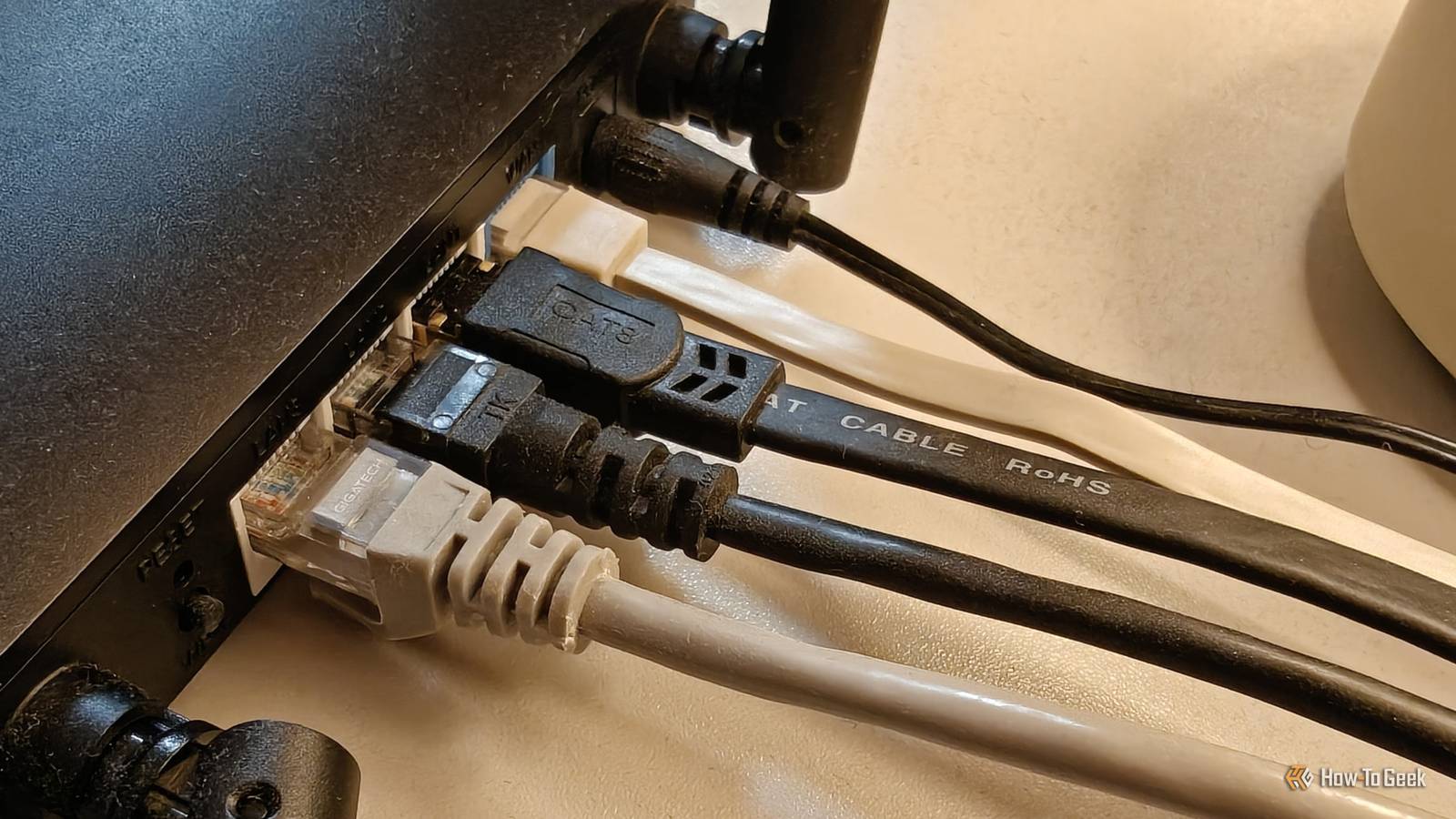
Published Nov 28, 2026, 5:30 PM EST Ismar is a Senior Author at How-To Geek. He previously worked as a writer, editor, and general manager at a content agency before joining the team in 2023. He began his writing career in 2021 after completing a BA in English Language and Literature. Beyond How-To Geek, Ismar has contributed to Red Stag Fulfillment and Authority Hacker. He has also worked on various SEO projects to help clients improve their search visibility. Ismar has been around Windows PCs since the age of three, so friends and family naturally chose him as the resident tech support. His projects often involve tinkering, such as disassembling mechanical keyboards and gaming mice to mod his beloved gear. He also enjoys pushing hardware to the max through overclocking while staying on a reasonable budget. An avid gamer, Ismar has logged thousands of hours across various genres, including first-person shooters, RPGs, racing games, and roguelites. When he is not at his desk, he is probably exploring other people’s phones to discover their quirks and features or experimenting with the latest AI tools. In his free time, Ismar enjoys spending time with his wife, working out at the gym, playing guitar and bass, cooking gourmet meals, and traveling. Above all else, he’s a proud cat owner. I don't know about you, but having a wired network connection to my desktop PC has always been a no-brainer. I want the most reliable connection I can get for gaming, work, and fast local transfers between my PC and NAS, and Ethernet is still my preferred way to achieve that. While getting a wired connection to a PC is as simple as plugging in a cable, getting that cable from the router to your computer is a completely different matter. I have my router in a completely different room from my office, and since I live in a rented apartment, I can't just drill holes and run Ethernet cables wherever I want. Luckily, I found a clean, cheap, and easy alternative in the form of flat Ethernet cables. The perfect spot for my Wi-Fi router is far from my office The best location has one massive drawback My Wi-Fi router lives in the kitchen/living room for several reasons. It's close to the center of the apartment, and we spend a lot of time in there. We use our phones and TV (which is connected via Ethernet) in there, and my wife works on her laptop in the kitchen, so the room benefits the most from a strong Wi-Fi signal. My home server is in the kitchen as well, so really, the only device that needs a wired connection outside the kitchen is my desktop PC. On top of that, the ISP-provided modem is in the kitchen, so keeping the router nearby makes it easier to hook everything up. Moving it to another room would involve calling the ISP and having a coaxial cable run there because my apartment is ancient and has no built-in wiring infrastructure to speak of. There are barely enough electrical outlets around the place as it is, including in my office, which is yet another reason the router stays in the kitchen. Moving my Wi-Fi router to the office wouldn't solve anything. I'd get a weaker signal elsewhere in the apartment and run out of space and power outlets in the office because my home server would also have to move with the router. Besides, I'd still run into the same problem of having to run the cable back to the modem in the kitchen. And if you're wondering why I don't just switch to Wi-Fi on my desktop, well, I don't want to. Wi-Fi is a lot better than it was years ago, but it can still suffer from slower speeds and an inconsistent signal, especially over longer distances. Drilling a couple of holes to get the cable from the kitchen to my office would make this an easy run, but since I live in a rented apartment, it's not an option. Thankfully, there's a cheap and easy solution to my problem. I tucked a flat Ethernet cable underneath my kitchen and hallway carpets No need to drill holes in my landlord's walls Round Ethernet cables are everywhere, and they're incredibly cheap. Unfortunately, they're not always easy to hide. Even if you cover them with a thick wool carpet like the one I've got in my kitchen, you can still feel them underfoot. Plus, there are a couple of spots around the doorways where I don't have any carpet to hide the cable under, and I suspect the gap between the door and frame isn't even wide enough to let a round cable pass through. Fortunately, flat Ethernet cables exist, and they're the perfect solution to my problem. They work just like regular Ethernet cables, but their thin profile makes them easier to tuck under carpets and through narrow gaps around doorways. I hooked one end up to my router and ran the cable underneath the kitchen carpet, through the hallway, and into my office. From there, it was easy enough to hide it underneath the furniture and route it under my table all the way to the back of my PC. Voilà, just like that, my PC had a wired internet connection. Most of the cable is under carpets Flat Ethernet cables have some drawbacks, but their quality matters more than their shape The downsides are a little overblown Some people avoid flat Ethernet cables. They have a reputation for being inferior to round cables because they're more susceptible to electrical interference, crosstalk, and even physical damage. It all comes down to how Ethernet cables minimize electromagnetic interference and reduce crosstalk, which is achieved by using four twisted pairs of wires. Round cables are the perfect shape for this. They allow the twisted pairs to also be twisted relative to each other, can accommodate internal separators that keep the twisted pairs apart, and still have enough room for foil or braided shielding to further protect against external interference. They also often have a center plastic spline to further separate the pairs and add to their physical resilience. While flat cables can and often do feature twisted pairs, they have to be laid side by side to achieve the slim profile. Cheap cables also use thinner conductors and less robust outer jackets and shielding to keep the cable as thin and flexible as possible, which becomes a much bigger issue with the compromised flat shape. That being said, I haven't personally encountered any issues with my flat cable. I've played online games and been on many online calls, and I haven't noticed any difference between them and the round cables I used to use. The quality of the cables matters, though. If the wires inside the cable aren't twisted correctly, it can make electrical interference and crosstalk worse, and a flimsy outer jacket can leave the cable more vulnerable to physical damage. You don't have to pick between drilling holes or compromising with Wi-Fi While some flat Ethernet cables have trade-offs compared to round cables, they're still a great alternative when drilling holes isn't possible. They're much easier to hide under carpets, and if your only choice boils down to a flat Ethernet cable or Wi-Fi, you should at least give the cable a shot before dismissing it.
I finally got Ethernet to my office without drilling holes or moving my router
Full Article
Original Source
Read the full article at Howtogeek →KhanList aggregates and links to publicly available news content. We do not host full articles from third-party sources. Always verify important information with original sources.