
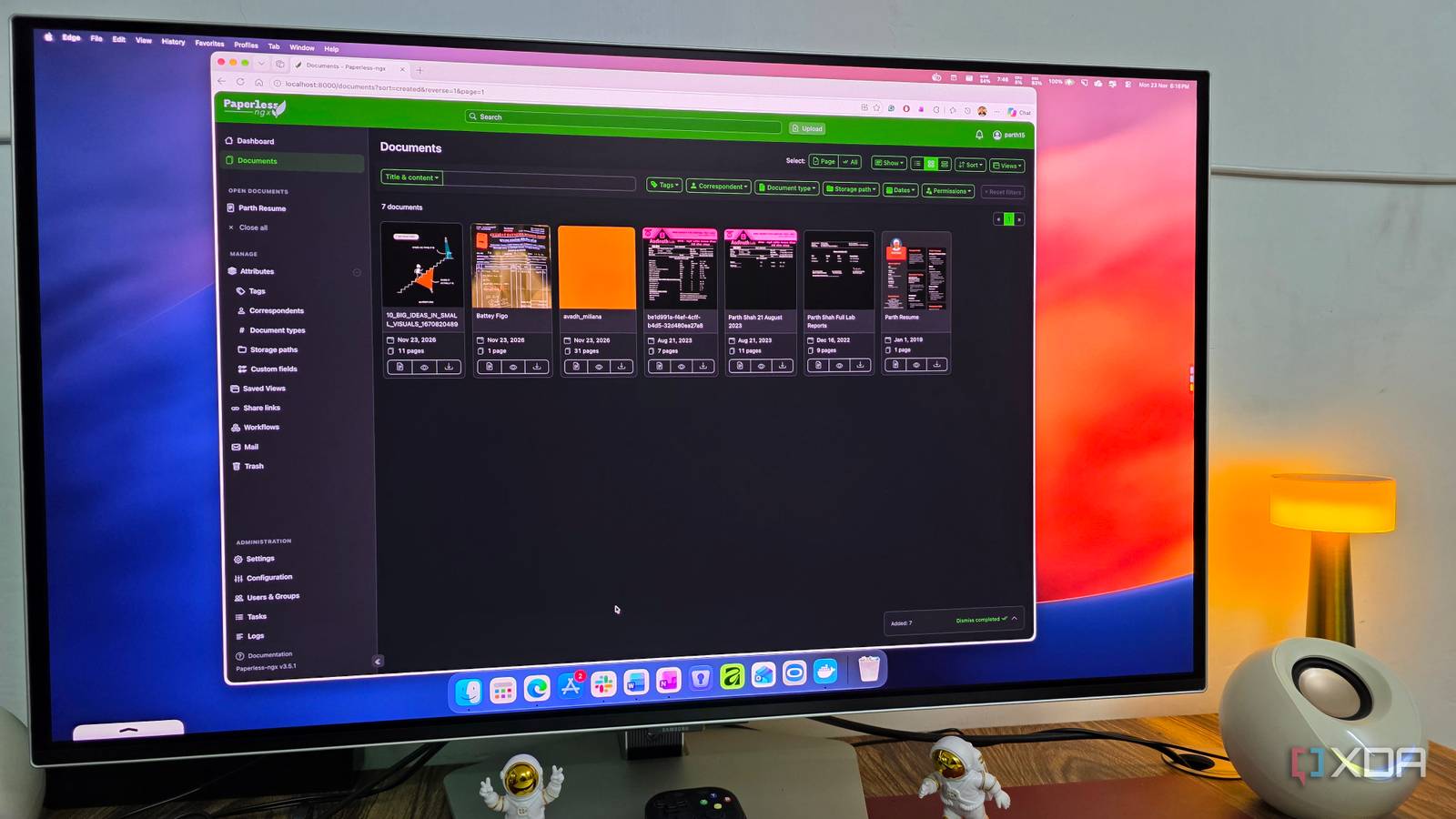
Published Nov 23, 2026, 2:00 PM EST Parth, a seasoned tech writer, wields the keyboard (or pen) with finesse to unravel the intricacies of both Windows and Mac operating systems. He has covered evergreen content on mobile devices and computers for multiple publications over the last six years. You can find his work on AndroidPolice, GuidingTech and TechWiser. Whether it’s demystifying system updates, deciphering error codes, or exploring hidden features, Parth’s prose guides readers through the binary maze. When not immersed in tech jargon, you’ll find him sipping chai, pondering the next software review, and occasionally indulging in a friendly debate about mechanical keyboards. I used to think I had my household documents under control, until I needed to find something important. Electricity bills were buried in my email inbox, appliance warranties were stored across random folders, insurance papers were sitting somewhere on my computer, and a few important documents were still collecting dust in a drawer. I finally decided to end this mess and build a proper digital home for everything. That’s when I found Paperless-ngx, a free, open-source document management tool that changed how I handle my household paperwork. What is Paperless-ngx anyway? Let’s create your own document hub You can think of Paperless-ngx as your personal digital filing cabinet, but much smarter than traditional folders on your computer. Instead of manually sorting hundreds of PDFs into different directories, I can simply upload my documents and let Paperless-ngx handle much of the heavy lifting. Since it’s self-hosted, my files remain on hardware I control rather than being uploaded to another cloud storage provider. Getting started with Paperless-ngx was straightforward since I was already familiar with Docker. Once everything was running, I opened the web interface in my browser, created my administrator account, and started exploring the dashboard. I began by uploading my existing electricity bills, appliance invoices, insurance policies, and other important PDFs. I also created relevant tags and document types to make the collection easier to navigate. I essentially had my own private document management hub running at home, accessible through a browser on my local network. OCR turned everything into searchable text Finding documents became fast The real magic of Paperless-ngx became apparent when I started experimenting with its OCR capabilities. Instead of treating scanned documents as ordinary images, Paperless-ngx analyses them and extracts the text inside. This means I can search for specific words, numbers, or other details without remembering the original filename. For example, I had an old refrigerator invoice saved as a scanned PDF with a generic filename. Earlier, finding it would have meant opening multiple folders and checking individual files. With Paperless-ngx, I could simply search the refrigerator’s model number and locate the relevant invoice. I no longer need to remember when I downloaded a document, what I named it, or which folder it's in. The search functionality handles most of that work for me. Imagine needing an old electricity bill as address proof. Instead of digging through years of downloaded PDFs, I can search for my electricity provider, narrow the results using dates or document types, and open the relevant bill within seconds. Automatic organization saved me hours I automated incoming household paperwork One thing I really appreciate about Paperless-ngx is how flexible its tagging system is. I can assign multiple tags to the same file. For example, an invoice for my Samsung refrigerator can have tags like Appliances, Warranty, Electronics, and Home. I created separate tags for Insurance, Utilities, Finance, Medical, Appliances, and Personal documents. The beauty of this approach is that I don’t need to maintain a complicated folder hierarchy anymore. Paperless-ngx also offers automation matching and classification features that take much of the manual work out of the equation. I configured matching rules for common document types, correspondents, and tags so that incoming paperwork could be classified based on its contents. For example, I can configure documents containing my electricity provider’s name to receive the Utilities tag. Similarly, invoices from specific retailers can be categorized under Purchases or Appliances. It isn’t flawless, and I occasionally need to correct a tag or document type. However, compared to manually renaming files, creating folders, and moving PDFs around, it’s a massive improvement. The automation doesn’t stop here. I can connect an email account and configure mail processing rules to automatically import attachments that match my criteria. Here, I can create rules to collect electricity bills, insurance renewals, and monthly statements from specific senders. Paperless-ngx isn’t perfect, but it’s close Just give it a shot There are a few areas where I would like to see improvements. My biggest complaint is the user interface. It’s functional and gets the job done, but the overall design feels a little dated compared to modern productivity tools. The dashboard could use a visual makeover with cleaner menus, better spacing, more intuitive navigation, and a more polished experience on smaller screens. The initial setup is another hurdle. Although Docker makes deployment straightforward, I wouldn’t call Paperless-ngx a beginner-friendly solution. The end of my document nightmare I wish I had set up Paperless-ngx much earlier. It has taken one of the most annoying aspects of managing a household and turned it into something I barely have to think about anymore. Everything is just a quick search away. The initial setup takes some effort, but once everything is running, the convenience is hard to give up. Best of all, it’s free, open-source, and under my control on my hardware of choice. Aside from that, here are other self-hosting tools you can explore for your homelab. Paperless-ngx Paperless-ngx is a self-hosted platform to store and find all your digital documents.
I finally gave every document in my house a proper home, and I can find anything in seconds
Full Article
Original Source
Read the full article at Xda-developers →KhanList aggregates and links to publicly available news content. We do not host full articles from third-party sources. Always verify important information with original sources.