
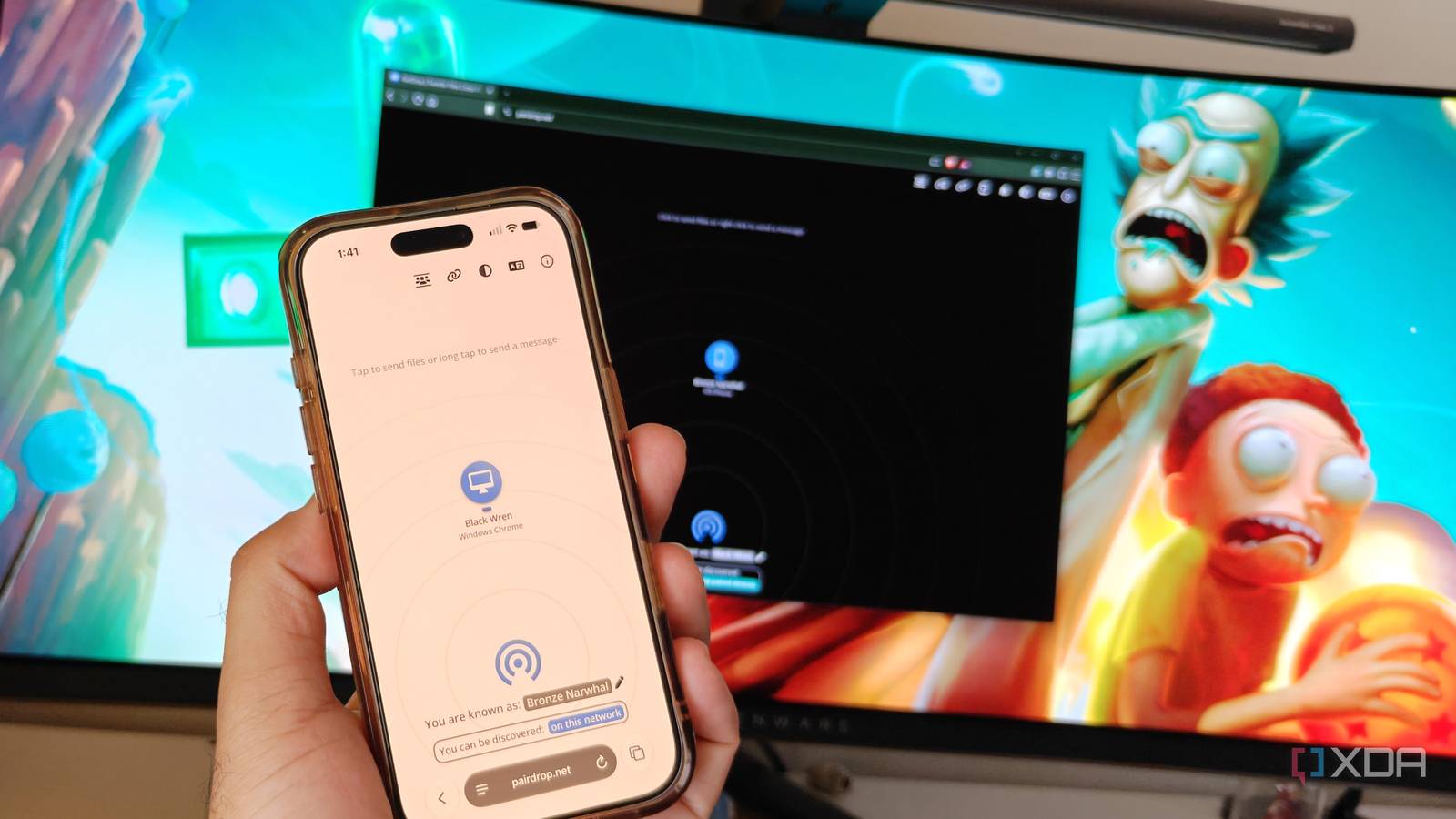
Published Nov 19, 2026, 4:00 PM EST After a 7-year corporate stint, Tanveer found his love for writing and tech too much to resist. An MBA in Marketing and the owner of a PC building business, he writes on PC hardware, technology, and Windows. When not scouring the web for ideas, he can be found building PCs, watching anime, or playing Smash Karts on his RTX 3080 (sigh). One of the most frequent tasks I do is transfer files from one device to another. I take a lot of photos on my OnePlus 15 that I need to edit on my Windows PC. I also need to share screenshots from my partner's iPhone or MacBook to my PC, so having a dependable file-sharing solution becomes necessary. I had been using email or multiple third-party apps till now, but then I discovered PairDrop, an open-source, browser-based, P2P file-sharing tool. Instead of installing yet another app on every single device, PairDrop allows me to simply open a browser tab and instantly send files to any other device on the same network. I don't even need to pair devices before transferring files. I had come across apps like LocalSend, but I prefer this app-less, cross-platform solution now. The speed is limited only by my network, and the process is as seamless as it can be. PairDrop works entirely in your web browser No app installs, no ads, and no limits The joy of solving a recurring problem without installing a new app is underrated. I already have too many programs on my PC, and more apps than I need on my phone. Transferring files from my phone or my partner's phone to my PC is something I do almost every day, since I need to click photos for my articles. This necessitates a permanent solution, so you might think that I'd choose a decent app and call it a day. However, discovering PairDrop made me realize that I didn't need another app. This tool works in a browser tab, connecting to any recipient device on the same network. My browser is always open on my PC and phone, so there's no friction when initiating a transfer. PairDrop uses WebRTC (Web Real-Time Communication) to create a direct link between the browsers; nothing is uploaded to the cloud, and DTLS encryption keeps your data safe. Before finding out about PairDrop, I relied on apps like Send Anywhere, which had a ton of ads. PairDrop has a clean UI, no ads, and no transfer limits. It's basically the perfect way to shuttle data from one device to another. From my Windows PC or Android phone While I had my chosen app for the Android-to-Windows part of the problem, I often struggled with sending files to and from my partner's iMac, MacBook, and iPhone. The Apple ecosystem works well for the devices inside it, but not for everything else. PairDrop is a cross-platform tool that covers Windows, macOS, Linux, Android, and iOS, so I never have to think about the OS on a device anymore. A browser window and two devices on the same network are all I need. I've bookmarked Pairdrop.net on every device in the house, so it's always just a click away. I tap on the required device on the screen and choose the files I need to transfer. The person on the other end approves the transfer, and it's done. While the receiver needs to stay on the PairDrop browser tab till the prompt pops up, it's a minor downside to an otherwise excellent tool. Besides, I rarely need to send files to my partner without telling her, so the risk of her missing out on the prompt isn't as common as some people might think. If the sender and receiver are on different networks, PairDrop allows simple pairing to establish a connection. And the option to join a temporary public room enables more people to share files with each other. It's blazing-fast and open-source What's not to like? Sending a handful of photos from a phone to a PC doesn't take much time, but large files need ample transfer speeds to reduce the waiting time. Fortunately, PairDrop's maximum throughput depends only on your network speed, after accounting for hardware and device overhead. During my testing, PairDrop reached around 20 MB/s, which is roughly in line with my maximum network speed (200 Mbps). The best part about PairDrop is that it's open-source, so you don't need to trust an organization not to see or store your data. PairDrop transfers happen directly between the devices, and you can verify the source code on GitHub. While LocalSend is also open-source, it's an additional app to install. And the popular Blip app isn't open-source, so PairDrop has more than a few things going for it. PairDrop seems magical, but this is what file-sharing should be like People shouldn't be forced to pay just to share files between their own devices. PairDrop makes cross-platform file-sharing as simple and seamless as possible. You don't even need to install anything. Your devices only need to be on the same network, and PairDrop will do the rest. It's an ad-free tool with no data limits, and it deserves a spot on your browser's bookmark list. Pairdrop
I finally found the best cross-platform file-sharing solution without installing anything
Full Article
Original Source
Read the full article at Xda-developers →KhanList aggregates and links to publicly available news content. We do not host full articles from third-party sources. Always verify important information with original sources.