
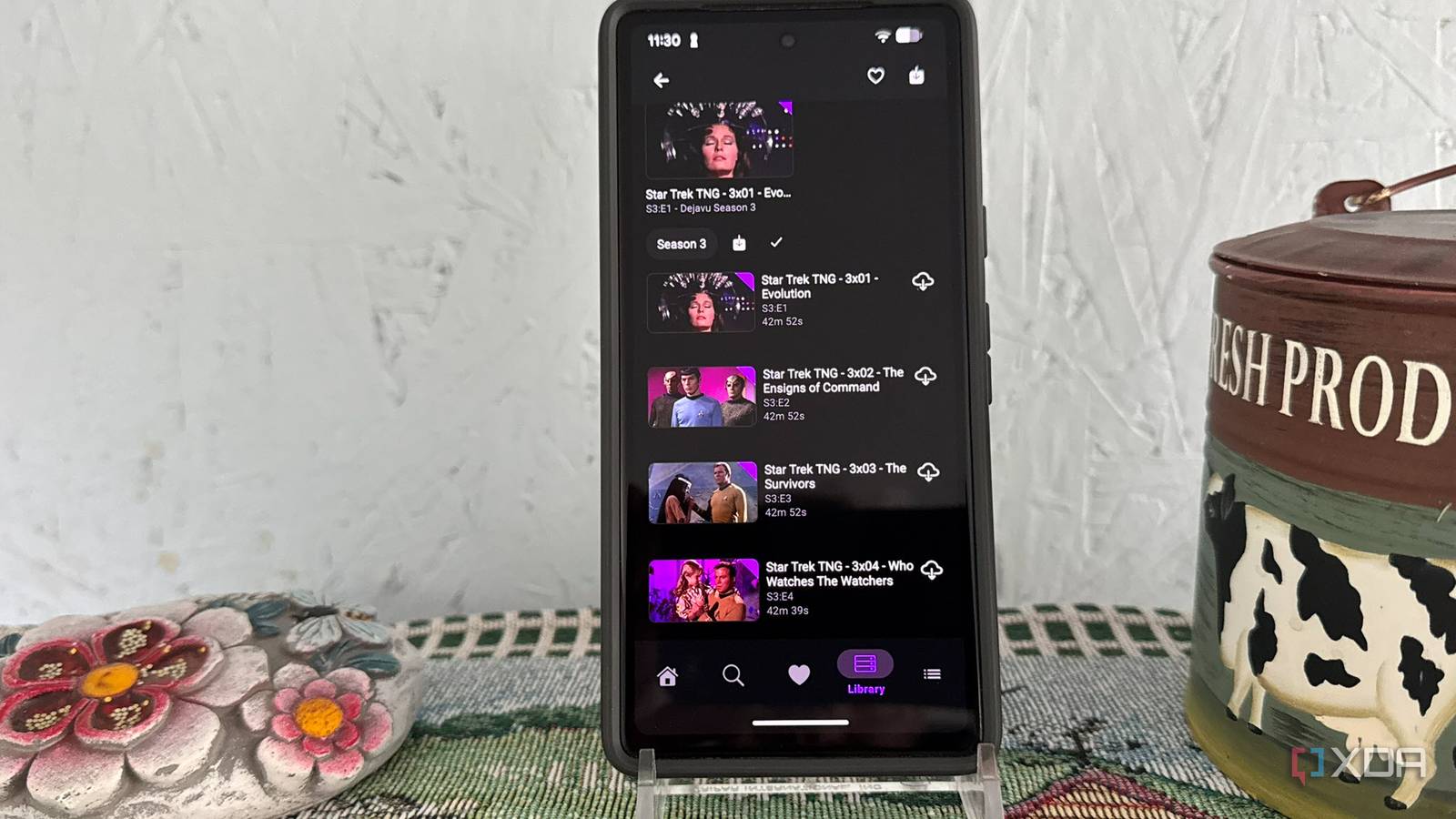
Published Sep 7, 2026, 6:00 PM EDT Based in rural Minnesota, Brian Burgess worked in IT for 10 years before finding his passion for writing about consumer technology. Brian earned his degree in computer and network technology in 2000. He held various IT positions, including help desk support, router installations for IBM, database administration, and other associate network administration roles. He's been a personal technology journalist for 18 years and has written thousands of articles about Microsoft products and services, Android, iOS, streaming, and more. He has written for notable tech sites including XDA, InformationWeek, How-To Geek, Byte, groovyPost, and others. When he is away from the keyboard, you will hear him playing guitar, working outdoors, and watching Star Trek. There are many Jellyfin apps available for a wide range of devices, including computers, smart TVs, and streaming devices. There are also several options for your Android phone. For instance, Findroid made me forget about using Plex on my Pixel. But I found another app with so many options I can't stop having fun tweaking them. Streamyfin is an app for my Pixel that offers a broad range of options. It provides more than other Jellyfin apps on Android. It has settings for Live TV, Jellyseerr/Seerr requests, Chromecast support, and the ability to manage my server from the phone. Streamyfin has options galore Complete Jellyfin support With all of the Jellyfin apps available, most are clients that play video from my Jellyfin server. That is great and all, but I wanted something that did more, like allow me partial control of my Jellyfin server from my phone. That is when I discovered Streamyfin. It's not just another Jellyfin client — it provides an all-in-one Jellyfin experience on my Android phone. It doesn't replace the administration available on the Jellyfin dashboard, but I can see active server sessions, request media through Seerr/Jellyseerr, and manage my playback experience. I can choose downloads, access media quality settings, configure audio and subtitles, and use the Chromecast feature to stream video to compatible devices. While Findroid and Moonfin may be a better choice for a straightforward client for viewing video content with a built-in MPV player and offline video support, Streamyfin provides me with more functionality and control over my entire Jellyfin experience. Of course, Moonfin also wins in terms of theming. Still, I choose functionality over prettiness. One annoyance I find irksome with the app, though it isn't a deal-killer, is having to tap a "screen orientation" button each time I play a movie and want to switch from portrait to landscape mode. I would find it helpful if it just rotated automatically based on how I have the phone positioned. Streamyfin OS Android, Android TV, iOS, tvOS Getting lost in Streamyfin Settings There is so much I can do When choosing a Jellyfin app for Android, I have run into some that have limited available settings. However, if you want to spend time tweaking your experience, Streamyfin is a solid choice. The app's settings are organized into distinct groups, including Playback, Audio and Subtitles, Display, Download, and others. I am having a fun time just going through the plethora of available settings for this Jellyfin app. I find myself constantly tweaking things for the best viewing experience. I like that I can skip intros if I want, download movies and shows for when I'm on the go, and easily cast content to my Android TV box to view on the big screen with a tap. Streamyfin companion plugin Cross-device server management The Streamyfin Companion Plugin is a server-side management option for admins who use their Jellyfin self-hosted media server for multiple people. Install it on the Jellyfin server; it lets me centrally manage Streamyfin settings across all users' apps. This means each person, or the administrator, doesn't need to configure each device's settings in the app. Also, the user won't be able to configure certain Streamyfin settings in the app themselves. It's a central Jellyfin server management option that can come in very handy when dealing with multiple users. As an admin, I can build a custom home screen with alternate rows, tweak app settings, notifications, and more. Once I adjust these settings, they sync across everyone's Streamyfin app on their Android phone. For instance, I can cap the maximum bitrate users can watch videos at, disable functions, or hide movies or complete libraries; a good parental control-type feature. If a setting is grayed out in the app, it usually means the admin has turned it off. Check the admin settings before assuming it's a bug. Jellyfin iOS compatible Yes Android compatible Yes Streamyfin is not just for Android Central Jellyfin control on other platforms Streamyfin is an excellent Jellyfin app on Android, but the developers have created apps for other platforms, including iOS and tvOS. The Apple versions aren't as polished yet. For instance, there is no automatic server discovery (easier than typing in my server address) on Apple TV, but the iPhone includes it. There are also sound quality issues that need to be addressed on both devices. I was not able to find a stable version for Android TV; however, an experimental beta APK is on GitHub. However, they caution that it is early and quite buggy. I installed it for a test run and had difficulty getting many of the functions available on Android and the Apple versions to work. Still, I am optimistic that a stable, working Android TV version will be released soon. Streamyfin is a more advanced Jellyfin app Overall, this is one of the best Jellyfin apps I've used on my Pixel phone. It provides more settings and functionality than other clients, including partial server control. It's still a work in progress, but I find it a pleasure to use on Android and Apple devices. I also look forward to a more stable Android TV version, but I can always tweak video and server settings using the app on my phone and use Chromecast to send video to the big screen via my Android TV box.
I finally found the Android Jellyfin app I've always wanted
Full Article
Original Source
Read the full article at Xda-developers →KhanList aggregates and links to publicly available news content. We do not host full articles from third-party sources. Always verify important information with original sources.