
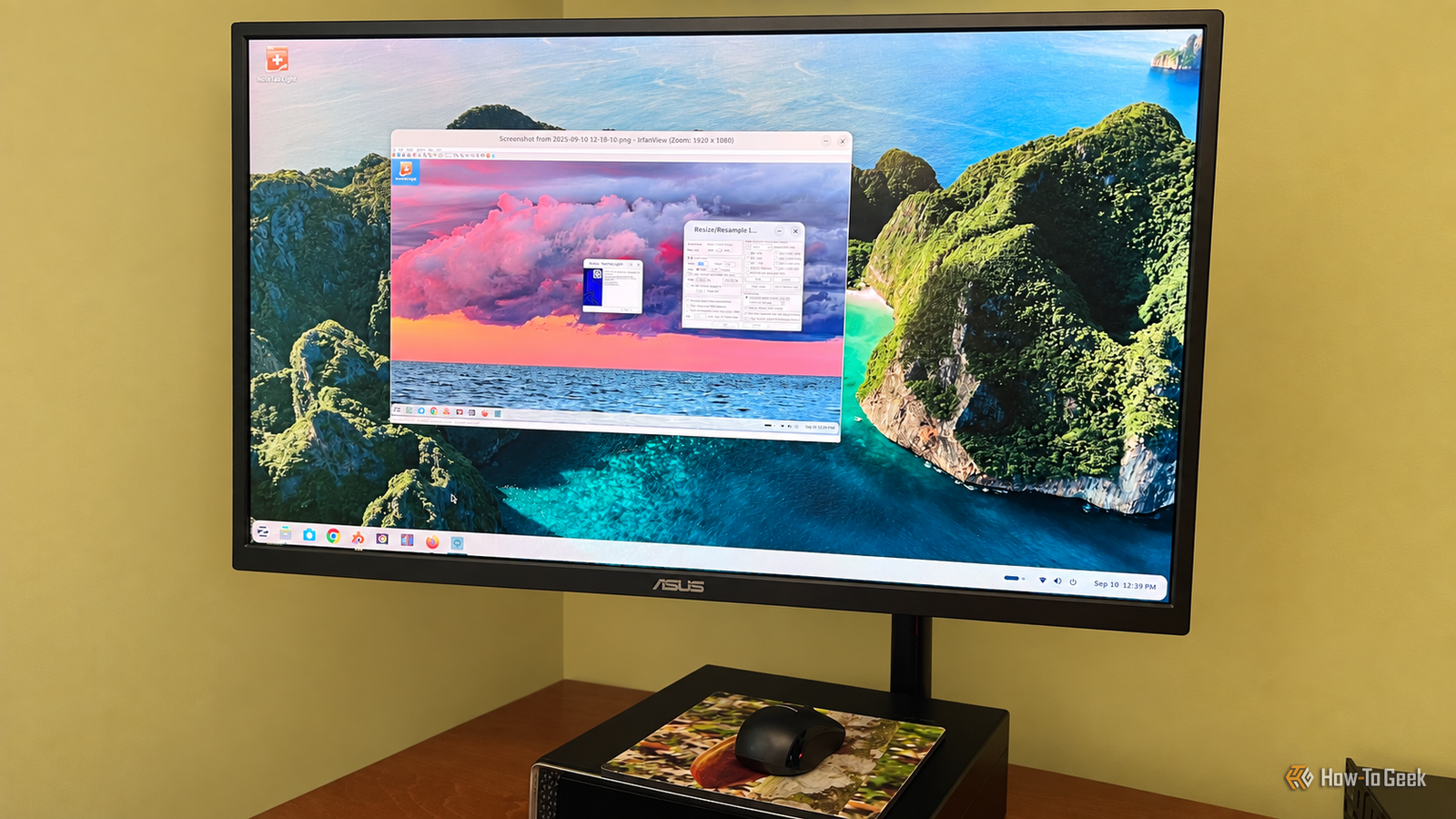
Published Sep 12, 2026, 8:00 AM EDT Rich Hein is a veteran technology journalist with more than two decades covering developer, consumer and enterprise topics. Rich's career has been dedicated to service journalism, connecting readers to content that informs and delights. Previously, Rich was vice president and editor-in-chief for Simpler Media Group, director of audience development for IDG and editor/writer for sites like CIO.com, ComputerWorld, CodeGuru and other tech-centric publications. He's received numerous accolades, including the IDG Summit and Azbee awards and has been covered by Medium for his work in audience development. When not at his desk, Rich lives in Daytona Beach with his wife and three dogs. He enjoys playing guitar, surfing and staying abreast of the latest in tech. Like a lot of Windows users, I resisted Linux for years for two main reasons. I expected a steep learning curve, and I assumed I'd have to give up some of the Windows apps I rely on every day. Either one is enough to make switching feel like more trouble than it's worth. That was especially true for software. Wine has been around for years, and tools like Bottles have made it easier to run Windows apps on Linux, but the process still felt more technical than I wanted it to be. If I have to think about compatibility layers or extra setup just to open an app, I'm already less interested. That's why Zorin OS caught my attention. It's built to feel familiar to Windows users, and it also tries to make Windows app support feel like part of the operating system instead of a separate project. Zorin OS makes Windows software easy to install Windows App Support takes care of most of the setup Zorin OS includes Windows App Support, which simplifies the process of installing Windows software on Linux. Instead of manually setting up Wine, I could download a Windows .exe or .msi file, double-click it, and let Zorin handle the compatibility layer in the background. It even checks whether there's a native Linux alternative before letting you continue with the Windows installer. For me, that's a simpler workflow than using Wine on its own, and even easier than Bottles. Bottles gives Wine a much friendlier interface, but you're still creating a bottle and installing the application inside that environment. With Zorin, most of that is hidden. For the apps I tested, the process started in the Downloads folder and felt much closer to installing software on Windows than I expected. I tested four Windows apps to see what actually works Most of them worked without any problems I wanted to see whether Zorin OS could handle real Windows software without turning the process into a troubleshooting session, so I tested four apps: IrfanView, SumatraPDF, WinSCP, and NoteTab Light. When opening recognized .exe or .msi installers, Zorin often suggested a native Linux alternative first. I clicked Run anyway and continued with the Windows version. Three of the apps installed and worked as expected. One had a problem, but it turned out to be easy enough to fix. IrfanView worked exactly as I hoped IrfanView was the easiest test. The installer ran normally, the app opened, and I was able to load an image and use tools like Resize/Resample without running into anything unusual. SumatraPDF installed and opened PDFs normally Zorin suggested using its built-in Document Viewer instead, but I continued with SumatraPDF. The Windows installer completed without trouble, and the app opened and displayed PDFs just as it does on Windows. WinSCP was another straightforward install. Zorin recommended FileZilla as the Linux alternative, but I chose to keep going. WinSCP installed successfully and opened to its normal login screen without requiring any additional setup. NoteTab Light needed a font fix NoteTab Light was the only app that gave me trouble. It installed and launched, but the text in the document area showed up as rows of small circles. The menus were still readable and the rest of the application appeared to be working, so I suspected the problem was with the font rather than the app itself. I installed Microsoft's core fonts, then changed NoteTab Light to use a common font in its settings. That solved the problem. It wasn’t quite as seamless as the other three apps, but the fix was simple enough that I still never had to dig into Wine's configuration. It worked better than I expected The apps I actually need are what matter The biggest limitation is still compatibility. Zorin OS makes the process of installing Windows software much easier, but it doesn't guarantee that every app will work. Some programs will run normally, some others will need a little tweaking. A few Windows apps simply won't work at all. For me, that matters less than it used to. Most of the apps I rely on for work, like NoteTab Light and GIMP, either already support both Windows and Linux or run in Zorin well enough that I can use them like regular Windows apps. That doesn't make compatibility a solved problem, but it does make Linux feel like it could be my everyday desktop. Zorin OS changed how I think about Windows apps on Linux After testing these apps, I’m a lot less concerned about Windows software keeping me tied to Windows. Zorin won’t run everything, and I would never switch without checking the programs I depend on first. But the apps I use for work either have Linux versions or ran well enough through Windows App Support that I could keep using them without changing how I work. That’s a much smaller compromise.
I finally found an easy way to run Windows apps on Linux without turning my desktop into a science project
Full Article
Original Source
Read the full article at Howtogeek →KhanList aggregates and links to publicly available news content. We do not host full articles from third-party sources. Always verify important information with original sources.