
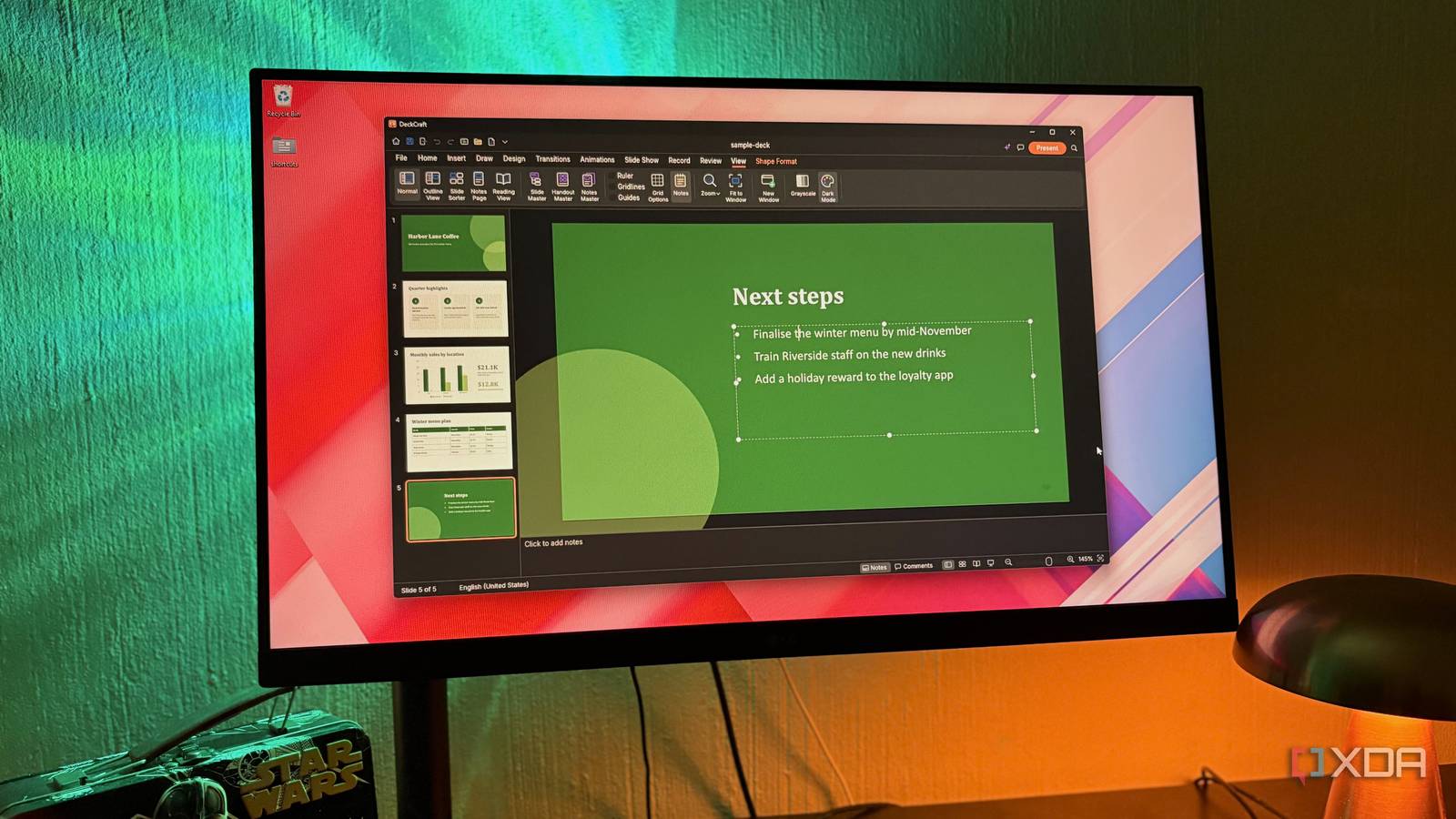
Published Nov 27, 2026, 7:00 PM EST Nolen began their writing career in 2019, with three years dedicated to editing the Creative section at MakeUseOf. Their expertise lies at the crossroads of technology and creativity, covering areas like photography, video editing, and graphic design. Outside of work, you'll often find Nolen diving into a good book, writing their own stories, or playing video games. Presentation software is one of those tools almost everyone ends up needing, whether that's for a class project or something you agreed to months ago and completely forgot about. But the catch is that the popular options usually tend to hold back their best features for paying users. PowerPoint comes bundled with Microsoft 365 and the Personal plan is now $100 a year. Canva now keeps most of its templates and AI allowance behind the Pro subscription. And even though Claude Design is available to free users now, it's heavily capped. Free alternatives have been around forever, but many of them feel like a downgrade the minute you try to open a .pptx file that someone else sent you. Fonts get swapped out for something else and the animations get glitchy or go completely missing, so you just end up fixing slides instead of presenting them. DeckCraft attempts to fix all of this, and it comes pretty close to being a free stand-in for all three of them. It's one of the still-growing collection of open-source apps from the ArtCraft suite, which was built by developer Brandon Thomas with the help of Claude Opus 5.5. I've tested a bunch of tools from this collection this past month and must say this feels like "vibe-coding" done right. And DeckCraft is no exception. A PowerPoint alternative that actually opens your files Opening someone else's deck is usually where free apps lose me Opening a real PowerPoint file is the first thing I check with any free alternative, since that's usually where the formatting starts to slip. DeckCraft opens and saves .pptx natively, and it can import older .ppt files too, although those get saved under a new name instead of being overwritten. The ArtCraft team calls it a clean-room rebuild of PowerPoint, which means they recreated how PowerPoint works without using any of Microsoft's code or assets, so the layout and user flow feel very familiar. Slide masters and 11 standard layouts are supported, so changing fonts or spacing on a master updates the placeholder text boxes in layouts that inherit from it. Presenting is also pretty comprehensive especially considering the app is technically still in alpha. Morph is included, which is the transition that animates objects from one slide into the next, and presenter view comes with rehearse timings for practicing against the clock. Exports go beyond plain PDF, with notes pages and handouts that keep their text selectable, and you can save slides out as PNG or JPEG images or turn the deck into an animated GIF. The developers rate it at about 55% ready to replacing PowerPoint for real work. So I'd still keep important work saved elsewhere, to be completely honest. There isn't a template library, but there's a lot more control Canva's biggest draw has always been templates and it has over 1.6 million on the free plan alone. But this is one area where DeckCraft doesn't compete. You get a handful of original starter decks and eight themes, but the starters are color schemes with placeholder text rather than designed templates, so there are no accent bands or picture treatments. I only use them as a base to drop my own content into. However, the template library isn't Canva's only sell, it also has pretty advanced manual design control, and this is where DeckCraft starts to compete. It has over 150 preset shapes with adjust handles, and you can merge shapes together (union, intersect, subtract, and a couple of others) to build custom graphics. Connectors stay glued to shapes when you move them which saves me a lot of effort fiddling with the diagram slides. Effects also go deeper than Canva. There's gradient, pattern fill, shadows, and reflections, and I can adjust each one down to the pixel. DeckCraft had a WordArt feature then renamed it to Decorative Text, and it comes with six preset styles you can drop onto a slide and then restyle with the same fill and effect options as any other shape. For data-heavy slides, there are native charts and styled tables, along with a basic version of SmartArt (called Diagram here) for things like process flows. Where the AI comes in Bringing your own AI instead of Claude Design Claude Design takes a prompt and builds an entire deck for you, while DeckCraft has no AI built in at all. What DeckCraft does instead is treat every button in its interface as a command, and those commands are available through an MCP server, which is the standard way AI assistants connect to outside apps. That means Claude or a local model can open a deck and build slides by running the same actions you'd click on yourself. There's no button in the app to connect an assistant, so you need to use the terminal and run a command to start DeckCraft's MCP server before your AI can see it - you'll find it in DeckCraft's README on GitHub. You can confine an agent to specific folders, so it won't be able to go through the rest of your files. Cost is probably the biggest difference here. Claude Design is included with every Claude plan, including Free now, and its usage counts toward your plan's limits. If you're not subscribed, you know how quickly the cap hits, and if you are, you know how easy it is to dig into Extra Usage. But DeckCraft doesn't run a model at all, so what you pay depends on whichever AI you connect to it, and with a local model that could be nothing. It also works in .pptx from the start, whereas Claude Design builds decks in HTML and converts them when you export. It's still in alpha but already doing a lot Canva is often recommended as a more user-friendly and design-forward PowerPoint alternative, but DeckCraft gets closer to replacing PowerPoint than Canva does. For anyone who builds slides from scratch, the editing tools already cover a lot, and the AI side works for those who are comfortable in the terminal. DeckCraft really does cover all the bases. ArtCraft
I finally found a free open-source tool that can replace PowerPoint, Canva, and Claude Design for presentations
Full Article
Original Source
Read the full article at Xda-developers →KhanList aggregates and links to publicly available news content. We do not host full articles from third-party sources. Always verify important information with original sources.