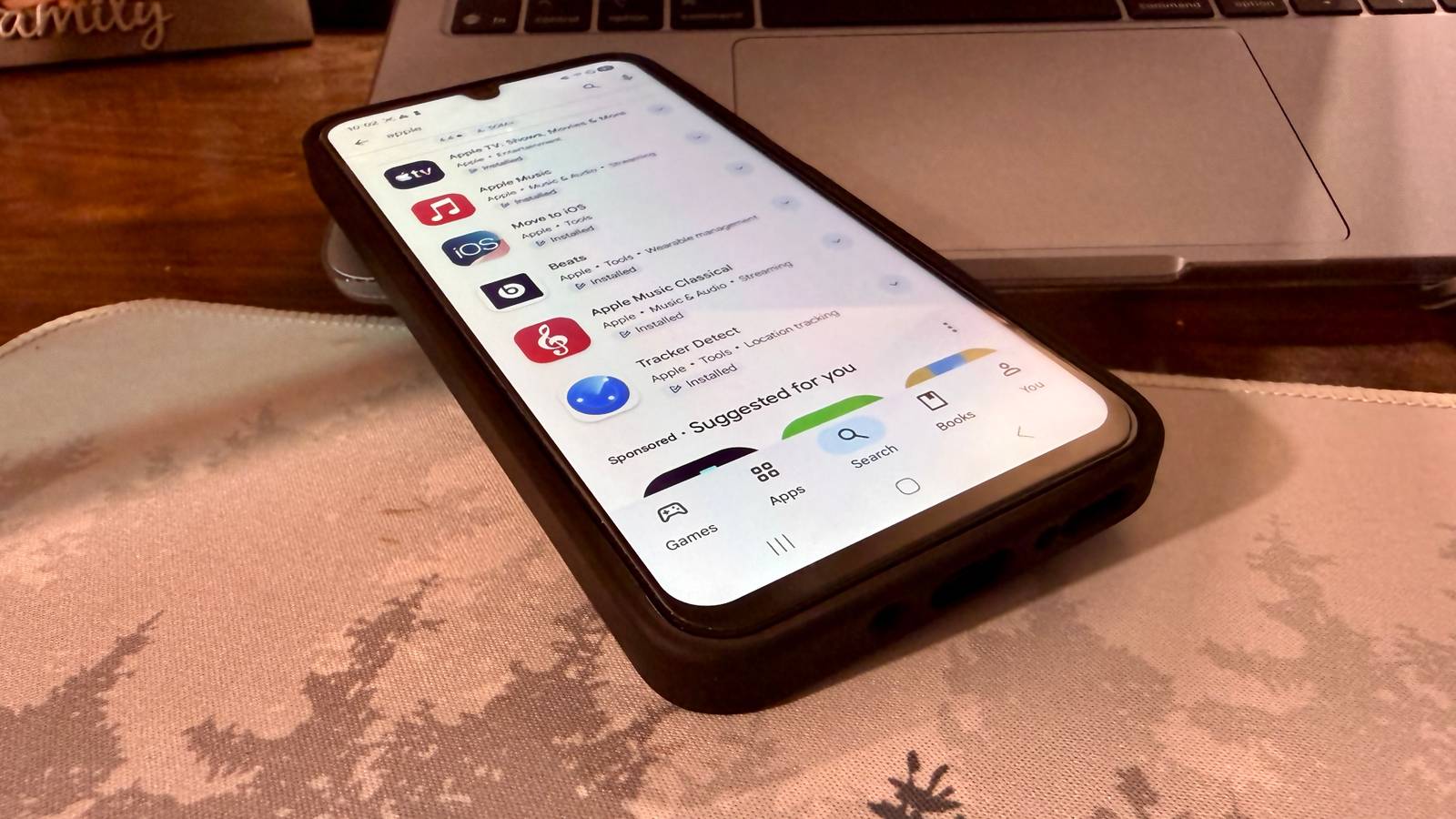
Published Jul 28, 2026, 12:00 PM EDT Nathaniel Pangaro is a tech enthusiast who dives deep into Apple’s world, from Macs and iPads to iPhones, Apple Watches, and every gadget in between. He loves turning tricky tech features into guides and reviews that are actually fun to read—and easy to use. At AppleInsider, he broke down the latest Apple releases with hands-on testing, clear explanations, and visuals that make readers feel like they’re right there with him. He also keeps SEO in mind so people can actually find his work online. He’s also written for The Student Loan Help Group, turning tech and finance topics into simple, helpful, and engaging content. Nathaniel also takes photos and creates rendered visuals to showcase devices and highlight features. When he’s not writing, Pangaro enjoys listening to music, working out, baking, and spending time with his pets. These hobbies help him recharge and bring a fresh, creative perspective to his work, keeping his writing energetic and relatable. Pangaro's goal is simple: help readers get the most from their Apple devices and actually enjoy doing it. It's no secret that Apple’s ecosystem is a closed garden; most of its apps and services are only available on its own platforms. This won't be changing anytime soon, but that doesn't mean Apple has gate-kept all of its apps—some have found their way onto the Google Play Store. 1 Tracker Detect Know what’s around you when needed Credit: Nathaniel Pangaro / How-To Geek | Samsung One of the biggest issues people had with AirTags when they were first released was how easy it was to track people. All it took was attaching one to someone’s personal item—like a bag or their car—and then following it in the Find My app. Even though Apple repeatedly advertised that AirTags are meant to track items, not people, that did not deter some people from doing so. As a result, the company built safeguards into its software to alert people if a Find My tracker was following them, but Android users originally lacked this protection because the network was Apple’s own. That was until Tracker Detect was released on the Google Play Store in Dec. 2021. With it installed, I can tell if an AirTag is following me, find it, and get information about it. If I am having trouble finding it, but I get an alert that there is one around me, I can use the app to make it play a sound for easier discovery. Credit: Nathaniel Pangaro / How-To Geek | Samsung Better yet, while AirTags are the most popular tracker in the Find My network, it also covers third-party trackers that are part of it. This is good since other Find My trackers can come in other shapes and sizes than the AirTag does—like the eufy Security SmartTrack Card E30 that is nearly the same dimensions as a credit card. However, an item must be away from its owner for ten minutes to be discoverable, and the app does not scan in the background. This means you need to open the app and manually start scanning to see if there is a tracker around you. Apple AirTag Connectivity Bluetooth 5.0, Ultra Wideband Battery 1 CR2032 battery Even so, I am happy to have the app installed since it is easy for someone to attach a tracker to my personal belongings without my knowledge. This app ultimately helps me keep peace of mind, especially in a tech-driven world. 2 Move to iOS Make the transfer less painful Credit: Nathaniel Pangaro / How-To Geek | Samsung As it’s well known, it’s difficult to leave one ecosystem for another if you are deeply invested in it. This could happen when you have a bunch of devices and accessories that could work in other ecosystems but work best in their own. This is the reason why many Android users stay with Android, and iPhone users stay with iOS. Yet there are people who cross the aisle and switch sides. Apple iPhone 17 SoC A19 ship Display 6.3-inches Storage 256 or 512GB Battery Up to 30 hours of video playback Ports USB-C port Operating System iOS The newest addition to the Apple iPhone lineup offers new colors, the A19 chip, and the N1 networking chip. Apple iPhone 17 Pro SoC A19 Pro chip Display 6.3-inches Storage 256GB, 512GB, or 1TB Ports USB-C Operating System iOS Colors Silver, Cosmic Orange, Deep Blue The Apple iPhone 17 Pro is the company's most powerful smartphone to date, offering impressive cameras and the A19 Pro chip. It lets you do practically anything, including shooting quality videos. For these people, there is the Move to iOS app in the Google Play Store. As the name suggests, this app helps you take what is on your Android device and transfer it easily to your new iOS device. Switching to a new phone in the same ecosystem can be enough of a headache if you do not do it correctly, but it becomes a bigger one when switching to another ecosystem. The Move to iOS app relieves this issue and helps the soon-to-be former Android users make the switch. Credit: Nathaniel Pangaro / How-To Geek | Samsung Additionally, the app is not only for transferring your messages, contacts, calendar, and photos over—just to name a few—but can also transfer settings set on your Android device to your new iPhone. This can include settings such as accessibility and display settings. As someone who has gone back and forth between both ecosystems—and has had friends do the same—I can say this app has helped make the switch easier when needed. All it really takes is entering a one-time code, navigating a few menus, and waiting for the transfer to complete. Credit: Nathaniel Pangaro / How-To Geek | Samsung Yet, while this app is not for everyone, it is good to have if the time arises. It gives you the choice to leave if you want, and it makes the move less painful if you do. 3 Apple Music Classical The other Apple Music Credit: Nathaniel Pangaro / How-To Geek | Samsung While Apple Music Classical will not be for every music listener, it is still great for people who love classical music. It takes the best of Apple Music and separates the classical genre into its own app. At first glance, it may be weird to see two apps for one subscription, as both are part of an Apple Music subscription, but it actually makes sense when you think about it. Apple acquired Primephonic—a dedicated classical music streaming service—in August 2021, and instead of shoving it into the existing Apple Music app, the company decided to keep it separate. Credit: Apple / Google Play Doing this allows for easier discovery of composers, works, and musical time periods that would not be as prominent in the regular Apple Music app. This beats everything being lumped into a generic album category and lets the work be spread out for better browsing. The app also allows for better curated playlists and composer biographies without cluttering the main music feed. While classical music is not my favorite genre, it is nice to listen to when wanting to focus or have a moment of calm. Even though I can find this type of music in the main app, I enjoy diving into Apple Music Classical to find more specific music to listen to. Subscription with ads No, all are ad-free Price Starting at $11/month ($6/month for students) Furthermore, it’s fun to look up more modern songs in the app and see renditions of them in a classical format. Again, this app will not be for everyone, but for people who love classical music—and are already Apple Music subscribers—you cannot pass on it. It brings the best of classical music to the forefront, all in its own app for your listening pleasure. For the moments you need them Even though there are other Apple-made apps on the Google Play Store that are worth checking out, such as Apple Music and Apple TV, they both require a subscription to get the most out of them, which you might not want to do. Yet the lesser-known apps Apple has stored on Google’s app store are worth it for the moments when you need them. While they are not for everyone at every moment, they are useful when the need arises.
I finally discovered Apple's secret Android apps—and they're better than you'd expect
Full Article
Original Source
Read the full article at Howtogeek →KhanList aggregates and links to publicly available news content. We do not host full articles from third-party sources. Always verify important information with original sources.