
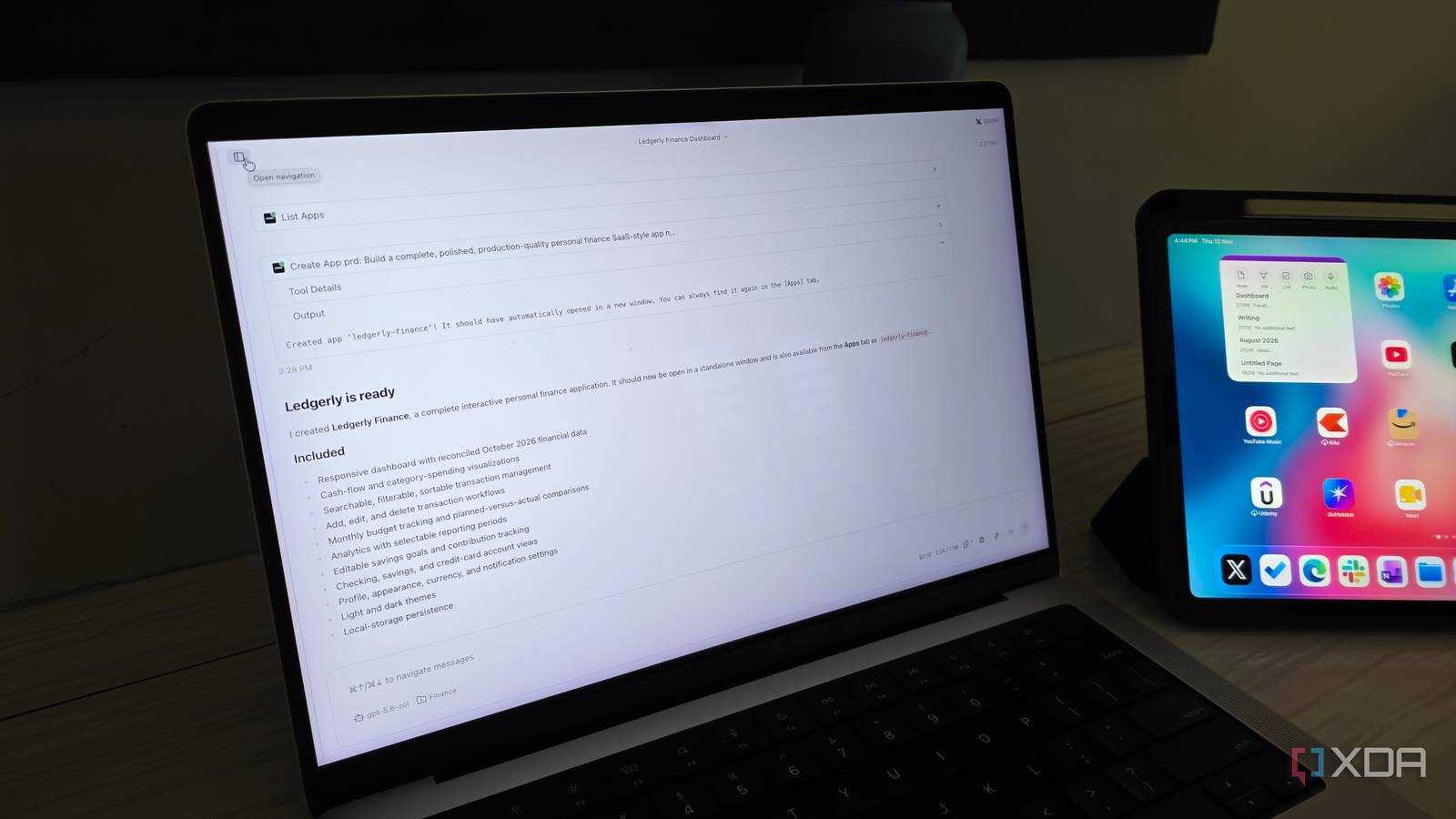
Published Nov 12, 2026, 12:30 PM EST Parth, a seasoned tech writer, wields the keyboard (or pen) with finesse to unravel the intricacies of both Windows and Mac operating systems. He has covered evergreen content on mobile devices and computers for multiple publications over the last six years. You can find his work on AndroidPolice, GuidingTech and TechWiser. Whether it’s demystifying system updates, deciphering error codes, or exploring hidden features, Parth’s prose guides readers through the binary maze. When not immersed in tech jargon, you’ll find him sipping chai, pondering the next software review, and occasionally indulging in a friendly debate about mechanical keyboards. Claude Code may be stealing most of the spotlight in the AI coding space, but it’s far from the only tool worth exploring. Instead of sticking to the usual names, I decided to explore five coding tools to see what they bring to the table. I wanted something that could understand complex projects, handle repetitive tasks, and adapt to my workflow. After experimenting with all five, one open-source contender stood out for all the right reasons: Goose. Why I started looking beyond Claude Code Five AI coding tools that caught my attention Don’t get me wrong. Claude Code is still one of my favorite AI coding tools. I have used it to build everything from polished websites to functional Android apps, and it rarely disappoints. However, I don’t like putting all my eggs in one basket, especially when new AI models keep dropping every other week. Besides, Claude Code isn’t exactly cheap if you rely on it heavily for complex projects. I wanted to see whether other tools could deliver a similar experience while offering more flexibility, better integrations, and freedom to choose my preferred AI models (even local ones). I was interested in solutions that could handle entire projects independently rather than requiring constant hand-holding. After exploring the available options, I narrowed my list to Cursor, Google Antigravity, Devin Desktop, OpenCode, and Goose. Each promised something different, which made this experiment interesting. Cursor caught my attention with its polished development environment, while Google Antigravity leaned heavily into autonomous agents. Devin Desktop offered an interesting approach to managing coding workflows with Kanban boards, and OpenCode appealed to me with its open-source philosophy and model flexibility. Then there was Goose, an underrated open-source coding agent that I hadn’t explored much. On paper, it ticked almost every box on my wishlist. However, impressive feature lists don’t always translate into a smooth development experience, so I wanted to see how these tools performed in practice. Goose surprised me for all the right reasons I wasn’t expecting much from Goose Of all the tools I explored, Goose was probably the biggest surprise. Initially, I wasn’t expecting it to compete with some of the more established names. However, its native desktop app changed my opinion. Goose offers a dedicated desktop application for Windows, macOS, and Linux. I am using the desktop version, and I appreciate how approachable it makes the entire experience. The interface is clean, straightforward, and doesn’t overwhelm me with unnecessary menus or complicated controls. I can start a conversation, describe what I want to build, and let Goose handle the heavy lifting. It can work with project files, execute terminal commands, and make code changes without requiring me to constantly switch between different windows. I also like that I don’t need to keep an IDE open just to interact with my coding agent. Another aspect that impressed me was the flexibility. I am not restricted to a single AI provider and can experiment with different models depending on the project. Sure, Goose doesn’t offer the complete editing experience of Cursor, but that’s not really its goal. It focuses on getting things done. One real project revealed the differences Why it earned a permanent spot in my workflow I didn’t want to judge these tools based on a few basic prompts, so I decided to build a personal finance dashboard with Goose. My goal was to create a polished application with expense tracking, budget categories, interactive charts, and a dashboard showing my overall financial health. Instead of relying on a single AI model, I experimented with different options throughout the development. I started with a faster, lightweight model to generate the initial structure and basic components. Once the foundation was ready, I switched to a more capable reasoning model to refine the dashboard, implement complex functionality, and troubleshoot issues. This flexibility was easily my favorite part of the experiment. I could assign simpler tasks to cheaper models and reserve the more expensive ones for demanding tasks. Goose handled the file modifications and terminal commands, and allowed me to focus on the final result rather than micromanaging every step. Goose won me over because it doesn’t dictate how I should work. I can choose my preferred models, use its native desktop app, and extend its capabilities through MCP integrations. I also appreciate its open-source foundation and support for local models. While the experience isn’t always as polished as Cursor or Claude Code, I get far more control over my development environment. The winner wasn’t what I expected After spending time with these five AI coding tools, I realized that you don’t necessarily need to stick with the biggest names to get a capable development companion. Cursor impressed me with its polished experience, while the other contenders had their own pros and cons. However, Goose strikes the right balance between functionality, flexibility, and freedom. Sure, it lacks some of the polish and convenience of some of the alternatives, and getting everything configured takes some effort. But once you get past that initial setup, there is a lot to appreciate. Goose Goose is an open-source rival to Claude Code and Codex.
I explored 5 AI code editors beyond Claude Code, and one was clearly ahead
Full Article
Original Source
Read the full article at Xda-developers →KhanList aggregates and links to publicly available news content. We do not host full articles from third-party sources. Always verify important information with original sources.