
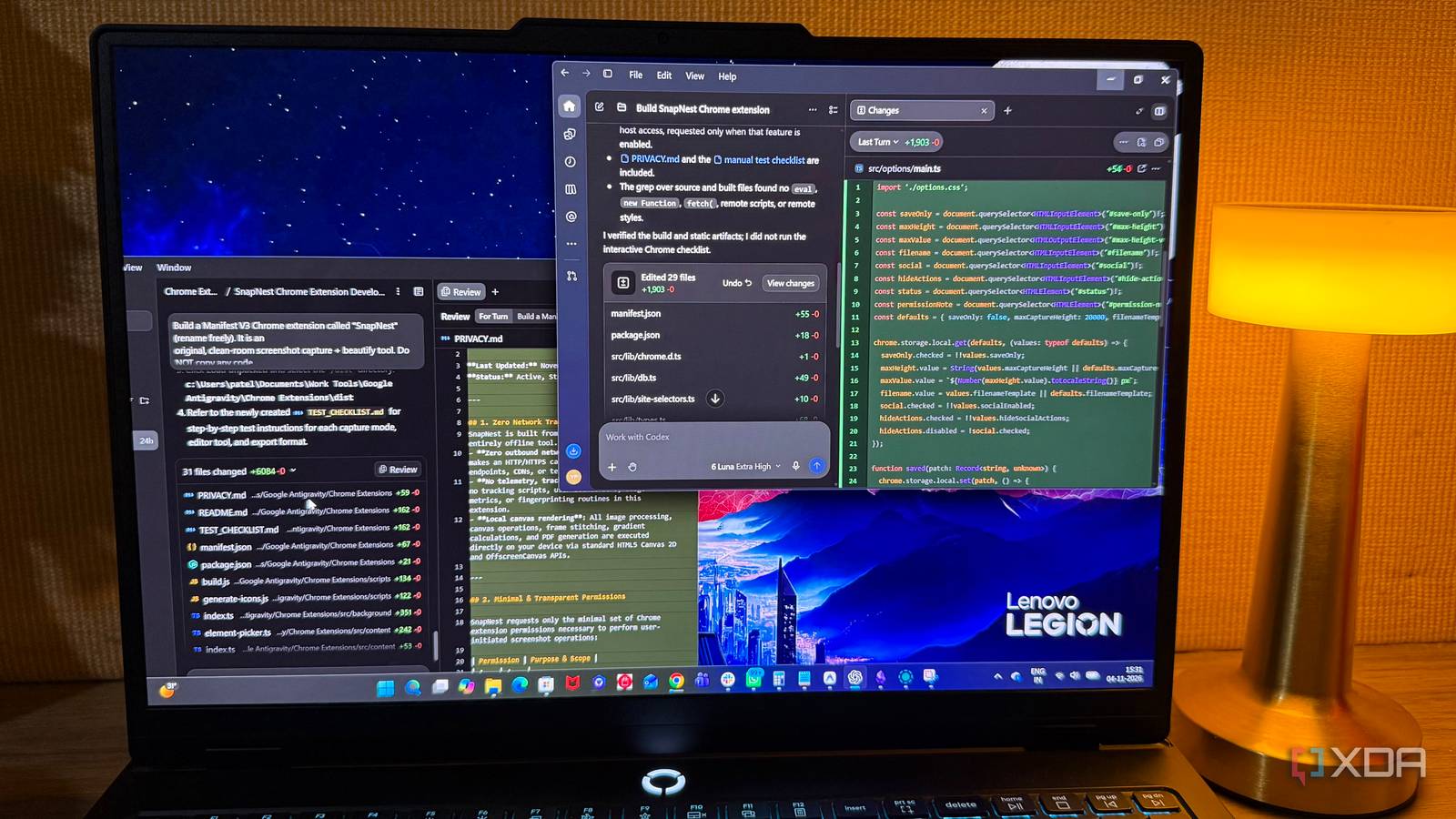
Published Nov 19, 2026, 12:30 PM EST Beginning his professional journey in the tech industry in 2018, Yash spent over three years as a Software Engineer. After that, he shifted his focus to empowering readers through informative and engaging content on his tech blog – DiGiTAL BiRYANi. He has also published tech articles for MakeTechEasier. He loves to explore new tech gadgets and platforms. When he is not writing, you’ll find him exploring food. He is known as Digital Chef Yash among his readers because of his love for Technology and Food. Claude Code has made AI-assisted development more accessible, but it isn't the only option worth considering. Several alternatives take different approaches to coding and may suit your needs better. I tested four of them as part of my day-to-day development work to evaluate how they handled projects, where they fell short, and one of them earned a permanent place in my toolkit. Google Antigravity Giving AI agents room to do more I tested Google Antigravity by building a productivity Chrome extension and a website. For these experiments, I used Gemini 3.8 Flash (Gemini Pro Plan) to see how well its agent could handle complete development tasks rather than just generating individual code snippets. Antigravity takes an agent-first approach that feels different from traditional AI coding assistants. A description of the project requirements was enough for the agent to break the work into smaller implementation steps. Its implementation plans and activity updates showed the progress, including the files being created or modified. This made it easier to follow the development process without checking every change manually. The integrated browser was helpful when working on the extension. It allowed the agent to interact with webpages, test features, and identify potential issues. Visual diffs also provided a convenient way to inspect code changes before accepting them. However, the interface feels a bit overwhelming. Multiple panels and agent activity views add unnecessary complexity when handling smaller tasks. Antigravity also has configurable review policies that determine when agents need approval for edits and other actions. I felt that frequent approval requests, despite offering greater control, interrupted the development process and slowed down my work. Aider Working with AI without losing control Aider is a free, open-source, terminal-based coding assistant that supports models from OpenAI, Anthropic, DeepSeek, and local providers through Ollama. What makes Aider stand out is its support for multiple AI providers, allowing developers to choose a model based on the task. For routine coding changes, such as fixing small UI bugs or making minor adjustments, I used DeepSeek-Coder-V2 16B. For more demanding work involving complex debugging or multiple components, Aider also gave me the option to switch to models such as Claude Opus, Gemini, or GPT-5.5. Getting started was straightforward. After opening the project in the terminal, I selected the relevant files and described the required changes in plain English. Aider's repository map provided additional context about the wider codebase, while Git integration displayed diffs for review and automatically committed changes by default. I appreciated this feature when working on personal projects because it kept a record of modifications without requiring me to commit every change manually. Automatic commits can also be disabled. However, Aider's command-driven approach adds friction when managing larger projects. Selecting files and navigating operations through terminal commands can become tedious, especially when managing larger projects. I also missed having a central interface for switching between models and organizing multiple coding sessions. Aider handles code editing well, but its command-line approach isn't always the most convenient for everyday development. Codex A smarter way to handle coding tasks The Codex stood out for its ability to handle multiple development tasks simultaneously. I tested the Codex with GPT-5.6 across several projects, including an Image Annotation tool, a productivity Chrome extension, and a website. Rather than keeping all development instructions in one conversation, separate threads helped organize tasks and preserve context for each assignment. Git worktrees were particularly interesting. They provide separate working directories for different agents while sharing the same repository history and commit log. This meant multiple tasks could progress in parallel without directly modifying the same working files in my main checkout. Reviewing the results was straightforward. The app provides code diffs, line-specific comments, and the ability to request revisions before committing changes. This gave me a clearer picture of what each agent had modified. However, running multiple agents also had a few downsides. Setting up separate worktrees and reviewing changes from different agents took extra time. For smaller tasks, managing multiple agents sometimes felt like more work than making the changes myself. Usage limits were another frustration, particularly during longer coding sessions. While using the $20 plan of ChatGPT, I frequently ran out of available usage while working on projects, interrupting my progress and making it difficult to continue at the same pace. OpenCode The one coding assistant I kept coming back to OpenCode eventually became my favorite among the four tools I tested. Unlike a coding assistant tied to a single AI ecosystem, this free AI coding tool supports multiple cloud providers and local model runtimes, including Ollama, LM Studio, and vLLM. This gave me the freedom to choose how I wanted to run AI models depending on the project. I tested this flexibility on my laptop, which packs 32GB RAM and an NVIDIA GeForce RTX 5070 GPU. Using LM Studio, I connected Qwen 3.5 9B to OpenCode and experimented with my existing Obsidian vault to see how well a locally running model could understand my notes and help modify them. Beyond that, I also built a polished, premium e-commerce product page for a fictional pair of high-end wireless headphones to test a more conventional development task. OpenCode handled both experiments smoothly, without making the development process feel cumbersome. It also offers session management, making it easier to keep separate coding tasks organized. Having model selection, local runtime support, and project sessions in one environment made it a more convenient option for my day-to-day work. OpenCode isn't completely plug-and-play, though. Connecting local runtimes and configuring providers requires some initial setup. Despite this initial limitation, OpenCode offered the right balance of flexibility, control, and convenience. The best coding assistant is the one that fits how you work Each tool has its strengths, but OpenCode was the clear winner in my testing. I don't want to be tied to one AI provider or constantly adjust my workflow around a tool's limitations. Having the freedom to choose different models and decide where they run matters more to me than a long list of AI features. OpenCode OpenCode is an open source AI coding agent.
I explored 4 Claude Code alternatives for a month, and one was a clear winner
Full Article
Original Source
Read the full article at Xda-developers →KhanList aggregates and links to publicly available news content. We do not host full articles from third-party sources. Always verify important information with original sources.