
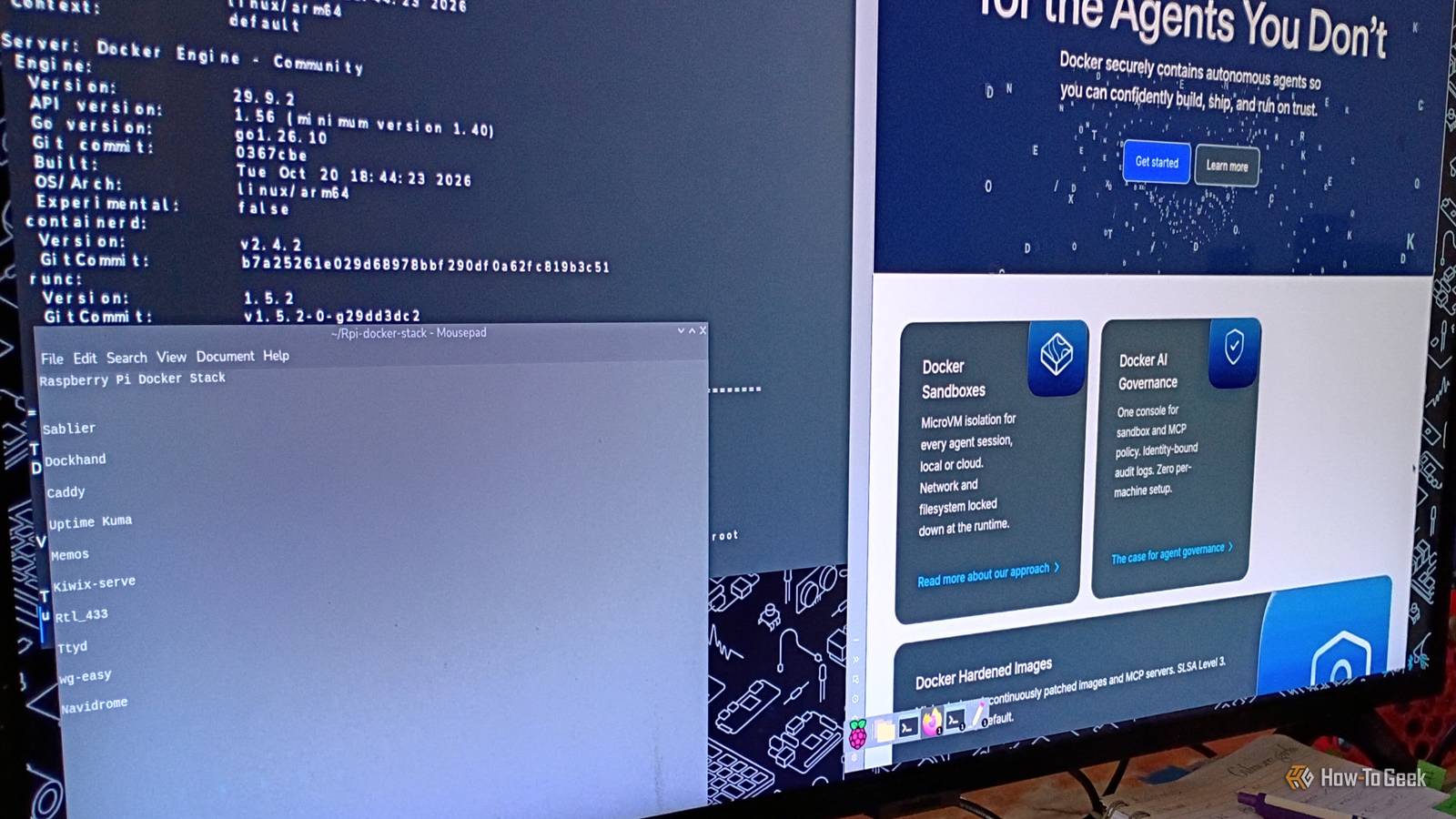
Published Oct 29, 2026, 8:00 PM EDT Former radio and TV guy (I Heart Radio and PBS). Now a writer, researcher, and musician who writes about the absurdity of our modern world and other offbeat topics. Specializes in weird music, the old web, retro video games and tech, and researching strange, yet interesting things. His work has appeared in Vice, Tedium, Star Trek.com, Today I Found Out, Typebar, SyFy Wire, and How To Geek. Currently working on a variety of music, web, and writing projects. Visit him on the web at https://djbuckfreelance.neocities.org/. I've been obsessed with Docker lately. I've been using it for a lot of things. I've also been getting back into Raspberry Pis over the last year or so. I was talking with a fellow writer here at HTG about different things to do with a Pi 4 in my budget home lab, and we got toDocker containers. I wondered if I could get them to work on this older SBC. It turned out I had some success with the project. It unlocked quite a few cool new ideas. It turns out you can use Docker on an old Raspberry Pi I had a full stack running in a few quick steps I wasn't sure installing Docker would work on my Raspberry Pi. I've had this particular model for a while (it's a Pi 4) and only recently bothered to upgrade it from Bookworm to Trixie. I ended up converting it from a dedicated Retro Pi to more of a mini PC. I use Docker for a lot of different things, and I was curious how the Pi would handle it. It turns out installing Docker and Docker Compose is pretty easy. To avoid damaging the microSD card containing the Pi OS, I made sure to set up databases and logs to save on an external USB drive. I downloaded Docker, installed Docker Compose, and got to work making folders and compose files for my stack. Then I explored how well each app worked on the Pi. There were some hits and a few misses. One of the issues I had at first was binding the volumes to an external USB thumb drive. When it first started happening, I realized that I had actually mapped it incorrectly. Whoops. I fixed the syntax and restarted the stack. That worked. Eventually, I got the apps running and checked them out for a bit on the Pi. I successfully installed several test apps But there were some downsides Since I'm running a Raspberry Pi 4, I was expecting some measure of slow processing or maybe even some operational issues with getting Docker running. In the past, I had a lot of trouble installing apps. So, we actually ended up completely flashing a new OS onto the Pi. Once I did that, everything was running much more smoothly. And I essentially started with a completely clean slate for home lab work. I started building my Docker Compose files and setting things up. Then, I tried spinning up the containers. A few of them, like Caddy and Memos, worked right away. Caddy is pretty cool. I'm looking forward to seeing what I can do with it on the Raspberry Pi in particular. I found that the Memos app was extremely useful and lightweight, so I'll likely be adding that to my other Docker stacks on other machines. It's faster and cleaner than trying to open up a separate notepad on your Pi, at least in my opinion. One container stood out on the Raspberry Pi A virtual library app really impressed me I tried a Docker version of one of my go-to mobile apps called Kiwix. I download and read a little each day from my Kiwix libraries to learn new things and keep my knowledge fresh. Kiwix is great for that, and I was delighted to learn I could use it with Docker. Kiwix is an open-source platform built to be a repository of knowledge. It compresses and downloads books or sources (like Stack Exchange, Wikipedia, and public domain works) that you can access offline on your device. To get it to work with Docker, you do need to have ZIM files available in its directory. ZIM files are compressed archives and are typically available in Kiwix’s official library. Kiwix files can be huge (especially Wikipedia and the Python Library), so keep that in mind when adding ZIM files to your library. Using this app on the Pi gave me an idea for a future project: making a dedicated “library” device with its own hand-built case and 7” screen attached to it that can be used offline. Perhaps I'll build it some day. Docker opens the path to fantastic new hobby projects Plans for future RPi stacks and projects Obviously, I was only doing this as a test to see if I could get the containers to work on my Raspberry Pi 4. The test was successful, and I think I'm going to be using this frequently for home lab work now. So, in the spirit of that idea, there are a few containers I plan to check out very soon. I'll probably skip Portainer and use Dockhand for my Stack Management in the future. Sablier, ttyd, wg-easy, and Navidrome all look interesting as well. I'm planning a large number of ambitious Raspberry Pi-related projects, and this is only the first one of them. In the future, I'm going to build a Raspberry Pi-based NAS and a private cloud, so getting familiar with using Docker on this type of computer makes a lot of sense for these future projects. A new home lab frontier The Docker on a Raspberry Pi project was a complete success. As I said at the beginning, I just wasn't sure if it would work. But it did. Now I have a full stack I can use on this mini Pi PC. And it can change depending on my needs. It's no wonder Raspberry Pis are such a home lab staple nowadays. I'm glad I tried this and will absolutely be using it down the line.
I expected Docker to choke on my old Raspberry Pi, but Kiwix proved me wrong
Full Article
Original Source
Read the full article at Howtogeek →KhanList aggregates and links to publicly available news content. We do not host full articles from third-party sources. Always verify important information with original sources.