
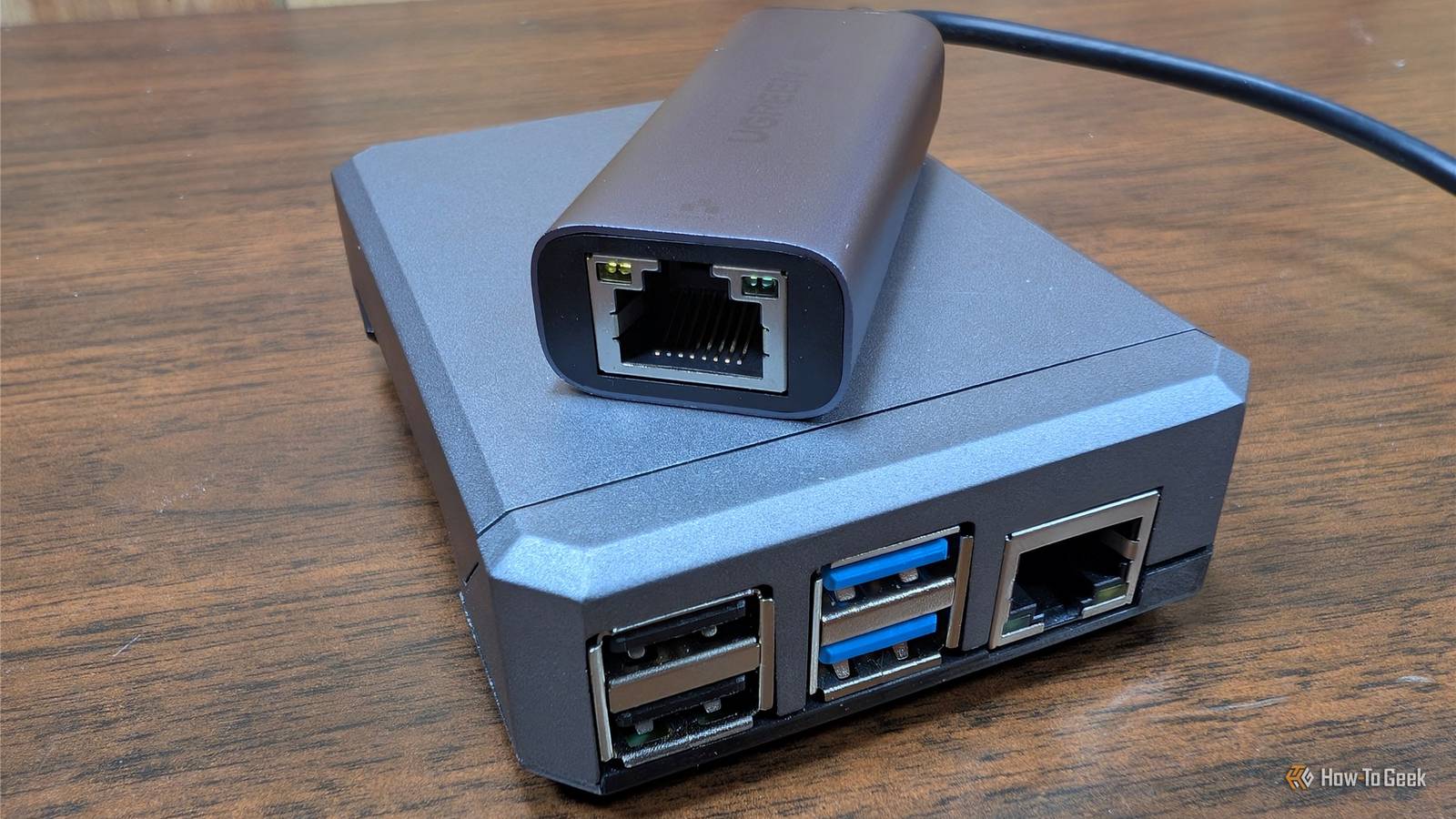
Published Jul 27, 2026, 1:00 PM EDT Nick Lewis is an editor at How-To Geek. He has been using computers for 20 years --- tinkering with everything from the UI to the Windows registry to device firmware. Before How-To Geek, he used Python and C++ as a freelance programmer. In college, Nick made extensive use of Fortran while pursuing a physics degree. Nick's love of tinkering with computers extends beyond work. He has been running video game servers from home for more than 10 years using Windows, Ubuntu, or Raspberry Pi OS. He also uses Proxmox to self-host a variety of services, including a Jellyfin Media Server, an Airsonic music server, a handful of game servers, NextCloud, and two Windows virtual machines. He enjoys DIY projects, especially if they involve technology. He regularly repairs and repurposes old computers and hardware for whatever new project is at hand. He has designed crossovers for homemade speakers all the way from the basic design to the PCB. Nick enjoys the outdoors. When he isn't working on a computer or DIY project, he is most likely to be found camping, backpacking, or canoeing. Your router is one of the most important devices you use regularly, but unless you purchase a prosumer router, you probably can't do that much with them. The firmware is locked down, security updates are issued on someone else's timetable, and they often have remote management features enabled that you can't get rid of. To get away from all of that and ensure I have more control over my network, I threw together my own router with a Raspberry Pi and an inexpensive network adapter. The problem with consumer routers Closed firmware, no customization options, no transparency When you buy an off-the-shelf router, you have no choice but to trust the manufacturer. The firmware is closed, so you can't audit what it is doing. Many contemporary consumer routers also require that you use a manufacturer app and account, which adds another thing that you can't audit or meaningfully control. They also have a longevity problem. Physically, routers usually last a pretty long time—much longer than the point where a manufacturer says a router is "end of life." That creates a situation where you could still be using a device that no longer receives security updates. An unpatched router is a very easy target for bots or other malicious actors. Raspberry Pi 5 Brand Raspberry Pi Storage 8GB CPU Cortex A7 Memory 8GB Operating System Raspbian Ports 4 USB-A It's only recommended for tech-savvy users, but the Raspberry Pi 5 is a tinkerer's dream. Cheap, highly customizable, and with great onboard specs, it's a solid base for your next mini PC. If you use an ISP-supplied device, the situation is often worse. Remote management is often enabled by default, and the configuration screens provided to you are often entirely devoid of useful detail or meaningful controls. The recent legal drama surrounding brands like TP-Link has brought those issues into the spotlight, but this isn't a problem unique to one brand. It is aggravatingly common. Fortunately, if you're willing to tinker a little, you can actually build your own router. That gives you total control over the software and hardware. I cobbled a router out of spare parts A small Raspberry Pi with two Ethernet ports acting as a router I have a few spare Raspberry Pis sitting around, so I decided to turn one into my very own router. Realistically, you could use a Pi 4, a Pi 5, or most mini PCs for this, but I wouldn't recommend anything less powerful. I also grabbed a USB 3.0 to Ethernet adapter to provide a second port. For the operating system, I opted for OpenWrt, which is essentially a Linux distribution specifically built for network hardware. It provides a full shell and a web interface, both of which grant me control over almost every single aspect of the router's behavior. Even the most granular consumer router doesn't come close to that. Adapter choice matters. I learned the hard way that not every adapter will work. Building your own router If you decide to build your own router, I'd strongly recommend that you use OpenWrt's firmware selector. Whether you're using a Pi 4 or some other device, it'll ensure that you get firmware that is actually compatible with your hardware. Once you get it up and running, establish your port roles first. In my case, I opted to use the onboard Ethernet for LAN (which connects to a switch) and the USB to Ethernet for WAN. From there, you must pick and set a robust root password. I'd also recommend double-checking that WAN-side administration is disabled to prevent anyone from using your router's own management dashboard as an attack vector. In the future, I'm going to build a different version of this that uses an off-the-shelf Wi-Fi access point for better Wi-Fi connectivity. The Pi's Wi-Fi router is fine as a small travel router, but it isn't up to the job of replacing a whole-home router. If you're building one, keep your Wi-Fi needs in mind when you initially design it. Privacy, control, and security at my fingertips Every DNS lookup, firewall rule, and outbound connection became something I could control I spend a lot of time working to improve transparency, security, and privacy on my home network. A custom router goes a long way toward doing all of that. By controlling the router, I get to choose my resolver, encrypt queries, or resolve recursively, so no single company sees my full browsing history. I can also implement network-level filtering for devices that can't run their own blockers, like smart TVs and gaming consoles, and I don't need to run a separate device (like a Pi-hole) to do it. I've set up a few VLANs with rules specifically suited to the devices I have. For example, my smart camera can be reached via the app from outside my home network, but it doesn't see anything else on my home network, which helps mitigate the risk of an attacker exploiting it. I also have built-in logging, which gives me an overview of which devices are communicating with outside servers, and from there I can start guessing what kind of information they might be sending. As one example, my smart vacuum is weirdly chatty—it connects to the internet even more than my smart TV does. I found that extremely surprising. To be clear, my ISP still sees where I go and how much data I send, and browser-level encrypted DNS can bypass network filtering. This is about visibility and control. I no longer have a silly app for my router or a remote management channel I didn't open myself; if I need remote access, I use a WireGuard tunnel that I control. A DIY router isn't the easiest homelab project If you're not inclined to keep a router's firmware up to date, an off-the-shelf router is certainly a safer choice. For me, this served as an experiment to see just how viable a DIY router actually is. So long as you have a wireless access point that you can add to a DIY router, it is very viable. OpenWrt isn't the simplest application I've ever used, but it is easy to get started with. The regulatory fight over where routers are made will continue, but running a general-purpose computer as your own router takes you out of that argument entirely.
I don't trust Wi-Fi routers anymore, so I built my own
Full Article
Original Source
Read the full article at Howtogeek →KhanList aggregates and links to publicly available news content. We do not host full articles from third-party sources. Always verify important information with original sources.