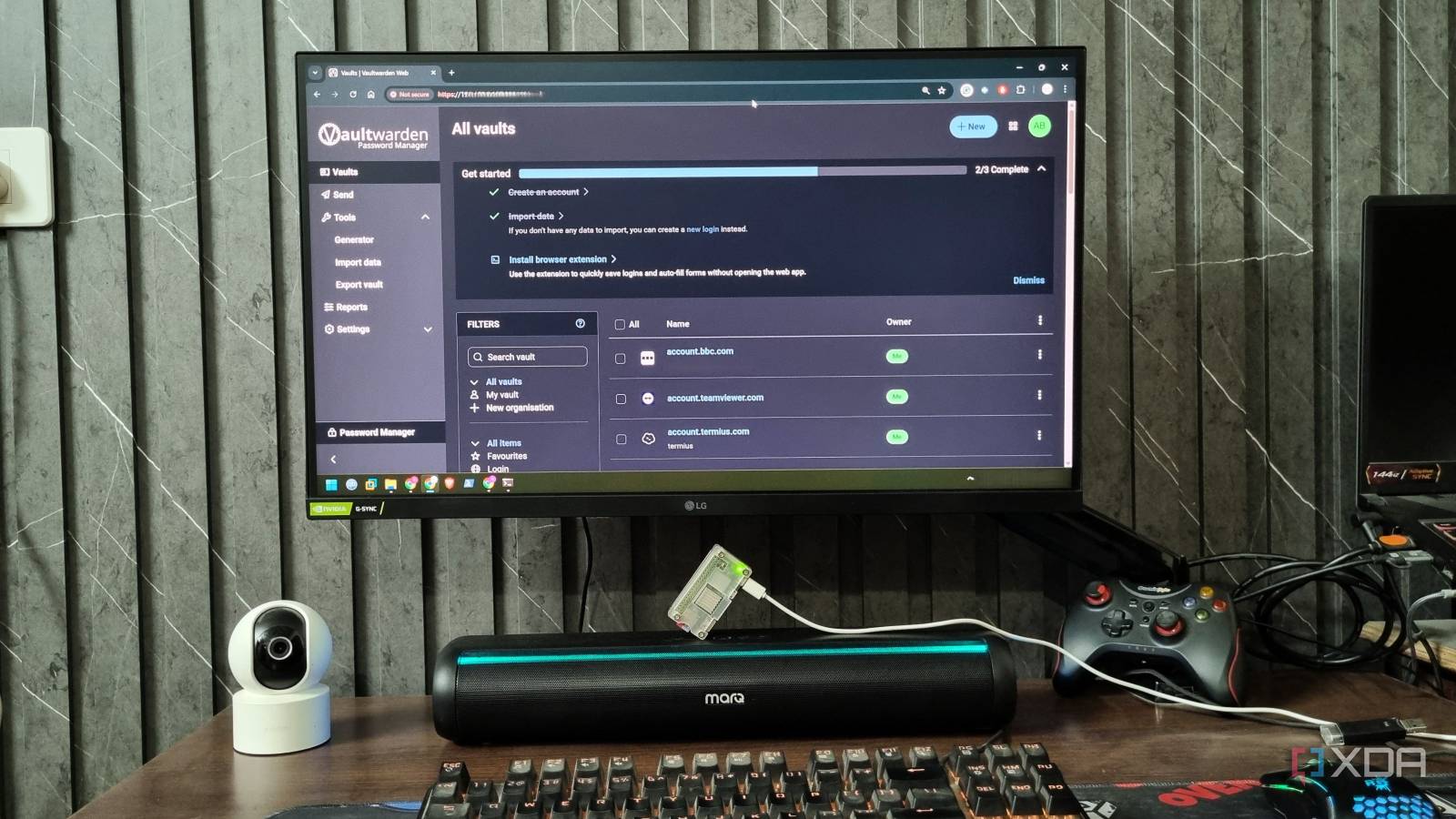
Published Jul 27, 2026, 3:30 PM EDT Korbin is a Linux system administrator who spends most of his time in a terminal figuring out how things actually work. Over the last decade he's written hundreds of articles about Linux configuration, troubleshooting weird problems, and using open-source tools in the real world. He also works a lot with Windows systems and networking, especially in mixed environments where things don't always behave the way the documentation says they should. Writing things down is how he makes sense of it all and hopefully saves someone else a few hours. Password managers are one of the few subscriptions that are easy to justify, because the alternative is a spreadsheet. I paid for Bitwarden without giving it much thought until earlier this year, when I received a renewal notice for double the amount that I'd been paying. Premium got a price hike from $9.99 a year to $19.80, and the Families plan got a small bump from $40 to $47.88. That notice pushed me into taking a closer look at what the subscription fee was actually buying, when previously I'd considered it a no-brainer. Premium gives me some convenient features, like a built-in authenticator, file attachments, emergency access, and a couple extra two-factor methods. I like all of those features, but none of them sound expensive for Bitwarden to run, so the sudden increase felt sharp. I decided to stop paying for what sounded like a straightforward service and started self-hosting it instead. Now my vault resides in a Docker container running Vaultwarden, an unofficial Bitwarden-compatible server written in Rust. It allows me to switch every premium feature on, and it still works with the official Bitwarden app. The best part is that it runs alongside a slew of services I was already self-hosting, so adding one more doesn't cost me anything. Vaultwarden comes with every premium feature turned on There's no license to buy when you own the database When I initially read about Vaultwarden, I hesitated, because it sounded like there was some kind of cracking or client patching involved. But that's not how it works. When you log into a Bitwarden app, it pulls your account profile, and that profile says whether the account is premium. Vaultwarden has no billing system or concept of paid plans, so it reports every account as premium. Bitwarden's apps take that at face value and unlock all the premium features. I still install the same extension from the same web store as before, except now I point it at my own URL. The feature I use most is the integrated TOTP authenticator, which I'd wager is the biggest reason people pay for Premium. The browser extension automatically fills out the password and six-digit code at the same time, which is pretty convenient. Attachments are also handy for things like recovery codes, passport copies, and SSH keys. Bitwarden's Premium plan caps attachment storage at 5GB, and with Vaultwarden I'm only limited by the amount of free space on my drive. Emergency access is a feature that gives me a lot of peace of mind, although I haven't needed to use it yet (which is a good thing). A trusted contact can request access to my vault, and if I don't decline it within a waiting period I specify, they're granted access. Everything available on the Families plan is also in Vaultwarden, and I can create unlimited shared collections. It costs nothing to run And the overhead is negligible Getting Vaultwarden up and running only takes a few minutes. The image is vaultwarden/server:latest, and at minimum a deployment needs a volume for /data, a DOMAIN variable, and a reverse proxy to terminate TLS. Get DOMAIN exactly right, including the trailing slash, because a mismatch will break the TOTP-based two-factor login. Remember to set SIGNUPS_ALLOWED=false once your accounts exist. After that, the admin panel basically handles the rest. From the web interface, I can invite users or change almost any config value without needing to modify a Compose file. I let Vaultwarden store everything in an SQLite file, which is the default method, because backing up the whole vault can be done with a single file. PostgreSQL and MySQL are also available options, and are good choices if you already have a database server running for other services. It's very light to run (using about 50MB of RAM for me), so even a Raspberry Pi can handle hosting the service just fine. Getting everything working smoothly on my phone required an installation ID and key registered with Bitwarden's own relay, then I started getting instant push notifications. I haven't run into any other problems, but it's important to remember to keep Vaultwarden up to date. If it falls out of parity with the client app's versioning, it'll stop working. Security and backups now rely on me Some users would rather pay to avoid that job Paying for Bitwarden meant that security audits and vault backups were someone else's burden. Now all of that rests with me. For experienced self-hosters and home labbers, that shouldn't sound like a daunting responsibility. I'm personally fine with it, but that's because I've been working with databases and running backups for two decades. For anyone getting into Vaultwarden, it's essential to gauge whether or not the extra obligation is worth saving 20 bucks a year. For newcomers, it's a great first step into self-hosting. What makes everything even more manageable is that I don't expose Vaultwarden directly to the public internet. I keep it behind Tailscale, along with the other self-hosted services I run, which is free and saves me from port forwarding on my router. As for backups, a nightly cron job copies the data directory to a second machine, then to encrypted object storage offsite, which adheres to the recommended 3-2-1 backup strategy. The renewal notice did me a favor I still think Bitwarden is great. They've built excellent client apps, and a $20/year subscription isn't really unreasonable for what the service provides. But paying for those extra features feels unnecessary when I could easily host them myself. If you already keep a server running, this is the easiest subscription you'll ever cancel. Vaultwarden Key highlights Self-hosted Bitwarden alternative Vaultwarden is a self-hosted password manager that's compatible with official Bitwarden apps.
I don't pay for a password manager anymore — I self-host Vaultwarden and get every premium feature free
Full Article
Original Source
Read the full article at Xda-developers →KhanList aggregates and links to publicly available news content. We do not host full articles from third-party sources. Always verify important information with original sources.