
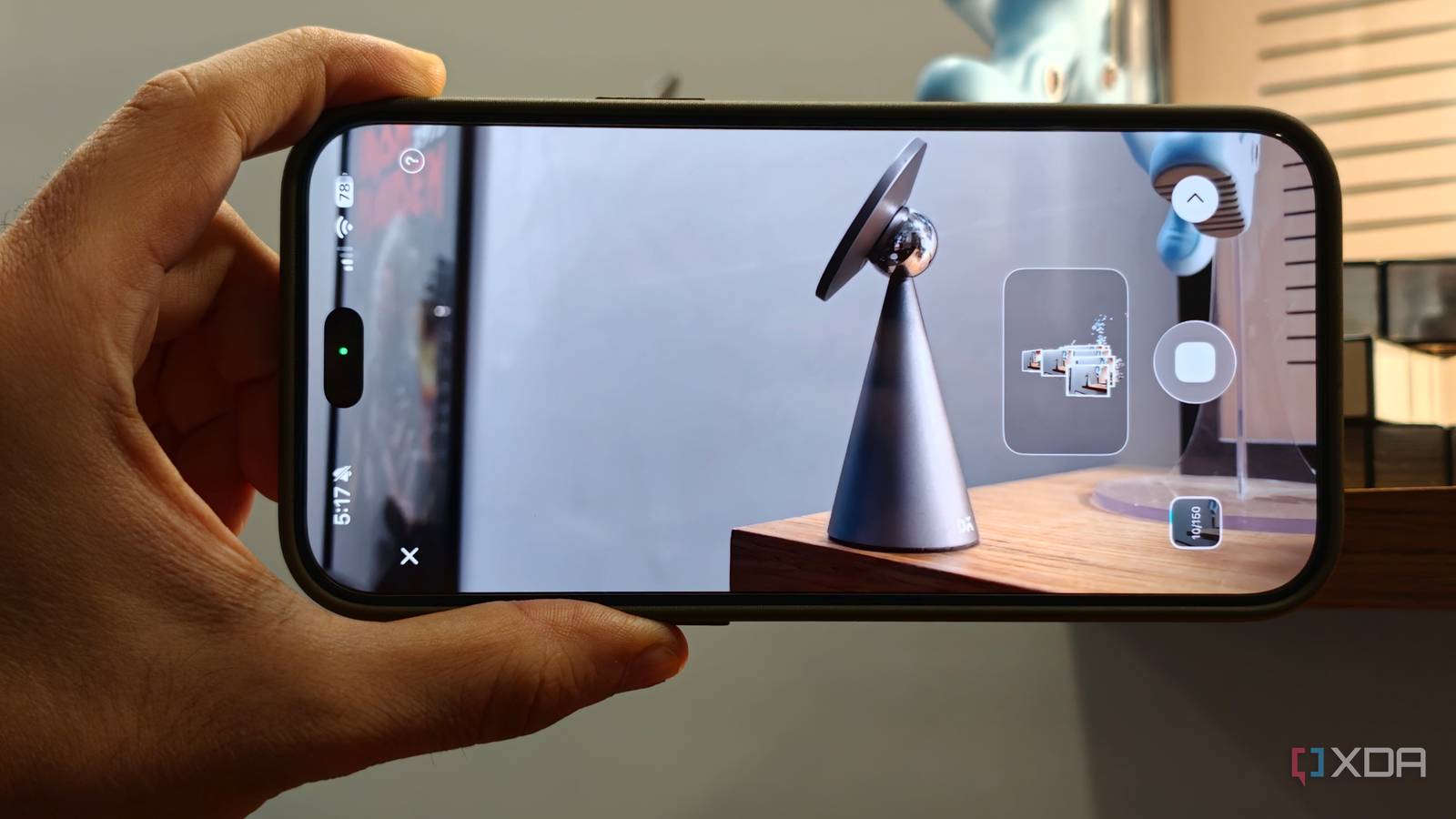
Published Nov 4, 2026, 3:30 PM EST Dhruv Bhutani has been writing about consumer technology since 2008, offering deep insights into the personal technology landscape through features and opinion pieces. He writes for XDA-Developers, where he focuses on topics like productivity, networking, self-hosting, and more. Over the years, his work has also appeared in leading publications such as Android Police, Android Authority, CNET, PCMag, and more. Outside of his professional work, Dhruv is an avid fan of horror media spanning films and literature, enjoys fitness activities, collects vinyl records, and plays the guitar. 3D printing is an immensely enjoyable hobby, but it does have its annoyances. When I need to recreate a physical part without a design file, it can take forever to redesign it. It could be a plastic bracket or just a spacer. The usual process is to measure everything with calipers and build the geometry using CAD. And I'll be honest, I'm not very good at CAD. The standard recommendation is to buy a handheld 3D scanner. Indeed, I was intrigued by Bambu's upcoming 3D scanner. But there's one more way. This is where phone-based 3D scanning comes in. Instead of building a model from scratch, I can use my phone to capture an existing object and turn it into a 3D model. I've been checking out two apps: Kiri Engine and Polycam. Both these programs use photogrammetry to reconstruct objects from photographs, giving me a simple way to get physical objects into my 3D printing workflow. My phone turns everyday objects into 3D models Photogrammetry makes it easy to recreate objects without measuring them manually The basic idea behind photogrammetry is pretty simple. Instead of measuring a model manually, you can take a series of photographs from different angles. The software then compares overlapping details across the images to determine the object's shape and reconstruct it as a 3D model. That's useful for all kinds of objects, and especially objects with curves, which can be harder to measure manually. I don't know about you, but I find objects with curved profiles hard to measure effectively with rulers or calipers. Contours, curves, and smaller details are hard to get right. Photogrammetry gives me a much better starting point, since the measurements are largely correct and only need a bit of fine-tuning from me. I've been using a combination of KIRI Engine and Polycam on my iPhone for this workflow. The apps take photographs of the object, preferably a full 360-degree capture, and turn them into actual 3D geometry that can be exported into other applications. Polycam usually gets the most recommendations. The object-scanning workflow is simple and adaptable to many use cases, though I tend to stick to object-scanning mode. From there, all you really have to do is position the object in good lighting and move the camera around it while it captures photos. The app then processes these images into a textured 3D model that you can inspect or export. If you subscribe to the paid version, you can upload these images to the cloud for better processing, but I stick to the free version. Generally, I prefer KIRI Engine to Polycam for ease of use. The basic workflow isn't all that different from Polycam. You're still taking photos of an object to create the model. But KIRI Engine differs with its Featureless Object Scan mode, which I found better at handling objects with reflective surfaces. Good lighting and full coverage are critical You'll still need to clean up the mesh and check measurements When capturing photos of an object for a 3D scan, keep a few things in mind. Good light is paramount, and you'll want to capture all aspects of the object. That includes the underside and other areas that the camera can't necessarily see unless you turn the object around. Of course, scanning is just the first step. Both KIRI Engine and Polycam will let you export your scans in an array of formats, including the obvious ones like STL and OBJ. You'll then want to import these into Blender or your choice of 3D modelling app. In my experience, the generated models are most of the way there, but not fully baked yet. Consider them a starting point. Photogrammetry produces a mesh, not a parametric CAD design, which means you don't automatically get clean dimensions, properly aligned holes or editable features. A scan can look pretty good while still containing uneven surfaces, stray geometry or inaccuracies that become obvious when I try to fit the printed part. Similarly, I wouldn't rely on a phone scan for components that need extremely precise tolerances. A replacement bracket might look identical to the original, but a mounting hole that's even slightly misplaced can make the entire print useless. You'll still want to use calipers to measure things like screw spacing and mating surfaces. The advantage is that those measurements let you correct the scan rather than blindly trusting the reconstructed geometry. More importantly, a dedicated 3D scanner tends to have the same limitations. So, if you're going to correct the model anyway, you might as well start with an app on a phone you already have. Your phone is a good enough 3D scanner for occassional use A dedicated 3D scanner has its uses if you are regularly digitizing objects for professional work. But for occasional scans of replacement parts, spending money on dedicated hardware can be hard to justify. It certainly was for me. Between KIRI Engine and Polycam, you have two great options to make the process more accessible. Even the free version is a good way to capture 3D models with a reasonable degree of accuracy. You'll still need to spend time checking the model and cleaning up meshes, but you don't have to start from scratch. Beyond the time savings, the biggest advantage is that you're using a tool you already have instead of investing in another device. For occasional use, the results are perfectly reasonable and good enough as an alternative to buying a dedicated scanner. KIRI Engine KIRI Engine is a photogrammetry software that runs on the iPhone and uses the camera and LIDAR sensors to create 3D scans.
I don't need Bambu's 3D scanner, because my phone already scans parts well enough to print replacements
Full Article
Original Source
Read the full article at Xda-developers →KhanList aggregates and links to publicly available news content. We do not host full articles from third-party sources. Always verify important information with original sources.