
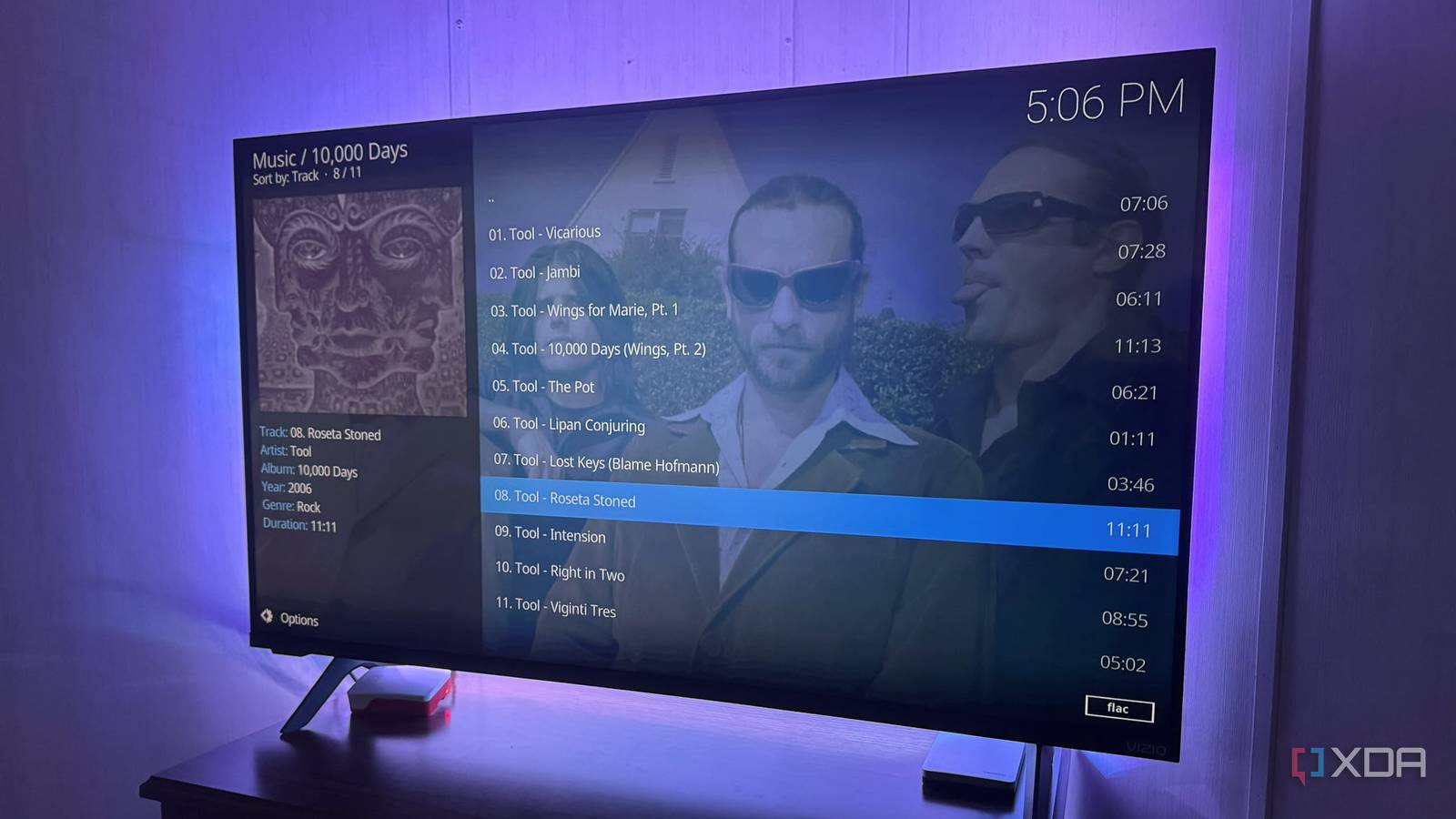
Published Sep 30, 2026, 10:30 AM EDT Based in rural Minnesota, Brian Burgess worked in IT for 10 years before finding his passion for writing about consumer technology. Brian earned his degree in computer and network technology in 2000. He held various IT positions, including help desk support, router installations for IBM, database administration, and other associate network administration roles. He's been a personal technology journalist for 18 years and has written thousands of articles about Microsoft products and services, Android, iOS, streaming, and more. He has written for notable tech sites including XDA, InformationWeek, How-To Geek, Byte, groovyPost, and others. When he is away from the keyboard, you will hear him playing guitar, working outdoors, and watching Star Trek. I listen to a lot of music and realized that everything I listened to on Spotify was tunes I already owned. Paying for music seemed redundant, so I built an affordable jukebox with a spare Raspberry Pi 4. I connected it to my TV and AV receiver. It lets me pull music from a local drive or use a network location as my media source. I have backed up most of my CD and vinyl collection as FLAC files. I figured I might as well put the subscription services on hold and set up another solution for a digital jukebox while I listen to tunes at home. Plus, lossless audio sounds better than streaming anyway. Turning a Pi into a jukebox LibreELEC is light and boots directly into Kodi There are a few routes possible with this idea. I could connect a USB drive full of music directly to my Pi or use music from my library already on my media server. I already have LibreELEC installed on my Pi, which is a lightweight operating system that boots directly into Kodi. I am using it as a Chromecast replacement, so I decided to give it double duty. Since self-hosted media is about physical discs I already own, I figured there's no reason not to use it to play the music I actually own. I used the Jellyfin for Kodi plugin I was already using for my video collection. I added my music library of FLAC files I ripped from my CDs. The process is straightforward: access music from a locally connected drive or a media server (Plex or Jellyfin) via a Kodi add-on. LibreELEC is so light I forget it's there. I basically only use the Kodi interface to access my media server and control music playback. LibreELEC LibreELEC is a pared-down distro to do one thing and one thing well - run Kodi as a media center. Listening to tunes Managing the music from my connected Pi After I added my music library, I opened Kodi's music section with my TV remote, and it was populated with my albums, including artwork. From there, I could use my TV's remote to shuffle through albums and songs. I have a large music collection and don't always want to look through it to decide what to listen to. I could always create playlists, but that takes time too. So, I used Kodi's Party Mode to turn it into an always-on jukebox. It selects 10 songs at random and turns them into a continuous music queue. After one song finishes, it automatically adds another from my library. If I don't like a song it plays, I can skip it for another. Which is something I wish I could have done back in the day when someone put a quarter in the jukebox and picked a song I didn't like. I can also edit the options and set rules for what it plays. When I want to listen to a full album or specific playlist, I just turn the feature off. Kodi remote Music control at my fingertips Kodi is an old-school project, but it still has modern niceties, like controlling music from my phone using the remote app. It lets me walk away from the TV and browse my albums, pick songs, add tracks, manage party mode, and more. It's nice to control everything from wherever I am while the Pi plays songs through my AV receiver. I also repurposed an old OnePlus phone as a remote by installing Kore — the official Android Kodi remote app. It lets me control the music as I walk around my home. It's now a dedicated remote for my Raspberry Pi music. While it's good for controlling music from my phone, it doesn't provide on-device audio. For that, I would need to configure a UPnP/DLNA player app or my Jellyfin client. But Kodi on the Pi gives me a fun at-home digital jukebox experience. Locally connected drive or network location I might feel better connecting an external drive to the Raspberry Pi and using it as a media source instead of a server. Even with the Pi connected via Ethernet, network and server issues can get in the way of the listening experience. But since my music lives on another drive, I didn't want to migrate it yet. However, I'll connect a drive if I need to use it in an area where I can't get network connectivity to avoid the music stopping. I can use both a server and an external drive, but I need to make sure the music isn't on both to avoid duplicates. There's also a risk of conflicts with Kodi's database because the add-on doesn't share the same data with local media sources. So, I made other songs I wanted to add later available to Jellyfin and had them sync to the Raspberry Pi. Still, pointing it to the music folder on an external drive is straightforward if I don't have network connectivity. A fun Jukebox for my TV Connecting a Raspberry Pi running LibreELEC to my media center gives me flexibility in how I listen to music. I can pull it from my server or connect to a local drive when network connectivity isn't feasible. With Kodi's Party Mode option, it turns my library into a continuous jukebox queue of songs I can listen to while doing other things around the house. Plus, the remote app lets me control the music while away from the big screen.
I ditched Spotify and built a Raspberry Pi jukebox for music I actually own
Full Article
Original Source
Read the full article at Xda-developers →KhanList aggregates and links to publicly available news content. We do not host full articles from third-party sources. Always verify important information with original sources.