
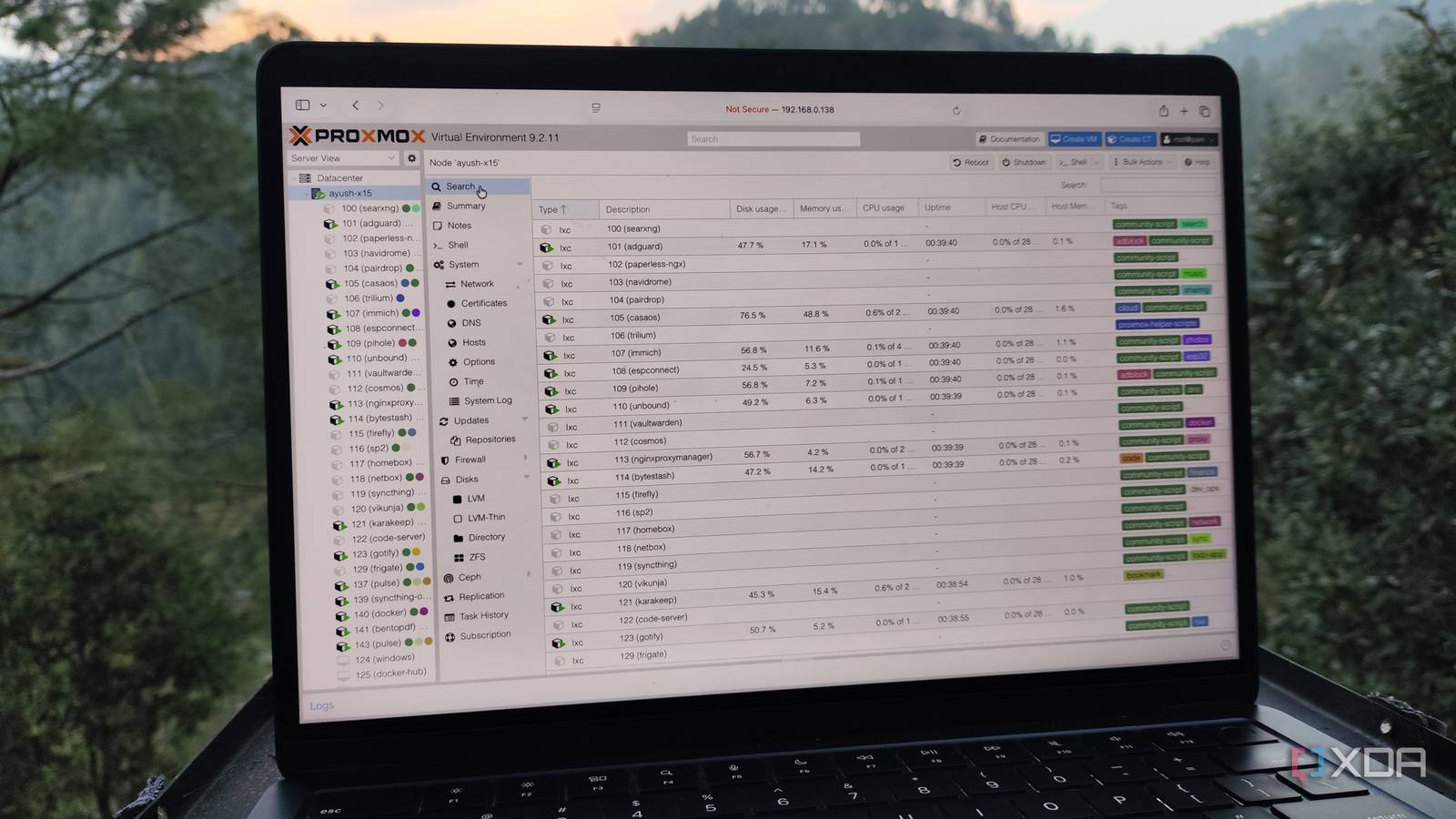
Published Oct 11, 2026, 1:00 PM EDT Ayush Pande is a PC hardware and gaming writer. When he's not working on a new article, you can find him with his head stuck inside a PC or tinkering with a server operating system. Besides computing, his interests include spending hours in long RPGs, yelling at his friends in co-op games, and practicing guitar. When I first ventured into Proxmox, I stuck with virtual machines for the most part. After all, I’d spent a long time tinkering with VMs on VirtualBox and (later on) Hyper-V, so I had no trouble pivoting to the virtual machine deployment tools in PVE. That said, I shied away from LXCs for a while, as they were nothing like the Docker containers I was accustomed to. But once I grew accustomed to Proxmox’s quirks, I decided to tinker with LXCs. After a lot of experimentation involving Proxmox’s built-in templates and the ultra-helpful commands on the PVE Community Scripts repo, I took several projects out of my VMs and migrated them to LXCs. And turns out, better resource efficiency wasn’t the only advantage of LXCs. The performance tradeoff with VMs is extremely noticeable on weak hardware My decade-old systems could easily run several LXCs Proxmox’s ultra-low minimum system requirements are one of its many advantages over rival virtualization platforms. In fact, its lightweight nature is precisely how I managed to repurpose several ancient machines into reliable home lab nodes. But the performance would be a lot worse if I stuck to virtual machines alone for my PVE projects. That’s because virtual machines need to emulate everything from the underlying OS to the hardware and kernel services, which can get quite taxing when you’ve got several virtualized instances of a distro. Meanwhile, Linux Containers borrow the kernel directly from the host machine, making them significantly more lightweight than VMs. Even the OS images are often a few hundred MBs with container templates, and I could easily run complex services on an LXC with 10-15GB of storage space, whereas a typical VM would consume well over half as much for the boot partition. To put this into perspective, a cheap N100 mini-PC with 8GB RAM could drive 3–4 lightweight Linux flavors if I’m careful when allocating system resources. But any more than that, and I’d either have to deal with slowdowns in my VMs or risk making the underlying host unresponsive. If I were to reduce the number of active VMs to 2, I could spin up at least a dozen more LXCs for my self-hosting tasks, and still have a few more resources to spare. Heck, I’ve repeated this test on dinosaur laptops I’ve salvaged from the pre-2015 era, and they often struggle to get two CLI virtual machines up and running. One of them, the humble Lenovo G510, still runs over 10 containers as a Proxmox node, even though it would buckle under the extra load of a single VM. And that’s before I talk about projects involving excessive GPU usage… LXCs are more efficient at GPU passthrough than VMs That’s pretty much why I use them extensively for my AI-heavy tools Let’s say that I wanted to run a Proxmox VM-based AI application that could benefit from the superior computational prowess of a GPU. Well, as long as I put in a little bit of elbow grease, I doubt I’d have any problems passing the GPU to my virtual machine. But trying to pass the same card to a bunch of virtual machines would be next to impossible with my current hardware. You see, multi-VM GPU passthrough requires SR-IOV functionality on the graphics card, and that’s something that none of my consumer-tier Nvidia cards possess. In contrast, LXCs not only have a straightforward GPU passthrough procedure, but I can also have different containers share the same graphics card without requiring enterprise-tier hardware. Rather than requiring full ownership of my bulky processing companion, many LXCs can interact with the same graphics card, with the drivers and scheduler overseeing the concurrent requests and deciding which one takes priority. For example, I’ve got a llama.cpp server deployed within a base Debian template, as my aged GTX 1080 works well with bulkier MoE models. However, I also use this system to house my Immich data, and since the app can leverage my GPU for certain AI features, I’ve deployed it as an LXC. The same goes for Frigate, Jellyfin, TensorFlow, and other containerized tools. If you’re brave enough, you can even set up headless remote gaming tools in an LXC and have it harness your graphics card, all while it’s connected to the rest of your containers. Nevertheless, virtual machines have their own utility in certain projects Although I’ve migrated plenty of Proxmox projects to LXCs, I still use a few VMs on my PVE hosts… the somewhat capable PCs that can run virtual machines without freezing, that is. After all, LXCs can’t offer the same level of isolation as traditional virtual machines, so I’d rather not run insecure services inside containers. Likewise, many of the operating systems I use for my everyday productivity (including Windows 11 and Qubes OS) don’t have LXC templates, leaving virtual machines as the only way to get them up and running on my Proxmox nodes. Proxmox
I ditched Proxmox VMs and moved heavy projects to LXCs, and superior performance wasn’t the only benefit
Full Article
Original Source
Read the full article at Xda-developers →KhanList aggregates and links to publicly available news content. We do not host full articles from third-party sources. Always verify important information with original sources.