
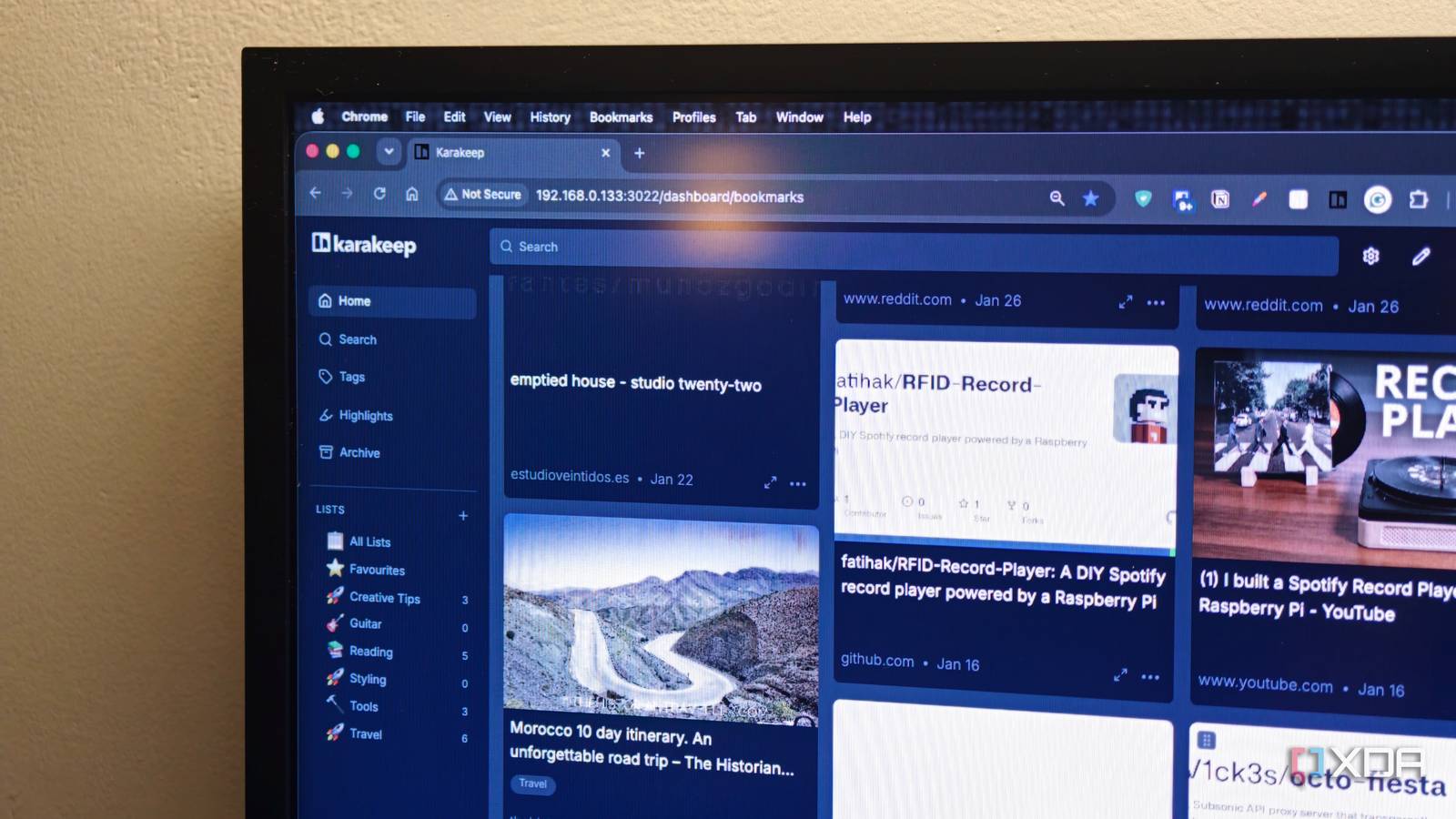
Published Sep 15, 2026, 6:00 AM EDT Dhruv Bhutani has been writing about consumer technology since 2008, offering deep insights into the personal technology landscape through features and opinion pieces. He writes for XDA-Developers, where he focuses on topics like productivity, networking, self-hosting, and more. Over the years, his work has also appeared in leading publications such as Android Police, Android Authority, CNET, PCMag, and more. Outside of his professional work, Dhruv is an avid fan of horror media spanning films and literature, enjoys fitness activities, collects vinyl records, and plays the guitar. Researching and saving things is a pretty standard part of my workflow. Be it articles I want to read, tutorials for projects, just interesting projects and software to write about, and more. For a long time, my workflow revolved around Pocket. But with Pocket no longer a thing, I've tried to look up a proper alternative. I even tried using bookmarks, but that got out of hand pretty quickly. So I started looking for an app that took Pocket's approach to saving daily reads and data, without the costs attached. I needed something searchable, with the ability to keep long-term archives. That's how I landed on Karakeep. Installed via Docker on my home server, it's become the place where I throw practically anything I find interesting. It's given me a way to build a searchable personal library out of the things I read practically every day. Ditch the tab clutter Offline archives sold me on Karakeep Credit: I know there are a lot of Karakeep pros out there, but my biggest use case is honestly the simplest. Anytime I come across something interesting that I want to catch up with later, I save it to Karakeep instead of leaving the tab open or adding another bookmark to my browser. I've got the Chrome bookmark installed, and it makes this step basically a one-tap affair. Unlike a basic bookmark, Karakeep pulls in a fair degree of relevant information from the page. For example, it can store the title, description, and previews. Internet information is ephemeral, and I like holding on to archival copies of interesting reads for posterity, so I've even enabled the archival features. This means that any time I save a web page, Karakeep pulls down a full copy that I can read offline. This last feature is what truly sold me on Karakeep. It's not the only bookmarking service with archival features, but I don't want to trust cloud services with a backup. Certainly not as the only copy. Websites disappear, URLs change, and articles might even get updated. All too often, I've tapped a bookmark from a decade ago for a cool nugget of information, only to find that the website doesn't exist anymore. It makes me sad. Karakeep can retain an archived version of the page that gives me usable data even when the original website goes down. Karakeep has become my personal research library It saves more than web pages While my initial goal was to find a bookmarking service, I've found that Karakeep serves a few additional use cases for me. I've started using it to save reference PDFs, images, or even text fragments. Karakeep treats links, text, and media as different types of bookmarks, so it serves as a one-stop shop for saving different kinds of material. I tend to read a lot of research papers, so this combined system works particularly well for me. Plus, if the paper is relevant to an article I've been researching, I now have a single source of information for all my research. I tie all these disparate pieces using a system of tags, which helps me filter out information easily. That said, Karakeep also offers full-text search across all the piecesyou've been saving, so it's never too hard to find what you're looking for. In fact, unlike some bookmarking services that stick to searchable page titles and URLs, the ability to search an archive means that you can effectively search by using whatever you remember of an article instead of trying to remember keywords. While I prefer to handle tagging manually, like most software today, Karakeep too offers AI integration if you want it. You can connect to a range of AI service providers to auto-suggest and populate tags, which gives you another way to sort through your collection of bookmarks. On the topic of curation, there's plenty more to discover here. Take, for example, lists. You can use them in a few different ways. Be it as a running reading-it-later list, or a collection of related lists. You can even set up a smart list that auto-updates based on tags. There's a lot of flexibility here. Similarly, like a half-decent PDF reader or even a Kindle, you can highlight sections of a long read. These highlights are also individually searchable, but more than that, when it's time to review a document, you can see the highlighted text right next to it. This has saved me more time than I care to count. Finally, yes, there are mobile apps too, so you can continue reading and highlighting on-the-go. But that goes without saying. Much more than just a Pocket replacement While I was initially looking for a Pocket replacement, Karakeep is so much more than that. It lets you effectively build a local repository of information from across the internet. Be it online articles or offline PDFs, images, and even personal texts. Depending on your use case, you could even consider it a lighter version of Paperless-NGX. All that said, for something that was really just a simple replacement for a bookmarking app, I've found a surprising amount of utility from Karakeep. Karakeep Karakeep is an open-source, self-hosted bookmarks manager that allows you to add bookmarks from any platform and categorizes them based on tags.
I ditched Pocket for Karakeep, and my research library finally became searchable
Full Article
Original Source
Read the full article at Xda-developers →KhanList aggregates and links to publicly available news content. We do not host full articles from third-party sources. Always verify important information with original sources.