
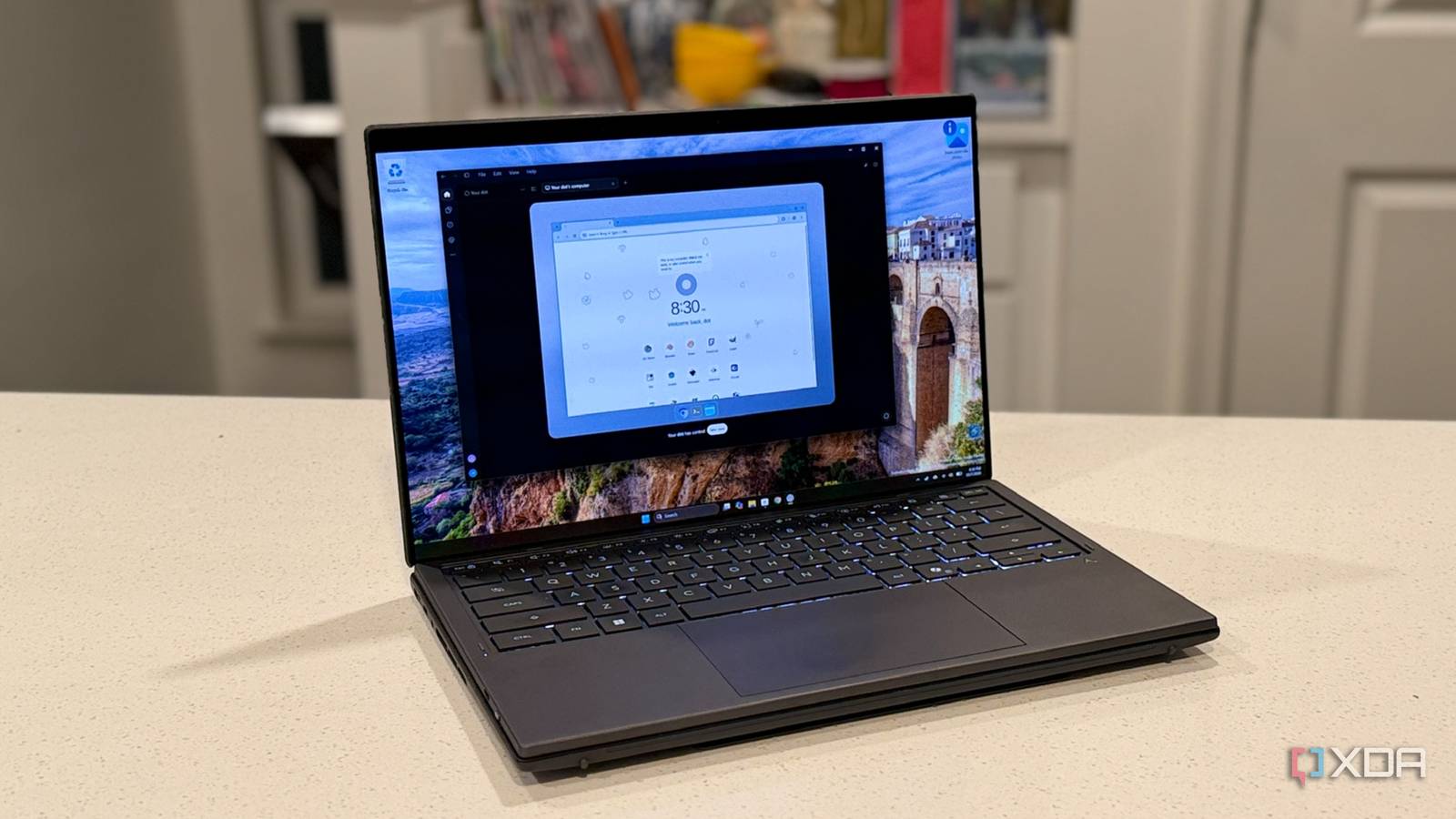
Over the summer, I did what any homelabber would with OpenClaw and gave it its own Proxmox container. I kept the Gateway on loopback, reached it over Tailscale, and bolted a dashboard on top; for a while, I had the agent everyone was talking about. It was great, right up until it needed me again. And it always needed me again. Between patching, vetting skills, and reading why people say to stop using OpenClaw, my assistant felt like another server to babysit. So when OpenAI launched Dots, a hosted agent with its own cloud computer that keeps working after you close the chat, I gave it the jobs I'd wanted OpenClaw for. Sure, other cloud-based OpenClaw alternatives, and handing any agent your inbox comes at a cost. Dots has privacy problems too, and they're different from OpenClaw's, not smaller. OpenClaw is brilliant, and it's also a part-time job Every skill you install is someone else's code None of OpenClaw's setup is hard, exactly. You need a machine that isn't your daily driver, because nobody sensible gives an agent with shell access the run of their main PC. That's also one of the reasons you can't find a Mac mini at reasonable prices, btw. Then you need the Gateway daemon, a model provider key or a local endpoint, a bot for every chat app you want to use, and a way to reach it remotely without exposing it to the internet. Each piece takes minutes, and together they take hours. The model is your problem too. OpenClaw doesn't ship with one, so you either pay for API calls every time your always-on agent thinks, or point it at a local server like the Lemonade box in my lab and accept weaker tool use. Connecting your accounts is on you as well, and while granting OpenClaw access to your Google apps has gotten easier, those credentials still live on a box you have to secure. Then there's the upkeep. OpenClaw moves fast, so updates, security patches, and skill format migrations keep coming, and skipping them is a bad idea given its track record. Skills are what make OpenClaw useful, and they're also what make it risky. ClawHub, the official skill marketplace, has been a malware target since early on, and wrapping it in Nvidia's NemoClaw didn't fix the core problems either. Vetting what you install is your job, every time. Setting up my Dot took less than five minutes And it already knows who you mean Dots launched on September 29, and every Dot runs on GPT-6 Astra with its own cloud computer, browser included. Your first Dot comes with ChatGPT Pro, which starts at $100 a month, or Business Premium. You can only create one from the desktop app or desktop web, and Pro users in the EEA, Switzerland, and the UK are excluded at launch. Creating mine and connecting to Gmail and Google Calendar took less than five minutes. There's no container, no API key, and no credentials to secure, just ChatGPT's existing plugin permissions. Then I gave it a morning brief, a watch on my beats, and a research task I could watch it work through. That last one is fun to watch. Each Dot gets its own Linux machine with Chrome, and you can open it to see what it's doing, chat over it, or press Take over to grab the controls. My first test was small. I asked it to email my editor that this piece would be in tomorrow morning. It asked which editor, and I typed a first name and an abbreviation. It found the right person and address in my Gmail with no more help, and since his contact card has no name on it, it must have worked that out from past emails. It saved the message as a Gmail draft rather than sending it. That's a nice touch, and it's also the moment I started wondering what else it had read to get there. It does the reading so I don't have to Next, I asked it to watch Lemonade Server, Windows Insider, and Proxmox releases and tell me when something worth writing about ships. It set up daily checks and immediately flagged a Lemonade release from the day before, v2026.41.1, which moves the ROCm backends to ROCm 10 and downloads about 2.6 GB on the first model load. The version number looked wrong, since my server runs 11.9.0, so I asked about it from my phone. It remembered the conversation, rechecked the official release page and GitHub's API, and explained that Lemonade now uses year and ISO-week version numbers. It also declined to promise a performance gain the notes didn't claim, which is more restrained than I expected. The morning brief was decent too. It caught my team call, a PR contact waiting on details, a return window, and a Google service notice. Gmail's read limit capped it at my latest 40 emails, and it said so plainly. It also listed this article's deadline as a loose end, a date it got from the email it drafted itself, which is either clever or slightly unsettling depending on your mood. Guardrails I didn't have to build myself This is where Dots earns its keep. Custom Rules decide whether the Dot acts without asking, acts only if pre-approved, asks first, or hands the step back to you, and some actions are locked regardless. Password changes and money transfers always come back to you, and deleting data or installing software from an unrecognized source needs confirmation every time. I asked my Dot to create a rule that it always asks before sending email, and it showed a Confirm custom rule dialog for me to approve. On the desktop, the full list lives in Settings -> Personalization -> Custom Rules, which took me a minute to find. When I asked it to send a test email to myself, it showed the sender, recipient, subject, and body, then asked for approval in chat. Behind that, OpenAI runs Auto-review, a separate system that checks planned actions against your instructions and rules before they happen, and the dot can't switch it off. With OpenClaw, a safety net like that is something you'd have to build and maintain yourself. Neither one is a privacy win, they just fail differently OpenClaw puts the whole blast radius on your hardware Dots fixes OpenClaw's biggest headache, but the privacy question doesn't go away. It just moves from your hardware to OpenAI's servers. But they can stay there, because you don't need to allow your Dots to touch your own hardware. They're just as capable running in the virtual desktop that OpenAI hosts, but you still have to connect them to your accounts for them to be useful. Self-hosting can be private, but only if you do all the work. Unless you run a local model, your prompts and context still go to whichever cloud provider you configured. Your agent's memory and API keys also sit in files on a machine you have to keep locked down. The track record doesn't help. CVE-2026-25253, a Gateway remote code execution flaw, was published in February, and Koi Security's ClawHavoc report counted 341 malicious skills on ClawHub. ClawHub added VirusTotal scanning after that, yet Palo Alto Networks' Unit 42 still found five evasive malicious skills between February and May. The maintainers respond quickly, but every fix only protects you once you've installed it. Dots remember things you can't see or delete Dots flips the problem around. OpenAI handles patching and isolates each Dot's computer from other users, but your data lives on its servers. Your Dot shares memory with ChatGPT Memory unless you turn that off, and it forms its own memories from connected apps, including during background research you never asked for. Here's what bothers me. According to OpenAI's privacy FAQ, you can't view, edit, or delete individual Dot memories, and disconnecting an app doesn't remove what the Dot already learned from it. The only way to clear them is to reset the whole Dot, so whatever it took from my email history to find my editor stays until I start over. Training is at least a toggle. On personal plans, the Improve the model for everyone setting decides whether your dot's conversations and actions are used for training, while Business, Enterprise, and Edu content is excluded by default. OpenAI also admits its prompt injection defenses reduce the risk without eliminating it. And I skipped Slack entirely, because the only workspace I use isn't mine, and connecting it would have handed the dot other people's messages. Dots is the agent I'd hand most people, and it's the one I'm keeping OpenClaw proved an always-on personal agent is worth having. Dots gave me nearly all of that payoff in under five minutes, with guardrails I'd never have built myself. There's a neat symmetry there, too, since OpenClaw's creator, Peter Steinberger, joined OpenAI in February while the project moved to an independent foundation. That doesn't make OpenClaw pointless. If you want a local model, no third-party memory, and don't mind treating your agent like any other server, it's still the more private option. If you'd rather it just worked tonight, Dots is the easier call.
I ditched OpenClaw for OpenAI's Dots, and setup took minutes instead of hours
Full Article
Original Source
Read the full article at Xda-developers →KhanList aggregates and links to publicly available news content. We do not host full articles from third-party sources. Always verify important information with original sources.