
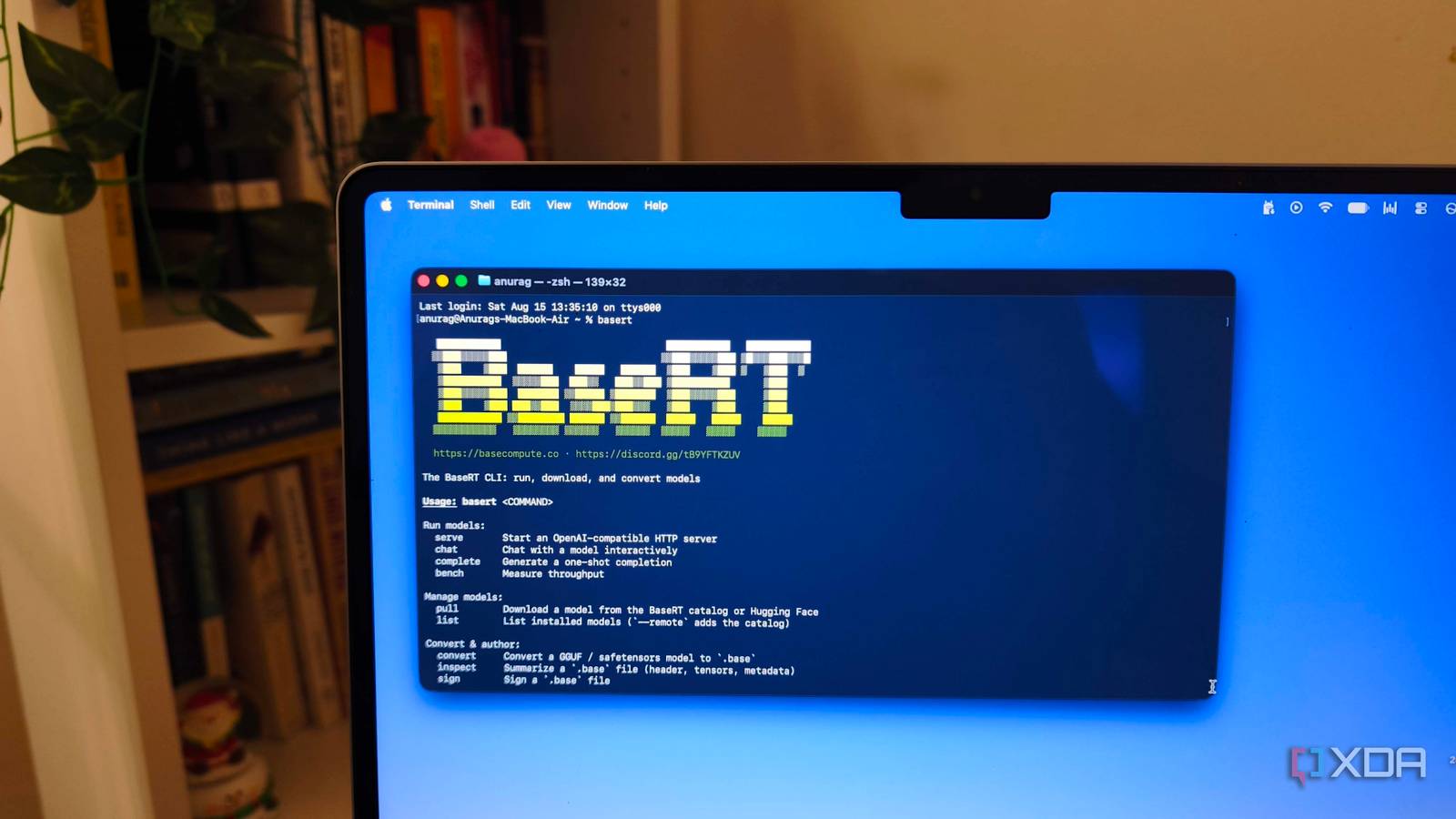
Published Aug 18, 2026, 7:30 AM EDT Anurag is an experienced journalist and author who’s been covering tech for the past 5 years, with a focus on Windows, Android, and Apple. He’s written for sites like Android Police, Neowin, Dexerto, and MakeTechEasier. Anurag’s always pumped about tech and loves getting his hands on the latest gadgets. When he's not procrastinating, you’ll probably find him catching the newest movies in theaters or scrolling through Twitter from his bed. Ollama has been my default runtime for running LLMs locally. It makes the entire process almost stupidly easy. I can download a model with one command, run it immediately, and connect it to other apps through a local API without worrying about model formats or hardware configuration. I had no major complaints about Ollama, but I have this habit of messing around and keep trying new things. I shifted my models from Ollama to BaseRT only to realize I did have issues. I was just not realizing I had them. Ollama unloads models from memory when they haven’t been used for a while, and loading one again adds a noticeable delay before it can answer anything. BaseRT is a newer runtime made specifically for Apple Silicon. On my M5 MacBook, it loads models in a fraction of the time and processes prompts much faster. It doesn’t support everything that Ollama does, and I haven’t removed Ollama from my Mac. However, when both runtimes support the model I want to use, I now start with BaseRT. Ollama is more convenient, but that's not what I want I prefer performance I always say this, but Ollama is the model runner that makes sense for most of us. If you just want something that works and doesn't put important decisions on you, you cannot go wrong with Ollama. It picks the model format, configures the hardware acceleration, manages memory, and gives you sensible defaults without asking you to understand any of them. So, while it is a good starting point, you are also leaving a lot of performance on the table. If you give it a long document, Ollama first needs to process that entire prompt. Tokens usually arrive at a reasonable pace once generation begins, but waiting for the first one slows the runtime. I find this to be particularly annoying with coding agents because they repeatedly send files, tool results, and conversation history back to the model. I have found Docker Model Runner to be more convenient here than Ollama because I already use Docker to self-host a lot of apps. It also lets you declare your AI models directly inside your Docker Compose alongside your app stack. Ollama also needs to work across macOS, Windows, Linux, Apple Silicon, Nvidia GPUs, and plenty of other hardware. The runtime isn’t built solely around the chip inside my MacBook. I was using an M5 with dedicated Neural Accelerators in every GPU core, while my default runtime followed a much more general path to access that hardware. Ollama has since introduced an MLX backend for supported models on Apple Silicon, which should close some of this gap. However, it is still in preview and doesn’t cover everything in Ollama’s library. BaseRT gets more out of Apple Silicon It's designed especially for Macs BaseRT takes a much shorter route to the hardware. It is written directly against Apple’s Metal API and doesn’t depend on MLX, PyTorch, Core ML, or another intermediate framework. It uses custom kernels designed around Apple’s unified memory architecture, which allows it to handle the calculations involved in running a model with less overhead. The improvement is particularly large while processing prompts. Before a model can answer, it needs to read everything you send it, including your question, conversation history, documents, code, and any instructions the app adds. This stage is called prefill, and it strongly affects how long you wait for the first token. BaseRT’s published benchmarks on the M5 Pro show up to 6.4x faster prefill than llama.cpp and up to 3.9x faster prefill than MLX. BaseRT can access the neural accelerators built into every GPU core on M5 chips through Metal 4. These accelerators handle the matrix calculations involved in prompt processing, and the difference grows with longer prompts and a mixture-of-experts model. I have noticed this makes a big difference when using coding agents, which frequently send large amounts of code and conversation history back to the model. The improvement in token generation is smaller. BaseRT claims up to 1.75x faster generation than llama.cpp and up to 1.33x faster generation than MLX on an M5 Pro. I don’t always notice a massive difference once an answer is already streaming. The bigger improvement is that the model gets there sooner, which is far more helpful when you use it throughout the day. You can get it up and running in a few minutes Downloading the model takes most of the time BaseRT requires an Apple Silicon Mac running macOS 14 or later. You can install it by opening Terminal and running: curl -LsSf https://basecompute.co/install.sh | sh The installer adds BaseRT to your PATH, although you need to restart Terminal before the command becomes available. You can then download a model directly from Hugging Face. I started with Qwen3 4B because it is small enough to run comfortably on my 16GB MacBook Air. The first pull takes some time because BaseRT downloads the model and converts it into its own .base format. This format supports quantization from Q2 to Q8 and is optimized for the way BaseRT loads and runs models. You can see everything you have installed with basert list. BaseRT also provides an OpenAI-compatible API, so you aren’t limited to chatting inside the terminal. Any app that supports a custom OpenAI endpoint can then connect to http://127.0.0.1:8080/v1. This includes chat interfaces, scripts, and coding tools, although you need to change the base URL from the one you used with Ollama. You can also convert an existing GGUF, MLX, or Hugging Face checkpoint instead of downloading another copy. However, model compatibility isn’t as good as Ollama's yet. You don't have to stick to Ollama While I don't have many issues with Ollama, it's definitely not the only tool you should use. As I mentioned earlier, there is Docker Model Runner, and you also have BaseRT, which does an equally good job and is a lot faster.
I ditched Ollama as my default runtime, and the replacement starts models in a fraction of the time
Full Article
Original Source
Read the full article at Xda-developers →KhanList aggregates and links to publicly available news content. We do not host full articles from third-party sources. Always verify important information with original sources.