
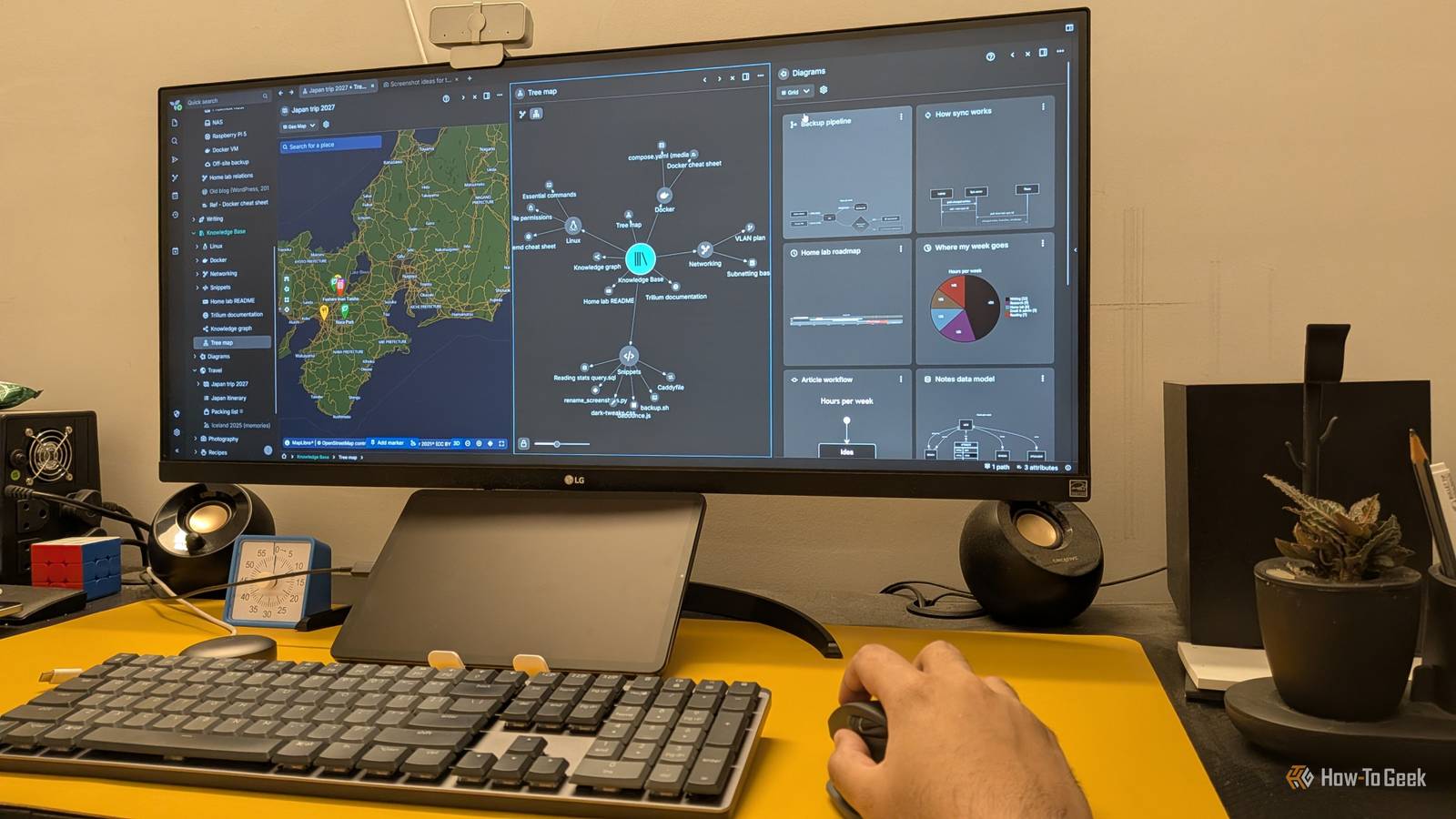
Published Nov 9, 2026, 10:30 AM EST Dibakar Ghosh is a tech journalist at How-To Geek with over a decade of experience using and writing about open-source software, Linux, Android, AI, and personal productivity. He writes about software, operating systems, and tools that help people get more from the technology they already use. Obsidian is arguably one of the best apps out there for taking notes and organizing your knowledge base, but it comes with its fair share of imperfections. One of my main qualms with Obsidian is how difficult it can be to sync notes between my phone, desktop, and other devices. Sure, you could pay $4/month to get sync support, but I'm a cheapskate. Initially, I used a tool called Syncthing to sync my Obsidian vaults, but things eventually went horribly wrong. My notes failed to sync properly between vaults, and I ended up losing a lot of important data. Since then, I've been trying to find a new, safer home for my personal knowledge base with free and native sync support, and I feel I've finally found one in Trilium Notes. Meet Trilium Notes A criminally underrated note-taking app Trilium Notes is a free and open-source note-taking app. At first glance, it looks a lot like Obsidian, with your notes on the left, the editor in the middle, and a right-side panel for displaying additional context. You can also technically use it as an Obsidian clone, complete with daily notes, wiki links between notes, a graph view showing how your notes are interconnected, and all that jazz. However, I've found Trilium to be much more powerful and flexible than Obsidian. The biggest difference is that you can self-host your own Trilium server on your homelab and make your notes accessible from all your other devices. You can install Trilium as a Docker app which then acts like a central hub for storing all your notes. You can access this Trilium instance just by visiting the appropriate URL — it should be http://your-ip-address:8080 by default — and access a web version of Trilium from any browser on any device connected to your local network. This way, you get the privacy-first approach of Obsidian, where you own your notes and they never leave your server, along with the convenience of cross-device syncing without paying a subscription or trusting a third-party storage provider. Alternatively, you can also install the standalone Trilium app on your desktop (available for Windows, macOS, and Linux). However, as-is, the app will store your notes locally and won’t sync across your other devices. It’s only when you sync it with the server that you will see all the notes show up in the app. By default, the Docker-based Trilium server will only serve your notes to devices connected to your local network. However, you can set up a mesh VPN like Tailscale to access your Trilium server from any network, anywhere in the world. Trilium Notes Trilium Notes is a free, open-source note-taking app for building a large personal knowledge base. Anything and everything can be a Trilium note Notes intended to capture any and all kinds of ideas Coming to the actual note-taking experience, this is where Trilium starts to differ from Obsidian — in what I'd argue is a better way. In Obsidian, a note is pretty much always a Markdown file, unless you create an Obsidian Canvas, which offers a more free-form and visual note-taking experience. In contrast, Trilium gives you a very capable WYSIWYG (What You See Is What You Get) editor for taking your notes. However, that's just the default note type. You can also capture notes as an Excalidraw-based canvas, a Mermaid diagram, or even a spreadsheet with working formulas (currently in beta). And yes, a note can also be a Markdown file with a live preview if you prefer a note-taking experience similar to Obsidian's. You can also create Code notes, which give you a code editor for writing and editing code with proper syntax highlighting. You can then pair your Code notes with a Render note, which displays the contents of a code note as HTML. This means you can potentially create a custom-designed, dynamic dashboard based on the data you've been collecting in your different notes. Your notes are housing other notes Welcome to the world of nested note-taking Unlike Obsidian, where you organize your notes inside folders, Trilium lets you create notes inside other notes. You can have a main note where you write whatever you want, and then create a sub-note beneath it. Each sub-note can have more sub-notes of its own. This can theoretically go on forever, but I'd recommend sticking to no more than three levels of sub-notes. Otherwise, the entire structure can quickly become unruly. By default, a parent note shows its child notes as tiles below its own content, so it naturally works as an overview of everything under it. However, you can make this overview more interesting by using Collections. It's another note type that doesn't contain any content of its own. Instead, it lets you organize and display its child notes in different layouts, such as Kanban, Calendar, Map, Presentation, or just the simple, boring stuff like lists and tables. And I should mention that all these features come built into Trilium — you don't need to download any third-party plugins as you would with Obsidian. But doesn't it get a bit overwhelming having all these features right from the get-go? It can, sure, but I'd say it depends on what you want from your note-taking app. If you like Obsidian's minimalism, then Trilium will feel like it's overcomplicating note-taking. However, if you're someone who can't use Obsidian without installing a dozen plugins, then Trilium, with all its advanced built-in features, is going to seem much more appealing. Get started with Trilium Notes in an afternoon Trilium makes it super easy to import your notes from whatever app you're currently using — be it Notion, Google Keep, OneNote, Evernote, and yes, even Obsidian. I tested it by importing my Obsidian second brain into Trilium, and it did a fairly good job. It converted my folders into parent notes containing all their respective sub-notes, and all my wiki links were preserved, although Obsidian Bases and Canvas files were skipped. Trilium also makes it super easy to export all your notes if you're dissatisfied with the experience or just want to try another app.
I ditched Obsidian for its free and open-source rival with built-in sync
Full Article
Original Source
Read the full article at Howtogeek →KhanList aggregates and links to publicly available news content. We do not host full articles from third-party sources. Always verify important information with original sources.