
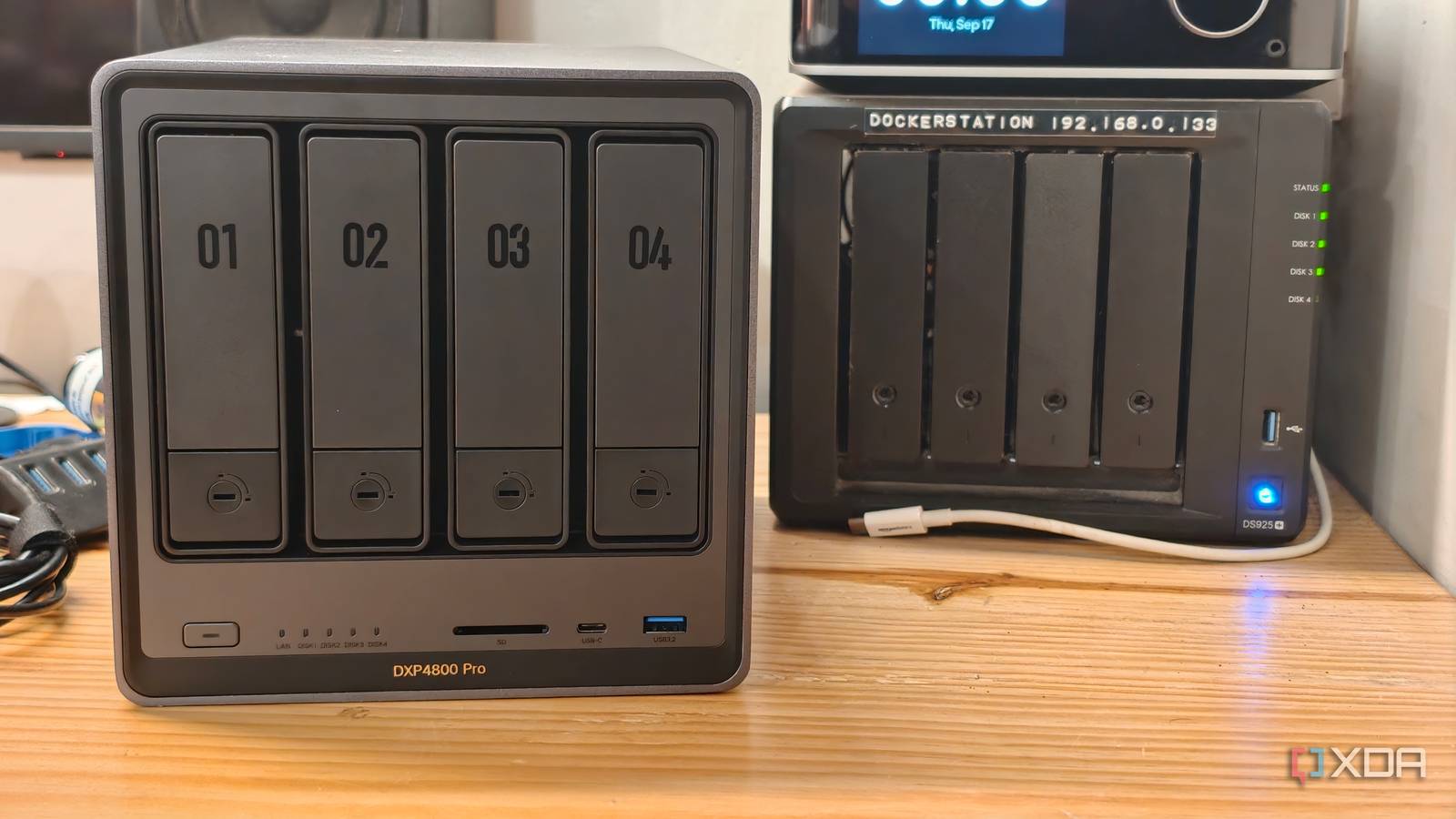
Published Sep 17, 2026, 5:01 PM EDT Dhruv Bhutani has been writing about consumer technology since 2008, offering deep insights into the personal technology landscape through features and opinion pieces. He writes for XDA-Developers, where he focuses on topics like productivity, networking, self-hosting, and more. Over the years, his work has also appeared in leading publications such as Android Police, Android Authority, CNET, PCMag, and more. Outside of his professional work, Dhruv is an avid fan of horror media spanning films and literature, enjoys fitness activities, collects vinyl records, and plays the guitar. It's been a while since my NAS was just the spot where I stored data. Between Docker containers, self-hosted services, backups, and, of course, media, what I want from the hardware has changed a lot. While my Synology has been a solid companion, I've been on the lookout for something a bit more powerful. Something with a bit more grunt under the hood. So, I decided to check out the UGREEN DXP4800 Pro. I still wanted an appliance-style device, which, to me, made a NAS the obvious choice. This UGREEN NAS has the hardware to function as a small home server while still performing all standard NAS functions. After using it for a bit, I can say there's a lot to like here. But also a few things that I'm not too convinced by. Read on to find out. It feels more like a small home server than a NAS More processing power gives self-hosted tools room to breathe Look, Synology devices have never been known for their top-end performance. But the gulf between what UGREEN offers and Synology's options is astonishingly wide. The DXP4800 Pro is equipped with an Intel Core i3-1315U processor and 8GB of DDR5 RAM out of the box. Of course, you can upgrade the latter if you choose. For the kind of use cases I and most homelabbers are putting our NAS boxes through, that beefy-by-NAS-standards processor is a much better fit. Docker is a big part of my self-hosting setup, and I've gradually built up a substantial collection of self-hosted applications. Running those directly on the NAS means I don't need a separate computer dedicated to keeping them up and running. UGREEN's UGOS Pro also offers native Docker support. Now, that part isn't very surprising, and I'd still end up using something like Portainer for more control. However, even as a basic application, the Docker implementation is much more robust than what Synology offers in its ability to use Compose files and more. Combined with the extra processing power, the DXP4800 Pro gives me more room to spin up performance-intensive containers, more containers in general, or even a combination of the two. High-speed networking 10GbE makes moving large files much faster The other major upgrade with the DXP4800 Pro is the networking speed. The device has a 10GbE network port alongside a 2.5GbE port. Look, I'll be the first one to tell you that I don't need 10-gig networking for most tasks. Opening a document or a photograph doesn't get a speed bump with 10GbE networking. But that's not all my NAS does. Anytime I'm moving large amounts of data between machines, 10GbE networking gives me the bandwidth to move it seamlessly and much faster than I otherwise could. Lately, it's been useful as I consolidate data scattered around machines. Moreover, 10-gig networking is convenient, and it is another element of future-proofing. After all, most people don't just upgrade their NAS every few years. This is a device that you're expected to use for years to come. I still miss some things from my Synology Not having an equivalent to Synology's SHR is a big loss The biggest downside of moving away from Synology is SHR, or the lack of an equivalent on the UGREEN. Synology Hybrid RAID is one of those feature additions you don't truly appreciate until you no longer have access to it. Sure, UGREEN supports conventional RAID configurations including RAID 0, 1, 5, 6, and 10, as well as Basic and JBOD, but there's no equivalent of SHR, and that's a big miss. Over time, I've accumulated drives of different capacities. With SHR, I had more flexibility when putting those drives to work. Moreover, in times of exceptionally high hard drive prices, SHR let me upgrade drives one at a time. No such flexibility here. Moving to conventional RAID means I have to be a lot more deliberate about which drives I use and how I build my storage pool. It's not necessarily a big concern if you're buying the NAS and a matching set of hard drives. But if your plan is to build up the storage over time, you'll have to plan right from the outset. There's also the software. UGOS Pro is not bad at all. It has all the core features you could want, including storage management, file management, Docker and VM support. But you can't beat the years of refinement Synology has put into DSM. UGOS Pro, in comparison, feels like a work in progress with occasional buggy rendering or weird language translations. That maturity that only comes with age can't be speedrun. Today, this isn't a big deal for me as I self-host my own third-party software alternatives. But if you want software that has been tested trial-by-fire style, Synology would still be my choice. A NAS more suited to my needs I haven't entirely left the Synology ecosystem. In fact, I have plenty of Synology boxes still serving up files across my home network. But as my requirements change, the DXP4800 Pro is clearly more suited to the task. I need somewhere to keep my media and photos, but also something that can run services, host containers, and give me enough hardware headroom to experiment without needing another server. That's where the DXP4800 Pro has the leg up over Synology's offerings. After all, software can always be fixed or upgraded; hardware can't. UGREEN DXP4800 Pro $720 $800 Save $80 CPU Intel Core i3-1315U Memory 8GB (expandable to 96GB) Drive Bays 4 x SATA, 2 x M.2 NVMe SSD Ports 1 x USB-C (10Gbps) 1 x USB-A (10Gbps) 1 x SD Card 3.0 1 x USB-A (5Gbps 2 x USB-A (480Mbps 2.GbE LAN 10GbE LAN Caching 2 x M.2 NVMe SSD (up to 8TB)
I ditched my Synology NAS for a UGREEN, and the processing power alone makes it worth it
Full Article
Original Source
Read the full article at Xda-developers →KhanList aggregates and links to publicly available news content. We do not host full articles from third-party sources. Always verify important information with original sources.