
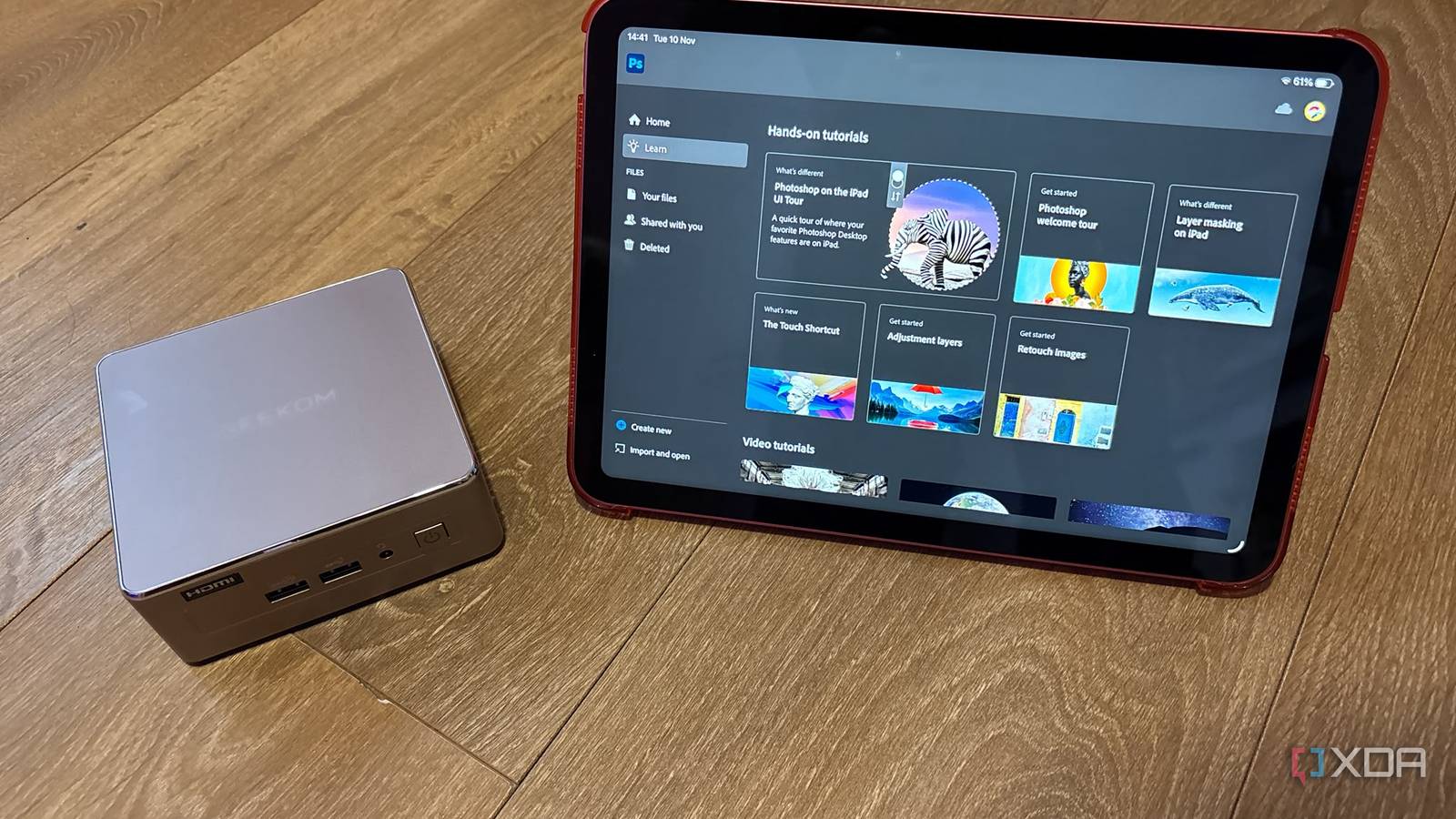
Published Nov 14, 2026, 9:01 AM EST Jasmine is Software and PC Hardware Author at XDA with years of tech reporting experience ranging from AI chatbots right down to gaming hardware, she's covered just about everything. Whether it's breaking news about the latest AMD NPUs or creating video tutorials on social media platforms, Jasmine has contributed to the world of AI and tech in a variety of ways including interviewing the CEO of Razer, AMD's Director of Product Marketing and the VP of Lenovo. Passionate about gaming and PC technology, she has built countless computers, keyboards and other peripherals - knowing them inside and out. Modern performance laptops force compromises between thermal throttling, loud fan profiles under sustained loads, and fixed screen/keyboard ergonomics. I decided to transition away from a traditional laptop to a split workflow: a stationary GEEKOM A5 mini PC paired with an iPad. This eliminates thermal, ergonomic, and portability compromises without sacrificing mobility. When decoupling stationary heavy computing from mobile consumption and light productivity, it creates a distinct functional boundary. The result: a mini PC providing a full Windows desktop engine anchored to a proper multi-monitor setup, paired with an instantly available low-power tablet interface for handheld travel or casual tasks. The Mini PC stays at my desk Providing me with a higher-powered base station Unlike a lot of ultra-high-performance laptops that hit thermal limits and throttle clock speeds under continuous multi-threaded workloads, opting for a mini PC means you can shop around for better built-in cooling solutions. The Geekom A5, for example, uses the "IceBlast" cooling solution that dissipates heat efficiently through dual copper heat pipes and also includes a quiet fan profile. While the power limit can still cap CPU performance, better cooling can help, as it allows the CPU cores to sustain higher boosted clocks without thermal throttling. It also helps that my specific device uses a low-power chip. Another great perk of using a mini PC over a laptop is that so many laptops have soldered RAM and storage, creating early hardware obsolescence. With a mini PC, you can choose models with expandable RAM slots and storage. The Geekom A5 provides dual-channel DDR4 SO-DIMM slots, expandable to 64GB, alongside a primary M.2 2280 PCIe NVMe slot supporting up to 4TB and an additional 2.5-inch SATA drive bay, allowing for cost-effective long-term storage and memory expansion. Something that has been increasingly frustrating about modern laptops is the reduction in ports. We've gone from having an impressive port array on a laptop to many ultra-thin models with minimal I/O ports. The mini PC essentially eliminates the need for port adapters with a dedicated array of I/O. You also get the benefit of having a much smaller desktop footprint, and if you want VESA integration, that's an option too, with the ability to mount the PC to the back of a monitor using a VESA bracket (reducing desk clutter while offering full desktop accessibility). My iPad travels with me It's lightweight and portable for on-the-go work While the mini PC is great, you still need to be able to take your tech with you on the go, and this is where my iPad comes in. I chose an iPad over a laptop because it offers an instant-on experience with ultra-low idle power draw, making it ideal for quick notes, document reading, media consumption, and light communication without booting a full desktop OS or draining a laptop battery on the go. Pairing it with an Apple Pencil gives me that level of precision for vector drawing, raw photo retouching, direct PDF annotation, and any visual markup workflows that can sometimes start to feel awkward on traditional laptop trackpads. Even if you don't opt for an Apple Pencil, it just feels a lot easier with the touch-first input in general. On its own, the iPad app ecosystem is highly optimized, as iPadOS runs software natively. Apps are optimized for ARM architecture, meaning you get high efficiency for tasks such as mobile video editing, vector graphics, and document management. Not every single workflow is equal to desktop software, which is something to keep in mind. The form factor is very versatile. You can operate it without an attached keyboard, allowing it to feel really compact without the physical weight and bulk of a laptop and the hinge assembly. Bridging the gap You might need performance on the go — and it's possible The last thing I needed to do is actually be able to bridge the gap. Sometimes when I'm on the go, I need more than just what an iPad can provide. So long as you have Windows 11 Pro on your mini PC, you can take advantage of Microsoft's Windows app that allows you to make a remote desktop connection, ideally over a secure Tailscale/WireGuard VPN mesh. This can provide you with low-latency, full-resolution streaming of your desktop running on your mini PC directly onto your iPad screen, even when you're away from home, on the basis that you have the connection to support it. Alongside this, my iPad still provides me with a lot of utility even when I am at my primary desk setup, as I can use it as a second display. While this can't be done natively on Windows, there is a range of different third-party apps, such as Duet Display or Spacedesk, that allow you to connect it either over Wi-Fi 6 or a direct USB connection. Since it's slightly smaller, I prefer to use it as a dedicated screen for Discord or Teams, but it has full functionality like any monitor. When setting up this workflow, one of the most important things I found was to ensure that you have cross-platform cloud file synchronization. There is a range of different cloud storage backends you can use, or even self-hosted Nextcloud instances that allow you to bridge the file system gap between Windows and iPadOS. That way, you have transparent sync for assets, drafts, and any media files without having to manually transfer. Some apps even introduce their own cloud file systems, like Adobe. And lastly, the ability to share peripherals is essential too. I can use Bluetooth peripherals that switch between controlling my mini PC at my desk and controlling my iPad at the touch of a button, creating a single desktop control layer rather than having a different set of input devices for each. Don't limit yourself to a laptop Splitting home-based productivity and mobile computing between a dedicated mini PC and a high-efficiency tablet resolves the thermal throttling, battery degradation, and ergonomic trade-offs that come with standard laptop designs. Making the switch allows you to extend your hardware's lifespan, as it allows for low-cost component swaps instead of replacing an entire computer when storage or RAM requirements grow. For users like myself who perform heavy work at a primary desk and then like to do creative tasks on the go, transitioning from a laptop to a mini PC tablet setup is one of the most functional, quiet, and customizable workstation upgrades available. Geekom A5 2027 The GEEKOM A5 2027 Edition Mini PC features a Ryzen 7 7730U CPU as well as 16 GB of RAM and a 256 GB SSD.
I ditched my laptop for a mini PC and tablet, and it's the best tech decision I've made in years
Full Article
Original Source
Read the full article at Xda-developers →KhanList aggregates and links to publicly available news content. We do not host full articles from third-party sources. Always verify important information with original sources.