
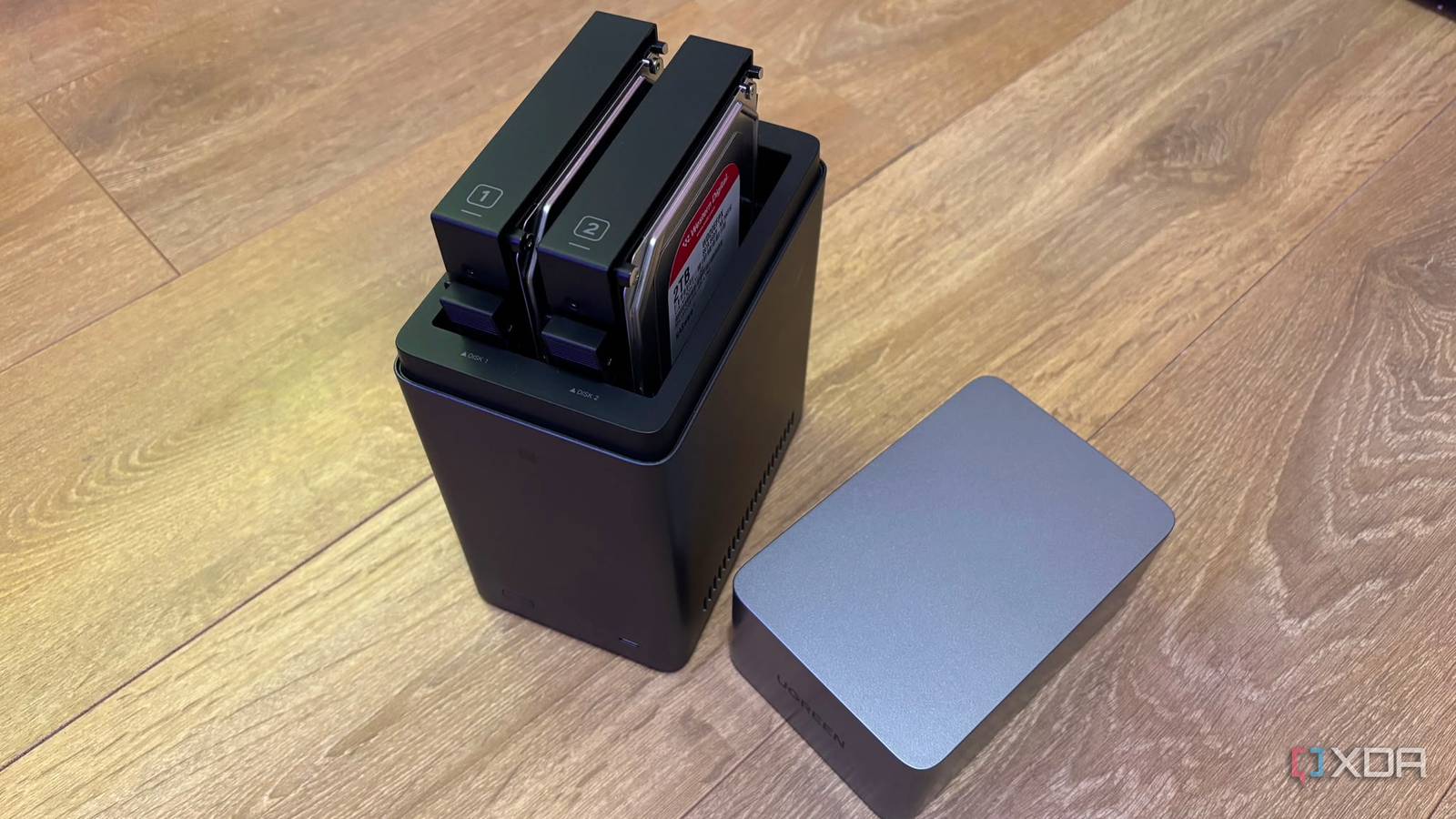
Published Aug 21, 2026, 8:01 AM EDT Jasmine is Software and PC Hardware Author at XDA with years of tech reporting experience ranging from AI chatbots right down to gaming hardware, she's covered just about everything. Whether it's breaking news about the latest AMD NPUs or creating video tutorials on social media platforms, Jasmine has contributed to the world of AI and tech in a variety of ways including interviewing the CEO of Razer, AMD's Director of Product Marketing and the VP of Lenovo. Passionate about gaming and PC technology, she has built countless computers, keyboards and other peripherals - knowing them inside and out. Modern cloud storage is expensive, and prices are only creeping up. Many users easily pay $15 a month, which equates to around $200 a year for a Google One tier with 2TB of shared space, only to watch family photos or 4K phone recordings and PC backups quickly push you towards the next tier, which feels like a never-ending cycle. Beyond the cost, other red flags include accidental term violations, automated account flags, and payment hiccups that can wipe outa decade's worth of personal photos, documents, and device backups overnight. Moving away from Google One to a 2-bay NAS isn't just about saving money on a monthly bill. It provides 6x the usable storage capacity at 12TB, unlocks multi-gigabit local transfer speeds, guarantees total data sovereignty, and pays for itself within a few years of operation. A cheaper long-term investment Save yourself money in the long run While investing in a NAS upfront can feel pricey, it provides the best long-term ROI compared to a cloud subscription service. Let's say you're subscribed to Google One at $15 a month. That's $180 a year, and over five years you've spent $900 for a static 2TB pool. Let's say your storage needs exceed 2TB. Upgrading to a 5TB or 10TB cloud tier explodes costs past $2,000 and sometimes even $3,000 across the same timeframe. Investing in a NAS can be significantly cheaper in the long term, as a 2-bay NAS enclosure can cost you between $250 and $320. Two hard drives totaling 12TB will likely cost you around $350 total. This gives you a total upfront hardware cost of somewhere between $600 and $700 for 12TB of usable, fast, fault-tolerant storage. This doesn't have an expiry date, and prices don't keep increasing over time. Once you've made the initial investment, it's done. The only ongoing costs are potentially electricity and operating costs. A modern NAS idles at around 10 to 18W and costs you roughly $15 to $25 per year in electricity. The hardware setup achieves full cost parity around the three-year mark, and from four years onwards you are maintaining a massive 12TB private cloud for pennies per month. Give yourself the features you're used to If you're subscribed to Google One for the Google ecosystem, you can use a free open-source software stack to provide drop-in replacements that replicate Google Cloud's conveniences without sending any data to a third-party server. For example, if you like Google Photos, you can switch to Immich, which provides high-speed, automated mobile background backups for iOS and Android. You also get on-device local machine learning, facial recognition, object detection, and map-based geotagging, allowing you to search your images just as you would in Google Photos. This is uncompressed raw/4K storage with zero quality downsampling. If you use Google Drive, you can switch to Synology Drive or NextCloud. These are native desktop client folders that are synchronized on Windows, macOS, and Linux. They provide virtual, on-demand sync, meaning files can stream as needed without taking up local PC SSD storage. You can access your files from any device just as you would from Google Drive. And lastly, for those who are invested in Google Docs or other workspace tools, you can swap over to Obsidian via a NAS WebDAV. These give you access to markdown-based notes and documentation synced securely over your private local network. There are other benefits too As well as downsides Beyond cost, swapping to a NAS also offers benefits like performance, data sovereignty, and security. One of the first things you might notice when swapping to a NAS is that there is a major leap in LAN throughput. The speed difference when backing up large data sets between the cloud and your local NAS is absolutely stark. Uploading hundreds of GB over standard home broadband can take you days. However, over a local 2.5 GbE or Wi-Fi 6 network connection, the NAS ingests files at wire speed, taking what would be hours of waiting to just a few minutes. Point-in-time snapshots also mean that local file systems provide protection against ransomware and accidental file deletions by creating immutable instantaneous snapshots that use minimal storage overhead. This gives your files an extra layer of protection. When you back up your files, implement multiple layers of security so you don't lose any data. Keep production data on your PC/phone. Maintain the primary local backup copy on your NAS. Automate encrypted nightly off-site syncs of critical irreplaceable data like family photos and documents to cold object storage like Backblaze B2, which will cost you less than a dollar a month for essential off-site insurance. UGREEN NASync DH2300 2-Bay Desktop NAS Memory 4GB LPDDR4X RAM Drive Bays 2 Ports USB-C, USB-A, HDMI, Ethernet This budget friendly NAS is perfect for beginners to get started with Self-Hosted storage. But self-hosting your own NAS has downsides, too. Hardware maintenance is the first thing that starts to feel like a chore. You essentially become your own system admin, handling occasional disk replacement, rebuilds, firmware updates, and maintaining a basic uninterruptible power supply to prevent data corruption during power outages. You need a remote access setup. Modern zero-trust overlay networks like Tailscale or WireGuard let you securely connect to your NAS from anywhere in the world without opening risky firewall ports. To set this up, you'll need to do it yourself, which can be tedious and time-consuming if you haven't done it before. Cloud storage is no longer a feasible option It's expensive, and prices are only increasing The convenience of big-tech cloud storage hooked a generation of users on endless recurring subscriptions, but modern NAS software and multi-terabyte drives have made self-hosting more accessible, robust, and far superior in performance. Instead of paying monthly to rent out cloud storage that ultimately has a ceiling, deploy your two-bay NAS and install a range of free open-source software to give your digital footprint the permanent, high-speed, private home it deserves without sacrificing any of the features that you're used to.
I ditched Google One for a 2-bay NAS, and my storage costs dropped by 90%
Full Article
Original Source
Read the full article at Xda-developers →KhanList aggregates and links to publicly available news content. We do not host full articles from third-party sources. Always verify important information with original sources.