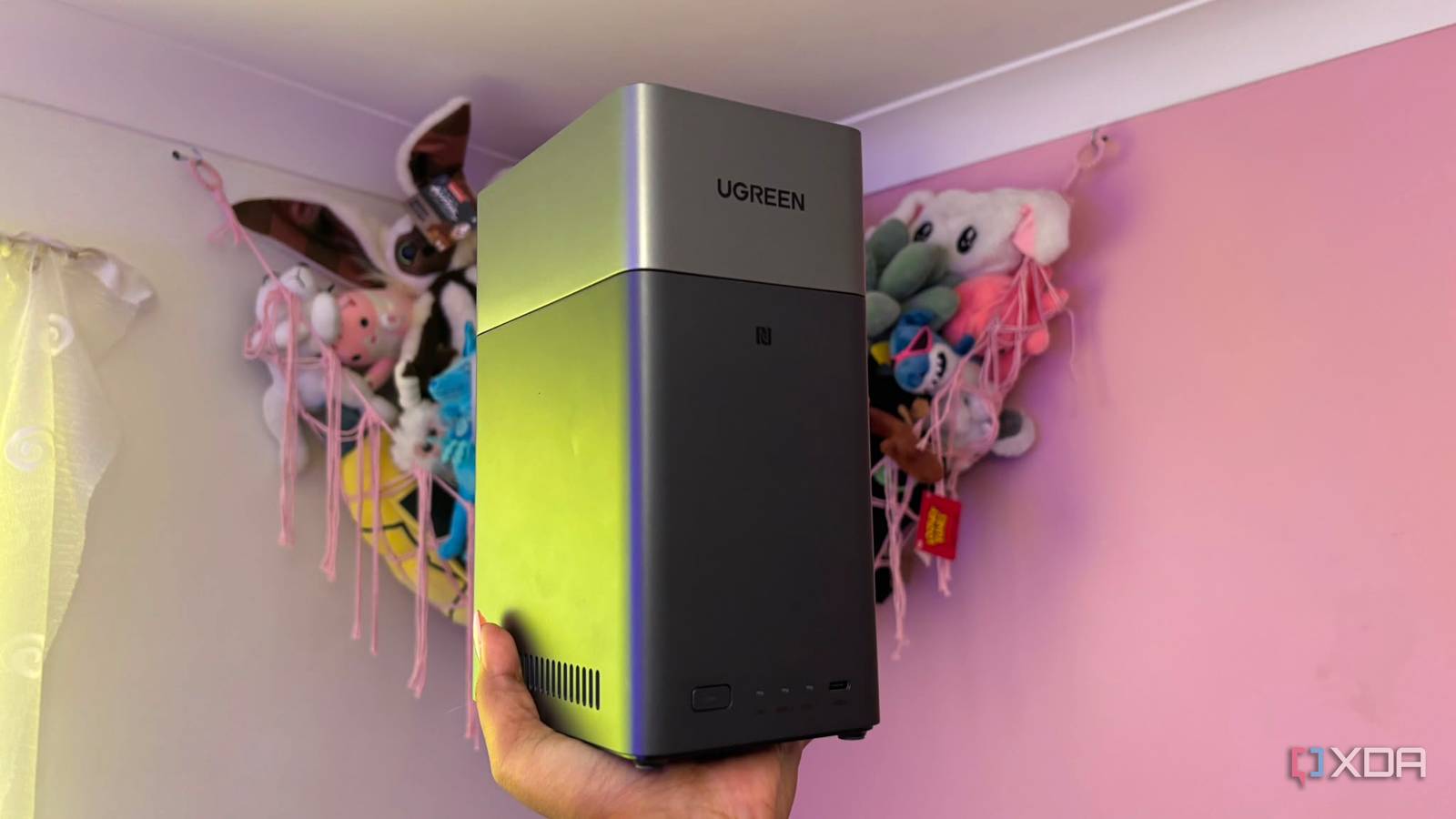
Published Aug 8, 2026, 2:30 PM EDT Jasmine is Software and PC Hardware Author at XDA with years of tech reporting experience ranging from AI chatbots right down to gaming hardware, she's covered just about everything. Whether it's breaking news about the latest AMD NPUs or creating video tutorials on social media platforms, Jasmine has contributed to the world of AI and tech in a variety of ways including interviewing the CEO of Razer, AMD's Director of Product Marketing and the VP of Lenovo. Passionate about gaming and PC technology, she has built countless computers, keyboards and other peripherals - knowing them inside and out. It's so easy to throw a couple of dollars a month on a cloud subscription just to ensure that you can keep all of your photos backed up, but this $2.99 a month quickly creeps up to $9.99 as you need to expand your storage. Alongside this is the never-ending, looming fear of running out of storage, and when you finally get the dreaded storage full warning that blocks your primary email or halts your phone backups, you realize you've spent hundreds of dollars over the years just to keep your photos hostage in proprietary cloud lock-in. I decided I wanted to finally break free of this never-ending cloud subscription by setting up a home NAS. By moving away from cloud storage subscriptions to a local NAS, it isn't just about saving money in the long run. It is also about reclaiming digital sovereignty and getting unthrottled local gigabit transfer speeds. The ROI math makes it clear A never-ending subscription adds up While the initial upfront cost of a NAS can feel expensive and have you considering whether it's worth it, to really understand the price difference, you have to calculate the return on investment math. When you're paying $10 to $20 a month across multiple cloud accounts, it can easily add up to $600 to $1,200 over the span of five years. Buying a 2-bay or 4-bay NAS chassis with high-capacity NAS drives pays for itself surprisingly fast while giving you terabytes of storage instead of just gigabytes. Alongside this, there are hidden issues with cloud services that you can sometimes encounter, which you no longer have to deal with on a NAS. You might be privy to automated algorithm scans, sudden account bans that wipe out years of memories, or missing features that are locked behind higher tiers of subscriptions. And a major issue, especially for those uploading large amounts of data to their cloud subscriptions, is that cloud uploads are throttled over home internet. Compared to 2.5 GbE or 10 GbE local LAN backups, let's say you're offloading a 50 GB 4K video shoot to a local NAS. It will take a few seconds or minutes over Wi-Fi 6 or Ethernet, compared to hours over a residential ISP upload pipe. NAS Software has come a long way Gone are the days of buggy, clunky interfaces Many NAS systems come with their own OS, making a Google or iCloud replacement much easier. My UGREEN NAS had features like a photo interface and automatic background syncing with my phone, so I could set these up and forget about them while still accessing my photos whenever I needed, with a clear UI, just like with iCloud. In the past, many people resisted switching to a NAS because of slow, clunky web interfaces and terrible mobile app sync routines, but the software has come a long way since then. Even for NAS systems that haven't implemented their own fantastic and clean OS, you can utilize a range of different open source software to give you that exact same feeling you get when scrolling through Google Photos. One example might be Immich. It comes with machine-learning face recognition, object detection, map timelines, and instant background mobile backup that replicate the exact, seamless experience of Google Photos, but it's completely offline and self-hosted. You can even opt for alternatives like Nextcloud and Synology Drive. These tools allow you to sync with your computer, access your documents, and capture automated phone camera rolls without any third-party data collection or file size limits. A NAS isn't a flawless solution So be prepared to rectify some issues It is worth noting that if you're switching to a NAS, there is a caveat: your house can become a single point of failure. Let's say your NAS gets stolen, catches fire, or suffers a dual drive failure. You can lose all of your files, so the best strategy is the 3-2-1 backup rule. You can set up an automated encrypted off-site backup workflow. To do this, ensure you have three copies of the data across two different media types, including one off-site copy. Therefore, 3-2-1. An off-site copy can include automated, encrypted nightly syncing to cold storage such as Backblaze B2, Hetzner Storage Box, or an off-site NAS at a different location, such as a family member's house. Another issue you might worry about is safety and remote access. However, you can set up remote access without any insecure port forwarding. Some NAS, like my UGREEN one, come with this already pre-installed, but for those that don't, you can opt for modern zero-trust overlay networks like Tailscale or WireGuard. This will allow you to access your local NAS securely from anywhere in the world using your phone, without opening vulnerable port-forwarding holes in your router's firewall. Paying for convenience isn't a solution forever I want to truly own my data For the longest time, cloud storage felt like the most convenient route, but that time ended up adding up significantly in my inescapable monthly subscription bill. What originally felt like just a couple of dollars a month grew to about $10 a month, adding up to hundreds of dollars over the years. Setting up a local NAS puts control of your data files and memories back in your own hands, so I can stop feeling like I was paying monthly rent for my own data. Even if you invest in a NAS that doesn't come with its own fancy, clean OS, you can deploy Immich, throw on Tailscale, and enjoy a faster, private, subscription-free cloud that you actually own. UGREEN NASync DH2300 2-Bay Desktop NAS Memory 4GB LPDDR4X RAM Drive Bays 2 Ports USB-C, USB-A, HDMI, Ethernet The UGREEN NASync DH2300 2-Bay Desktop NAS is a great option for those who want an easy to set up starter NAS.
I ditched cloud storage for a NAS and saved hundreds in the process
Full Article
Original Source
Read the full article at Xda-developers →KhanList aggregates and links to publicly available news content. We do not host full articles from third-party sources. Always verify important information with original sources.