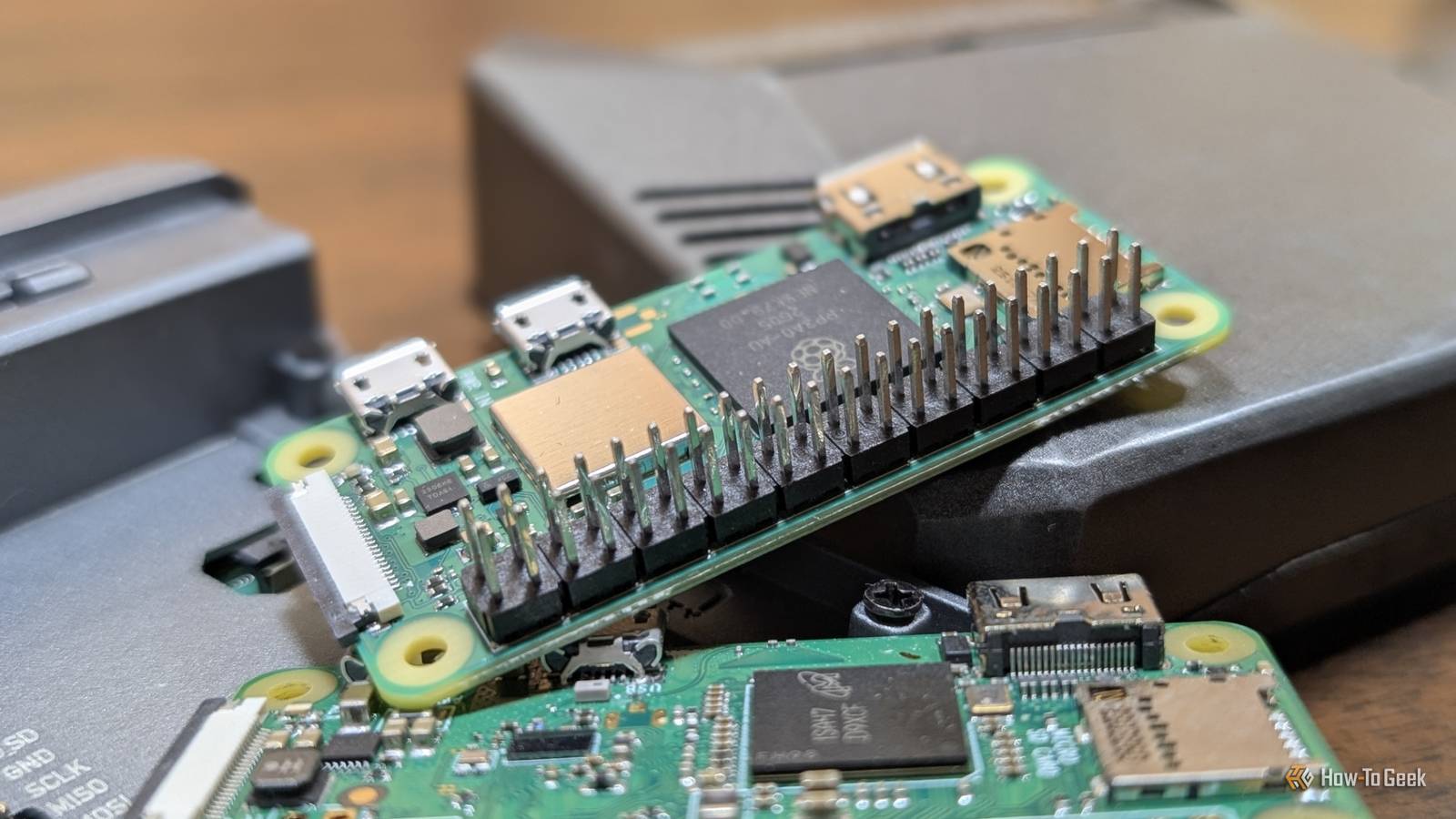
Published Jul 20, 2026, 10:30 AM EDT Nick Lewis is an editor at How-To Geek. He has been using computers for 20 years --- tinkering with everything from the UI to the Windows registry to device firmware. Before How-To Geek, he used Python and C++ as a freelance programmer. In college, Nick made extensive use of Fortran while pursuing a physics degree. Nick's love of tinkering with computers extends beyond work. He has been running video game servers from home for more than 10 years using Windows, Ubuntu, or Raspberry Pi OS. He also uses Proxmox to self-host a variety of services, including a Jellyfin Media Server, an Airsonic music server, a handful of game servers, NextCloud, and two Windows virtual machines. He enjoys DIY projects, especially if they involve technology. He regularly repairs and repurposes old computers and hardware for whatever new project is at hand. He has designed crossovers for homemade speakers all the way from the basic design to the PCB. Nick enjoys the outdoors. When he isn't working on a computer or DIY project, he is most likely to be found camping, backpacking, or canoeing. BitWarden is a fantastic password manager, but if you're averse to recurring costs (especially in the form of subscriptions), the recent price hikes could be difficult to accept. Fortunately, there is a way to self-host your own Bitwarden server that allows you to use the regular apps without a subscription. It just requires a Raspberry Pi, about an hour to set up, and a willingness to maintain good backups. The same great password manager, but your own Credit: BitWarden Vaultwarden (formerly known as bitwarden_rs, because it is written in Rust) is an unofficial, open-source implementation of the Bitwarden server API,, and it essentially acts as a translator. You keep using the regular Bitwarden clients—the browser extensions, iOS and Android apps—and they'll talk to your Vaultwarden server as if it were Bitwarden's official cloud server. As a bonus, it is extremely lightweight. You can squeeze Vaultwarden into a few hundred megabytes of RAM without an issue, which means you can run it on a Pi Zero 2 W. My own Vaultwarden server started on that, though I later moved it to my more powerful server. Raspberry Pi Zero 2WH The Raspberry Pi Zero 2 WW is super tiny and super affordable, but it packs enough computing power for a variety of DIY projects. You can use it to create a handheld retro gaming console, for Klipper/Mainsail, a super compact home or media server, and more. Plus, the GPIO header pins come pre-soldered for ease of use. The same reliable encryption Normally, self-hosting comes with a fairly large asterisk: you take total responsibility for your own privacy and security. If you make a configuration mistake, you could be in trouble. However, Vaultwarden goes a long way to reducing that risk by retaining Bitwarden's encryption. Specifically, it uses AES-256 with client-side key derivation, which means that the server only ever stores the ciphertext, and your master password (which unlocks the entire vault) is never transmitted in plaintext. The hard parts—the cryptography and the sync protocols—were already solved by Bitwarden. You just have to set up a small server. Thankfully, that doesn't cost too much either. Vaultwarden is cost effective Premium becomes free, and the hardware pays for itself By self-hosting, you get all the paid features at no cost. You get integrated TOTP, file attachments, emergency access, organizations, Bitwarden Send, and vault health reports. That makes the math pretty simple. Bitwarden costs $20 yearly for an individual or $50 yearly for a family (up to 6 users), which works out to $1.65 per month or $4 per month respectively. By comparison, a Raspberry Pi 5 with 1GB of RAM costs $45, the 2GB model costs $65, and a Pi Zero 2 W (which can run Vaultwarden) runs about $20 these days. Even if you have to buy a power supply and microSD card, the break even point is less than two years for a family plan and less than three for an individual. Your data isn't likely to be targeted Because your password vault isn't stored in some third-party cloud, a successful attack against Bitwarden causing a catastrophic security breach (which is admittedly unlikely) can't compromise your credentials. You just have to ensure that your home network is secure. Realistically, as long as you don't expose Vaultwarden to the internet directly, the odds of it being compromised are quite low. Most people don't have a password manager self-hosted on their home networks, and it isn't something malicious actors usually go looking for. Setting up Vaultwarden Flash the card, install Docker, run one container Vaultwarden is surprisingly easy to get up and running. Begin by installing Raspberry Pi OS Lite onto a microSD card (or SSD, if you're going that route) and make sure to enable SSH or Raspberry Pi remote access. Once that is done, log into the Pi and install Docker using the official command. Then, pull the correct image for whichever specific Pi you're using. The Vaultwarden GitHub has a table you can reference instead of wading through it manually. Create backups and lock it down Once you've created your first account, disable new signups immediately. Enforce two-factor authentication and add Fail2Ban to mitigate any brute-force attempts. Most importantly, set up a nightly cron job (or whatever your backup solution is) that archives the ./data directory to a second machine or an external drive. Remember that an untested backup is worth nothing. You must actually run a test restore to ensure your data is recoverable. Finally, keep your image up to date by running docker compose pull and skimming the release notes before jumping to major new versions. Money doesn't make or break Vaultwarden A one-time $45 purchase and an hour setup gives you the complete premium feature set without a subscription. From a strictly monetary perspective, it is definitely cost-effective. The real "snag," such as there is one, is the responsibility. Your password manager holds the passwords for all of your essential services. If you break it or the save gets corrupted, you're the one that has to fix it. Bitwarden clients cache local copies, so you won't be totally deprived if the server breaks, but it is still a pretty significant responsibility, especially if you're self-hosting for others. If you've never self-hosted anything before and don't have any practice creating robust backups, I wouldn't recommend Vaultwarden as your first outing—the risk is too high. Bitwarden's subscription cost is still very compelling, and the free tier is pretty good too. However, if you're a homelabbing veteran, then Vaultwarden makes a lot of sense.
I ditched Bitwarden's subscription for a $35 Raspberry Pi running Vaultwarden
Full Article
Original Source
Read the full article at Howtogeek →KhanList aggregates and links to publicly available news content. We do not host full articles from third-party sources. Always verify important information with original sources.