
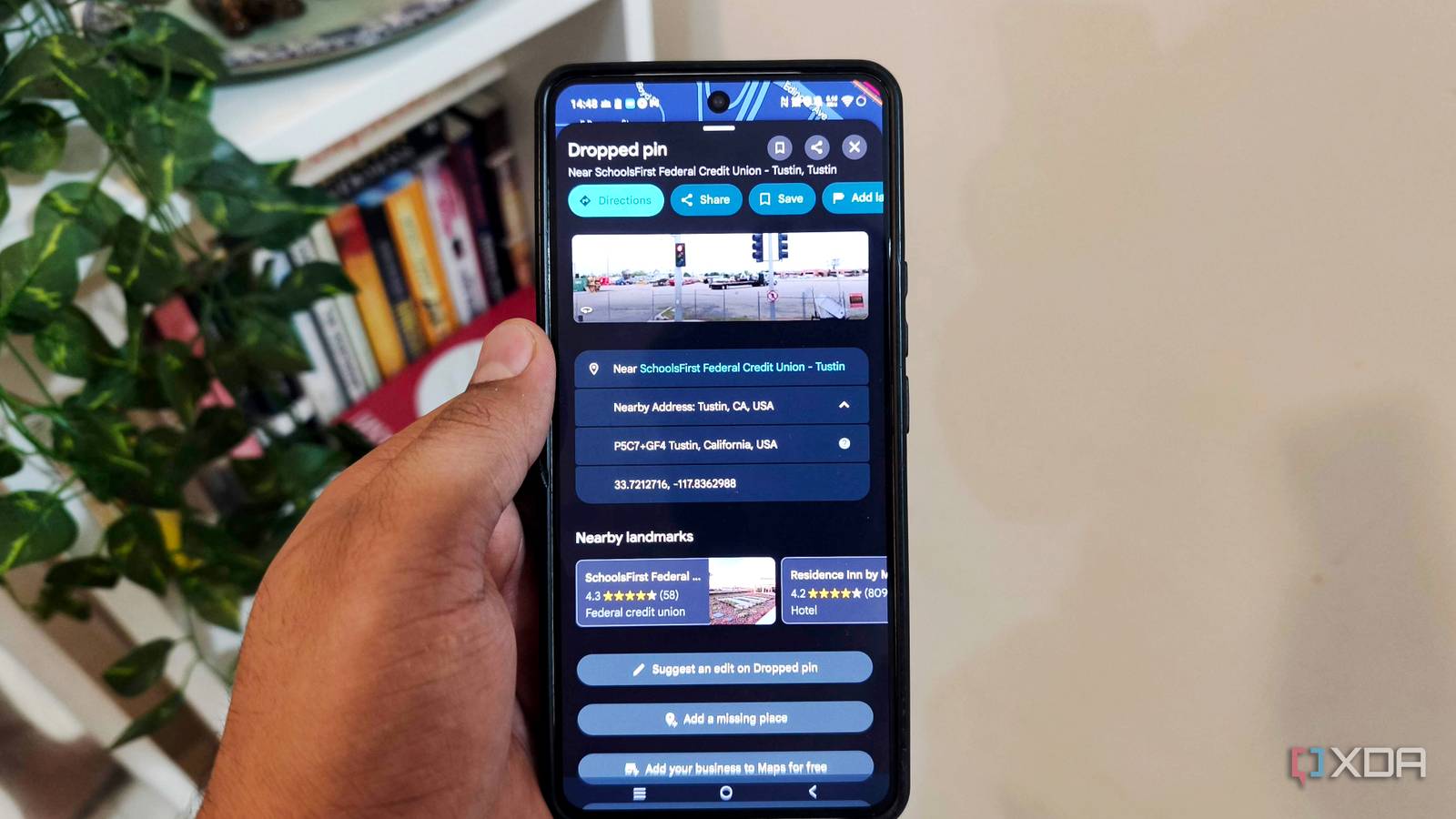
Published Oct 30, 2026, 8:30 AM EDT Anurag is an experienced journalist and author who’s been covering tech for the past 5 years, with a focus on Windows, Android, and Apple. He’s written for sites like Android Police, Neowin, Dexerto, and MakeTechEasier. Anurag’s always pumped about tech and loves getting his hands on the latest gadgets. When he's not procrastinating, you’ll probably find him catching the newest movies in theaters or scrolling through Twitter from his bed. Finding a location in Google Maps is pretty easy when you have a name or an address to search for. It gets trickier when you're trying to tell someone which entrance to use at a large property or where to meet you somewhere without a street address. You can drop a pin and send a link, but I've discovered another handy option tucked into Google Maps. It's called Plus Codes, and it gives you a short code for a location that you can share with someone. You just enter it into Google Maps to find the spot. It works like sharing coordinates, except you get a shorter code that's easier to type or read over a call. A location doesn't need a street address Give an unnamed spot an address Earlier this year, I went on vacation with a bunch of friends, and one of us had an emergency that required us to call emergency services. I remember spending a lot of time trying to explain where we were. We didn't think to share our coordinates or a live location at the time. Looking back, having a location ready to share would have made that conversation easier. That's the kind of situation where a Plus Code would be useful, as long as the person receiving it can look it up. Every location has one, including places without a name or a Google Maps listing. The code comes from latitude and longitude, so you don't have to register a place or add it to the map first. You find the spot and copy its code. You can also use one to be more specific about a place that already has an address. If your apartment complex has several entrances, for example, you can share the code for the visitor gate rather than the building's general location. Add a note saying which gate it is, and give the visitor a point to search for and instructions to follow when they arrive. Finding and sharing a Plus Code Copy the code for your spot You can copy a Plus Code from a location's details in Google Maps, much like copying a link to share it. On Android, touch and hold the spot on the map until a pin appears, then tap the Location Panel at the bottom. Find the Plus Code and tap it to copy it. You can then paste it into a message or read it out over a call. To get the code for your current location, tap the blue dot and scroll through the panel to find it. Zoom in before placing the pin, especially if you're sharing a specific entrance or pickup point. The code identifies the spot you select, so placing the pin in the middle of an apartment complex won't help someone find the visitor gate. When someone sends you a Plus Code, you can enter it into the Maps search bar and get directions. If you're sharing a short code, keep the city name attached, as in JJXX+HR8, Seattle. Short codes repeat across different areas, so leaving the city can bring up a location closer to the person searching instead of the one you intended to share. You don't need to add a city name to a full global Plus Code because it already includes the area information. When a Plus Code is worth using over a map link Keep your meeting points ready beforehand You probably already share map links through WhatsApp, and that's convenient when someone can tap the link straight away. A Plus Code becomes more useful when the location needs to work outside a chat. You could put one on a printed event invitation, include it in a holiday itinerary, or write it beside a campsite on a paper map. A link is awkward to copy from paper, while a Plus Code gives someone a manageable reference to type into Maps. You also don't have to be at the destination to share it. If you're arranging a group trip, you can collect codes for your accommodation and meeting points beforehand and put them in a shared note. The codes stay tied to those locations so that everyone can use the same references throughout the trip. You can leave a meeting point to pick up supplies without changing where you've told everyone to gather. If you need someone to follow you as you move, live location sharing is the better option. For a fixed destination, a Plus Code lets you share the place without sharing your ongoing movements. That distinction matters when you're sending directions to someone who only needs to know where to meet you. Google Maps' live sharing can also show your name, photo, and battery status, none of which someone needs to find a meeting spot. You can prepare for patchy reception by saving the full global codes in an offline note and downloading the surrounding map before you leave. Maps can decode the code without an internet connection – the downloaded map supplies the local detail.
I discovered a clever Google Maps trick for finding places without using an address
Full Article
Original Source
Read the full article at Xda-developers →KhanList aggregates and links to publicly available news content. We do not host full articles from third-party sources. Always verify important information with original sources.