
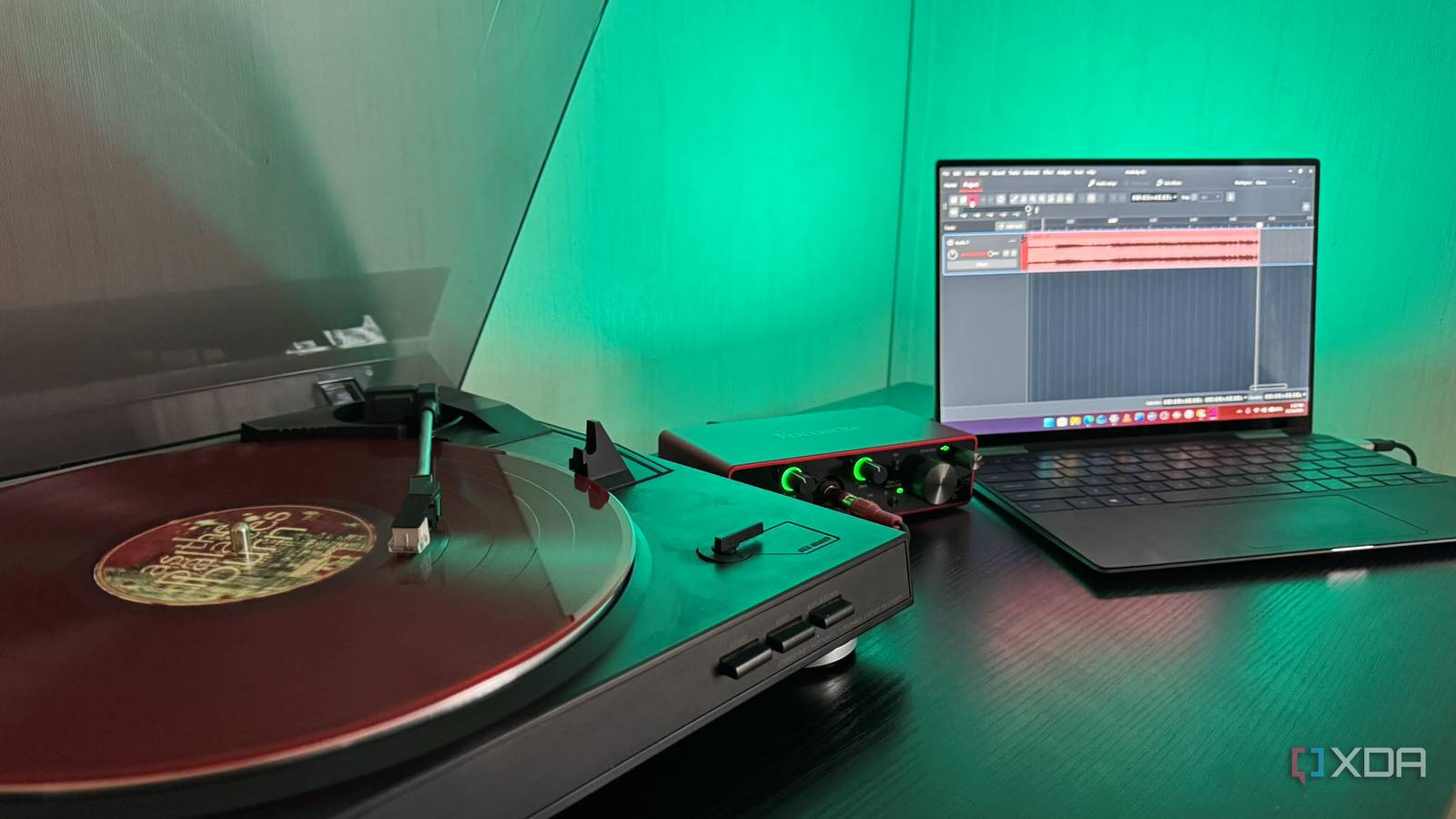
Published Nov 16, 2026, 6:01 AM EST Based in rural Minnesota, Brian Burgess worked in IT for 10 years before finding his passion for writing about consumer technology. Brian earned his degree in computer and network technology in 2000. He held various IT positions, including help desk support, router installations for IBM, database administration, and other associate network administration roles. He's been a personal technology journalist for 18 years and has written thousands of articles about Microsoft products and services, Android, iOS, streaming, and more. He has written for notable tech sites including XDA, InformationWeek, How-To Geek, Byte, groovyPost, and others. When he is away from the keyboard, you will hear him playing guitar, working outdoors, and watching Star Trek. When I finally set up my self-hosted servers, my goal was to back up all my physical media. After I finished backing up my Blu-rays and DVDs, I ripped my CDs to lossless files to replace MP3s. Now, I have set out to digitize my vinyl albums, but it isn't as straightforward. It requires more equipment and time, which is probably why I left it for last. The project takes longer, but I used a familiar open-source app to complete the process. I used it to help clean up the noise created by the needle and analog media. I also used a free VST3 plugin to clean up pops and cracks and compared the two to see which produced cleaner audio. Getting set up for vinyl recording is challenging It requires configuring equipment and software The first piece of the puzzle is, obviously, a record player. I got a cheap Sony PS-LX250H turntable years ago that had been sitting untouched in my closet. A preamp is also required for recording vinyl. However, some turntables have a built-in preamp. Fortunately, my model has a built-in preamp. I had to turn it on under the player's platter. Otherwise, I would have gotten a cheap preamp online. An audio interface is also needed to connect the turntable's output to the PC, so Audacity can "hear" and record the tunes. I already had a Focusrite Scarlett 2i2 on hand from recording guitar. However, a cheaper interface that accepts the turntable's RCA cables and plugs in via USB is easy to find online. The only thing I needed was a pair of RCA-to-¼-inch adapters to connect it to the Scarlett. For software, I used tried, trusted, open-source Audacity (version 4.2) on my Windows PC for recording and more. The cool thing about Audacity is that it lets you clean the crackles, pops, and hiss synonymous with vinyl. I also installed the free Airwindows Decrackle (AirwindowsConsolidated) VST3 plugin from GitHub to clean pops, crackles, and hiss. The final component was my records. Time dedication for vinyl digitizing It's a labor of love When I perfected my CD ripping workflow, I set the software to identify and rip discs to lossless FLAC files straight to my NAS as fast as my optical drive and network connectivity would allow. I also set it to eject the CD when it finished ripping. That way, I knew it was complete, and I could easily pop the next one from my stack in. Digitizing vinyl is an entirely different animal. You can't "rip" a record; you have to play each side through in real time while Audacity records the music. You also have to be present to manually flip the record over, so side two can be recorded. But you can set Audacity to pause recording with its Sound Activated Recording feature. However, if there is a gap in the music or runout-groove noise, it can affect the recording. So, in my experience, it's best to be nearby. I also had to adjust the input gain on my Focusrite Scarlett 2i2. I turned the levels up until the green indicator rings were green to confirm it was receiving audio but not distorting it. I could also check the recording meters in Audacity to monitor levels and make real-time adjustments without clipping. Once an album's side was recorded, I used Audacity to mark song boundaries and split the tracks. This means I don't have to lift and drop the needle on the turntable for each track. Cleaning up the lossless recorded audio for the best-sounding tracks I tried Audacity's built-in tools and Airwindows Decrackle Once I had a few album master tracks digitized and exported to lossless FLAC format, I wanted to clean them up. I could hear pops, hiss, and crackles, especially between tracks. Vinyl enthusiasts would tell me to get a better player and that the needle is the most important part. However, I have the player I have, and I did my best to get a decent digitized vinyl collection to listen to. I started by loading a recorded track back into Audacity, selecting a portion I noticed had clicks, pops, and hiss, and opening the built-in click removal tool and previewing it with the default settings. It was a little better, but not much of a noticeable change. I tweaked some settings and eventually made it sound good. My next step was to open the AirWindows Decrackle plugin. It has a lot going on, but to find what I needed, I went to Utility -> Decrackle. I previewed it with default settings. It reduced the pop between tracks, but distorted the clean guitar for the next track. I adjusted the threshold and surface values, and it sounded better. I went back to Audacity's cleanup tool and decided on AirWindows Decrackle. The beauty of these plugins is that you can preview sections of recorded tracks before applying them. Also, I still have the untouched masters, complete with the original cracks and pops archived. I can always go back and make another pass at cleanup if the tracks don't sound good through my other portable devices, AV receivers, and speakers. I'll admit, it took some trial and error to get the vinyl sounding how I wanted, but once I did, I was glad. The albums have a warmer sound than straight digital. Digitizing my vinyl required time, assembly, and experimentation, but open-source apps made it easy If you have a stack of vinyl, a turntable, and a computer, you're halfway to digitizing your record library. The software is free, and you may need a few extra components. But overall, it was a satisfying project. I have the master recordings archived that I can revisit later. I added my favorite-sounding cleaned-up lossless versions to my NAS. Now, I can listen to my vinyl records via my self-hosted servers with Jellyfin or Plex throughout my house. Or remotely with companion apps like Plexamp or Jellybox with the Relay plugin. Audacity Audacity is a cross-platform audio editor with deep plugin support.
I digitized my vinyl collection to lossless files with this open-source app, and my albums sound as good as CDs
Full Article
Original Source
Read the full article at Xda-developers →KhanList aggregates and links to publicly available news content. We do not host full articles from third-party sources. Always verify important information with original sources.