
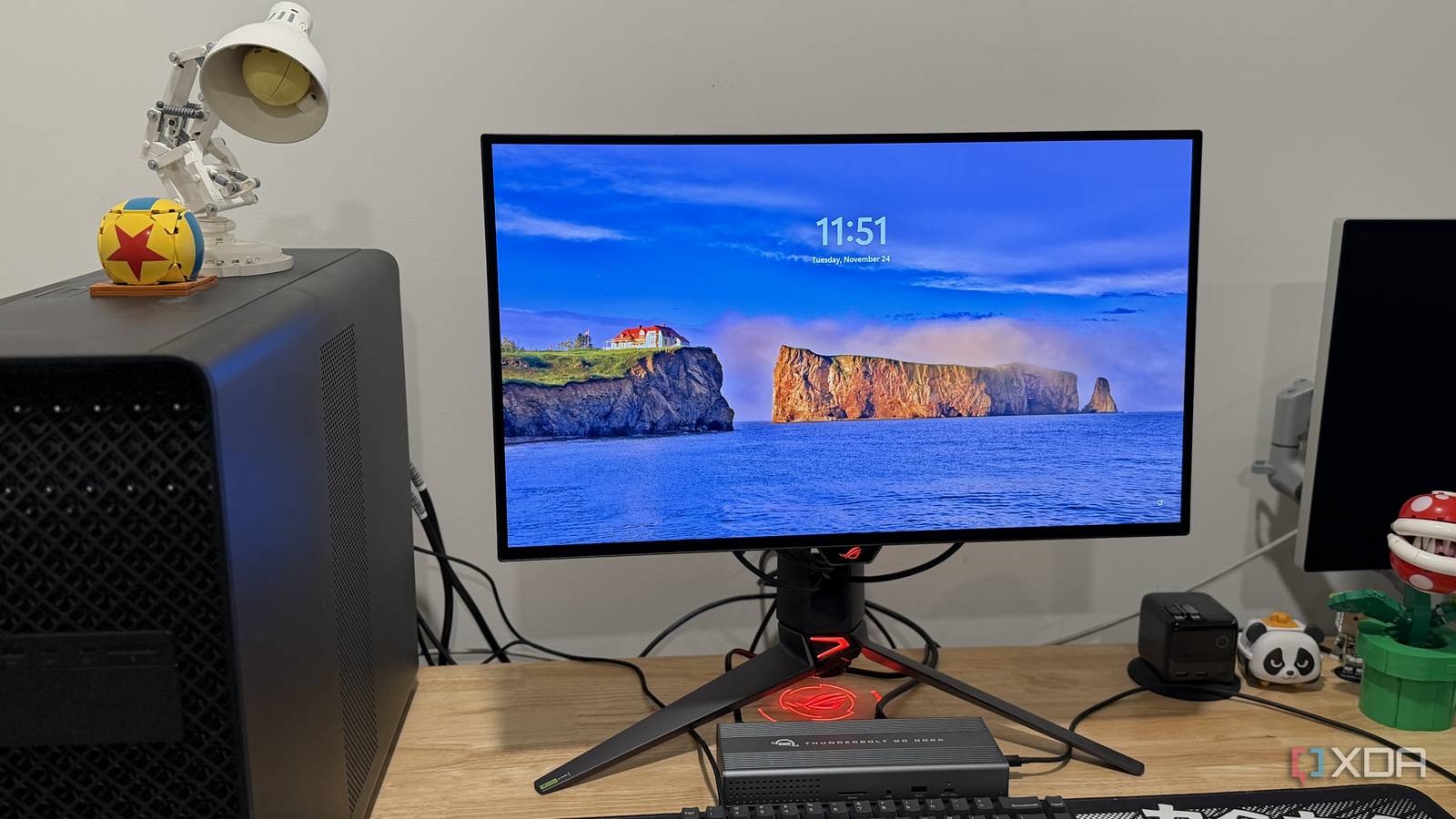
Published Nov 28, 2026, 4:30 PM EST RGB stripe elevates the technology to new heights Every year, OLED gets new features that make it the premium display technology. For 2026, RGB stripe is the newest hotness, changing the usual diamond pattern of WOLED and QD-OLED into a subpixel arrangement much closer to what LCD or CRT monitors offer. It delivers better text quality because that's what Windows expects with ClearType, plus improved color performance. Asus uses it in the ROG Swift PG27UCWM, a 4K, 27-inch (okay, 26.5 inches if we're splitting hairs) monitor with a 240Hz refresh rate and a party trick: it can run at 480Hz at 1080p. There's also a 32-inch version of this panel with near-identical specifications, but since 27 inches is the sweet spot for gaming, that's what we're looking at. Still, it's nice to have an option if you prefer a larger panel, and you won't go far wrong with either. About this review: Asus sent XDA the monitor used in this review and had no input into its contents. Asus ROG Swift PG27UCWM 9/10 Screen Size 26.5 inches Display Technology Tandem RGB Stripe OLED HDR HDR 10, TrueBlack 400 Resolution 3840x2160, 1920x1080 The Asus ROG Swift PG27UCWM is a 4K, 27-inch tandem OLED gaming monitor with a speedy 240Hz refresh rate and RGB subpixel layout for improved text clarity. It's also packed with other gaming and protective features, and will be a powerhouse for many years to come. Pros & Cons Deep, inky blacks and bright color reproduction Crisp text and images thanks to the RGB stripe arrangement Amazingly smooth for gaming Dual-mode 240/480 Hz refresh rate Noticable VRR flicker on dark scenes Expensive Semi-gloss coating won't be to everyone's taste Price, specs, and availability of the Asus ROG Swift PG27UCWM We've been waiting for the Asus ROG Swift PG27UCWM to hit the market ever since it was announced at CES 2026, and it's now here. Well, if you can find one in stock, because supply chain issues still abound, and it hasn't stayed in stock long, even at the $1,200 MSRP. While the dual-mode, RGB stripe OLED panel might be the main draw, it is also one of the few monitors with a full-fat 80Gbps DisplayPort 2.1a port, so you won't have to use DSC. The panel also has Asus' TrueBlack display finish, which is more semi-gloss and handles reflections fairly well, but it's good to know about if you prefer matte displays. Asus ROG Swift PG27UCWM Resolution 3840x2160, 1920x1080 Refresh Rate 240 Hz, 480 Hz Screen Size 26.5 inches Ports USB-C with 90W PD, 2x HDMI 2.1, 1x DisplayPort 2.1a, headphone jack Display Technology Tandem RGB Stripe OLED Aspect Ratio 16:9 Display coating TrueBlack Glossy Screen Brightness 250 nits SDR, 1,000 Nits HDR Dimensions With stand: 60.6 x 54.8 x 25.6 cm (23.86" x 21.57" x 10.08") Weight 17.86 lbs (with stand), 11.90 lbs (no stand) Mounting Options Stand, 100x100 VESA HDR HDR 10, TrueBlack 400 Variable Refresh Yes Curve No What I liked about the Asus ROG Swift PG27UCWM OLED keeps getting better and better Asus goes full gamer aesthetic on its gaming monitors, and that's honestly fine. The transparent rear panel is gorgeous, and it's a shame having it facing a wall. It also has an RGB ROG logo for some glow, plus another ROG logo projected onto your desktop. You can turn one or both off, if you prefer. There are almost no bezels, thanks to the metal frame the panel sits in, which also helps with thermal management. And I also found I didn't feel I had to treat it as gingerly as I have some other OLED displays; this thing is built solidly. As for the WOLED panel, it measures up in every way. It covers 100% sRGB, 99% of P3, and measured well above the stated 250 nits at 310 nits peak in SDR. Luminance across the panel was pretty consistent, and the overall color accuracy was 2.28 deltaE, at least on my Spyder sensor. Gamers will want to switch to HDR400 TrueBlack mode, which makes shadow details fantastically deep without washing out. I did notice some annoying VRR flicker in darker games, so I switched it off. This has been an issue on plenty of other OLED panels, and firmware updates usually sort it out, and Asus is better at releasing new firmware than many of the competition, so I have faith it will get fixed at some point. This monitor was built to game Motion clarity is always a standout of OLED panels, and that's true here either in 240Hz 4K or 480Hz 1080p. The panel's color reproduction doesn't change appreciably when you switch between the two modes. I found myself leaning toward 4K most of the time; motion blur is negligible and everything is clear, but I can see esports players taking advantage of 480Hz. 4K at 27 inches gives you wonderful clarity whether you're gaming, watching movies, or even doing work, and you get AMD FreeSync Premium Pro, Nvidia G-Sync, and VESA Adaptive Sync for smoother frame pacing. I only tested VRR on an Nvidia graphics card, which is where I saw the VRR flicker. There is a VRR flicker reduction setting; it reduces the effect but adds stutter, and I don't think it's a trade-off worth enabling. Fast-paced games or bright, punchy titles like Denshattack! are amazing on this panel, and every game I played looked just as good. The RGB stripe makes it great for productivity as well One criticism of WOLED displays is that the subpixel arrangement doesn't provide clear text or sharp edges around smaller objects. The RGB subpixel arrangement on this panel goes a long way toward alleviating that, both in pixel size and in an arrangement the operating system expects to display content on. That makes it just as easy on the eyes as any other panel type for working all day, something I appreciate as it meant I could move the IPS panel I normally use for reading off my desk. What I didn't like about the Asus ROG Swift PG27UCWM I've never been a fan of glossy panels The TrueBlack coating on the PG27UCWM is great at reducing internal reflection, one of the things that reduces the effectiveness of OLED's ability to turn off individual pixels. It also helps reduce glare from ambient light, but it's still a semi-glossy coating and doesn't handle all reflections. It's not terribly distracting, but that depends on your desk placement and your room lighting. That's compounded by the relatively low peak brightness, as brighter panels can fight the lighting glare better. It does give you better color and contrast, though, so pick the monitor based on your setup conditions. Should you buy the Asus ROG Swift PG27UCWM? You should buy the Asus ROG Swift PG27UCWM if: You want an OLED that you can game and work on The dual-mode panel will be of use You want a 4K 27-inch OLED You should NOT buy the Asus ROG Swift PG27UCWM if: You prefer QD-OLED or want IPS You want a screen with a matte coating You want a more affordable monitor The Asus ROG Swift PG27UCWM is a wonderful monitor for PC gaming, whether you play more cinematic titles or frenetic esports ones. It looks stunning from every angle, stays incredibly clear during fast-paced action, and the extra pixels deliver a crisp picture. It's equally at home during productivity tasks, with the RGB subpixel layout reducing text fringing or halo'ing around UI elements. Asus ROG Swift PG27UCWM 9/10 Resolution 3840x2160, 1920x1080 Refresh Rate 240 Hz, 480 Hz Screen Size 26.5 inches Ports USB-C with 90W PD, 2x HDMI 2.1, 1x DisplayPort 2.1a, headphone jack The Asus ROG Swift PG27UCWM is a 4K, 27-inch tandem OLED gaming monitor with a speedy 240Hz refresh rate and RGB subpixel layout for improved text clarity. It's also packed with other gaming and protective features, and will be a powerhouse for many years to come. Display Technology Tandem RGB Stripe OLED Aspect Ratio 16:9 Display coating TrueBlack Glossy Screen Brightness 250 nits SDR, 1,000 Nits HDR Dimensions With stand: 60.6 x 54.8 x 25.6 cm (23.86" x 21.57" x 10.08") Weight 17.86 lbs (with stand), 11.90 lbs (no stand) Mounting Options Stand, 100x100 VESA HDR HDR 10, TrueBlack 400 Variable Refresh Yes Curve No
I didn't think OLED could get better - I was wrong
Full Article
Original Source
Read the full article at Xda-developers →KhanList aggregates and links to publicly available news content. We do not host full articles from third-party sources. Always verify important information with original sources.