
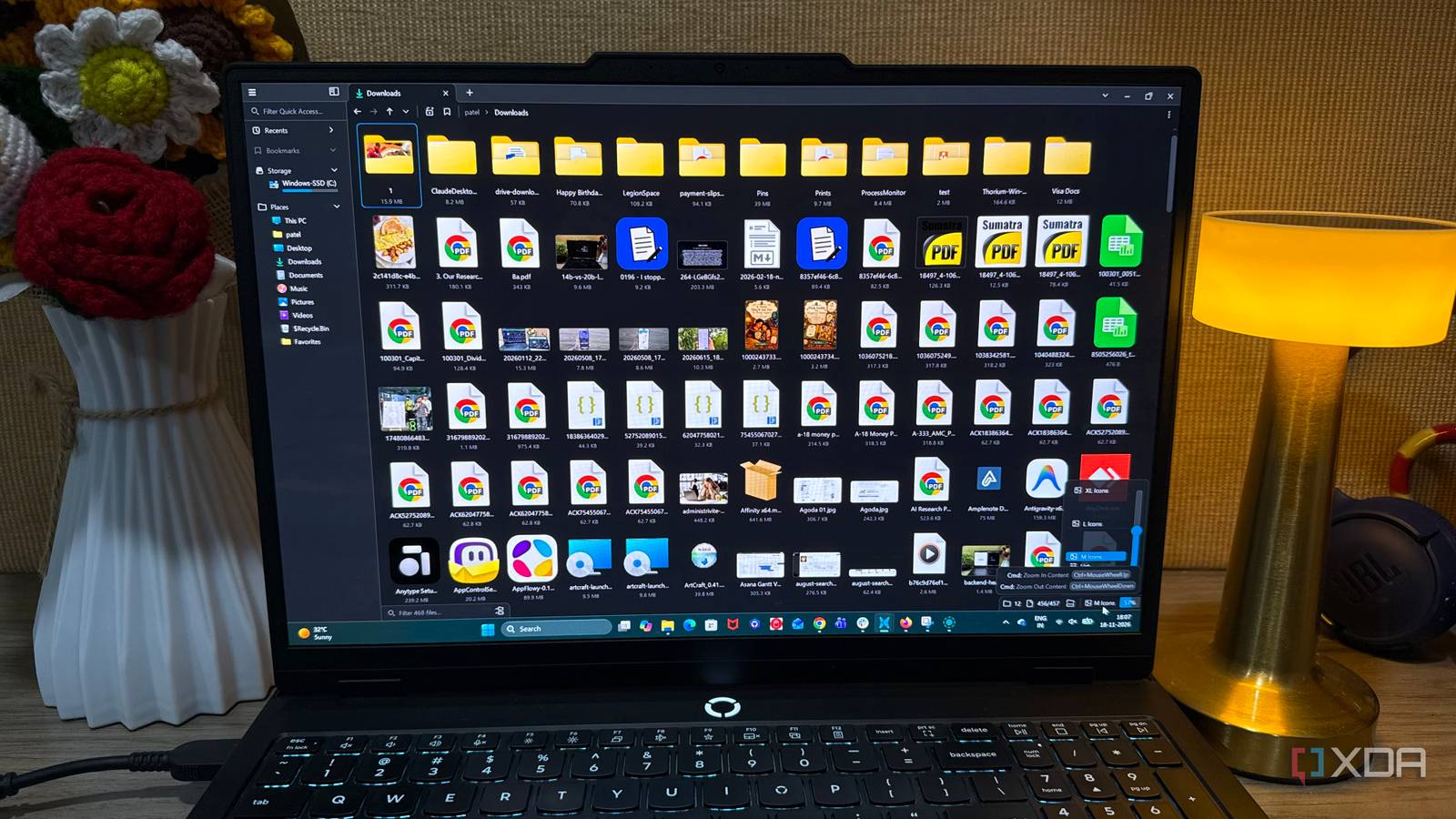
Published Nov 23, 2026, 9:00 AM EST Beginning his professional journey in the tech industry in 2018, Yash spent over three years as a Software Engineer. After that, he shifted his focus to empowering readers through informative and engaging content on his tech blog – DiGiTAL BiRYANi. He has also published tech articles for MakeTechEasier. He loves to explore new tech gadgets and platforms. When he is not writing, you’ll find him exploring food. He is known as Digital Chef Yash among his readers because of his love for Technology and Food. Windows Explorer has been my go-to file manager for years, and I never really questioned whether it needed replacing. It handles everyday tasks, but navigating between folders, managing multiple locations, and finding specific files can sometimes feel more cumbersome than they should. I assumed that was simply how file management worked on Windows until I discovered File Pilot. A few weeks with it made me realize how much room there was to improve a tool I had taken for granted. What is File Pilot? A standalone alternative to Windows File Explorer File Pilot is a standalone Windows file manager developed by Voidstar. It's designed as an alternative to Microsoft's built-in File Explorer, giving users more control over how they interact with files and folders. File Pilot is currently available as a free public beta, so the application is still under active development. The developer also offers optional early-bird lifetime licensing options ahead of the official release, although purchasing a license isn't necessary to try the beta. Its appeal isn't limited to a redesigned interface. File Pilot combines navigation, search, file previews, batch renaming, and keyboard controls in one application. These features become more helpful when you start combining them in your regular workflow. Tabs and customizable panels make file management easier Multiple folders, one organized workspace One recurring inconvenience with traditional file management is handling files across different locations. Opening separate windows, resizing them, and switching between them can get tedious, especially when working with multiple projects. File Pilot addresses this through its tab-based interface and customizable panels. Different directories can remain open in separate tabs, while panels can be arranged side by side using drag-and-drop. For example, keeping Downloads open alongside a project directory makes transferring newly downloaded documents and images much more straightforward. I liked how much control I had over the workspace. Users can adjust panel dimensions, rearrange their positions, and save different configurations for specific tasks. There's also control over the visual appearance, including fonts, spacing, and color schemes. Saving layouts was especially useful because I didn't have to rebuild my workspace whenever I switched tasks. I could keep one arrangement for organizing documents and another for sorting media collections. I can find, preview, and organize files without leaving the app Find and inspect files without opening them Finding a specific document buried somewhere on a drive shouldn't require remembering its exact location. File Pilot's search functionality helps by flattening folder hierarchies, allowing users to search across directories and drives. Fuzzy matching and file-extension filters also make it easier to narrow down results when the exact filename isn't known. The built-in Inspector takes care of another common task: checking file contents. It lets users preview supported files, including images and text documents, without launching separate applications. I found this useful when sorting through screenshots and downloaded documents, as I could quickly identify files I no longer needed without opening them individually. There's also an interactive batch-renaming tool for handling multiple files together. Users can rename selected items in one go, with options to generate unique IDs or incorporate file dates. This makes bulk-organizing large collections of similarly named images or documents much less tedious. Keyboard-first approach makes Windows Explorer feel outdated Searchable commands put more control at your fingertips Most file managers rely heavily on menus and mouse-based navigation. File Pilot takes a different approach with its command palette, which lets users search for available actions and execute them directly. Instead of remembering where a particular option sits in a menu, typing its name is often enough to find it. File Pilot also lets users tailor keyboard controls to their preferences. You can assign custom shortcuts, create key sequences, and configure aliases. It also supports the numpad, which is useful for anyone who prefers keeping their hands on the keyboard while working. The GoTo feature makes navigating between locations quicker. It provides quick access to common system paths and recently visited locations, with autocomplete helping users enter destinations without typing out complete directory paths. Even the context menu follows this searchable approach. Frequently used actions can be pinned, while system and third-party commands remain accessible without digging through multiple menu layers. I don't need a shortcut for every operation, but being able to search for commands, customize frequently used actions, and jump between locations without navigating multiple menus makes a noticeable difference. File Pilot is worth trying if you want more from your file manager File Pilot isn't necessarily going to suit everyone, and I wouldn't replace File Explorer entirely just yet. But it offers a genuinely different way to interact with files, particularly if you regularly move between directories or prefer keyboard-driven controls. Its biggest appeal is that it makes file management feel less like a routine chore and more like a workflow you can actually shape around your needs. If you've never thought about replacing File Explorer, File Pilot might be the tool that finally makes you reconsider. File Pilot File Pilot is a modern file manager for Windows with super high performance and customizability to make it work perfectly for your needs.
I didn't realize how outdated Windows Explorer was until I tried this tool
Full Article
Original Source
Read the full article at Xda-developers →KhanList aggregates and links to publicly available news content. We do not host full articles from third-party sources. Always verify important information with original sources.