
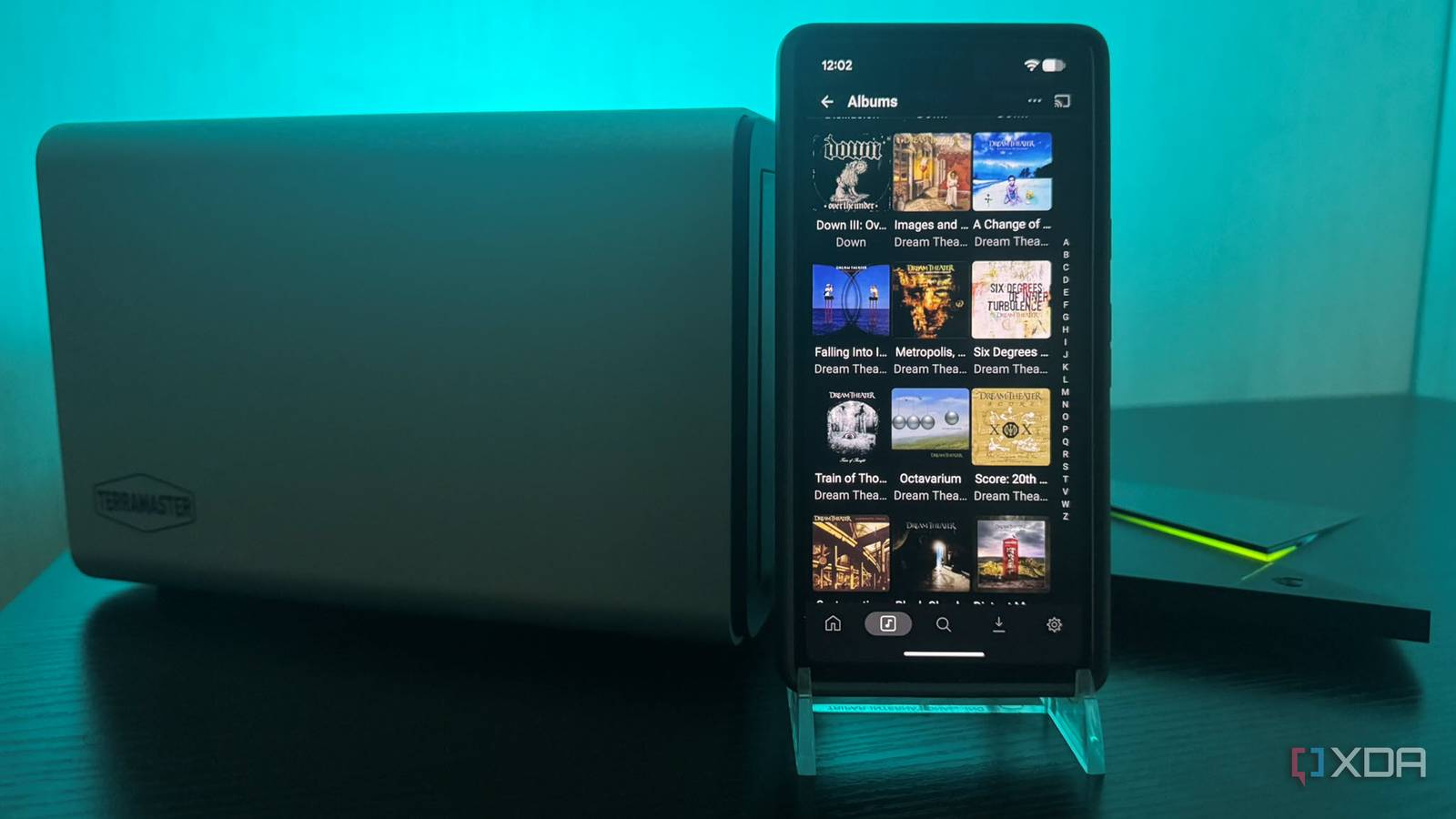
Published Nov 16, 2026, 6:00 PM EST Based in rural Minnesota, Brian Burgess worked in IT for 10 years before finding his passion for writing about consumer technology. Brian earned his degree in computer and network technology in 2000. He held various IT positions, including help desk support, router installations for IBM, database administration, and other associate network administration roles. He's been a personal technology journalist for 18 years and has written thousands of articles about Microsoft products and services, Android, iOS, streaming, and more. He has written for notable tech sites including XDA, InformationWeek, How-To Geek, Byte, groovyPost, and others. When he is away from the keyboard, you will hear him playing guitar, working outdoors, and watching Star Trek. I finally added a proper NAS to my home network and mounted it to my Nvidia Shield TV Pro for Plex server access. I wanted Jellyfin and Plex to access my centralized media library. Namely, my lossless CD rips I've been working on. After that, I decided to try the Plex music companion app for remote access to my self-hosted Spotify on the go. It wasn't hard to set up, but it took several steps to get everything configured correctly. Previously, I was using connected USB drives and an old server I resurrected as my network storage. Once I had my CD rips organized on my NAS and mounted on my Shield TV Pro, firing up Plexamp to listen to quality audio was a cinch. Migrating lossless CD rips from external USB drives to my NAS It was an easy process After going through stacks of CDs and perfecting my ripping workflow, I wanted to consolidate my lossless rips, so I got a NAS to store them. My ripped FLAC files had been scattered across a sea of internal and external drives. Once I transferred them to my NAS, I mounted it on my Plex server on my Nvidia Shield TV Pro. The most time-consuming part was adding them to the storage appliance. I transferred some over my network and others by connecting exFAT drives directly to it for faster transfers. Everything was set up correctly; cover art and metadata were correct, except for a few missing album covers on some rare albums. I mounted my NAS on my Shield TV Pro so the Plex server could access and stream my files to my devices. Once that was complete, I added the libraries to my media folders via Plex Web and tested them out on my TV. I confirmed the server could read and stream the CD rips, then removed the existing USB drives from the libraries via Plex Web. Then unplugged the USB drives from the Shield TV Pro to clean up the cables and clutter under my television. The files were on my NAS, the drives and cables were cleaned up, and the final touches on my music library were mostly complete. I was ready to add the music companion to the equation. Plexamp worked with CD rips straightaway It was a matter of installation and use To take the music from my Plex server on my Shield TV Pro portable, I installed Plexamp on my iPhone and Google Pixel for testing. Once I installed it, I signed in to my Plex account, and my music collection populated the app right away. Artists and albums displayed on my phones, and I tested a few songs, playback controls, and switching to make sure my music library worked. Once that was done, I went out to run errands around town and listened to my quality CD files like it was a music streaming service. While I was mobile, I could flip between tracks, albums, and artists, and control playback as I could at home on Wi-Fi or using a streaming service like Spotify or Apple Music. The interface is intuitive and easy to use to navigate my collection in the car or while in stores. I built a self-hosted music streaming service with my NAS and Plex Using a storage appliance and free tools from Plex Building my own self-hosted Spotify-like service with my CD rips, Shield TV Pro, NAS, and Plex was more straightforward than setting it up with Jellyfin. That is, until the Jellybox app and its Relay server Plugin were added to the project recently. Its configuration lets me listen to my quality lossless music files at home and take them with me on the go without port forwarding or downloads. However, Plex does the same thing and doesn't require a plugin to configure. I only needed to organize my storage and music, install Plexamp on my device, and sign in to my account. While remote video playback requires Plex Pass, the remote music streaming functionality has been free for the past few years. With a subscription, you get additional features like offline downloads, advanced mixing, and music discovery. But the core ability to listen to my music from my server is free. Consolidating my CD rips to my NAS and making them portable with Plex It is much easier to manage my lossless CD rips on my NAS than across multiple USB drives connected to my Shield TV Pro's Plex server. My music lives on one storage device, and I can rip new CDs directly to it. It's also easier for manual library management and produces fewer duplicate metadata files. In my experience, sometimes the music stops while I'm remote. My music stream with Plexamp drops less than Jellybox and its encrypted Jellyfin Relay plugin, but more than streaming services. Still, I would rather listen to better audio quality for music I own than pay to stream. Plexamp
I connected my Shield TV Pro's Plex server to lossless CD rips, and its companion app made them portable
Full Article
Original Source
Read the full article at Xda-developers →KhanList aggregates and links to publicly available news content. We do not host full articles from third-party sources. Always verify important information with original sources.