
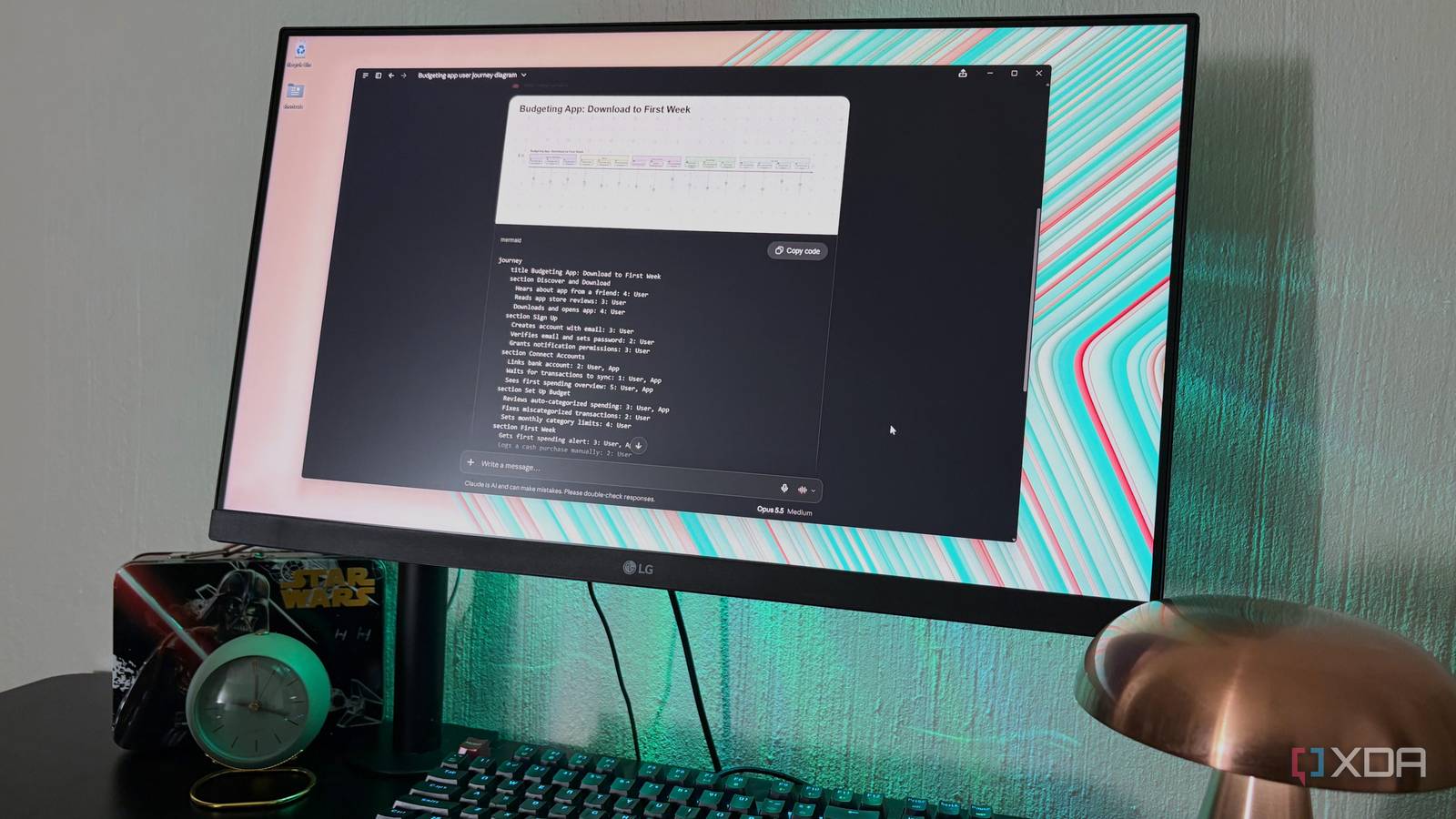
Published Oct 7, 2026, 5:30 PM EDT Nolen began their writing career in 2019, with three years dedicated to editing the Creative section at MakeUseOf. Their expertise lies at the crossroads of technology and creativity, covering areas like photography, video editing, and graphic design. Outside of work, you'll often find Nolen diving into a good book, writing their own stories, or playing video games. Diagramming sounds like one of those tasks that should be quick, until you're trying to nudge the fourth box in place with arrows that refuse to line up, and 20 minutes have passed. Handing all that work to Claude is the obvious solution to the problem. This is exactly what I've been doing to get my diagram elements to line up perfectly in no time, and then I just save the files straight to my vault and open them in Obsidian Canvas or with the Excalidraw plugin. Then I realized Claude had a Mermaid connector this whole time. Mermaid is both a diagramming tool and the text-based language the tool uses. Claude could already read and write this language, it just couldn't render interactive diagrams or pass them off to your Mermaid account before the connector. What the Mermaid connector actually does in Claude Think of it as a drawing inside the chat Mermaid works by having you write out in text which box points to which, and its app turns that text into a picture, basically. Claude is fluent in the language, and even though I've become familiar with some of the Mermaid syntax over the years, it's not something I now have to fully memorize anymore. The connector is what Anthropic calls an MCP App, meaning it can show a live interface in the conversation instead of just replying with text. With the Mermaid MCP, Claude writes the diagram text, the connector passes it along, and a widget in the chat draws it with the Mermaid library. The widget has a copy button for the text as well. Behind the widget there are seven tools which Claude sorts into groups. Claude can call four of them itself. Display is the main one, since it's what draws the diagram in the chat, and sign-in connects your Mermaid account. The other two let Claude see what's in that account: one lists your saved diagrams and the other reads a diagram's code from a link. The remaining three are labeled app-only. One repairs a diagram with a syntax error, one saves a diagram to your account, and the last one updates a diagram that's already saved there. Just noting that simply adding the official Mermaid connector only gave me one tool at first. So I added the newer server as a custom connector using Mermaid's v3 URL: https://chatgpt.mermaid.ai/anthropic/v3/mcp. Claude already speaks Mermaid, so why even bother with the connector? Adding the Mermaid connector has perks Claude already reads and writes Mermaid, so the obvious objection could be, why even bother with the connector at all? You can simply get Claude to generate the text and paste it into any Mermaid tool. What the connector does mostly ties Claude into Mermaid's tools and account. So you can pass off diagrams straight to your Mermaid account, and if the syntax has an error, the widget offers to repair it. Keep in mind that generating, rendering, and reading Mermaid diagrams is free, but repairing will use your Mermaid AI credits. The bigger difference for me, however, is that this connector gives you a direct way into Mermaid's own editor. The widget can open the diagram in your browser (which will require you to be signed in with your account), and you can keep iterating on it with Mermaid's editor. There's now also a visual editor, and the code updates as you edit visually (at least for flowcharts). And the file exports in a few formats, one of them being the raw Mermaid text. Saving goes through the widget as well, and an update overwrites the diagram already in your account instead of making a copy. Claude can also pull a diagram in from its link, so something could go from the chat to Mermaid's editor and back again. Just be mindful of how much you generate because your plan still comes into the picture - the Basic plan stops at three diagrams, with limited AI use on top. Flowcharts are only the start Mermaid can draw a lot more than just boxes and arrows Mermaid tends to get talked about as flowchart software, but it can draw more than twenty types of diagrams. Each one opens with a keyword that tells Mermaid which type it's looking at, and Claude writes that word for you. The prompt only has to describe what you're trying to show. Journey maps is a good example, and it comes up a lot in my UX coursework, which is why the user journey maps caught my attention. Mermaid describes it as the steps users take to finish a task, with a score from 1 to 5 on each step, so it works as a journey map you can ask for in a sentence. The quadrant chart is also pretty cool, and often what I use in my personal projects for measuring spectra. There are also timelines, which don't need an explanation. I recommend looking at the Diagram Syntax dropdown in the Mermaid docs to see everything else it can draw - you just need to describe it in plain language to Claude, and it will use the appropriate syntax to draw the right one for you. All it takes is a few minutes of setup and a free Mermaid account If you've already been using Mermaid and Claude, this connection is practically halfway set up for you. The quickest way to find out if it's worth the setup is to ask Claude for a diagram you'd actually use, like a user journey of how someone signs up for an app you like, for example. If you catch yourself wanting to tweak it afterwards, that's roughly where the connector comes in. If not, then regular Claude artifacts will probably cover your diagramming needs. Mermaid
I connected Claude Code to Mermaid, and it replaced every diagramming app I ever used
Full Article
Original Source
Read the full article at Xda-developers →KhanList aggregates and links to publicly available news content. We do not host full articles from third-party sources. Always verify important information with original sources.