
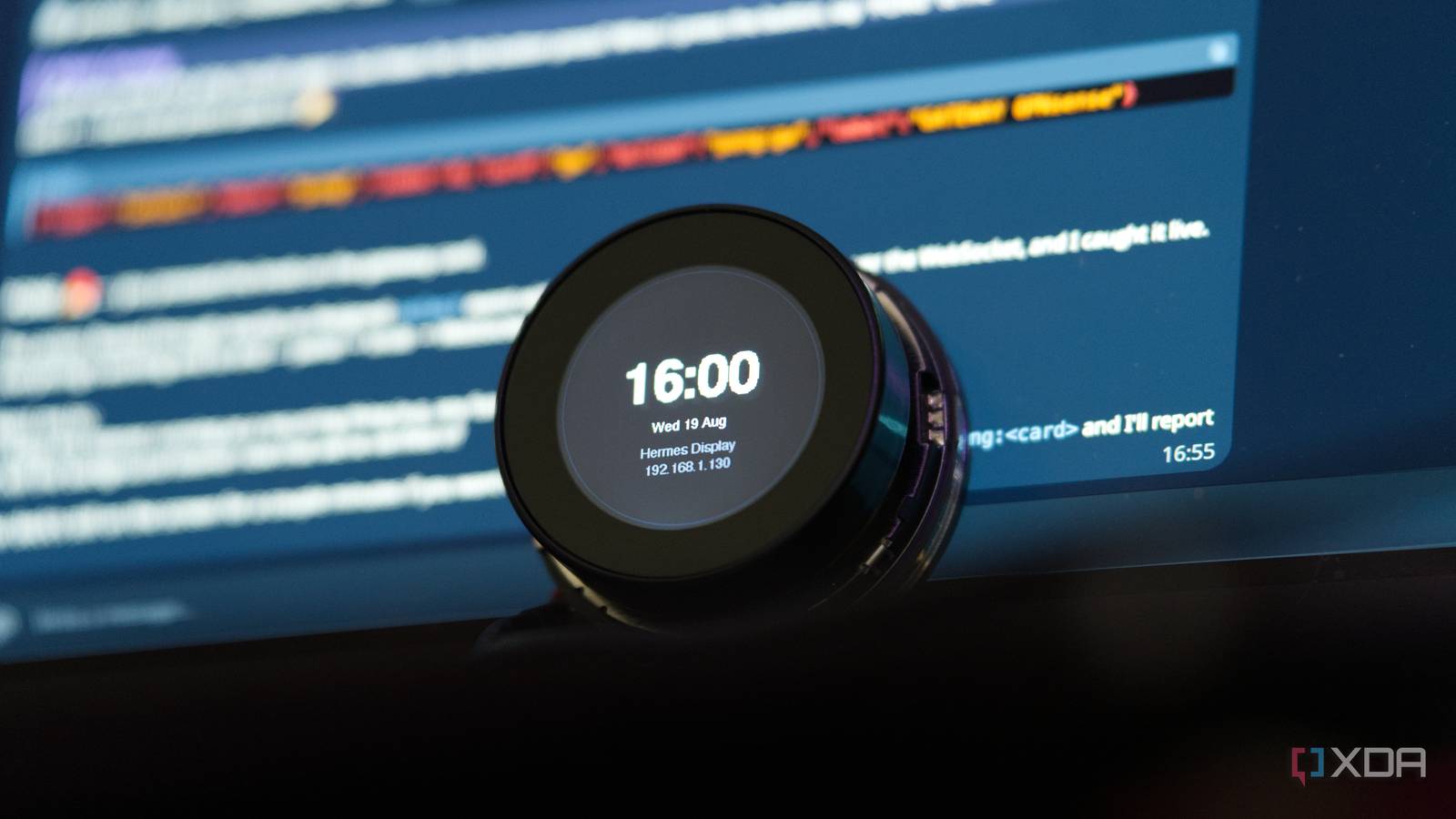
Most smart displays come with a fixed set of screens, and you get whatever the team behind the firmware happened to think of. Usually that's a clock, the weather, a calendar, and after that you're stuck with it. I've used a few of these over the years and the pattern's always the same; they're mostly cookie-cutter devices, nothing more and nothing less. Over the past few months, I've had Hermes Agent running in an unprivileged LXC on my Proxmox server with a local LLM backing it, and I can talk to it on Telegram the same way I'd message a person. Elecrow recently sent me the $30 Elecrow CrowPanel 1.46-inch rotary display, a little round 360x360 touchscreen with a knob on it, and it gave me an idea. Now I can message the agent with a request, and a few seconds later, whatever I asked for shows up on the screen. It's effectively a screenshot, meaning that nothing on it updates by itself, and refreshing it requires the AI agent to drive it in some way or another over my local network. Honestly, the longest block of time I spent on this project wasn't even the Hermes integration, it was getting the panel to draw anything at all, though I'll get to that. The end result, though, is that it works, and the agent turned out to be surprisingly good at deciding what belongs on a screen this small. The CrowPanel 1.46 is a round screen with a rotary encoder and little else Half the pixels are behind the bezel This particular board is an ESP32-S3 with 8MB of PSRAM and 16MB of flash, with a 1.46-inch round IPS panel at 360x360, and there's a CST816T touch layer, a rotary encoder that clicks when you press it, and a ring of eight addressable LEDs around the edge. Elecrow charges $29.99 for it, and it comes with a plastic and acrylic shell. There's no USB-C socket, like the company's other encoders, so both power and UART work over a supplied cable with USB on one end and ZX-MX 1.25-4P on the other. Unfortunately, scrolling on a 1.46-inch round screen with a finger is pretty miserable, because your fingertip covers most of what you're trying to read at the moment you want to read it. Thankfully, the rotary encoder sidesteps that entirely, and it's most of why the thing is pleasant to use at all. You turn it, something on the screen changes or is controlled, and your hand is never in front of the content. Round screens also cost you far more area than you'd think. The biggest rectangle that fits fully inside a 360-pixel circle is 254x254, so roughly half the pixels are behind the bezel and no use to you. I settled on a 272x236 area through the middle, which is wider than that square but short enough that the circle is still wider than the content at every height it uses. As I'll get to, that circular band is a fundamental part of the stylesheet the agent uses, and it's written into its skill file as a rule too. Otherwise, a language model told to design for "360x360" will fill the corners every single time. The panel never sees HTML It just gets sent a picture When I message my Hermes Agent on Telegram, it decides what the screen should say based on my request and writes each card as a chunk of HTML. A headless Chromium on the host renders it at exactly 360x360 and screenshots it, and the resulting PNG gets pushed over the LAN to the panel, which stores it, shows it, and scrolls between it and the others when I turn the knob. The ESP32 never parses a tag. It's essentially the "long way" to do it, and it's a fair bit more work than a normal display protocol would be, because you need a browser somewhere in the chain. However, it saves me needing to use a specific, bespoke schema, and instead becomes gated only by the model's ability to write CSS, which is effectively unbounded. Adding a new kind of screen never means reflashing anything. I did keep two card types that the the device can draw up itself, mainly for the times where firing up a browser doesn't make sense. A metric card is one big number with a label, a unit and a subtitle, and a text card is a heading with a few lines under it. In those instances, both get drawn on the ESP32 with LovyanGFX, though one drawback is that the bundled fonts are ASCII-only. Images are content-addressed, and each card is keyed by the SHA-256 of its rendered PNG and saved locally. If the agent sends a deck, the ESP32 replies with the digests in that deck that it hasn't already seen, so only those get uploaded. This means if you push the same set of data twice, nothing gets sent a second time. With SHA-256 digests, I can also verify if something sent over matches the header, which is basically free to do thanks to the existing design. I've limited it to 10 cards for now as we only have 8MB of PSRAM, and each card is a 360x360 16-bit sprite. The skill file tells the agent to pick the cheapest card type that'll do the job, and within a few minutes of deploying it I had three decks that each went a different route without me needing to offer any guidance or steering. I asked it to scan my network and show me what was online, and it came back with eight native text cards. Then I asked for XDA's latest headlines, and it produced five HTML cards with article thumbnails. That meant it was able to use Chromium to fetch and render those articles from XDA, too. Finally, I asked it to ping my gateway, a Proxmox host, and 1.1.1.1, and it went straight back to native cards. Elecrow uses a forked copy of LovyanGFX The code is a lie I built the firmware against LovyanGFX 1.2.7 from the PlatformIO registry, using Elecrow's own documented panel configuration, but the screen stayed completely black. The backlight lit up. gfx.init() returned normally. Wi-Fi connected, the HTTP server answered, mDNS advertised itself, and PSRAM allocated everything without complaining. I couldn't figure it out as nothing reported a problem, but as it turned out, that was because, from the ESP32's point of view, nothing was a problem. I eventually tracked down the problem to something strange Elecrow does with this device. Elecrow's product page says the controller is a JD9855, but their example code instantiates lgfx::Panel_ST77961. Wel... both of those are half true. It turns out that their repository vendors its own copy of LovyanGFX, in which Panel_ST77961::getInitCommands() has had its whole register list ripped out and replaced with a JD9855 sequence. If you build against the real upstream library, which is what most people should be doing, you send a perfectly valid ST77961 init list to a controller that accepts every command but can't do anything with them. I pulled the init sequence into a Panel_LCD subclass in my own project rather than relying on the fork. There were two smaller issues after that. Elecrow's example calls gfx.startWrite() after init and never closes it, and copying that gave me vertical columns holding stale pixels, because LovyanGFX only waits for DMA completion on the outermost endWrite(). If the counter never gets back to zero, every push races against the last transfer, and their code handles it because their LVGL flush callback closes the outer transaction before each DMA push. Their config also runs the SPI bus at 80MHz, which kept those columns on the screen, so I dropped it to 40MHz as it suggested that some bits were arriving late on some clock edges. This fixed it. A small screen forces the agent to edit It rewrote headlines to make them fit Asking it to show me XDA's articles worked, but the way that it did was pretty impressive. It identified that it was for a small display, and told me it had trimmed a couple of the titles to fit the round screen in a way that didn't change the meaning of the titles. Nothing in my skill file that I gave to Hermes tells it to rewrite text to fit the screen, and all it says is that a card with a thumbnail has room for two lines for the headline. It worked out on its own that the right answer to a layout constraint is to cut words, then decided which words were the least important, before telling me which ones it had dropped. My network scan did the same thing on a bigger scale; I temporarily gave it access to scan my network, and found around 75 live hosts across two subnets, but the limitation is that the panel only holds ten. It didn't truncate the list like I expected, though, as it picked out what it called the "maruqee" infrastructure and put the other stuff in a Telegram reply instead. So the screen picked the eight most important services to show on the screen, giving me the rest in the chat. It also checked the hostname of each machine, rather than just returning the ARP table. It identified OPNsense, TrueNAS, Frigate NVR, Proxmox Backup Server, and Jellyfin, and that was the text it returned to the screen instead. The thing is, anything can emit HTML, but no ESP32-based firmware can dynamically ingest a headline and cut out the parts that don't matter when showing it on a tiny screen. In fact, the constraint made the outputs better than just a raw information dump. It's a lovely display to use And surprisingly capable Pressing the button does nothing on the display, aside from flashing the LED ring for 90 milliseconds and broadcasting a JSON event over a WebSocket. That button press carries whatever action string the agent sent, so if an XDA card comes back with a button press on an article, that could mean that I want it to open the article and tell me what's inside. As well, long-pressing the button dismisses the deck back to a simple clock. I don't have a queue or any retry logic built in, so once it's gone, it's gone. For now I'm treating this as a request-driven thing, where I ask and it answers, though the agent offered off its own back to set up a morning cron that refreshes the panel with the day's headlines. Long-term, that's definitely the goal, as it stops being something I have to deliberately control and instead can just be something that's there with useful information whenever I look at it. Would I put anything sensitive on it? Probably not, given that it's a screen sat on a desk with no authentication. However, it gives a $30 panel a set of screens you never have to think of and plan in advance, which is more than I can say for most smart displays, to be honest. If you want to try it out, you can check out the repository on GitHub.
I connected a local LLM to a $30 ESP32 display, and it designs a new screen for every question I ask
Full Article
Original Source
Read the full article at Xda-developers →KhanList aggregates and links to publicly available news content. We do not host full articles from third-party sources. Always verify important information with original sources.