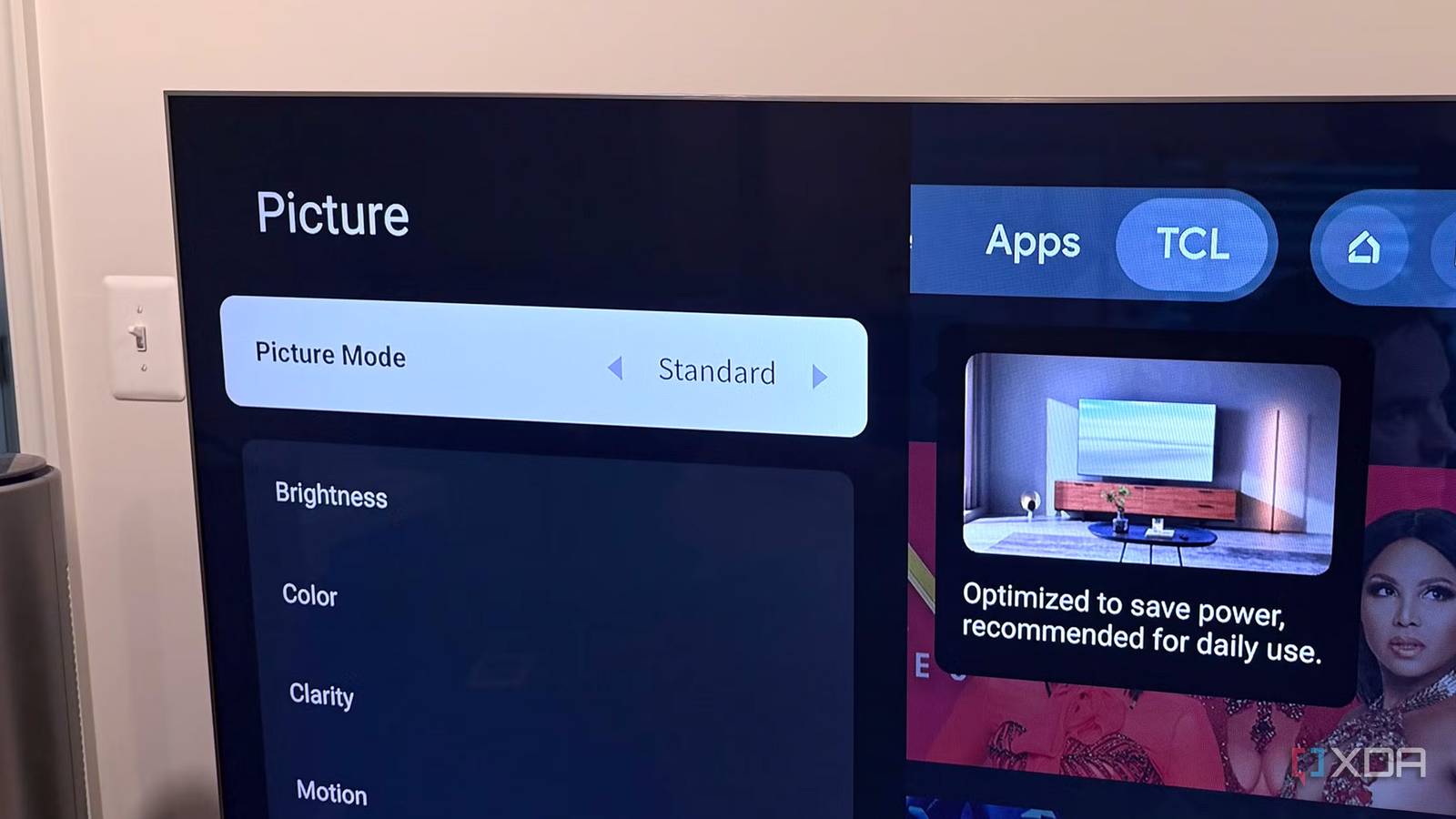
Published Aug 17, 2026, 6:00 PM EDT Maker, meme-r, and unabashed geek, Joe has been writing about technology since starting his career in 2018 at KnowTechie. He's covered everything from Apple to apps and crowdfunding and loves getting to the bottom of complicated topics. In that time, he's also written for SlashGear and numerous corporate clients before finding his home at XDA in the spring of 2023. He was the kid who took apart every toy to see how it worked, even if it didn't exactly go back together afterward. That's given him a solid background for explaining how complex systems work together, and he promises he's gotten better at the putting things back together stage since then. I'll admit something embarrassing for someone who writes about display tech for a living. My last TV ran in its factory picture mode for the better part of a year. I'd taken weeks agonizing over panel types, my budget, and peak brightness numbers, and when it arrived, I plugged it in and ignored any of the settings. Now, to be fair, I use an Apple TV 4K with any display I watch movies on, and it's set to Dolby Vision mode, so I might not have noticed the TV was in a subpar setting. But that's not the point. The point is that your TV ships in the worst possible state. Well, maybe second-worst because the ultra-mega-vivid mode they use in the showroom is the worst. Manufacturers pour engineering hours into hitting reference color targets, then ship the TV in a mode that throws most of it away, for a variety of reasons. Filmmaker mode is the one thing everyone agrees on If you change nothing else on your TV, this is the one Ask any reviewer, professional calibrator, or AVS Forum regular what the most accurate out-of-the-box picture mode is, and they'll all, surprisingly, agree that it is Filmmaker Mode. These are people who rarely agree on anything, so this is high praise indeed. If you don't have that option, Movie or Cinema gives you the most dials to turn for adjustment, and that's where many of the TV review sites start from now. What makes Filmmaker Mode different is that it's not set by any singular manufacturer. It's an industry standard defined by the UHD Alliance in 2020, so it behaves the same on LG, Samsung, Hisense, or TCL, and on QLED or OLED. It locks the white point to D65, which is what Hollywood colorists grade against, and switches off motion smoothing, sharpening, and noise reduction. Individual brand Cinema modes go most of the way, but they're never consistent year to year, and some keep edge enhancement or cooler color temperature in the mix. Two caveats about Filmmaker Mode. Dolby Vision content ignores it, and Dolby Vision Cinema or Dolby Vision Dark are the accurate equivalents here. Your TV will switch to these on its own, so set Filmmaker anyway. Just be aware that sometimes it will change. And Sony rebadges Filmmaker mode as Professional on newer TVs and asCustom on older ones. Same idea, different words. Yes, that yellow tint is accurate The first time you use Filmmaker mode, it might feel like the Mexico color filter has been applied to everything. That's not because it's wrong; it's because you're used to a cooler color temperature, and your eyes are getting used to an accurate D65 white point. Give it a few hours of watching something you love before deciding whether to switch back. My brain thinks Standard mode looks like a bright dentist's office now that I've gotten used to Filmmaker. Your TV shipped like that on purpose All to earn that Energy Star rating You might have heard that TVs ship in Vivid mode to make them look impressive out of the box, or to look good when in the store. That's still somewhat true, though there's now a Store mode in the menus for that. But these days, your new TV is usually shipped in Standard, with every energy-saving feature turned on, because that's what earns the TV its Energy Star rating. It's a big loopholebecause that setting lets them advertise as energy-efficient, but that's not the mode anyone should run the TV in once it gets home. Regulations in the US, EU, and Canada cap how much power a TV can draw, and shipping in Eco mode is how manufacturers can still claim their TV reaches thousands of nits in HDR brightness while staying on the right side of regulations. Here's how most of the manufacturers will ship you a TV, but of course some models will be different: Samsung: Ships in Standard with Eco Mode enabled, and then Intelligent Mode makes AI-driven adjustments on top of that. Three layers of interference before you've found the Filmmaker Mode and switched, and you have to go find the Eco settings to turn off as well. LG: Defaults to Standard or AI Picture depending on the model year, with Energy Saving set to Automatic. That's driven by a light sensor that aggressively dims the panel even in a bright room, and you'll want to switch to Filmmaker and turn off Energy Saving to get the image quality you paid for. Sony: Defaults to Standard, but is the best out-of-the-box for accuracy, and switching to Professional mode does all the rest of the changes for you. TCL: Some models default to Low Power and eco-throttle, newer sets have Filmmaker mode or Movie mode to get you rolling Hisense: Ships in Standard with Energy Saving and an automatic light sensor. Again, Filmmaker mode is the play. Unless your room is bright, then try Theater Day. Vizio: Gives you a choice between Eco and Home during setup. Don't pick Eco, you'll end up with a dim picture. Choose Home, then either Calibrated or Calibrated Dark picture mode. You don't need a panel upgrade, you need 90 seconds with a remote Changing the picture mode is a good start I'm not saying you shouldn't upgrade your TV if you want to. New panels are objectively better than even those from two years ago, but they won't show their best until you've adjusted a few on-screen settings. You don't need to be a calibration nerd or buy a colorimeter. One trip into picture mode, another into the eco or power-saving menus, and a 30-minute adjustment period while your eyes recalibrate to the more accurate picture quality of Filmmaker mode. That's all it takes to get the TV panel you paid for to look like the one the spec sheet promised.
I changed one hidden TV setting, and the picture quality difference was immediate
Full Article
Original Source
Read the full article at Xda-developers →KhanList aggregates and links to publicly available news content. We do not host full articles from third-party sources. Always verify important information with original sources.